AI Laser Cutting File Generator SVG and DXF, free
Free. Use your own Anthropic or OpenAI key.
Also from Innerscene: Circadian Lab, a free lighting calculator for room illuminance, melanopic EML, and glare.
An example drawing made with AI
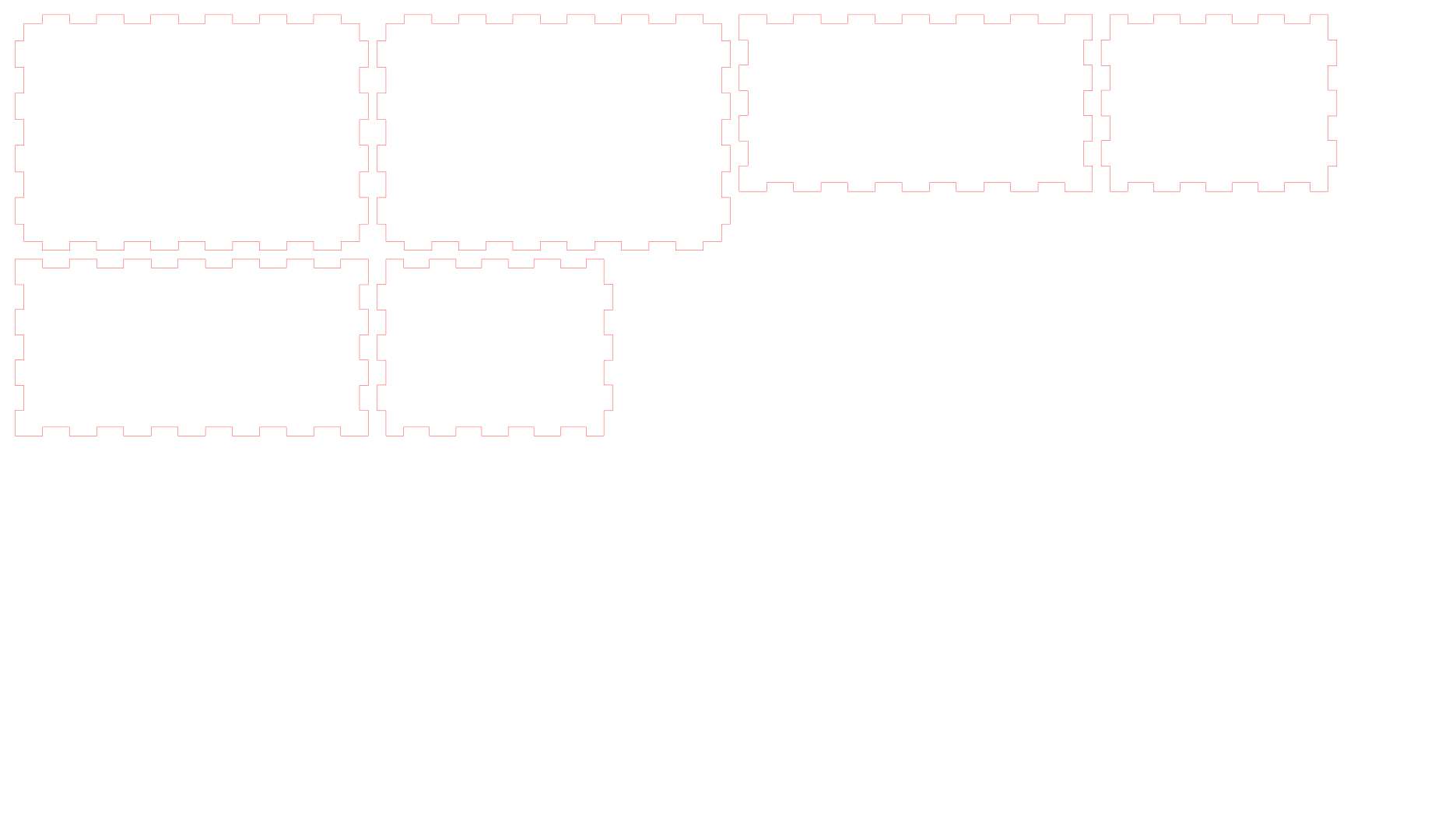
Watch how it works
How it works
- 1. Describe what to cutSay what you want in plain words, with the material, its thickness and the sizes, and pick your machine if you know it.
- 2. The AI lays it out and checks itThe AI draws each part, the cut engine compensates for the kerf, nests the parts on the sheet and checks them, and the AI fixes any marked problems.
- 3. Refine and downloadThe cut file opens in the viewer at true size. Ask for changes in the chat, then download the SVG, DXF or DWG for your machine.
Why make it with AI here
- Boxes get finger joints sized for the material thickness, and every outline is offset for the kerf, so parts fit together straight off the machine.
- Cut, score and engrave lines sit on separate layers in the colours your machine expects, so nothing needs recolouring before you cut.
- Pick Glowforge, xTool, LightBurn, Epilog, Cricut or Silhouette, and the downloads are rebuilt for that machine without asking the AI again.
Prompts to try
Click one to open it in the AI panel, then change the sizes to suit.
Getting the file to your machine
- Pick your machine in the menu above the chat.
- Download the SVG once the layout opens in the viewer, or the DXF for CAD and CNC software.
- Open the SVG in the Glowforge app, xTool Creative Space, LightBurn, Cricut Design Space or Silhouette Studio, or the DXF in your CAM software.
- Run a test cut on scrap to confirm the kerf before you cut the whole sheet.
Files are in millimetres at true size. Cut, score and engrave lines each have their own colour and layer (CUT, SCORE and ENGRAVE in the DXF), and the build report gives the sheet size, the cut length and how much of the sheet is used.
Best export formats: SVG, DXF, DWG, PDF (vector)
Good to know
It makes flat parts cut from sheets: carving depths, toolpaths and G-code are up to your machine's software. Tracing photos or logos into vectors is limited, and every file needs a test cut, as the kerf changes with the machine, the material and the settings.
Cost and privacy
You use your own Anthropic or OpenAI API key. It is stored only in your browser and sent only to that provider, which bills you directly: a model typically costs $0.05 to $0.30 at Standard quality and up to about $1 at Detailed, and Innerscene charges nothing. Your key and prompts are not sent to Innerscene; we record anonymous usage statistics such as the steps used, the model chosen, token counts, a cost estimate and whether a model was made.