Advanced screen
Advanced Settings
Hub page for advanced device configuration including system settings, WiFi, diagnostics, hardware control, calibration, device values, and firmware management.
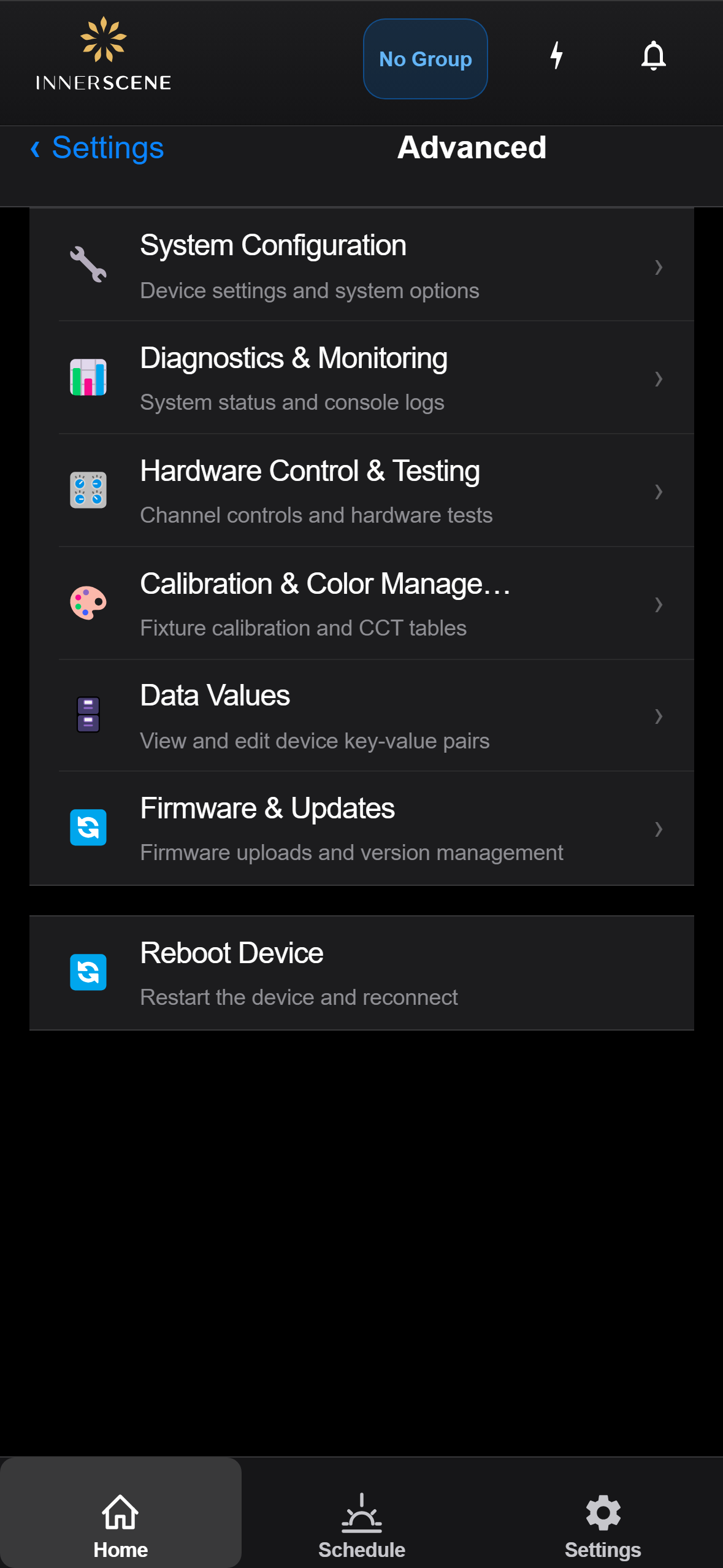
Controls on this screen
- System Configuration
Configure system-level device settings including status LED brightness, device network address, and factory reset.
- Diagnostics & Monitoring
View real-time system status including connection state, console log output, WiFi events, peer information, and IP details. Adjust log verbosity levels for troubleshooting.
- Hardware Control & Testing
Direct control of individual LED channels (Warm, Cool, Green, Blue, Sun) with raw PWM sliders. Includes radio channel configuration and hardware test functions for manufacturing verification.
- Calibration & Color Management
Run the automated color calibration process, upload or download CCT lookup tables, and configure the calibration server. Used during manufacturing to ensure accurate color temperature output.
- Data Values
View and edit the device's key-value configuration store. Each setting is stored as a named key with a typed value. Supports adding new keys, editing existing values, and making temporary values permanent.
- Firmware & Updates
Upload new firmware to the device via OTA (over-the-air) update. Shows current firmware version, upload progress, and update log. Also provides access to [[batch_provision_scan|Update Group Firmware]] for updating multiple fixtures at once.
- Cloud Management
Opens [[cloud_fleet|Cloud Management]], where you connect this fixture to the Innerscene Cloud so Innerscene staff can provide technical support and configuration remotely, such as firmware updates, grouping changes, and schedule adjustments.
- Reboot Device
Immediately restarts the device. The device will disconnect briefly and reconnect once the reboot is complete. All saved settings are preserved across reboots.
Open this screen in the interactive guide to explore it with clickable callouts, search, and a live simulator, or browse all screens.