Settings screen
SkySync — Unpaired
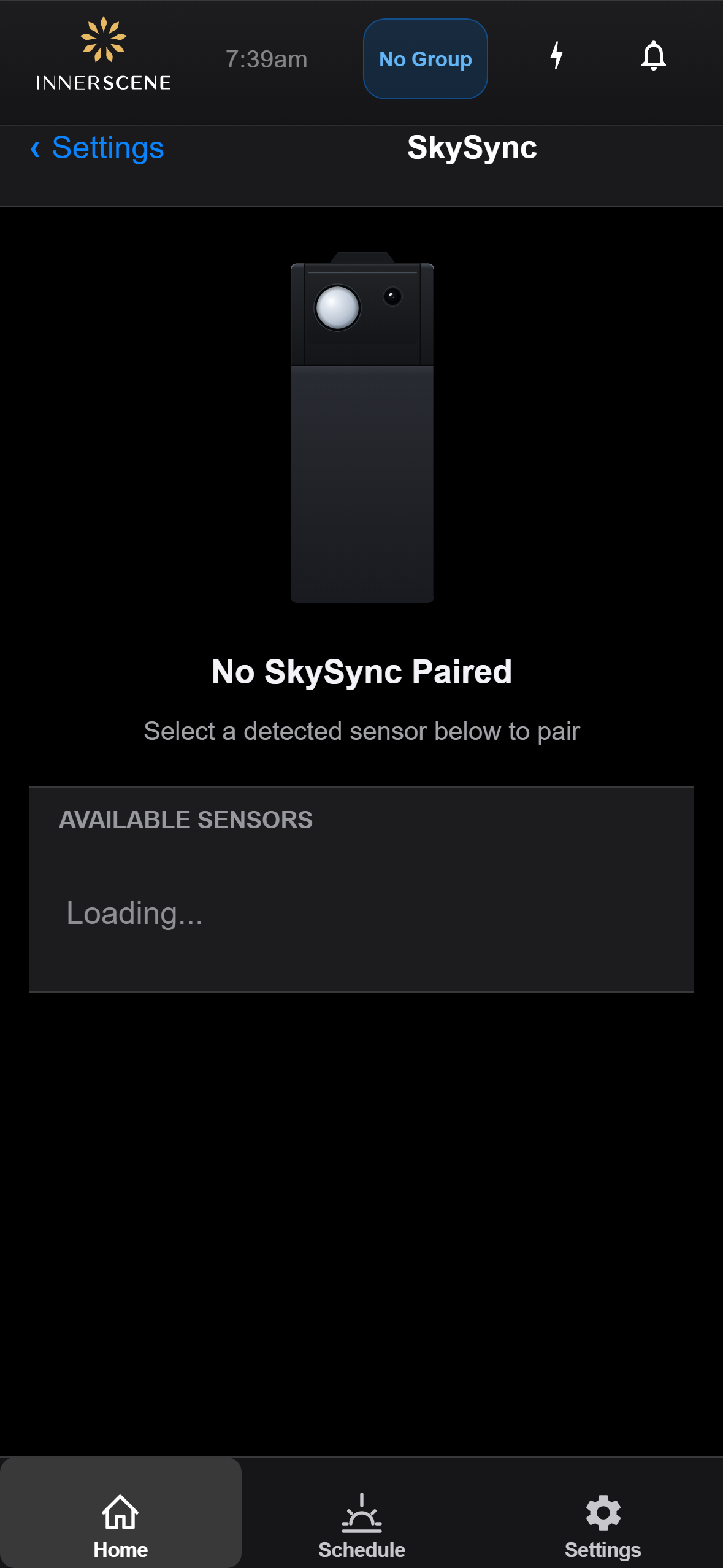
The SkySync page when no sensor is paired but one or more sensors are detected nearby. Shows the "Available Sensors" list instead of live readings. This is the view customers see when they first navigate to SkySync to pair an included sensor.
Overview
This is the SkySync page when no sensor is paired but one or more sensors are detected nearby. Instead of the live CIE chart and readings shown on the paired SkySync page, you see a sensor illustration, a "No SkySync Paired" heading, and the Available Sensors list.
Each sensor in the list shows its Bluetooth MAC address, battery percentage, and signal strength. Tap a sensor to pair it with this fixture. Pairing takes a few seconds — once complete, the page transitions to the paired view with live readings.
Controls on this screen
- Available Sensors
Lists SkySync sensors detected nearby via Bluetooth. Each sensor shows its name, signal strength, and battery level. Tap a sensor to pair it with this fixture. Only one sensor can be paired at a time. Innerscene typically ships fixtures with the sensor already paired, but if the sensor arrives unpaired or has been reset, use this list to pair it.
- Enable/Disable SkySync
Master toggle to enable or disable SkySync control. Greyed out until a sensor is paired.
Open this screen in the interactive guide to explore it with clickable callouts, search, and a live simulator, or browse all screens.