Settings screen
Home — SkySync Detected
Home screen showing the "SkySync Found" discovery banner. This appears when an unpaired SkySync sensor is detected nearby via Bluetooth — typically when a fixture is delivered with a SkySync that has not yet been paired.
Overview
When an unpaired SkySync sensor is detected nearby via Bluetooth, a "SkySync Found" discovery banner appears on the home screen between the schedule and the bottom navigation. This is the first thing you will see if your fixture was shipped with a SkySync sensor that has not been pre-paired.
Innerscene typically pairs the SkySync sensor to the fixture before shipping, so most customers will not see this screen. However, if the sensor arrives unpaired (for example, if ordered separately or after a factory reset), this banner tells you that a compatible sensor is nearby and ready to be paired.
Tap the banner to navigate to the SkySync page, where you can select the sensor from the "Available Sensors" list and pair it with one tap.
Controls on this screen
- SkySync Found
A discovery banner that appears when an unpaired SkySync sensor is detected nearby via Bluetooth. Innerscene typically ships fixtures with the SkySync sensor already paired, but if the sensor arrives unpaired (or has been reset), this banner will appear on the home screen. Tap to navigate to the [[skysync_unpaired|SkySync Pairing]] page where you can pair the sensor.
- CCT Slider
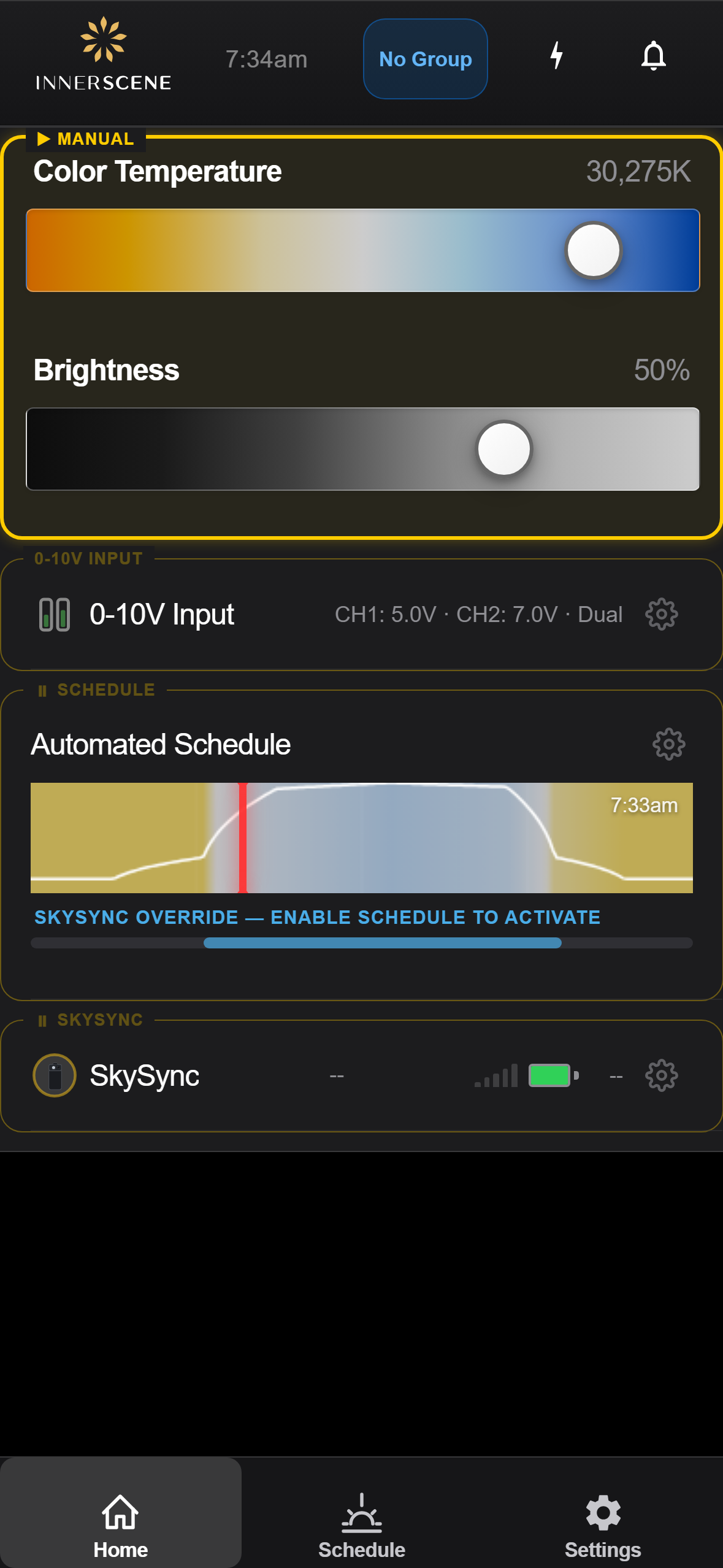
Adjusts the color temperature of the light from warm (2200K) to cool/blue sky (200000K+). Drag left for warmer, right for cooler light.
- Brightness Slider
Controls the light output from 0% (off) to 100% (full brightness). The percentage is shown to the right of the slider.
- Schedule Preview
Shows today's lighting schedule as a graph. Tap to toggle schedule mode on/off. Long-press to open the schedule editor.
- 0-10V Input
Shows the current 0-10V analog input readings. Appears when a 0-10V daughterboard is installed.
- Password Reminder
Banner reminding you to change the default device password for security.
Open this screen in the interactive guide to explore it with clickable callouts, search, and a live simulator, or browse all screens.