Advanced screen
WiFi Network Details
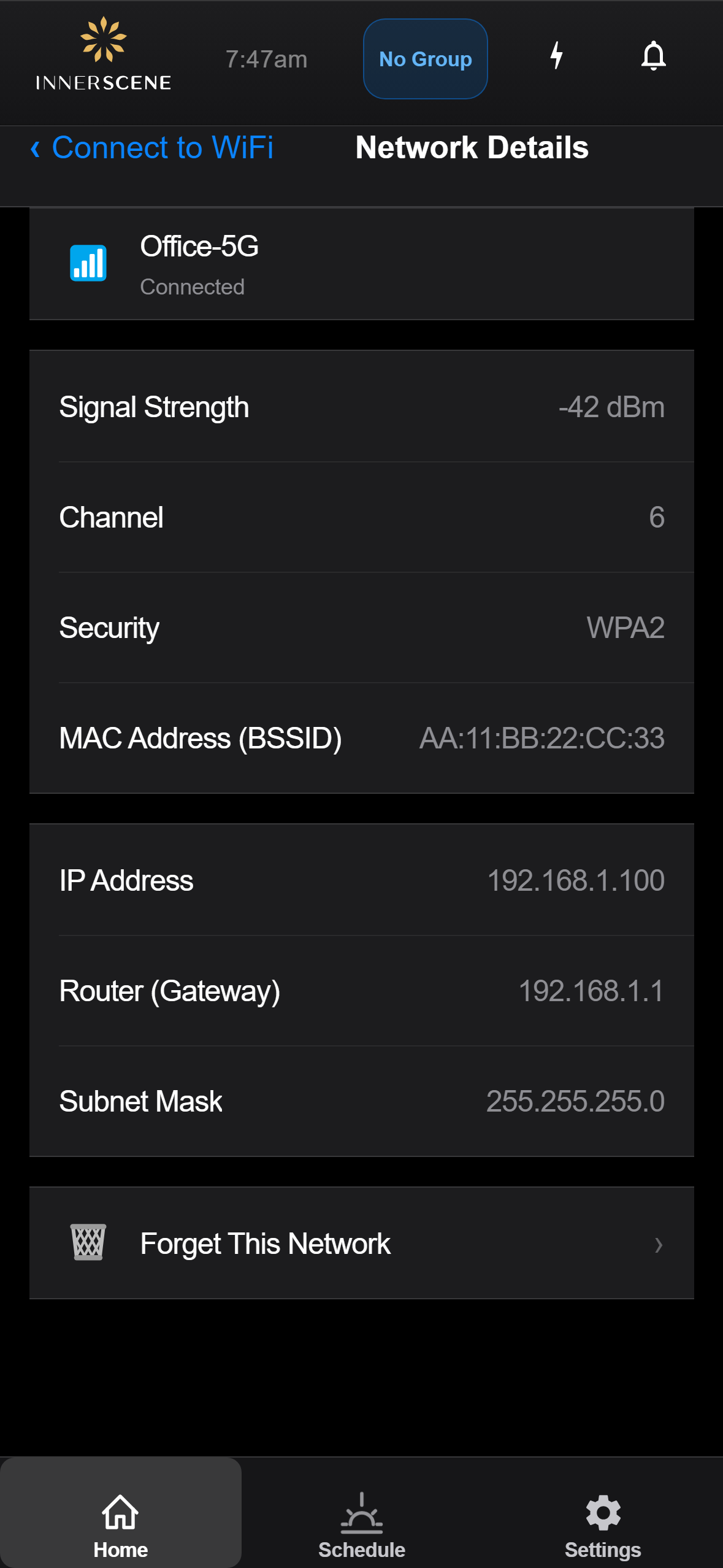
View detailed information about a WiFi network including signal strength, channel, security, and connection status with IP addressing.
Controls on this screen
- Network Name
The SSID of the WiFi network being viewed.
- Connection Status
Whether the device is currently connected to this network or not.
- Signal Strength
The signal strength in dBm. Closer to 0 is stronger. Typical ranges: -30 to -50 (excellent), -50 to -70 (good), -70 to -85 (fair), below -85 (poor).
- Channel
The WiFi radio channel the network operates on (1-11 for 2.4GHz, 36-165 for 5GHz).
- Security
The encryption and authentication type used by the network (WPA2, WPA3, Open, etc.).
- MAC Address (BSSID)
The hardware address of the access point. Useful for identifying specific access points when multiple share the same SSID.
- Connection Info
IP address, gateway, and subnet mask assigned to the device when connected to this network.
- Forget Network
Removes the saved credentials for this network and disconnects. The device will no longer auto-connect to this network on boot.
Open this screen in the interactive guide to explore it with clickable callouts, search, and a live simulator, or browse all screens.