Advanced screen
Edit Value
Edit an individual device configuration value. Modify the raw value, change its data type, or move it between storage locations.
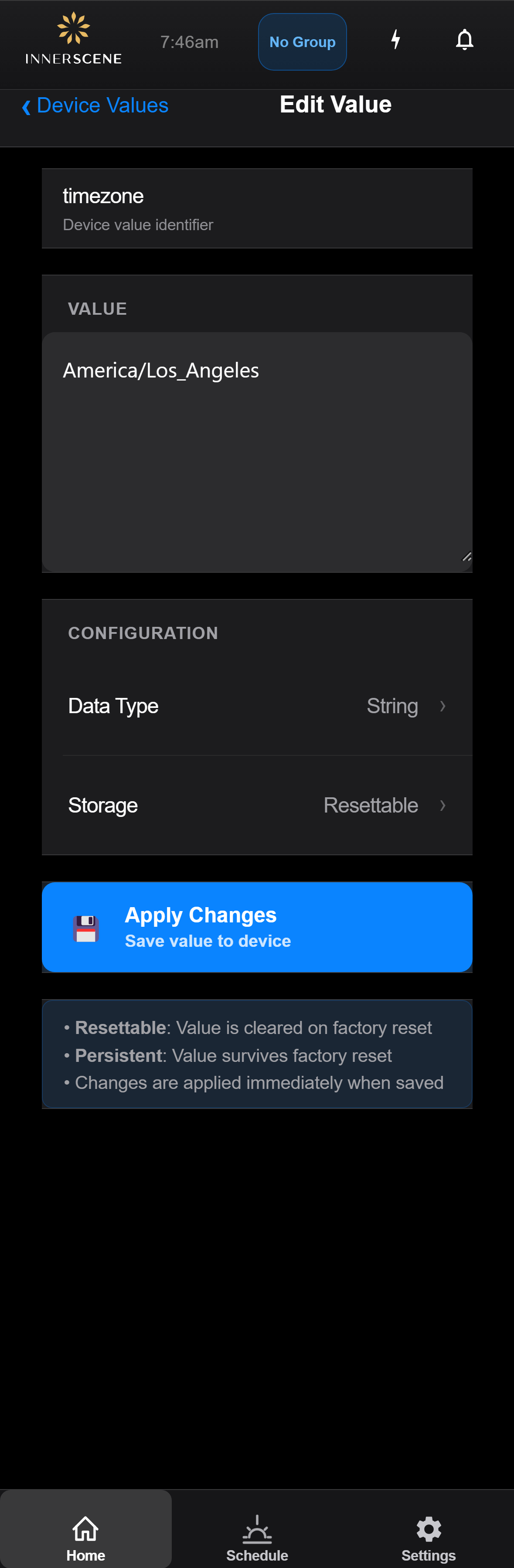
Controls on this screen
- Key Name
The name of the configuration key being edited. Key names are fixed identifiers used by the firmware.
- Value
The current value stored for this key. Edit the text to change it. For binary data, values are shown in base64 encoding.
- Data Type
The data type of this value. Tap to change between String, Int, Float, or Binary. The type must match what the firmware expects for this key.
- Storage Location
Where this value is stored on the device. "Resettable" values are cleared by a factory reset. "Persistent" values survive a factory reset.
- Apply Changes
Saves the modified value to the device. The change takes effect immediately.
Open this screen in the interactive guide to explore it with clickable callouts, search, and a live simulator, or browse all screens.