Advanced screen
Add New Key
Create a new key-value pair in the device's configuration store. Specify the key name, value, data type, and whether it should be stored in resettable or persistent storage.
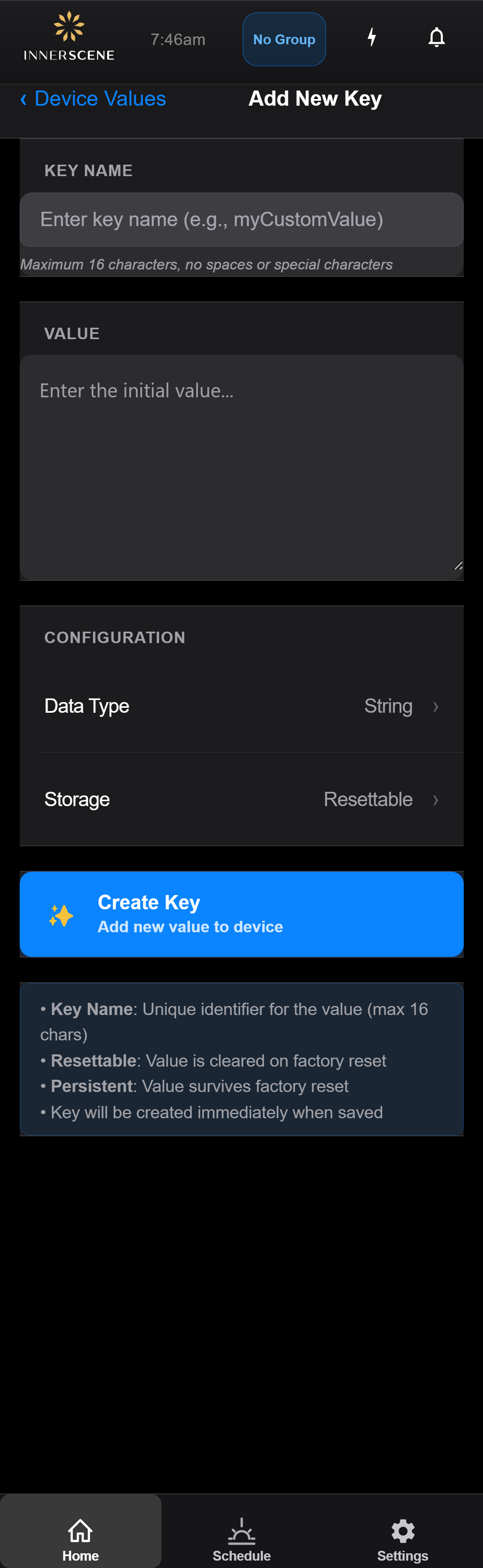
Controls on this screen
- Key Name
The name for the new key (up to 16 characters). Must contain only letters, numbers, and underscores. This name is used by the firmware to look up the value.
- Value
The value to store for this key. Enter text for String type, a number for Int/Float, or base64-encoded data for Binary.
- Data Type
The data type for this value. Tap to select String, Int, Float, or Binary.
- Storage Location
Where to store this value. "Resettable" is cleared by factory reset. "Persistent" survives factory reset.
- Create
Creates the new key-value pair on the device. You'll be returned to the values table where the new entry will appear.
Open this screen in the interactive guide to explore it with clickable callouts, search, and a live simulator, or browse all screens.