Device Connection screen
Device Authentication
Password prompt shown after selecting a device. The device requires authentication before you can control it. The default password is "innerscene".
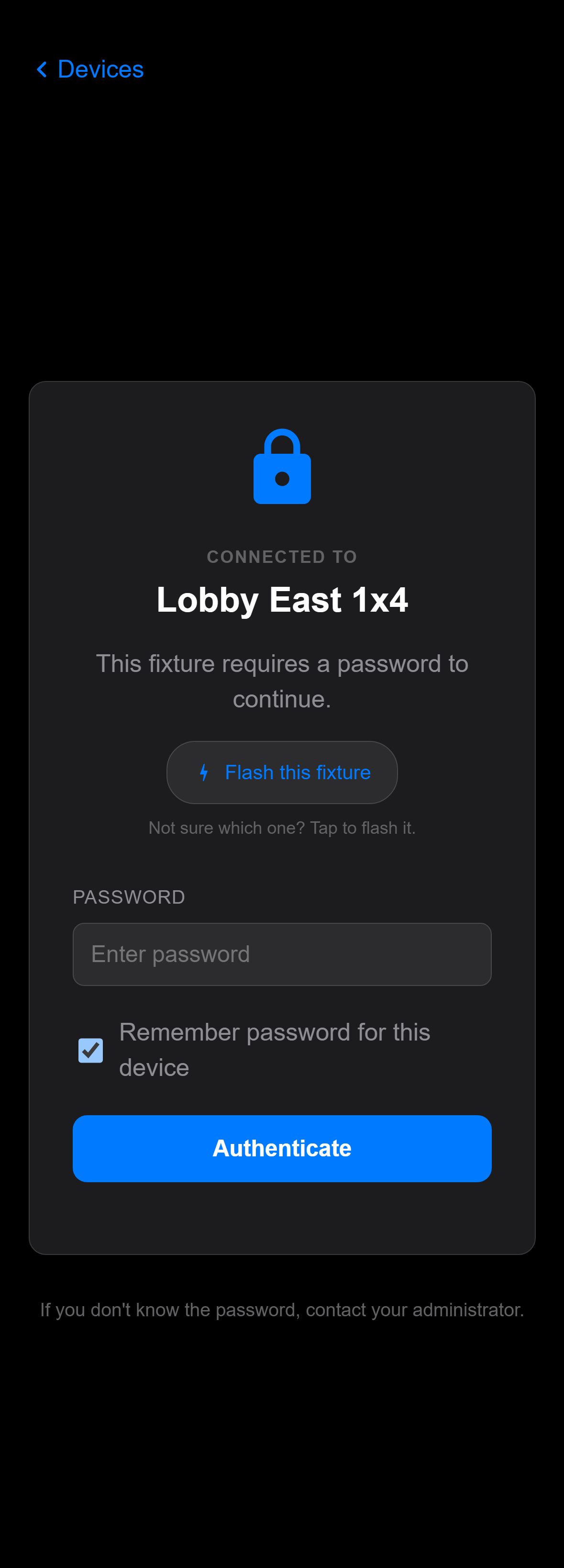
Controls on this screen
- Device Name
Shows the name of the device you are connecting to. This name is derived from the device's Bluetooth broadcast name.
- Password Field
Enter the device password to authenticate. The default factory password is "innerscene". Your administrator may have changed this.
- Remember Password
When checked, the app stores the password locally so you don't have to enter it each time you connect to this device.
- Status Message
Shows the result of the authentication attempt — success, incorrect password, or connection error.
Open this screen in the interactive guide to explore it with clickable callouts, search, and a live simulator, or browse all screens.