Open 3D Files Straight from Windows Explorer
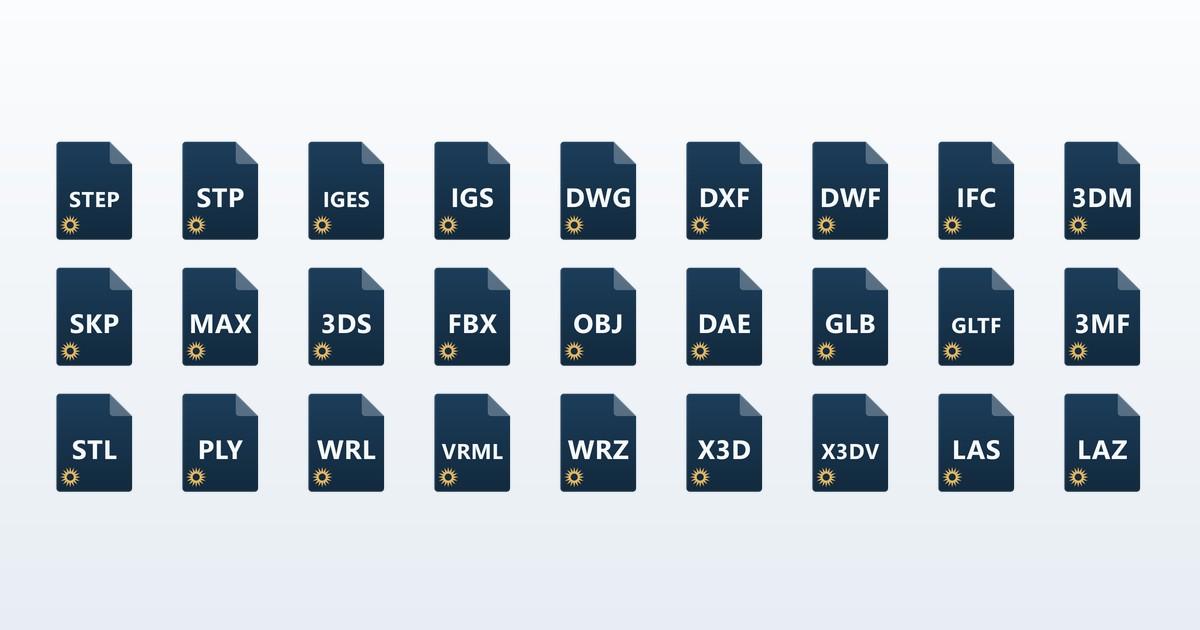
Our online 3D viewer has always had one small indignity attached to it. You get a STEP file in an email, you want to look at it, and you have to open a browser tab, find the viewer, and drag the file in. Three steps to answer a question that takes two seconds to answer once the model is on screen.
So we built a small Windows helper that removes those three steps. Double-click the file, the model opens. That is the whole feature. Doing it without the file leaving your machine took some care, and that is most of what this post is about.
Innerscene 3D Viewer for Windows
2 MB, Windows 10 and 11, no administrator rights. 21 formats across 28 file extensions. Files are handed to your browser over a connection that never leaves your machine.
There is a macOS version too, covered further down. Prefer not to install anything? The web viewer does the same job by drag and drop.
How the file reaches your browser
When you double-click a model, the helper starts a small web server on your own machine, bound to the loopback address that never leaves your PC, and opens your browser at a page it serves itself. That page does three things:
- Reads the file from itself: a same-origin fetch, local page to local server, which no browser gates.
- Embeds the viewer in a frame: the ordinary web viewer, loaded from our site as usual.
- Hands over the bytes directly: passed into the frame in memory, with no network request between them.
Keeping the fetch local-to-local matters for more than tidiness. Chrome gates a public web page that reaches into your local network behind a permission prompt (“innerscene.com wants to access other apps and services on this device”), which is a sensible protection but an alarming thing to show someone who just opened a file. Because the page doing the fetching is itself local, nothing crosses the boundary that prompt guards, and it never appears.
The file goes from your disk to your browser tab and stops there. The local server accepts only loopback connections, uses a random unguessable address for each file, and shuts itself down a few minutes later. There is no background process sitting in your tray.
Worth being precise about privacy: the viewer parses and renders everything in your browser. The helper does not send your file to us, and neither does the viewer. The one exception is deliberate and manual: if you click Share to create a link for someone else, that uploads the file, because a link that points at your hard drive would be useless.
How file associations are handled
If a format already belongs to another application (.dwg with AutoCAD installed, say), that application stays the default. The viewer is added to the right-click Open with menu instead.
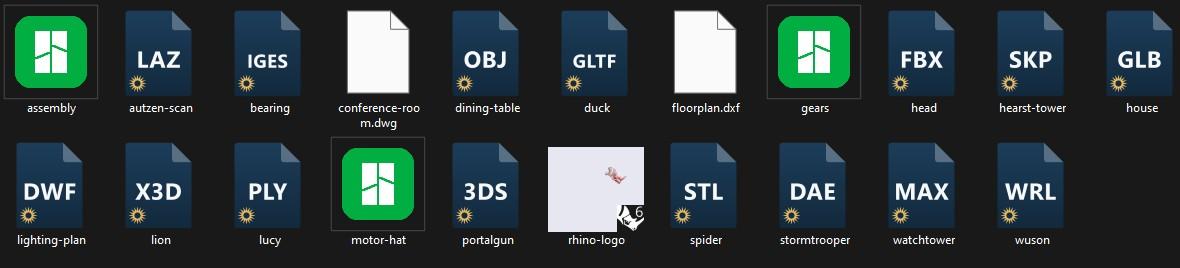
.step and .3mf, the sketched one is Rhino’s .3dm, and the two blank pages are DWG TrueView’s. Those were left alone.The formats it does claim by default are the orphans: the ones that open nothing on a typical PC. On most machines .step, .igs, and .3dm are exactly the files that make Windows shrug and ask what you would like to use. Everything is a checklist during setup, and reopening it later is a Start menu search away.
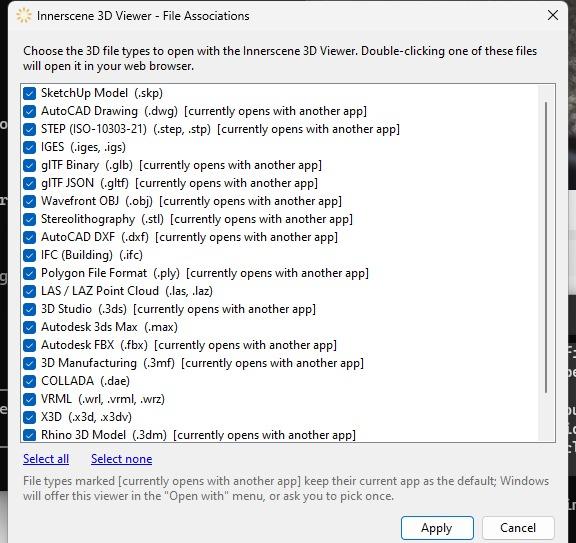
The whole thing installs into your user profile. No administrator password, no system-wide changes, and uninstalling from Settings removes every association it created. Because it is new and not yet code-signed, Windows SmartScreen will warn you the first time you run it; click More info, then Run anyway. We would rather say that plainly than have it surprise you.
New formats arrive on their own
We add formats to the viewer fairly often, and it would be a poor design if each one required you to download a new installer. So the helper does not have a list of formats baked into it. It asks the website what the viewer currently supports.
- The list is fetched, not shipped. Whatever the viewer can open today is what the helper offers you.
- New formats are offered, never taken. When something new appears you get a small notification; associating it is your decision, not ours.
- Nothing runs in the background. The check happens when you open a file, at most once a day.
This stopped being theoretical the same week we shipped it, which is worth a section of its own.
The test case: 3ds Max scenes
A .max file is the working project file of Autodesk 3ds Max, and it is the format people have the least luck with. Autodesk has never published the specification, there is no third-party library for it, and the practical result is that almost every program you hand one to answers with “unsupported file.” If a visualization studio emails you a scene, your options have historically been to buy a 3ds Max licence or to email back asking for an FBX.
We wrote a reader for it. The viewer now opens .max scenes natively: the mesh geometry, the object hierarchy with its transforms and instancing, layers, object names, and material colors. It was developed against a corpus of 557 real scenes, spanning 3ds Max 1.x in the late 1990s through the current release, which is what the version coverage above is based on.
Here is one, live. The viewer is parsing a .max scene in your browser, textures included. Drag to orbit, scroll to zoom.
Textures, and why a lone .max has none
A .max does not contain its textures. It contains paths pointing at them. The watchtower above asks for two images, and this is how it asks:
w:\database\stuff\generique\agents\_textures\accessories\ge_mission_tourgarde_karavan.pngThat is a drive letter on a computer at a games studio, recorded years ago. Send someone the .max on its own and no software can show you those images, because the image bytes were never in the file. It is the same reason a scene opened on the wrong machine shows missing-texture errors in 3ds Max itself.
What it can do is match them up when they travel together. Put the scene and its images in a ZIP and drop that in, and the viewer reads the names the scene asks for, finds those files in the archive, and paints them on. It matches by filename and ignores the recorded folders, since those describe a machine that is not yours. The watchtower above is exactly that: one .max and two PNGs, zipped.
If you are the one sending the file: zip the scene together with its texture images, keeping the images anywhere inside the archive. That is worth doing whoever is opening it, since it is also what stops a colleague with a full 3ds Max licence from seeing your model in flat grey.
The other limits apply to any third-party reader, not just this one. Geometry that only exists once 3ds Max runs a modifier is not stored as geometry: the viewer sweeps splines carrying an Extrude or Lathe, since almost every architectural scene is drawn that way, but a Bend or a TurboSmooth has to be baked down first. Neither NURBS and patch surfaces nor V-Ray and Corona proxy meshes are stored either, the latter living in separate files that were never part of the scene. Rigged characters are a related case: their shape comes from a skin modifier, so what you see is the undeformed base mesh. When a scene is made entirely of these, the viewer says so and tells you what to export, rather than showing an empty grid and letting you wonder.
The part that matters for this article: every already-installed copy of the Windows helper offered .max within a day of it shipping, without anyone downloading a new installer, because the list is fetched rather than compiled in.
What you can associate today
21 formats, 28 extensions. CAD and BIM: STEP, IGES, SketchUp, Rhino, and IFC. Drawings: DWG, DXF, and DWF. Meshes: glTF and GLB, OBJ, STL, FBX, 3ds Max, COLLADA, PLY, 3MF, VRML, and X3D. Plus LAS and LAZ point clouds.
The download page lists the current set in full, generated from the viewer itself, so it is accurate rather than a number someone remembered to update.
The same thing on a Mac
A Mac version exists and does the same job from the Finder. Opening a model hands it to your browser over the same local-only connection, and the viewer is the same one.
What differs is who is allowed to claim a file type. On Windows the helper writes associations into the registry when it runs, so it can claim anything at any time. macOS reads the list of types an app can open out of the app itself when it is installed, which means the set is fixed when we build it and the only decision left at run time is which of those types the app becomes the default opener for.
That distinction matters more than it sounds, because macOS ships with opinions. Preview already owns GLB, glTF, OBJ, STL and PLY on a stock Mac, so the helper leaves all five alone and adds itself to the Open With menu instead. The formats it does claim are the ones nobody else wanted: STEP, IGES, DWG, DXF, DWF, SketchUp, IFC, Rhino, LAS and LAZ, 3ds Max, FBX, COLLADA, VRML, X3D and the rest. Those are exactly the files a Mac shrugs at today, which is the case worth fixing.
Each of those types gets its own labelled icon in the Finder, the same artwork Explorer shows, so a folder of mixed CAD files reads as something other than a wall of blank pages.
You probably do not need it
This is a convenience, not a product. The web viewer does everything the helper does, and if you open a 3D file once a month, dragging it into a tab is fine. Installing something to save two seconds a month is a bad trade.
What the helper also saves you is remembering that the viewer exists. You do not have to bookmark a tool page or search for it again six months later when the next STEP file lands in your inbox. Windows and the Finder already know what to do with the file, so the tool is there at the moment you need it rather than being something you have to recall.
It is worth installing if you are sent models constantly: a specifier checking a manufacturer’s part, an engineer triaging a client hand-off, anyone who opens a dozen of these a week on a machine without a CAD licence. For everyone else, the browser is right there.
Free, 2 MB, Windows 10 and 11, no administrator rights required. The macOS build is on the same page.
Published by Innerscene on 2026-08-09