Home Screen screen
Secondary Settings
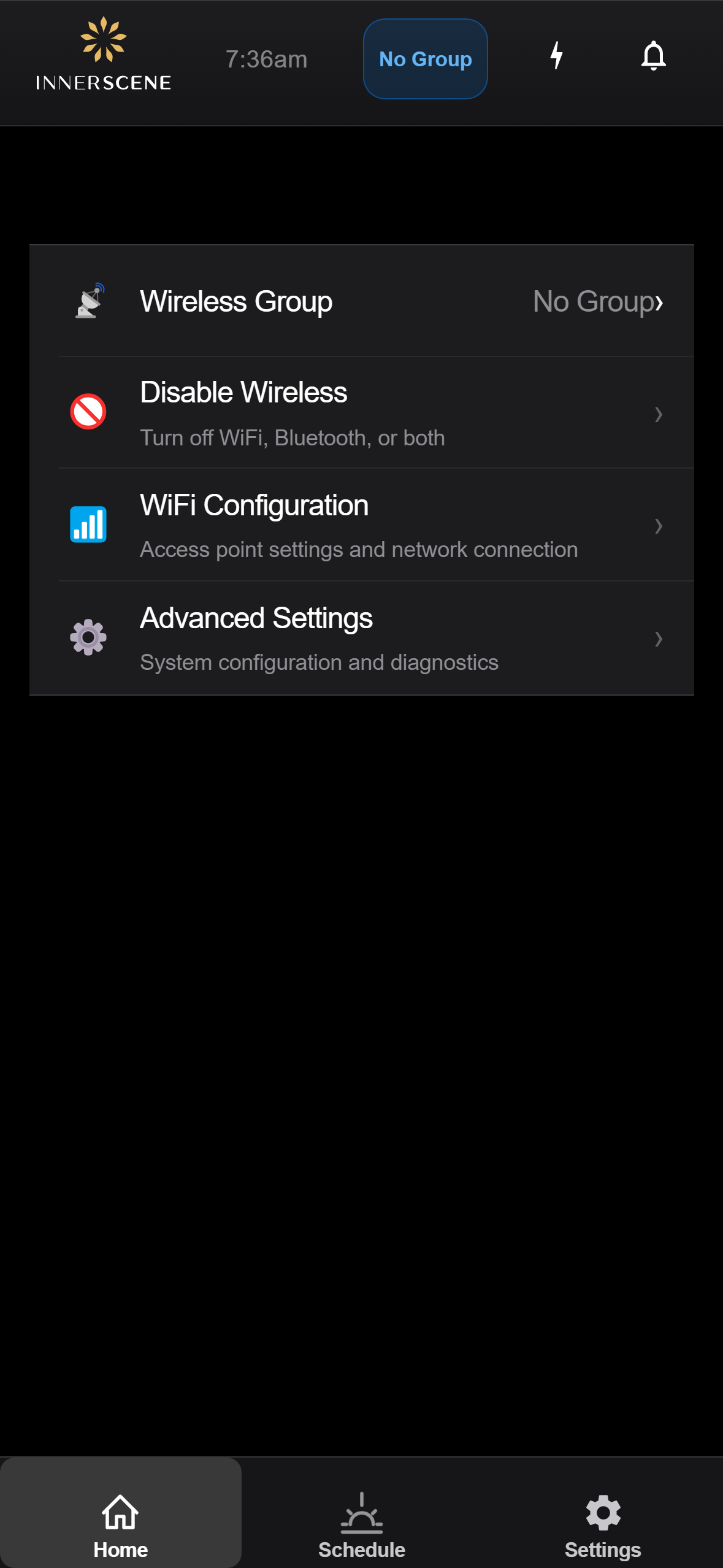
Simplified Settings page shown on secondary fixtures. Secondaries do not have their own schedule, CCT, brightness, or daughter-board controls (those come from the primary), so the menu is reduced to just the wireless and system-level controls that still apply locally.
Controls on this screen
- Wireless Group
Opens the [[wireless_group|Wireless Group]] page. The current group is shown on the right (e.g. "Group 3" or "No Group"). Changing this re-targets which primary this secondary follows.
- Current Group Value
Inline value of the current wireless group. Updates immediately when the group is changed on the next page.
- Disable Wireless
Opens the [[disable_wifi|Disable Wireless]] page to permanently turn off WiFi, Bluetooth, or both on this fixture — typically used in installations with strict RF policies. Note: the action is a one-way burn into NV storage and cannot be reversed from the UI.
- WiFi Configuration
Opens the [[wifi|WiFi Configuration]] page where you can manage this fixture's WiFi access point and station settings.
- Advanced Settings
Opens the [[advanced|Advanced Settings]] hub. From there you can reach diagnostics, hardware control, firmware updates, and other system-level tools — all of which apply to the secondary itself, not the primary it follows.
Open this screen in the interactive guide to explore it with clickable callouts, search, and a live simulator, or browse all screens.