Home Screen screen
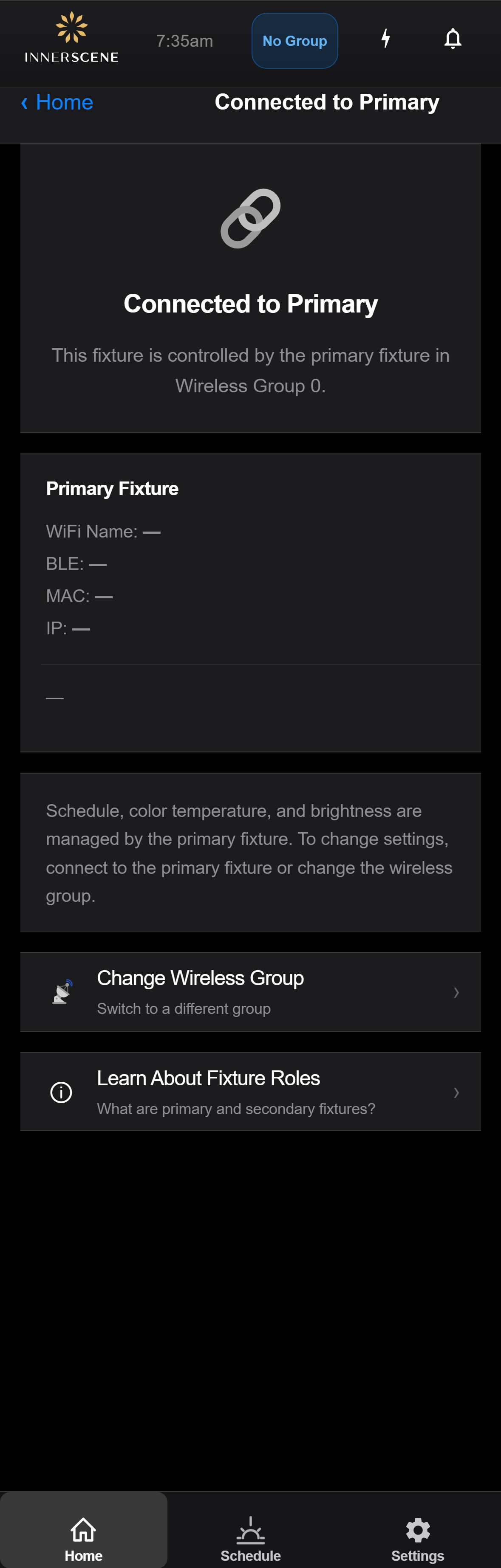
Secondary — Connected to Primary
Healthy-state page on a secondary fixture: it is in a wireless group and has located the primary fixture for that group. Shows the primary's WiFi/BLE/MAC/IP for identification, optionally offers a one-tap switch to connect this browser session directly to the primary, and provides shortcuts to change group or learn about roles.
Controls on this screen
- Current Wireless Group
The wireless group both fixtures share. The primary in this group is the one whose details appear below.
- Primary WiFi Name
The hostname/SSID-suffix of the primary fixture — useful for matching it to a device label or to a network you might want to connect to.
- Primary BLE Name
The Bluetooth Low Energy name advertised by the primary fixture. Use this if you want to find the primary in a BLE scanner.
- Primary MAC Address
WiFi MAC address of the primary fixture. Unique per device and useful for identifying which specific fixture is acting as primary in this group.
- Primary IP Address
Local IP address of the primary fixture on the WiFi station network, if the primary is connected. Lets you open the primary's control page directly from your browser.
- Connection Help
Context-sensitive guidance — depending on what addressing info is available (BLE only, BLE + IP, neither), this text explains how to reach the primary.
- Connect Section
Conditional section shown when BLE or STA IP for the primary is available. Wraps the Connect to Primary button.
- Connect to Primary
Switches this browser session over to the primary fixture's control interface. Useful when you opened the secondary by accident and want to control the schedule/CCT instead — those settings only live on the primary.
- Change Wireless Group
Navigates to the [[wireless_group|Wireless Group]] page so you can move this fixture to a different group — for example to detach from the current primary or join a different room's grouping.
- Learn About Fixture Roles
Opens the [[fixture_role_info|Fixture Roles]] explainer.
Open this screen in the interactive guide to explore it with clickable callouts, search, and a live simulator, or browse all screens.