Advanced screen
No Primary Found
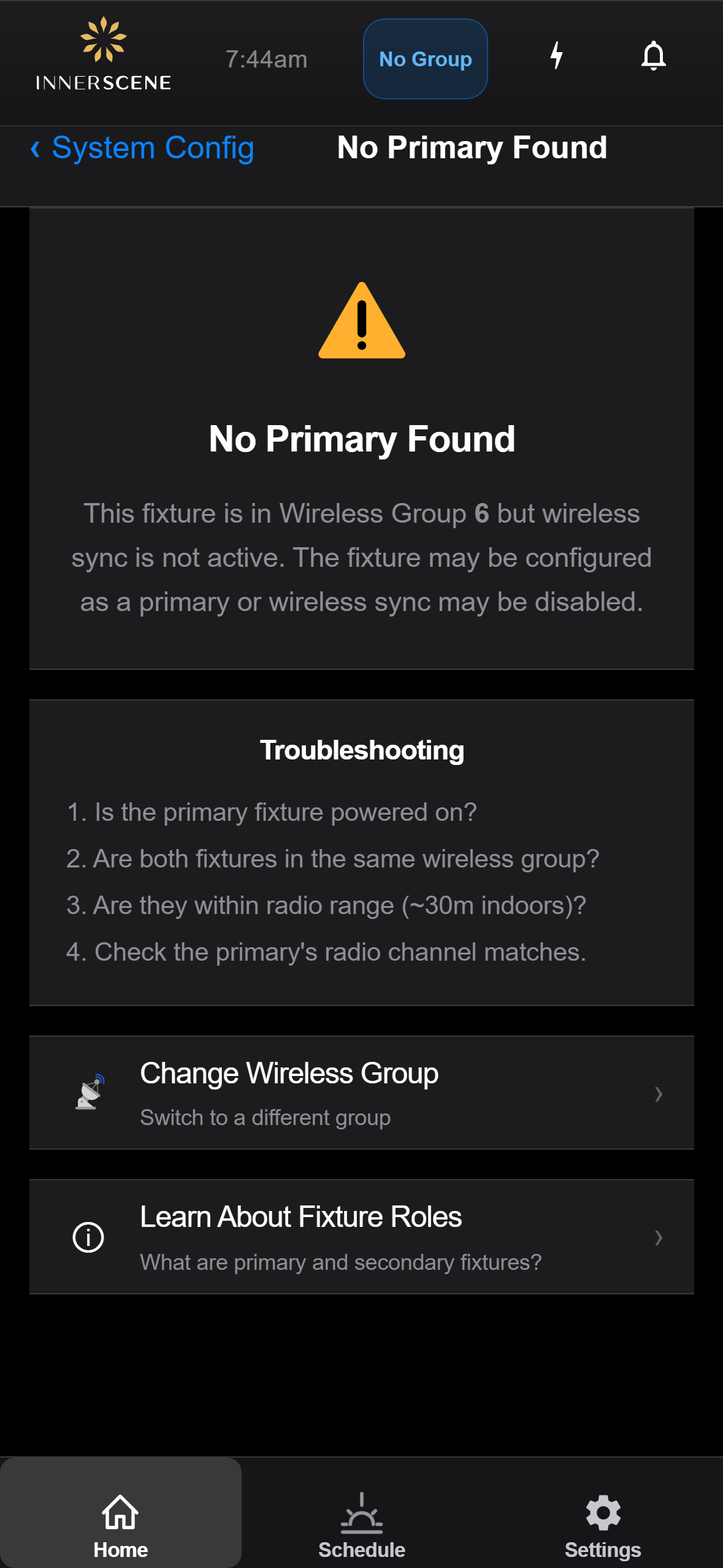
Troubleshooting screen shown when this fixture is a secondary but cannot find a primary on its wireless group. The status message at the top adapts to the actual condition — "no group assigned", "wireless sync inactive", or "no primary found" — and includes the current group number. The page offers two recovery paths: changing the wireless group, or learning more about fixture roles.
Controls on this screen
- Change Wireless Group
Navigates to the [[wireless_group|Wireless Group]] page so you can switch this fixture to a different group — useful if the fixture was provisioned to the wrong group, or if the primary is on a different group than expected.
- Learn About Fixture Roles
Opens the [[fixture_role_info|Fixture Roles]] explainer describing what primary and secondary fixtures do, how they pair up, and the difference between hardware primaries, software primaries, and secondaries.
Open this screen in the interactive guide to explore it with clickable callouts, search, and a live simulator, or browse all screens.