Advanced screen
Provision New Fixtures: Progress
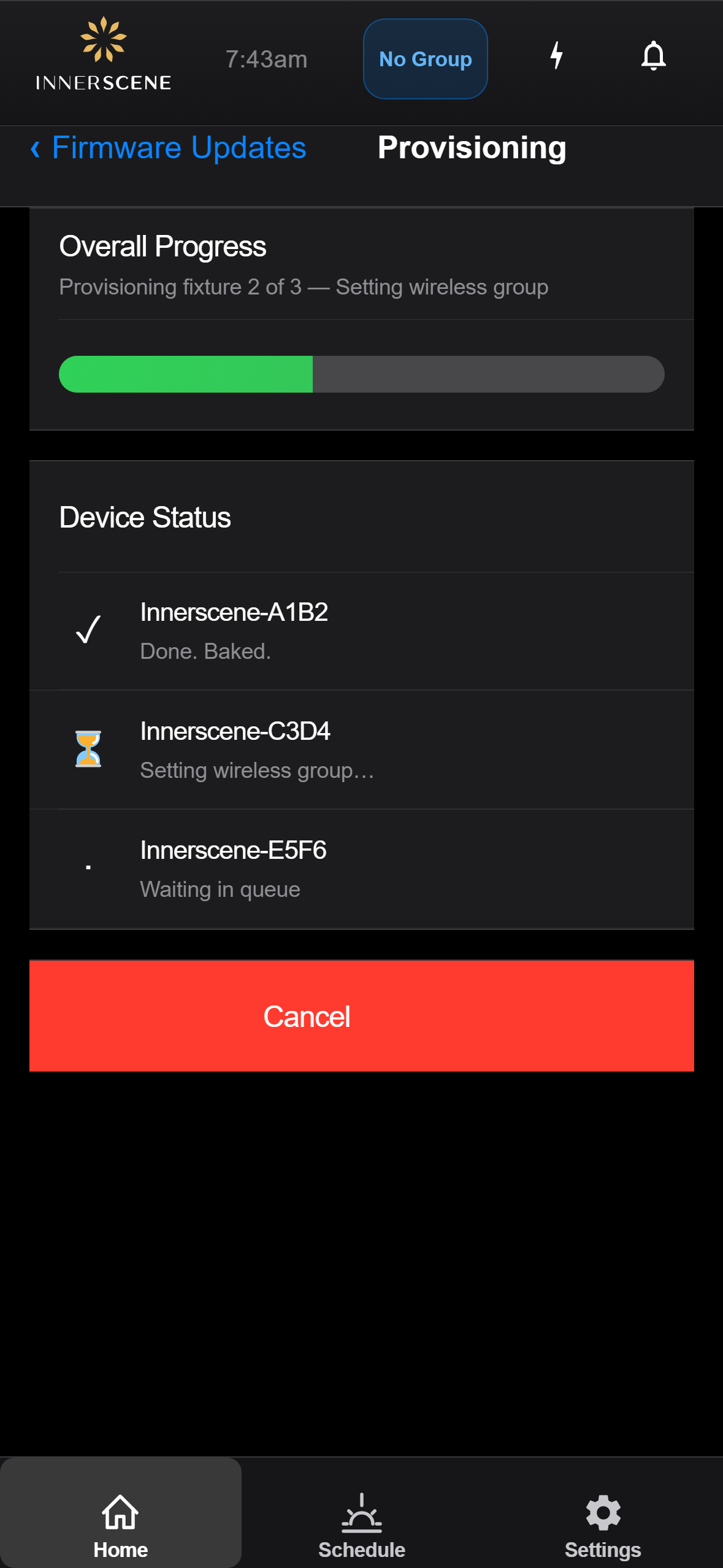
Step 3 of the batch provisioning wizard. Live status as the controller works through each target fixture in turn. Shows an overall progress bar plus a per-device row with the current action and outcome.
Controls on this screen
- Overall Status
High-level batch state, for example Starting, Provisioning fixture 2 of 4, Batch complete, or an error if the controller could not reach a target.
- Overall Progress
Fraction of the batch completed across all selected fixtures and all selected actions. Fills left to right.
- Per-Device Status
One row per selected fixture, with its name, the action currently running (Updating firmware, Setting group, Baking), and an outcome icon once that fixture is done. Failed fixtures show an error message you can act on.
- Cancel
Stops the batch after the in-flight fixture finishes its current action. Fixtures already completed keep their changes; fixtures not yet started are skipped.
- Done
Conditional. Appears once every fixture has finished (with success or failure). Returns to the [[firmware_updates|Firmware Updates]] page.
Open this screen in the interactive guide to explore it with clickable callouts, search, and a live simulator, or browse all screens.