Advanced screen
Bake Group
Prepares every fixture in the current wireless group for shipping by writing critical runtime settings (radio channel, group number, schedule, etc.) to persistent storage and removing debug/test keys. Run this before sending a calibrated, configured group of fixtures to a customer so the configuration survives a factory reset on the installation site.
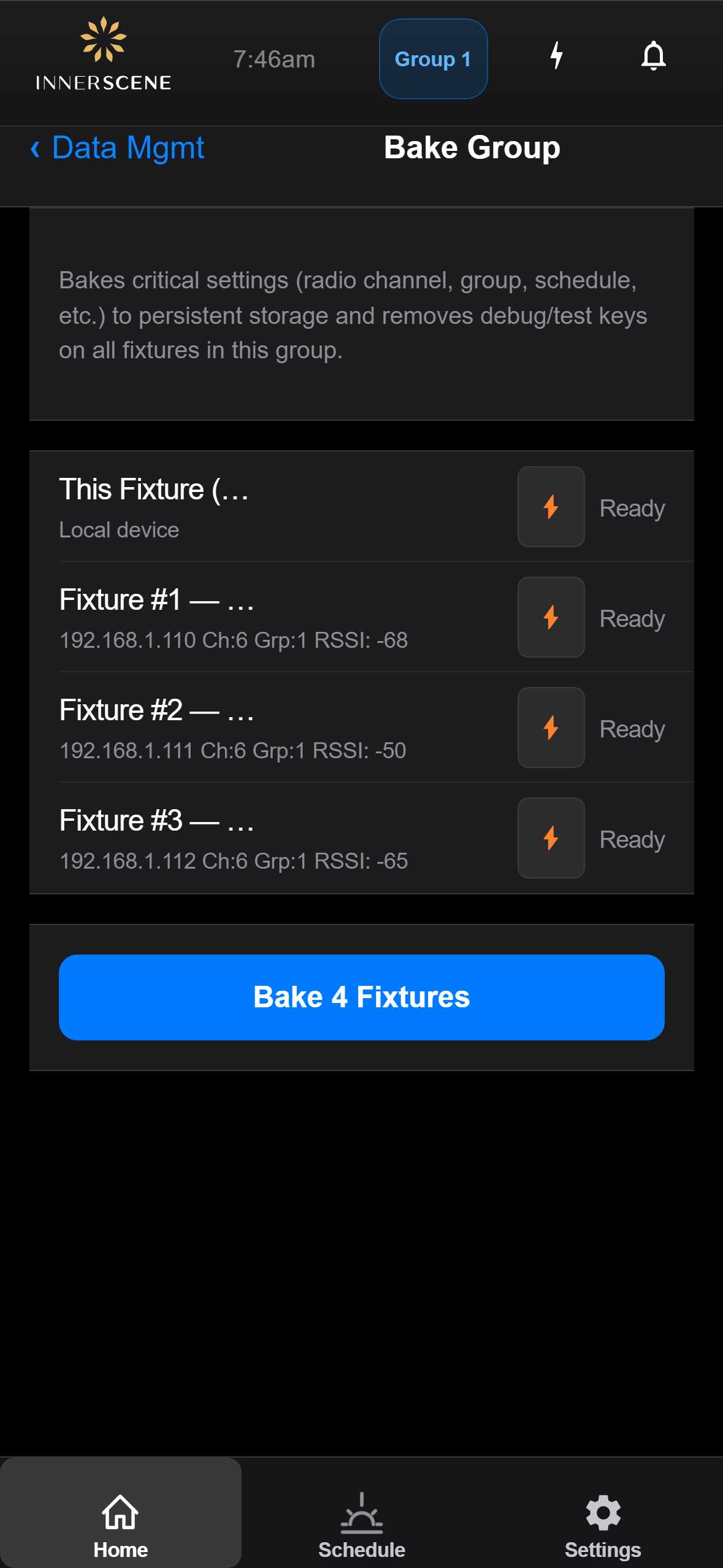
Controls on this screen
- Fixtures In Group
List of every fixture currently visible in the wireless sync group, including their names and bake status. Each entry will be processed when you tap Bake All Fixtures. Loaded from the wireless peer list, so make sure the group is healthy before baking.
- Bake All Fixtures
Walks every fixture in the list in turn, copies the resettable values to persistent storage, and clears development-only keys. Takes several seconds per fixture. Safe to re-run; the operation is idempotent for already-baked values.
Open this screen in the interactive guide to explore it with clickable callouts, search, and a live simulator, or browse all screens.