Walk the Innerscene Experience Center in VR
A specification sheet tells you a fixture is 6833 lumens at 40 000 K. It says nothing about how a room feels with four of them in a drywall coffer, or whether the surface-mounted version reads as a skylight or as a box on the ceiling. The honest answer to both is that you have to stand under one.
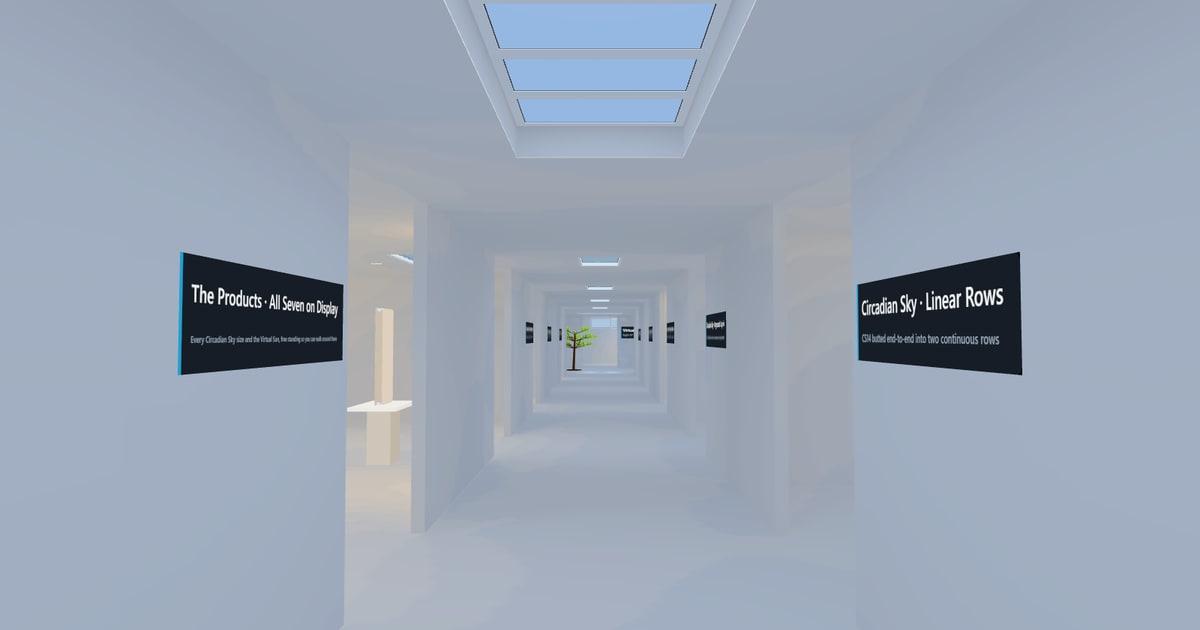
So we built a showroom you can stand in from wherever you are. The Innerscene Experience Center is a 45 by 13 metre hall with eleven bays off a central corridor, a room for the Virtual Sun, a room about fixtures meeting at a corner, and a vaulted room. Every Circadian Sky size is in it, most of them installed and each one mounted a different way. Every fixture carries its real photometric file, and the whole building has been through a radiosity solve.
It runs in a browser. Put on a headset and you can walk it.
Go there now: innerscene.com/tour. It opens on a desktop or laptop straight away. In a headset, open that address in the headset’s own browser and press Enter VR.
The walkthrough
This is the whole building, filmed by flying the same camera you drive with the keyboard. It is the scene as it loads in the headset, at the quality it loads.
Seeing it in a headset
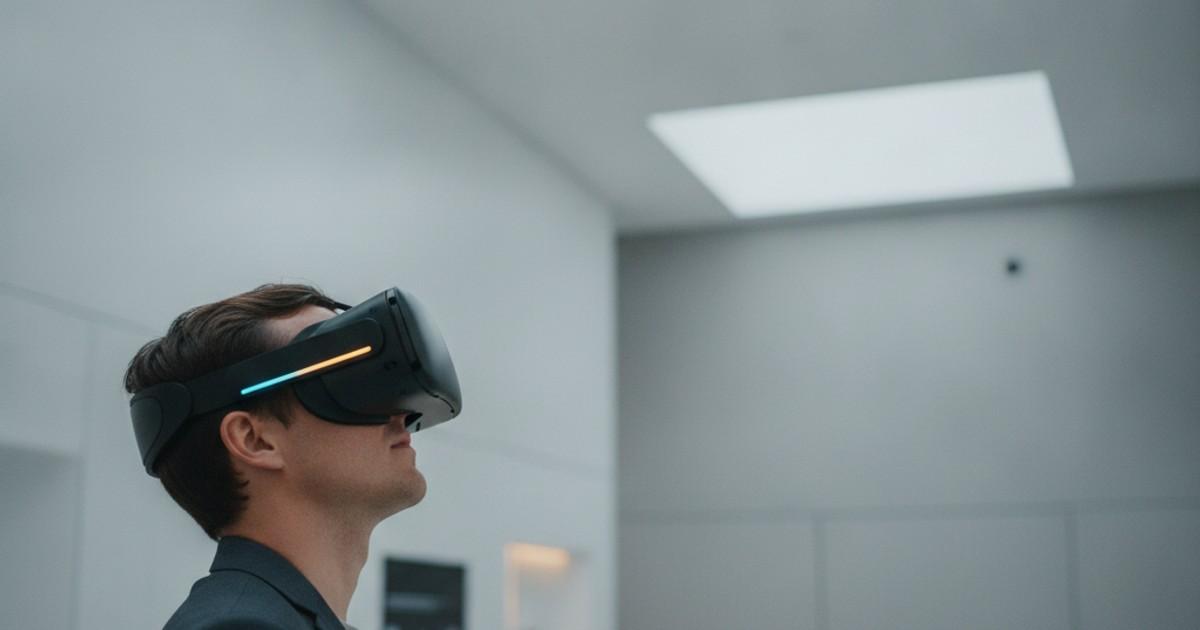
The video above is a single eye on a flat screen, following a fixed path. A headset changes three things about that, and all three matter for this product.
It is stereo, so the room has depth and a coffer reads as a recess. It is scaled to you, so a 9 ft ceiling is a 9 ft ceiling and a 2 by 4 fixture is the size of a 2 by 4 fixture. And it is yours to move in, which is what a Virtual Sun needs, because the sun disc in its lens only appears from inside the beam.
The stereo pair
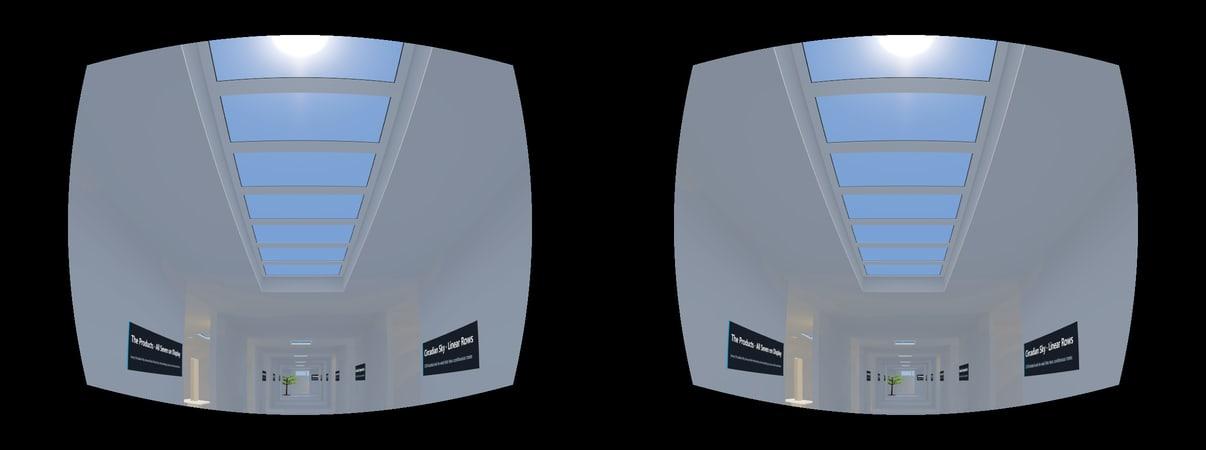
Here are both eyes, rendered from the same spot under the corridor’s Virtual Sun run with the 63 mm between them that your own eyes have, and warped the way a headset warps them. The lens in front of each eye pincushions whatever it magnifies, so what the panels are actually sent is barrelled the opposite way and the two cancel. If you can free-fuse a stereo pair, this is the room in depth. If you cannot, the next image does it for you.
The wiggle animation
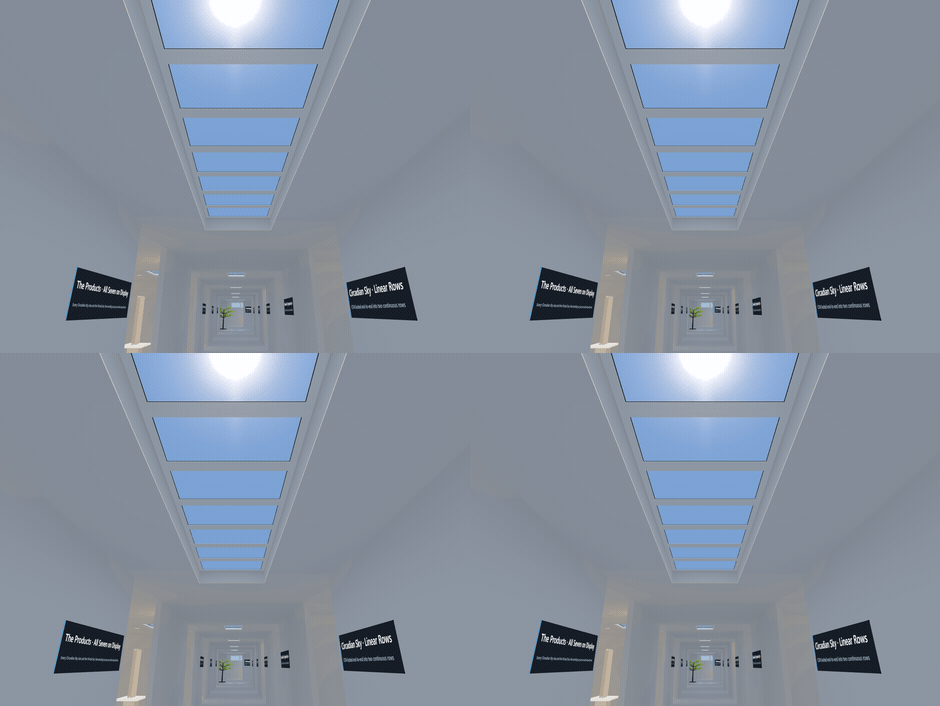
Swapping quickly between two viewpoints gives the brain the same parallax, with no glasses, no fusing and no headset. Watch the near trim separate from the far end of the corridor.
What is in each room
The plan below is generated from the scene itself, so it is the building you will actually walk. North is up, the corridor runs down the middle, and each numbered station carries what is installed in it.
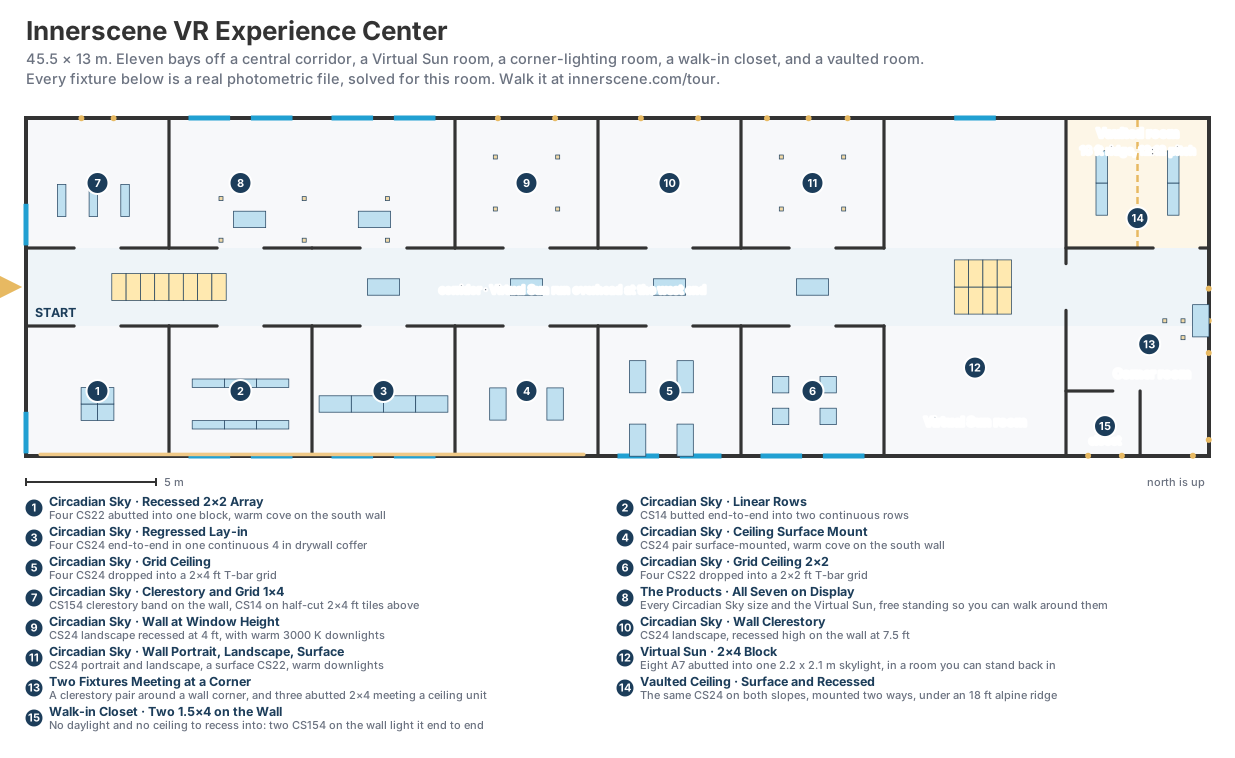
South bays: ceiling mounting
The south side holds the same product installed six ways. The fixtures are one family throughout, so any difference you see between these bays comes from the mounting.
- Recessed 2×2 array. Four CS22 abutted into a single block, with a warm cove washing the south wall.
- Linear rows. CS14 butted end to end into two continuous runs, the arrangement that reads most like a rooflight slot.
- Regressed lay-in. Four CS24 end to end in one continuous four inch drywall coffer, so the light arrives through a reveal.
- Ceiling surface mount. A CS24 pair proud of the ceiling, for the many buildings that have no plenum to recess into.
- T-bar grid, 2×4 and 2×2. Dropped into a suspended grid, which is how most commercial retrofits will happen.
The north bays: walls, clerestories and the product room
A Circadian Sky goes on walls as readily as in ceilings. The north side puts it on walls at three heights: at window height, high as a clerestory, and in portrait as well as landscape. There is also a clerestory band in CS154 with CS14 on half-cut tiles above it.
One bay holds no installation. In the product room every Circadian Sky size stands free, at its real dimensions, with a Virtual Sun A7 hanging beside them, sun and all. It is the one place in the building where you can walk around the product, and it is the fastest way to understand the size range.
The Virtual Sun room
Eight A7 units abutted into one 2.2 by 2.1 metre skylight, in a room deep enough to stand back from it. This is the one to visit in a headset. The Virtual Sun projects a collimated beam with a visible sun disc in it, so where you stand decides what you see: step into the beam and the disc appears, step out and it goes. A monitor has no way of knowing where your eyes are.
The corner room
Every other station shows one fixture, or several of the same fixture in a row. This room shows two of them meeting at a corner, which is the case the photometry cannot describe on its own: each unit’s aperture is a bright surface in the other’s field, so the pair light each other and the corner between them comes out brighter than either fixture alone would make it.
There are two pairs, because a corner can run either way and the two behave differently. In the south-east corner, two CS14 clerestories meet on a vertical corner with their trims touching, and the light bounces sideways across the room. Further up the east wall, a CS24 in the ceiling meets a CS24 on the wall along the ceiling junction, and that one throws the light down.
The vaulted room
Every other ceiling in the building is a flat nine foot plane. This one climbs to an eighteen foot ridge on a 12:12 pitch, the pitch of an alpine house. It is deliberately off the corridor axis, so you have to turn into it: you walk under a nine foot ceiling and the room opens above you.
Both slopes carry the same CS24 at the same pitch and differ only in how it is mounted, surface on one side and recessed on the other. On a flat ceiling those two look nearly identical from underneath. On a slope they do not, which is the reason the room exists.
The four lighting presets
The building ships four complete lighting solutions, at dawn, morning, midday and evening. Each is a separate radiosity solve of the same geometry with the sky at a different colour temperature and output, from 3000 K at 40 per cent up to full 40 000 K daylight and back down to 2700 K at a quarter.
Four icons sit down the left edge of the view, wherever you are in the building: a sun low and warm, climbing and cooling, then setting again. The one you are in is ringed. Point at one and pull the trigger in a headset, click it on a desktop, or press B orY to step through them. The room crossfades, so the light eases from one to the other. The video above runs the whole cycle twice: once in the linear-rows room, where the windows go to dusk while the rows keep working, and once standing under the Virtual Sun block.
Watch the warm presets carefully. A Circadian Sky follows the schedule all the way down to 2700 K, and the Virtual Sun’s sky bottoms out at 3200 K because that is where the product bottoms out. The two diverge on screen because they diverge in the building.
Opening it
There is nothing to install and no account to make. The whole showroom is a web page.
- On a desktop or laptop. Open innerscene.com/tour. Walk with W A S D or the arrow keys, and drag to look around.
- In a headset. Open the same address in the headset’s own browser and press Enter VR. Point and pull the trigger to teleport, push the thumbstick left or right to turn, and press A or X to toggle the lighting overlay.
- Which headsets. Quest 2, 3, 3S and Pro, Pico 4, Vision Pro, and PC headsets over Link or SteamVR. The full VR guide covers each one, including what to do when the Enter VR button does not appear.
Your own room
The Experience Center is a room like any other, built in the same tool you can use. Nothing about it is special except that we furnished it.
If you have an iPhone or iPad with LiDAR, you can scan a real space and have it arrive in Circadian Lab with its walls, windows, doorways and furniture already measured. Drop fixtures into the ceiling, let it solve, and you have your own building to walk through, on a desktop or in a headset, exactly like this one. There are three other routes in as well, including an AI that reads a drawing or a plain description of the room.
Four Ways to Get a Real Room into Circadian Lab walks through scanning, AI, importing a 3D model, and tracing a 2D floor plan.
Why we built it this way
Artificial skylights are difficult to photograph and worse to describe. The effect depends on the depth of the reveal, on how much ceiling surrounds the aperture, on where you are standing relative to the beam, and on what the walls are doing with the light. Those are exactly the things a photograph flattens.
A solved room in a headset keeps them. You can walk from a coffered lay-in to a flush recess in four seconds and see what the reveal was worth. You can stand where the occupant will stand. And when you want to know whether it works in your own building, you can scan it and find out.
Published by Innerscene on 2026-09-23