Word Documents, Circuit Boards, Windows Programs: 15 New Formats in the Universal Viewer
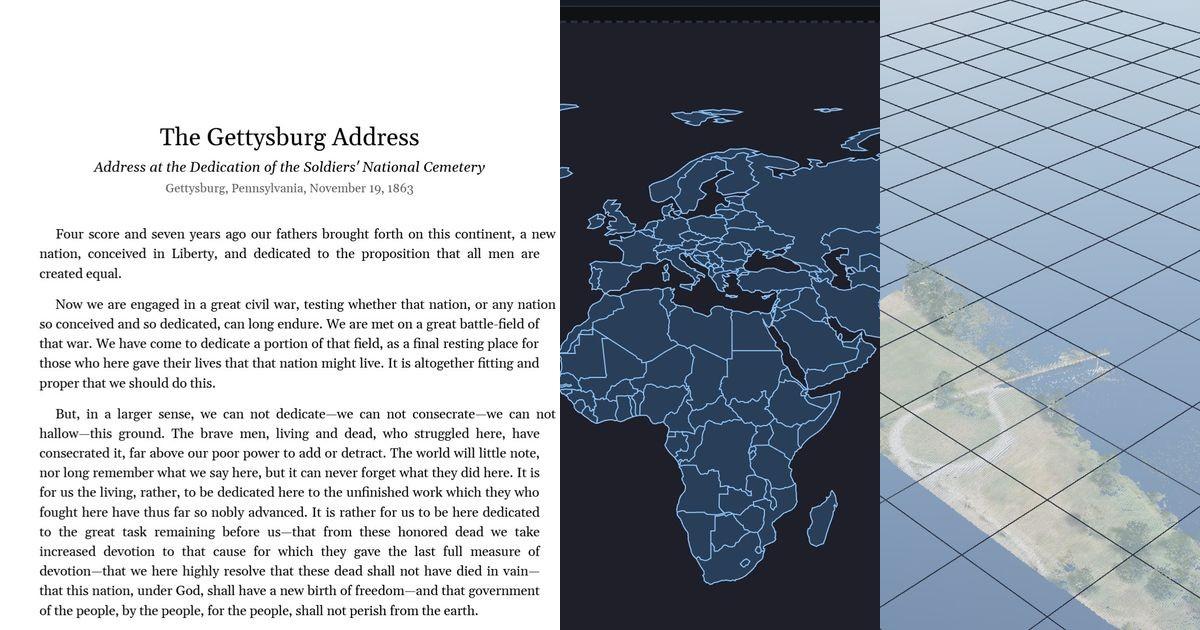
When we introduced the Universal Viewer in May, it opened 17 CAD and mesh formats. Since then it has gained 14 more, and they reach well beyond 3D: Word documents with real pagination, whole circuit-board fabrication packages, LiDAR point clouds, GIS shapefiles, terrain from GeoTIFF elevation data, and native 3ds Max scenes. Everything still runs the same way: files are parsed locally in your browser, and nothing is uploaded unless you choose to share a link.
The new formats
| Extension | Format | What opens |
|---|---|---|
| .docx | Microsoft Word | Full page layout: styles, tables, headers, footers, footnotes, numbering |
| .dwf / .dwfx | Autodesk Design Web Format | 2D plot sheets with a sheet picker, plus embedded 3D models |
| .max | Autodesk 3ds Max | Native scene files, no export needed: geometry, hierarchy, materials |
| .igs / .iges | IGES | The classic CAD exchange format, with real B-rep surface geometry |
| .ifc | IFC | Building models now load their full geometry, not just a summary |
| .las / .laz | LiDAR point clouds | ASPRS LAS and compressed LAZ, with intensity and RGB coloring |
| .shp | Esri Shapefile | GIS points, lines, polygons as a map, MultiPatch as 3D, zipped sets |
| .gbr + .drl | Gerber and Excellon | A whole PCB fabrication package stacks up layer by layer, with drill holes |
| .tif (GeoTIFF) | GeoTIFF elevation | Single-band digital elevation models become a 3D terrain mesh |
| Page-accurate rendering of drawings and documents | ||
| .ai | Adobe Illustrator | Modern PDF-compatible files and classic Illustrator 8 and earlier |
| .svg | SVG | Scalable vector drawings with pan and zoom |
| .avif / .heic / .webp / .gif / .bmp | Images | Modern and legacy raster formats open as flat images |
| .exe / .dll | Windows programs | Icons, version block, signer, strings, resources, and a disassembler |
| .rwp | Trimble RealWorks | Scan projects are recognized and their contents inspected |
Word documents, paginated like Word paginates them
The headline addition is the Word viewer. Most browser tools convert .docx to HTML and let the text reflow, which means page numbers, line breaks, and table splits no longer match the original. This viewer takes the other path: a full layout engine that resolves the style cascade, breaks lines against real font metrics, splits tables across pages, and places headers, footers, footnotes, and multilevel numbering the way Word does. The result is pages, not a webpage.
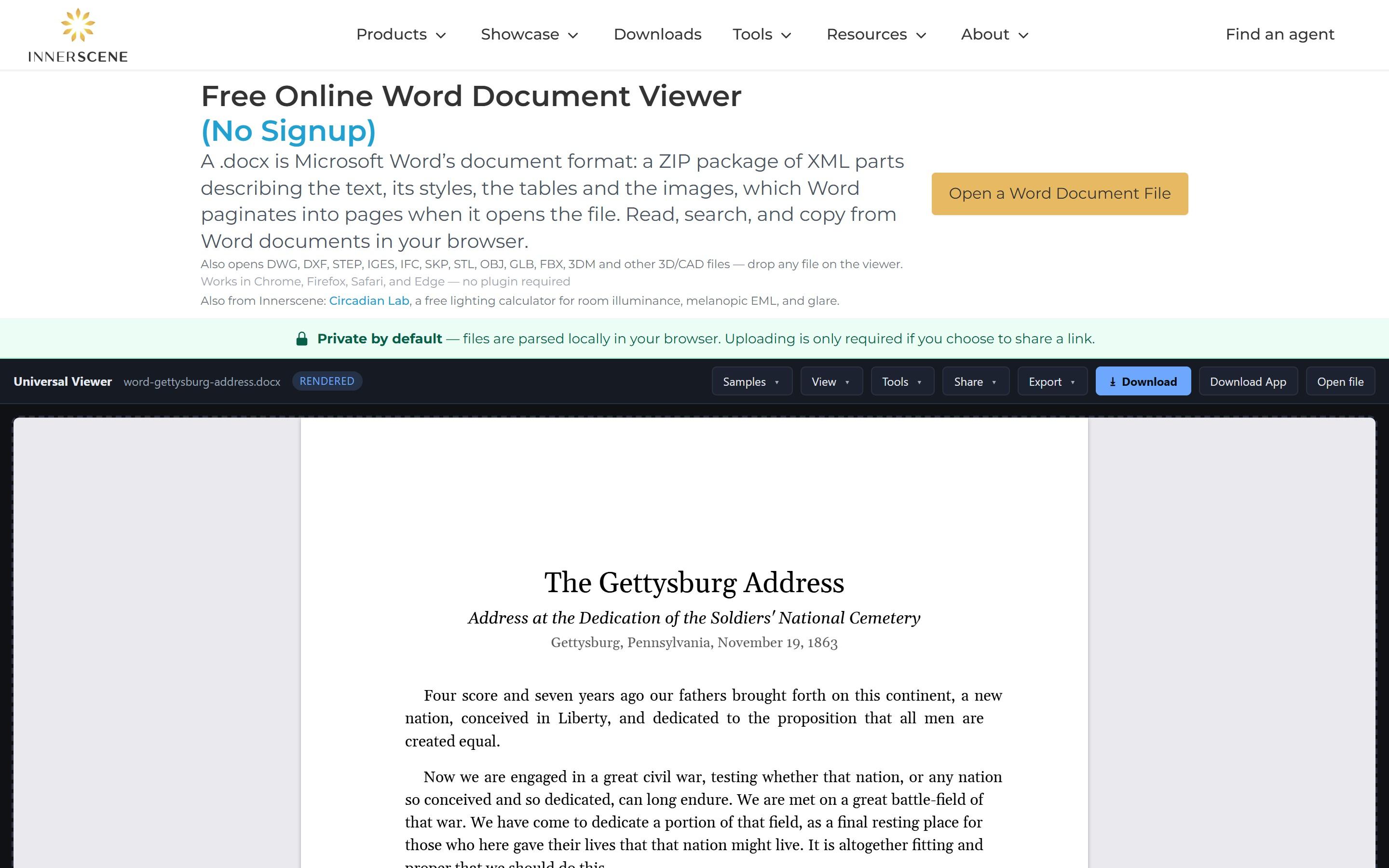
- Runs as WebAssembly. The layout engine is compiled to WebAssembly and runs entirely on your machine, so a 20-page document lays out in well under a second and the file never leaves your browser.
- Selectable text. A transparent text layer sits over each rendered page, so you can select, copy, and use find-in-page across the whole document.
- Metric-compatible fonts. Documents set in Calibri, Cambria, Arial, Times New Roman, Courier New, or Georgia render with open fonts that share the same character widths (Carlito, Caladea, the Liberation family, and Gelasio), so line breaks and page counts hold even though the commercial fonts cannot ship with a website. Only the font cuts your document actually uses are downloaded.
- Try it with the samples. The Samples menu includes the Gettysburg Address, the Bill of Rights, a 22-page handbook, and documents that exercise tables, numbering, and footnotes.
CAD exchange: IGES, DWF, and native 3ds Max
IGES predates STEP as the neutral CAD exchange format and is still how a lot of legacy tooling hands over surfaces. The viewer builds real B-rep geometry from .igs and .iges files, the same way it already does for STEP.
DWF and DWFx are the formats AutoCAD and Revit publish for review. The viewer opens both generations: 2D plot sheets render with their line weights and fills and a sheet picker for multi-sheet sets, and packages that carry 3D models display them as navigable geometry.
3ds Max scenes open natively from the .max file itself, which normally requires a 3ds Max license to even look at. Geometry, object hierarchy, and materials come straight from the scene file, so archives of assets can be reviewed without exporting each one first. A lone .max never contains its texture images, but zip the scene together with them and the viewer applies the textures by filename.
IFC support also graduated from file inspection to full geometry: building models from Revit, ArchiCAD, and Tekla now load their walls, slabs, and structure as a 3D model you can orbit and measure.
Reality capture and GIS: point clouds, shapefiles, terrain
LAS and LAZ files from drone surveys, terrestrial scanners, and photogrammetry open as point clouds, decompressed in the browser with the same laz-perf library the GIS world uses. Intensity and RGB coloring carry through, and large clouds are decimated to a point budget that keeps navigation smooth.
Esri shapefiles render as 2D maps with their attribute data, and MultiPatch shapefiles build 3D geometry. Because a shapefile travels as a set (.shp, .shx, .dbf, .prj), the viewer also accepts a zip of the whole set, which is how they usually arrive.
GeoTIFF elevation rasters take that one step further: a single-band digital elevation model becomes a 3D terrain mesh, so a downloaded USGS or Copernicus DEM tile turns into a surface you can orbit.
Circuit boards: Gerber and Excellon
Gerber is what every printed circuit board is manufactured from, and it is the one format here where a single file is not the unit of work. A Gerber file describes exactly one layer of a board, so a design is exchanged as a fabrication package: one Gerber per copper, solder mask, silkscreen and paste layer, one for the board outline, and an Excellon drill program listing every hole and its diameter. Drop that package on the viewer as a zip and the board stacks up, in fabrication order, with each layer on its own toggle.
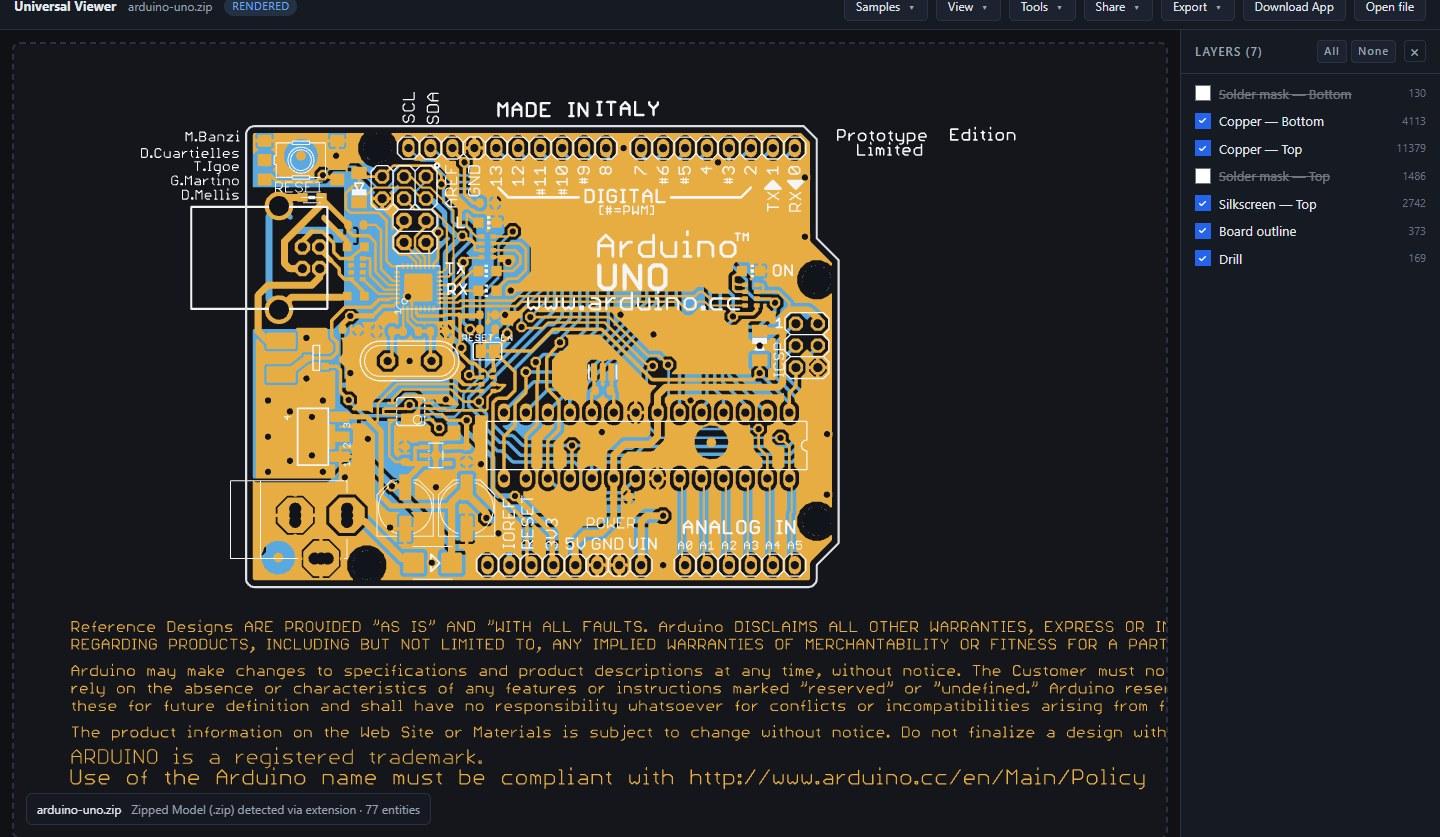
The awkward part of the format is not the geometry, it is that nothing in a fab package reliably says what anything is. Modern exports carry an attribute that states it outright, but plenty predate that or strip it, and every CAM tool ever written invented its own layer suffixes. The Arduino package above is a 2011 Eagle export whose layers are named .cmp, .sol, .plc and .stc, and its drill file is a .drd. Others arrive as .art, .001, or with no extension at all, and the drill file is as often a .txt as anything else. So every file in the archive is identified by reading it rather than by its name, and the layer it represents is worked out from the file’s own attributes first and its filename second, against the naming schemes of nine CAD packages.
- Clearances erase the right layer. Gerber can subtract as well as add, which is how a clearance is punched through a ground plane. Each layer that does this is composited on its own, so an inner plane’s clearances never cut a hole through the copper underneath it.
- Real pad shapes. Aperture macros build the shapes that are not circles and rectangles: rounded rectangles, thermal reliefs, moiré fiducials, octagonal pads, and anything else a tool defines with them.
- Mask and paste start hidden. A solder mask Gerber draws the openings in the mask, not the mask, so painting it over the copper would cover exactly the pads a fab check is looking at. Turn it on and it draws as a translucent green film.
- The board’s real size. Exports routinely draw a title block and fabrication notes on the copper and silkscreen layers, well outside the board. The Arduino package spans 150 × 81 mm that way; the board is 69 × 54 mm, and that is what the model info reports, read off the outline layer.
Documents and artwork: PDF, Illustrator, SVG, images
The viewer also opens the flat formats that show up alongside CAD files in every project folder. PDF pages render page-accurately. Adobe Illustrator files open in both eras of the format: modern PDF-compatible .ai, and classic Illustrator 8 and earlier, which were PostScript underneath. SVG drawings pan and zoom as vectors, and raster images including AVIF, HEIC, WebP, GIF, and BMP display directly, which matters for HEIC photos that Windows often cannot preview.
Windows programs, because people kept uploading them
The last addition started as a bug report. Someone dropped a .exe on the viewer, got told it was a Windows program and not a 3D model, and filed that as a fault. They were not wrong to: the viewer knew exactly what the file was and still gave them nothing. So now it opens.
A Windows program holds machine code, not geometry, so there is nothing to render as a model. What it does hold is everything Explorer shows in a file’s Properties dialog and a good deal more: the application icons at every size, the version block, which processor it targets, the libraries it links against, and whether anything is appended to it. The viewer lays that out as a page.
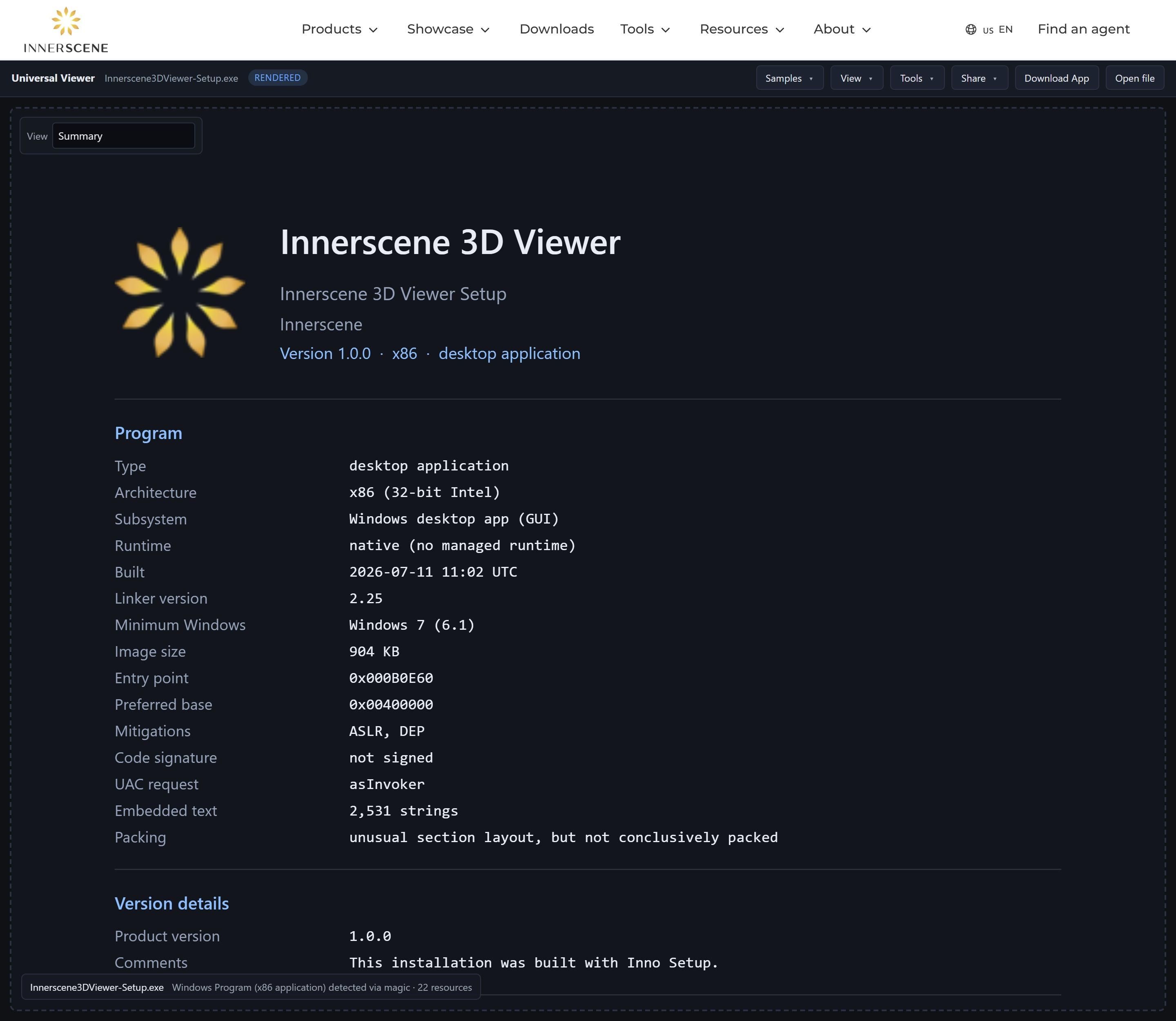
Two facts on that page answer most of the questions people actually have about an unfamiliar program. The first is who signed it: the viewer reads the Authenticode certificate and reports the name on it, so “signed by Microsoft Windows” and “signed by a company you have never heard of” stop looking alike. It reports the name only. Verifying a signature means hashing the image, validating the chain to a trusted root, and checking revocation, and claiming a file is valid without doing that would be worse than saying nothing.
The second is whether the file is packed. Compressed and encrypted data has measurably higher entropy than compiled code, so the page reports entropy per section alongside a verdict that also weighs packer section names, sections that reserve far more memory than they occupy on disk, and import tables too small for the program to function. When a file is packed, everything else on the page describes the unpacker rather than the program, and saying so is more useful than letting the reader conclude the program does nothing.
Strings, resources, and a disassembler
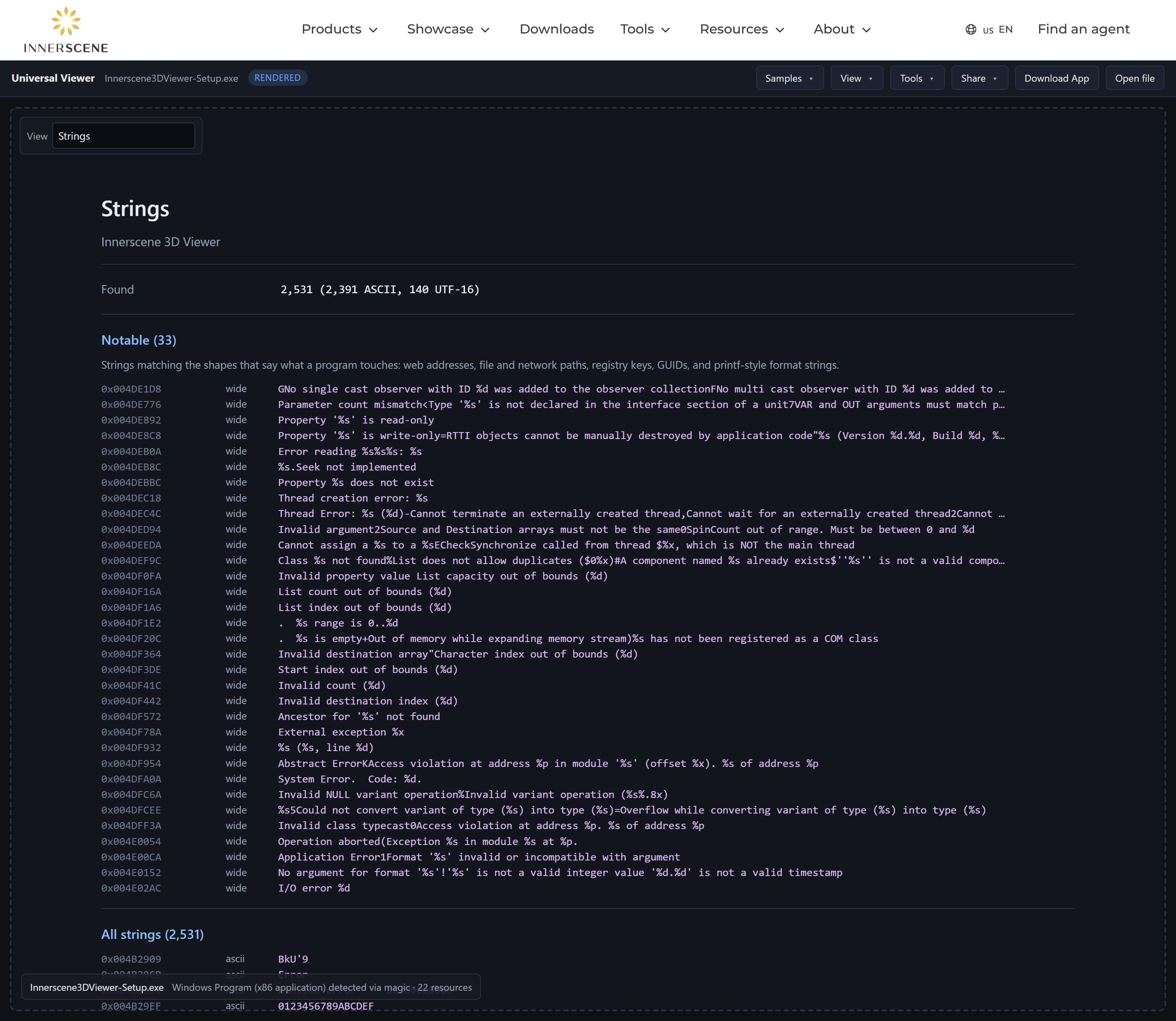
A view menu opens the rest of the file. The strings view lists every readable literal in the program, leading with the shapes that say what it touches: web addresses, file and network paths, registry keys, GUIDs, and format strings. For an unfamiliar binary this is usually the fastest answer available.
Every embedded resource renders too. Icons, cursors, and bitmaps display as pictures. Dialog templates are drawn to scale in the dialog units the author wrote, so a settings window from 2009 can be looked at without running the program. String, menu, accelerator, and message tables display as listings, and the application manifest displays as XML.
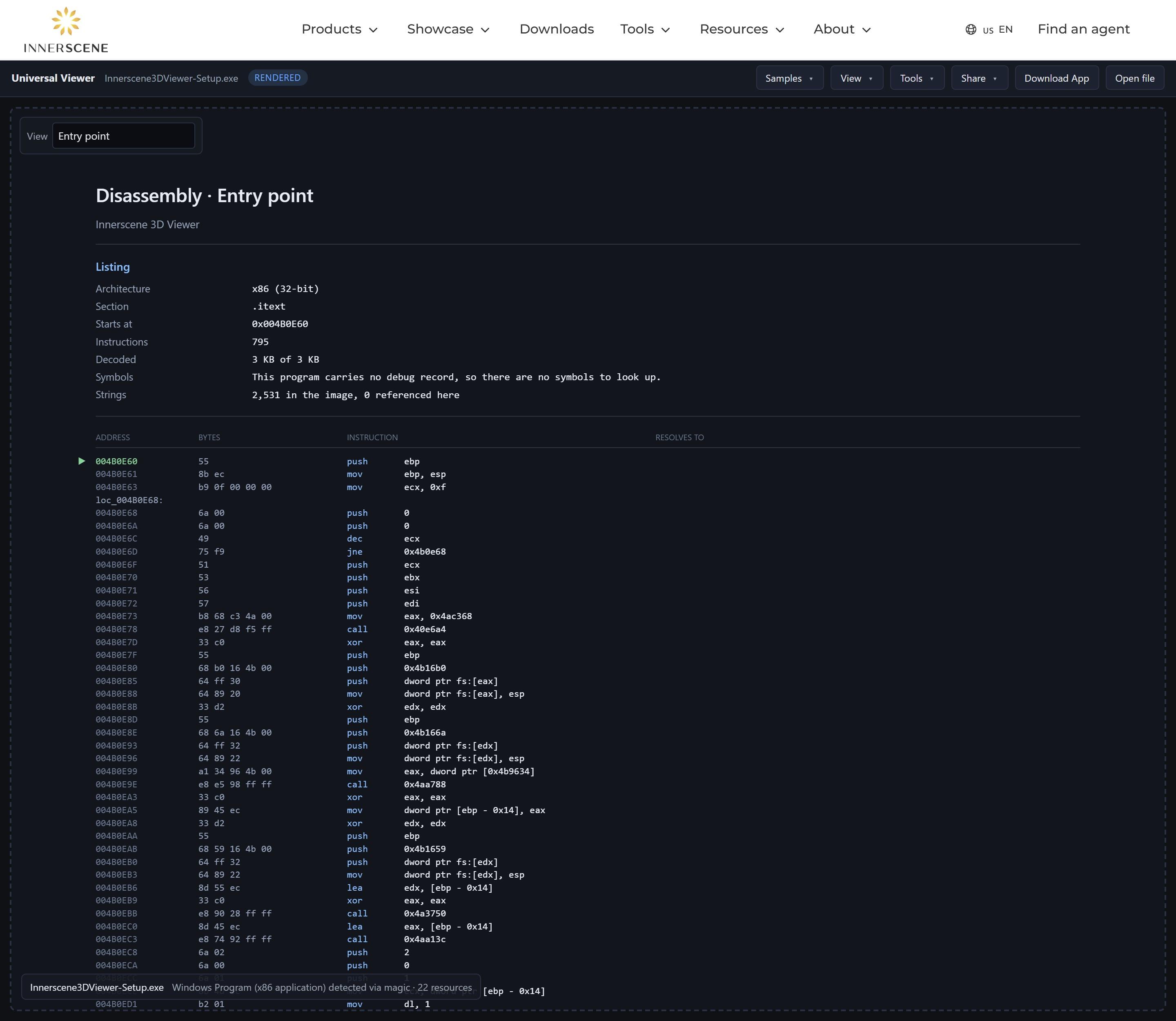
Any code section can also be disassembled. This uses Capstone, the reference disassembler, compiled to WebAssembly and loaded only when the view is opened, covering x86, x86-64, ARM, and ARM64. Instruction decoding on its own produces a wall of opcodes, so the listing adds the parts that make it readable: calls are resolved through the import table to the functions they reach, string literals are printed at the instruction that loads them, branch targets get labels, and function boundaries come from the program’s own exception directory, which is present in every 64-bit Windows binary whether or not it shipped with symbols.
When a build’s debug symbols were published, the viewer fetches them and names the functions. Browsers cannot reach Microsoft’s symbol server directly: it answers with a redirect that carries no cross-origin header, and the check applies to every response in a redirect chain, so the request fails before the redirect is followed. The lookup therefore runs on our side, which also means the debug file itself is parsed there and only the symbol names travel to the browser rather than several megabytes of container.
One kind of program really does contain a model. A self-extracting archive is an ordinary archive with an extractor glued to the front, and when one holds a 3D file the viewer opens the model instead of the program.
Programs are described, never redistributed. Share links, embeds, exports, and the download button are all withheld for executable content, and the upload endpoint refuses it by inspecting the bytes rather than trusting the file name. A 3D viewer has no business becoming a way to host somebody else’s binary. Reporting a file to us still works, since that is how these files reach us in the first place.
Faster where it counts
The formats that were already supported got faster. The DWG parser was ported to WebAssembly and its memory management reworked: one drawing that previously took over three minutes to open now parses in about two seconds, and typical large drawings parse in roughly half the time they did in June. The 2D renderer batches strokes and culls offscreen entities, so drawings with hundreds of thousands of entities stay responsive while panning. Binary DXF files, the less common sibling of ASCII DXF, now parse natively as well.
Same rules as always
- Private by default. Every format above is parsed locally in your browser. Uploading only happens if you create a share link.
- Free, no signup. Open the viewer, drop a file on it, and it works out what it is. Unsupported files get a plain explanation of what they are and how to export something the viewer can open.
- Shareable and embeddable. Share links work for every document and model format, viewer pages are available in nine languages, and the embedding guide shows how to put the viewer in your own pages.
Published by Innerscene on 2026-08-16