Introducing the Universal 3D Viewer: One Browser Tool for SKP, DWG, STEP, glTF, OBJ, STL, FBX and More
Architects, engineers, and designers spend a lot of time opening files that aren’t in their primary tool. A consultant sends an FBX. A vendor ships a STEP. A client’s site asks for a GLB. We built one viewer that opens all of it, in a browser, with nothing to install.
The Universal 3D Viewer is a free, browser-based viewer and converter for 17 of the most common 3D file formats. It opens SketchUp, AutoCAD, STEP, Rhino, glTF, OBJ, STL, FBX, PLY, 3DS, 3MF, COLLADA, VRML, X3D, DXF, and IES photometric files, with full layer control, view presets, render modes, lighting, and a measurement tool. It also exports any of those scenes back out as STL, OBJ, GLB, or PDF, so the viewer doubles as a format converter for projects that need to round-trip geometry between tools that don’t talk to each other directly.
Files are parsed and rendered locally in your browser. Nothing is uploaded by default. You only need to upload if you choose to use the Share link feature, and even then the original file stays in your hands.
Seventeen Formats, One URL
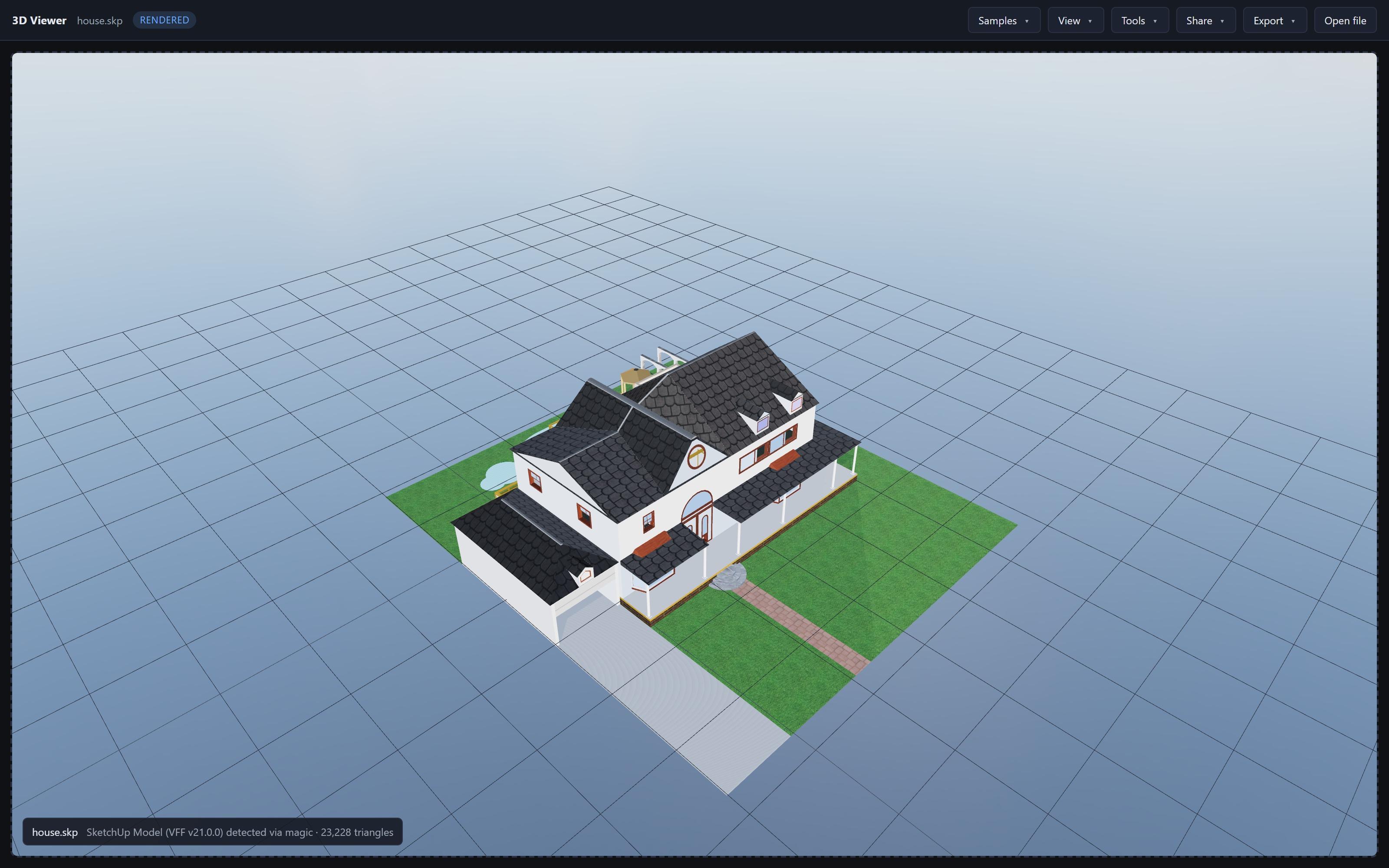
.skp house model loaded directly in the browser. The same toolbar drives every supported format: Samples, View, Tools, Share, Export, Open file.Each format has its own parser. There’s no behind-the-scenes conversion to a common intermediate that quietly loses geometry or textures. SketchUp files come in as components and layers, AutoCAD files come in as named layers with linework, STEP files come in as named bodies with the assembly tree preserved, glTF files come in with their PBR materials intact. The viewer just knows which renderer to use:
| Extension | Format | Notes |
|---|---|---|
| .skp | SketchUp | Faces, components, layers, materials, textures, V8 through V25+ |
| .dwg | AutoCAD Drawing | 2D linework with layer control, plus 3D solid extraction |
| .dxf | AutoCAD DXF | Lines, arcs, hatches, splines, polyface meshes, ACIS 3D solids |
| .step / .stp | ISO 10303 STEP | AP203, AP214, AP242 CAD assemblies from SolidWorks, CATIA, Inventor, Fusion 360, NX, Creo |
| .3dm | Rhinoceros | NURBS BReps, SubD, polysurfaces, and mesh |
| .glb / .gltf | glTF | PBR materials, textures, animations, scene hierarchy |
| .obj | Wavefront OBJ | With companion .mtl material file |
| .stl | Stereolithography | Binary or ASCII triangle mesh |
| .fbx | Autodesk FBX | Game-engine asset pipeline standard |
| .ply | Polygon File Format | 3D scanning + photogrammetry, with vertex colors |
| .3ds | Legacy 3D Studio | Binary mesh format from pre-2009 3ds Max and historical asset libraries |
| .3mf | 3D Manufacturing Format | Modern STL replacement for 3D printing |
| .dae | COLLADA | XML scene format with materials and animation |
| .wrl | VRML 2.0 | Legacy web 3D, text-based |
| .x3d | X3D | XML successor to VRML, used in scientific visualization |
| .ies | IES Photometry | Luminaire intensity distributions (IESNA LM-63) |
| .ifc | IFC | Building information modeling format (detection + summary) |
Format detection happens by magic-byte sniffing first, then by extension. You can drop a file with the wrong extension and the viewer will still figure out what it is.
Layer Control That Matches the Source File
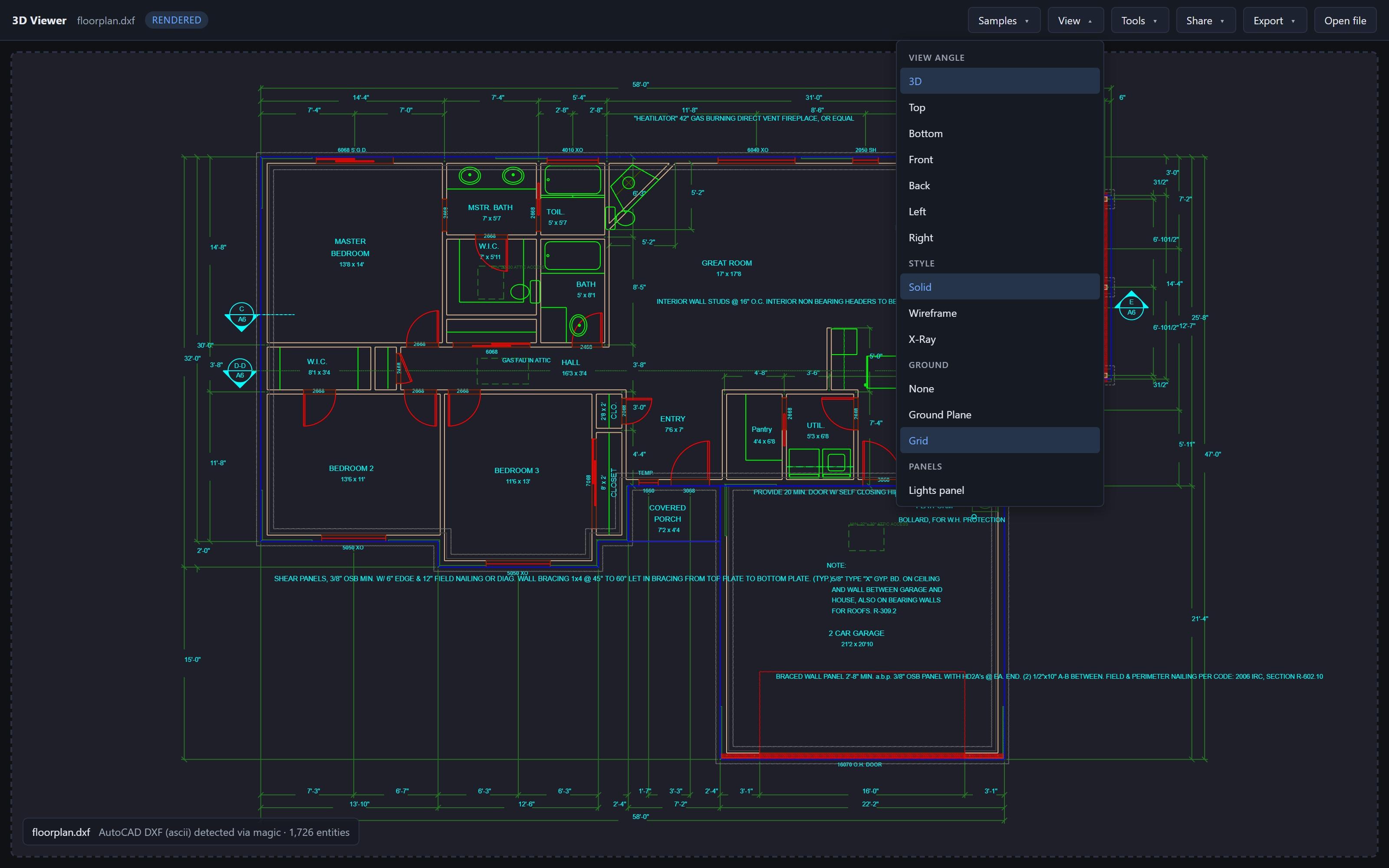
Layers carry over from the source file with their original names and per-layer colors, the way AutoCAD or SketchUp shows them. Toggle any combination on or off and the scene updates immediately. This works the same way whether you’re looking at:
- AutoCAD DWG and DXF drawings, where layers are the primary organization (A-WALL, A-DOOR, M-DUCT, etc.).
- SketchUp models, where the layer list reflects the source
Layerspanel and respects tag visibility. - STEP assemblies, where the assembly tree is flattened to one layer per named body so you can isolate components.
- glTF and FBX scenes, where the node hierarchy maps to layers so you can hide a character, a prop, or a whole sub-assembly.
Lighting, View Angles, and Render Modes
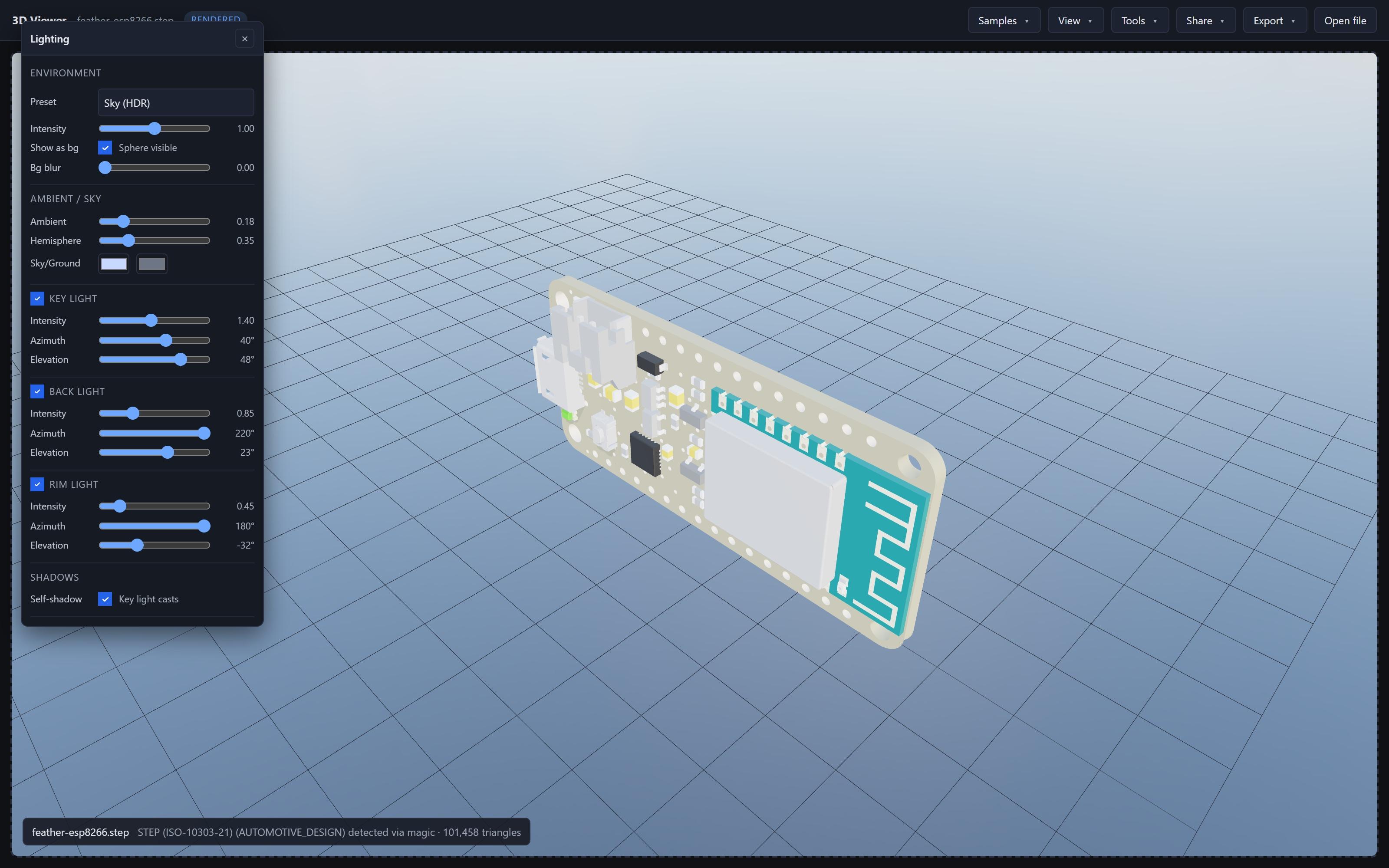
The viewer ships with the controls a 3D model usually needs in order to read clearly:
- View presets: top, front, side, isometric, and a 3D free-orbit view. One click frames the model to its bounding box.
- Render modes: solid, shaded, wireframe, and hidden-line. Useful for CAD drawings that read better as line art than as shaded geometry.
- Lighting: swap environment presets (studio, outdoor, neutral), adjust the directional light, toggle shadows. The whole lighting state is part of the share link, so a collaborator sees the same image you do.
- Measurement and scale: click two points to get a real-world distance with unit-aware formatting (metric or imperial). A scale bar overlay is available for screenshots.
Share a Link, or Embed in Your Own Page
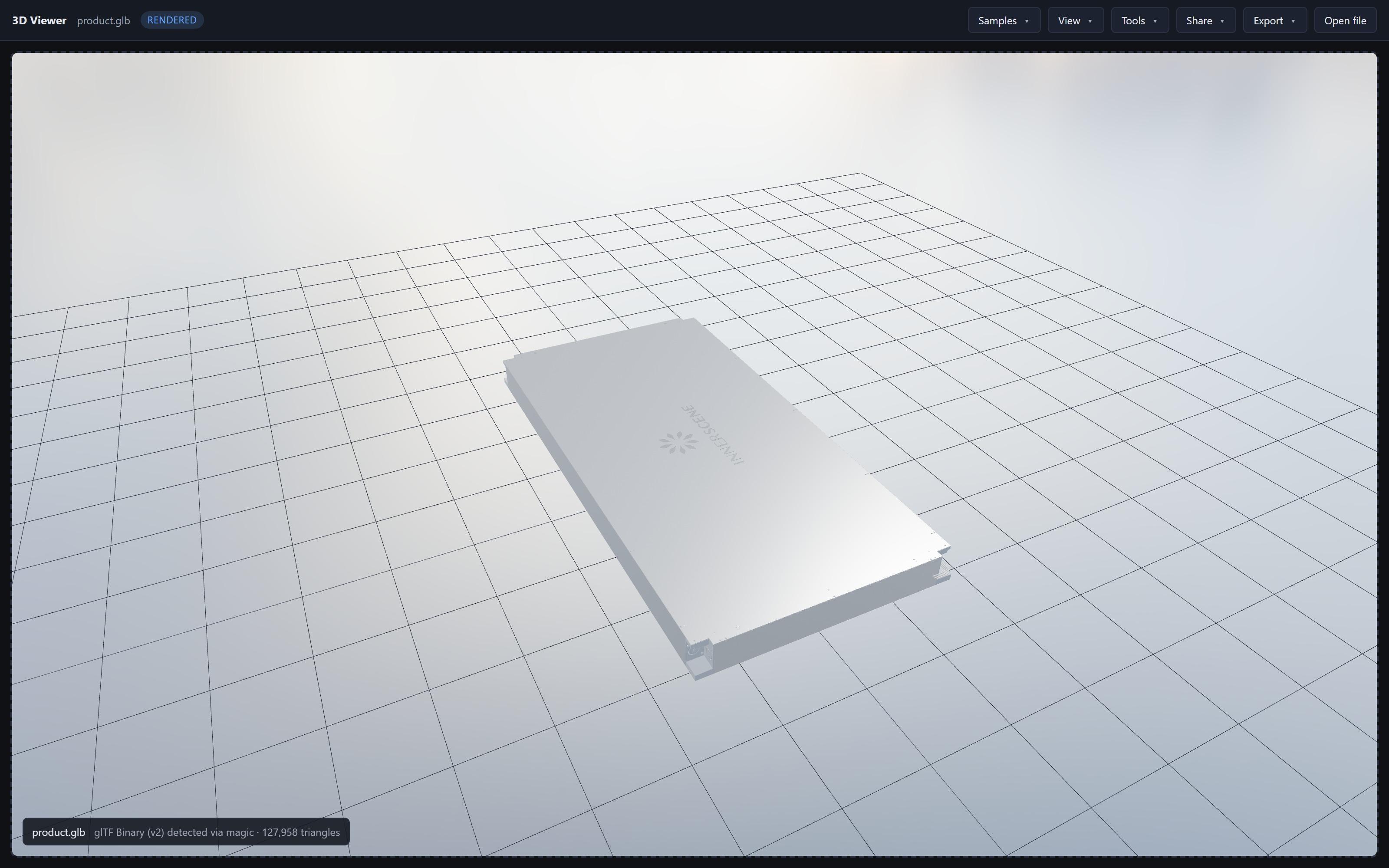
.glb) Circadian Sky luminaire rendered with PBR materials. Use the Share button to send a link, or the Embed button to drop a one-line iframe into your own site.Share preserves view state
Click Share and the viewer encodes the current camera angle, render mode, lighting, and layer visibility into the link. Whoever opens the link sees the model exactly the way you have it framed, on whatever device they happen to be on (Mac, Windows, iPad, Android). Files already hosted at a public URL share without any upload. Files you dropped locally get uploaded once, kept for 90 days, and replaced if you re-share.
Embed is a one-liner
The Embed button generates an iframe snippet you can paste into any HTML page or CMS. There’s a chromeless mode that hides the surrounding toolbar so the viewer looks like a native part of your site. The same iframe works in WordPress, Webflow, Notion, internal wikis, and anything else that accepts an iframe.
You can also open a model directly by URL: pass ?url= with a public file location and the viewer auto-detects the format from the bytes. Useful for linking from product pages, support articles, or RFP attachments.
One-Click Conversion
Every supported format can be exported back out as STL, OBJ, GLB, or PDF. That makes the Universal 3D Viewer useful as a converter for the common pinch points:
3DM, FBX, or SKP into STL
For 3D printing or FEA, when the source authoring tool can’t export STL directly.
STEP into GLB
For mechanical CAD that needs to live on a product page or in a game engine.
SKP or DWG into PDF
A snapshot of the current view, captioned with file name, format, and triangle count, for client review or RFP attachments.
DAE, VRML, or 3DS into OBJ
For legacy scenes that need to round-trip into a modern tool. OBJ + MTL ships as a single zip.
Your Files Stay on Your Device
Every file is parsed and rendered 100% locally in your browser. There is no upload step on open, no background sync, no account, no cloud processing. When you close the tab, the data is gone.
The only time bytes leave your machine is when you explicitly use the Share feature on a file that’s not already at a public URL. In that case the file is uploaded once to back the share link, kept for 90 days, and replaced if you re-share. Files already hosted at a public URL share without any upload at all.
For architects and engineers working under NDA, this matters: you can use the viewer with proprietary drawings and confidential client models without sending them to a third-party SaaS.
Works on Any Modern Browser
- Desktop: Chrome, Firefox, Safari, and Edge on Windows, macOS, and Linux. Tested on multi-hundred-megabyte STEP and SKP files.
- iPad and tablets: full touch controls. Pinch to zoom, two-finger pan, single-finger orbit. The toolbar reflows to fit narrow screens.
- Phones: view and orbit any supported format. Heavier operations like export and PDF snapshot are recommended on a desktop browser.
- Performance: WebGL 2 with hardware acceleration where the browser provides it. Large meshes are streamed into the renderer in chunks so the page stays interactive while a 50 MB STEP file parses.
Why We Built It
Innerscene makes premium artificial skylights, the Virtual Sun and Circadian Sky, that bring daylight to windowless spaces. We work with architects and engineers who specify our products, and we kept running into the same friction: opening a file in the right tool is a tax on every collaboration.
Over the past year we shipped four separate viewers for the formats that came up most often in our own pipeline: a DWG viewer, an SKP viewer, a STEP viewer, and an IES photometric viewer. Each one runs locally in the browser and has its own dedicated page. The Universal 3D Viewer brings all of them, plus a dozen new formats, behind a single URL with one consistent UI and one share link format. The dedicated pages still exist for people who land via search, but the universal viewer is now the canonical entry point.
Try It
Open innerscene.com/tools/3d-viewer and drop a file onto the page. No signup, no plugin, nothing to install. If you have a file that should work but doesn’t, the Report button in the toolbar bundles the file, the view state, and a screenshot into a single bug submission.
Have a format you wish we supported, or a file that opens incorrectly? Let us know at innerscene.com/contact-us.
Published by Innerscene on 2026-05-25