Free Online Tools: DWG Viewer, SKP Viewer, DWG-to-PDF Converter & Screen Recorder
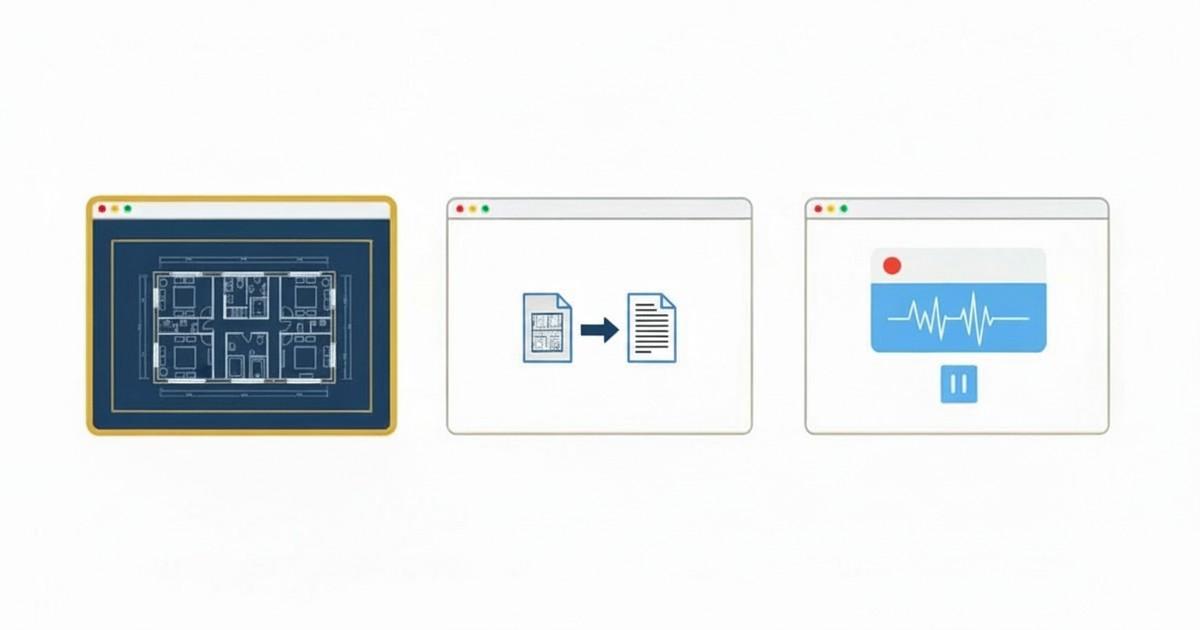
We’re excited to announce a new suite of free, browser-based tools designed for architects, engineers, and designers who work with CAD and 3D models every day. Whether you need to quickly view a DWG file from a client, explore a SketchUp 3D model, convert a drawing to PDF for a meeting, or record a walkthrough of your design — you can now do it all from your browser, with no software to install and no files uploaded to any server.
DWG Viewer
Open, measure, and print AutoCAD DWG files in your browser
Our DWG viewer is a full-featured drawing viewer built from scratch in TypeScript. It parses DWG R2000 (AC1015) files natively — no server-side conversion, no cloud upload. Drop a .dwg file onto the page and it renders instantly with layer control, zoom, pan, and measurement tools.
Key Features
- Native DWG parsing — reads AutoCAD DWG files directly in the browser with no conversion step
- Layer panel — toggle layers on and off to isolate the content you need
- Measurement tools — measure distances and coordinates directly on the drawing with snap-to-endpoint
- Unit toggle — switch between millimeters and inches
- Print-ready — export the current view for printing
The viewer supports lines, circles, arcs, ellipses, polylines, splines, hatches, text, dimensions, blocks, and inserts — covering the vast majority of 2D AutoCAD drawings. It works on any desktop browser (Chrome, Firefox, Edge, Safari) and on tablets including iPad.
SKP Viewer (SketchUp 3D Viewer)
View SketchUp 3D models directly in your browser
Our SKP viewer is a fully browser-based 3D model viewer built from scratch. It parses SketchUp .skp files natively — no server upload, no SketchUp license needed. Drop a file onto the page and explore the model with orbit, pan, and zoom controls.
Key Features
- Native SKP parsing — reads SketchUp files directly in the browser with a custom JavaScript parser, no conversion needed
- 3D navigation — orbit, pan, and zoom with mouse or touch controls to explore every angle of the model
- Material colors & textures — see faces rendered with their original SketchUp material colors and texture images
- Transparency support — glass panes and translucent materials render with proper see-through transparency
- V8 to V25+ support — supports SketchUp files from version 8 (2010) through the latest 2024/2025 releases
The viewer supports faces with holes (windows, doors), component definitions and instances, wireframe edges, and embedded textures. It works on any desktop browser and on tablets with WebGL support.
DWG to PDF Converter
Convert DWG drawings to PDF entirely in your browser
Need to share a drawing with someone who doesn’t have AutoCAD? Our converter renders your DWG file and exports it as a high-quality PDF — all locally. Choose from standard paper sizes (A0–A4, Letter, Tabloid) or let it auto-fit, select landscape or portrait orientation, and download immediately.
Key Features
- Paper size selection — A0, A1, A2, A3, A4, Letter, Legal, Tabloid, or Auto-fit
- Orientation control — landscape or portrait
- Layer selection — choose which layers to include in the PDF
- Instant download — no waiting for server processing
Screen Recorder
Record, edit, and download screen recordings — no install, no upload
Our screen recorder is perfect for creating design walkthroughs, recording client presentations, or capturing bug reports. It includes a full built-in video editor with trim, crop, and Picture-in-Picture webcam overlay. Record at up to native resolution with microphone audio, then edit and export — all in your browser.
Key Features
- Screen + webcam — record your screen with an optional Picture-in-Picture camera overlay
- Microphone capture — narrate over your recording with microphone audio
- Built-in editor — trim start/end, crop to any region, reposition the PiP overlay
- Quality options — native resolution, 1080p, 720p, or 480p recording; multiple export quality levels
- No watermarks, no time limits — completely free, unlimited recordings
Your Files Stay on Your Device
Every tool runs 100% locally in your browser. Your DWG and SKP files are never uploaded to any server. Your screen recordings never leave your device. There is no account to create, no data collection, and no cloud processing. When you close the page, the data is gone.
This is especially important for architects and engineers who work with proprietary drawings and sensitive project files. You can use these tools with full confidence that your intellectual property stays private.
Works on Any Device
- Desktop — Chrome, Firefox, Edge, and Safari on Windows, Mac, and Linux
- iPad & tablets — the DWG and SKP viewers work with touch controls (pinch-to-zoom, pan, orbit) on iPad Pro, Air, and Mini
- iPhone & mobile — DWG and SKP viewing on the go (screen recording requires a desktop browser)
Why We Built These Tools
Innerscene makes premium artificial skylights — Virtual Sun and Circadian Sky — that bring realistic daylight to windowless spaces. We work closely with architects and engineers who specify our products, and we saw a need for simple, privacy-respecting tools that just work.
Many existing online DWG and SKP viewers require you to upload your files to a third-party server. Most free screen recorders add watermarks, impose time limits, or require software installation. We wanted something better: tools that run entirely in your browser, respect your privacy, and are genuinely free to use.
Get Started
All tools are available now at innerscene.com/tools. No signup required — just open the page and start using them.
Have feedback or feature requests? We’d love to hear from you — get in touch.
Published by Innerscene on 2026-03-05