SkySync™
O primeiro sensor que capta a cor real de um céu azul limpo e a transmite às suas luminárias em interiores em tempo real.
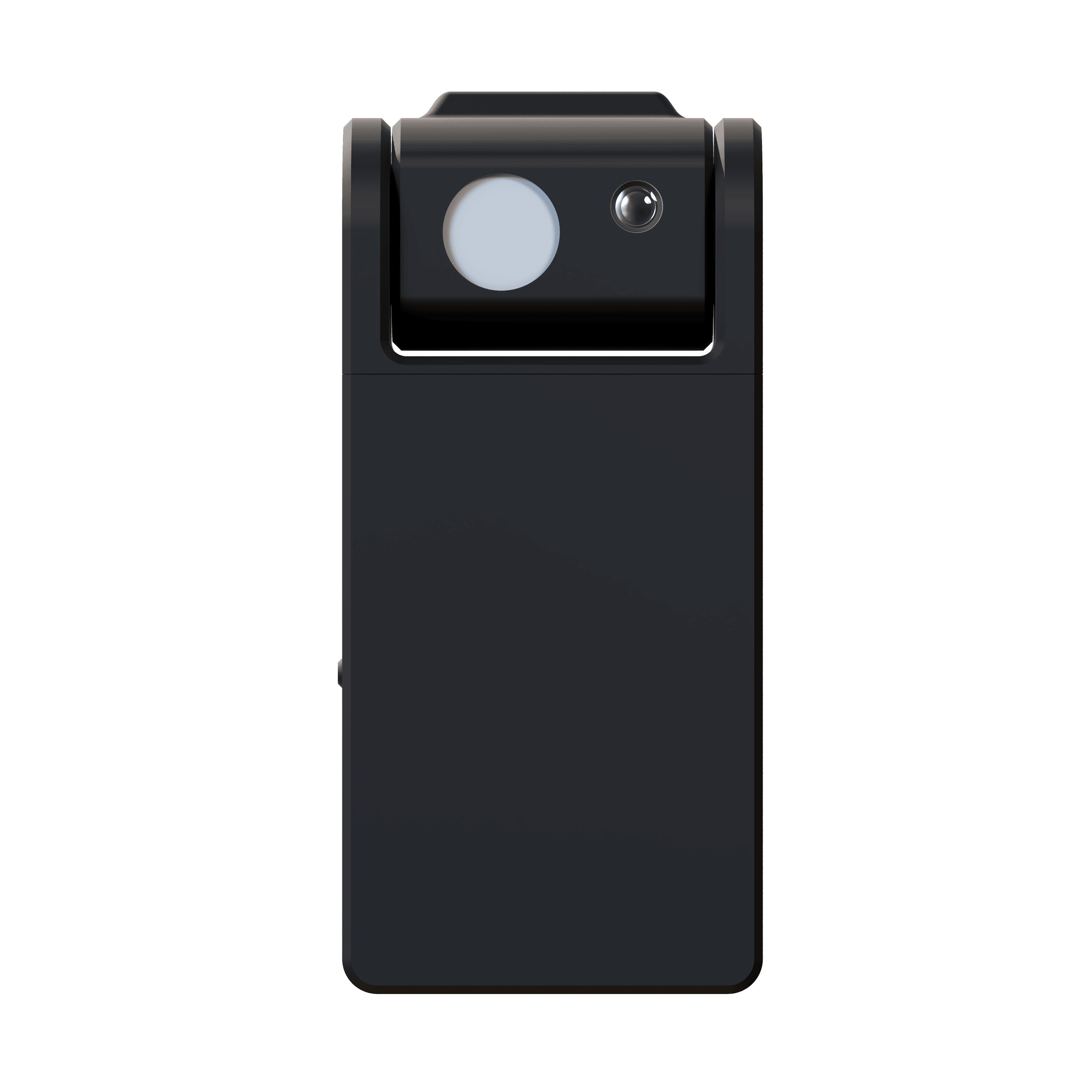
O céu real,
trazido para dentro.
O SkySync é o primeiro sensor capaz de captar a cor real de um céu azul. Sua revolucionária tecnologia de sensor duplo mede o céu de forma independente da luz ambiente, transmitindo dados de cor em tempo real às suas luminárias Circadian Sky e Virtual Sun.
À medida que as nuvens passam e o sol atravessa o céu, a sua iluminação interna muda e responde, fazendo os espaços parecerem vivos e respirarem em sintonia com o mundo lá fora. Uma bateria de mais de 10 anos e a montagem em janela interna significam que não é preciso fiação.
- Sensor do céu
- 10° FOV
- Sensor ambiente
- 180°
- Alcance
- 30 ft · 100 ft+ hub
- Bateria
- 10+ years
O mesmo céu,
dentro e fora.
Três painéis janela Circadian Sky sobre os armários de uma cozinha em São Francisco, alimentados por dados SkySync em tempo real em vez de um branco fixo.
A imagem passa dos painéis para a varanda e encontra a mesma luz. O azul de dentro é o azul de fora, medido através do vidro e atualizado à medida que o céu muda.
Cozinha residencial, São Francisco. Painéis janela Circadian Sky com SkySync.
O céu não está a 6.500 K.
Os sensores tradicionais medem juntos uma mistura de luz solar, reflexos e céu, tirando a média de um branco plano com aspecto nublado. O céu real num dia limpo é um azul vibrante, impossível de reproduzir sem medi-lo isoladamente.
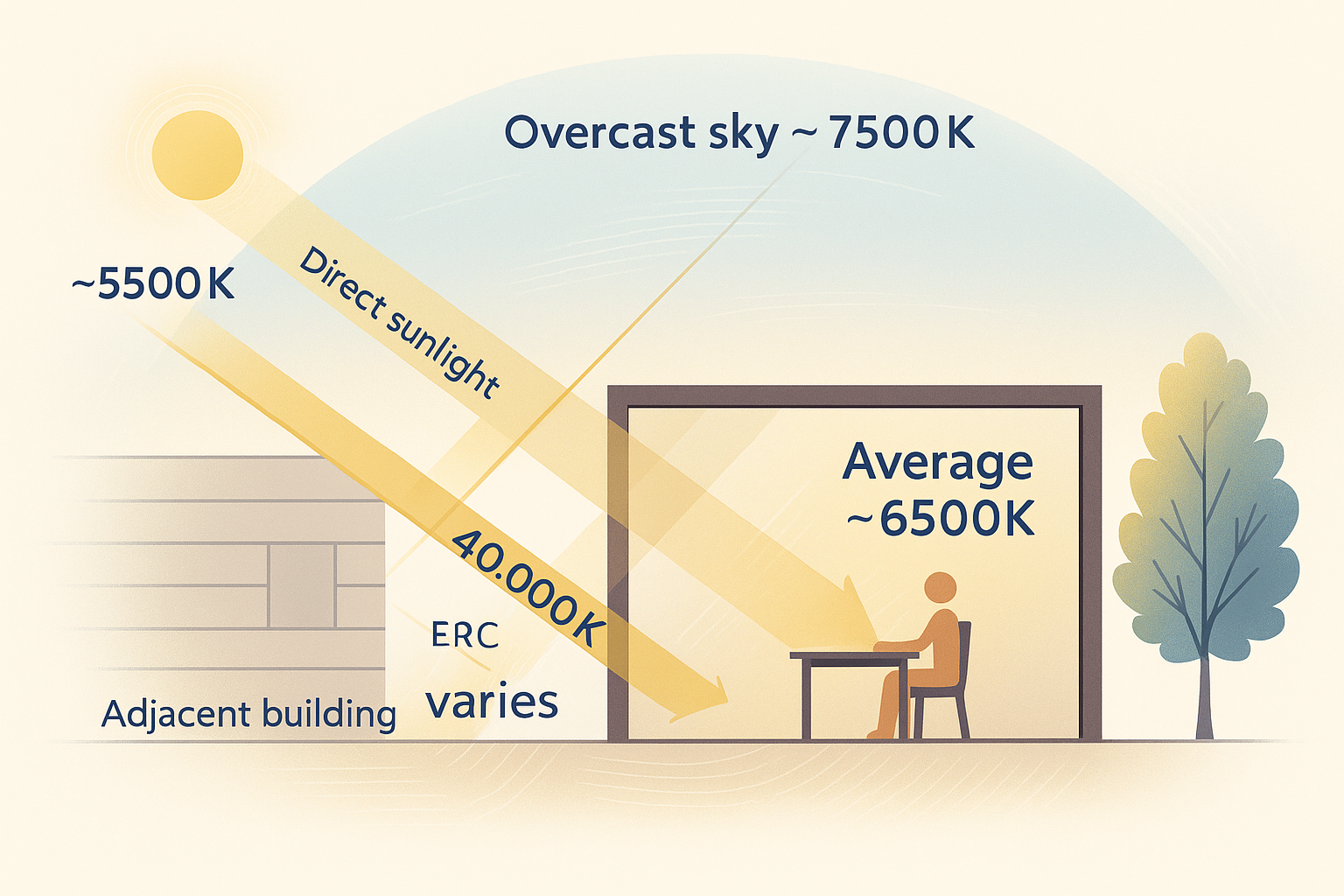
Vê tudo de uma vez, o sol direto, o céu nublado e a luz que ricocheteia nos edifícios próximos, e tira a média numa única leitura plana e desbotada.
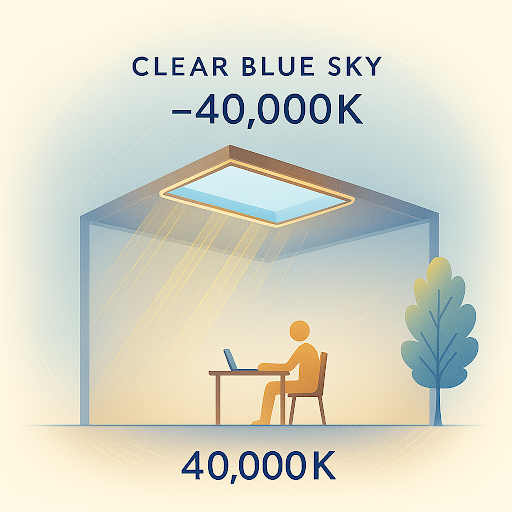
Olha apenas para o céu, captando o azul profundo de um dia limpo que uma leitura misturada nunca consegue ver.
Luz solar, céus nublados e azuis, e luz refletida, tudo misturado numa leitura plana.
O céu limpo por si só, de um azul vibrante e em constante mudança conforme o dia avança.
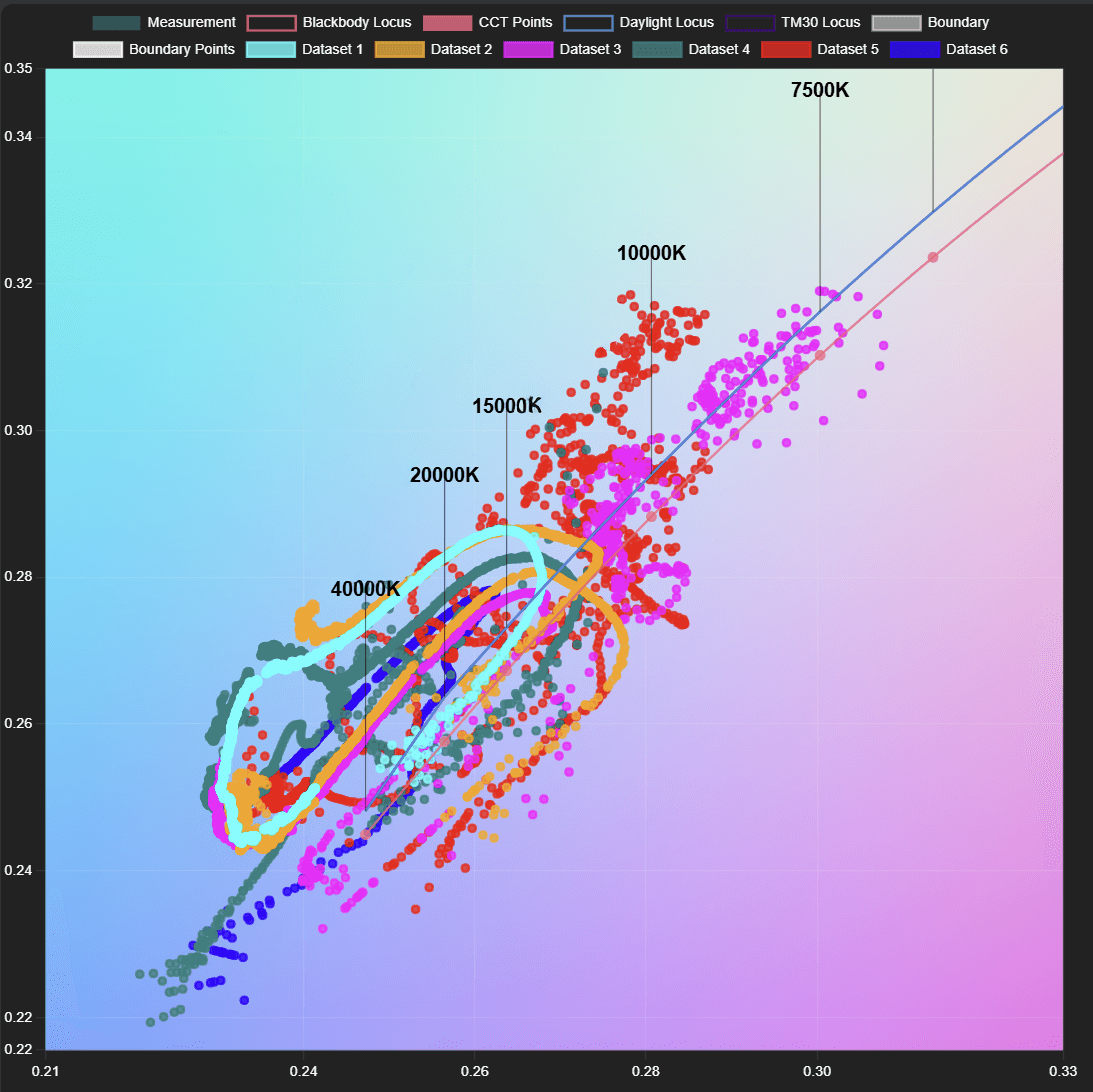
Cada ponto é uma medição real do céu. O céu muda drasticamente a cada poucos minutos à medida que as nuvens passam e o sol se move, uma faixa viva que uma única média estática nunca consegue captar.
Sensor do céu de 10°
Um sensor direcional estreito mede a cor real do céu de forma independente, captando toda a faixa, do nublado de 6.500 K até o céu azul de mais de 200.000 K.
Sensor ambiente de 180°
Um coletor difuso lê a luz ambiente de todas as direções para uma reprodução ambiente precisa, junto com a leitura do céu.
Quatro formas de entregar o céu.
Da simples conexão sem fios direta a implantações remotas na nuvem, o SkySync se adapta a qualquer instalação, de uma única sala a um campus multissite.
A configuração mais simples. O SkySync transmite diretamente para luminárias próximas em 2,4 GHz, dentro de cerca de 9 m, sem qualquer infraestrutura de rede.
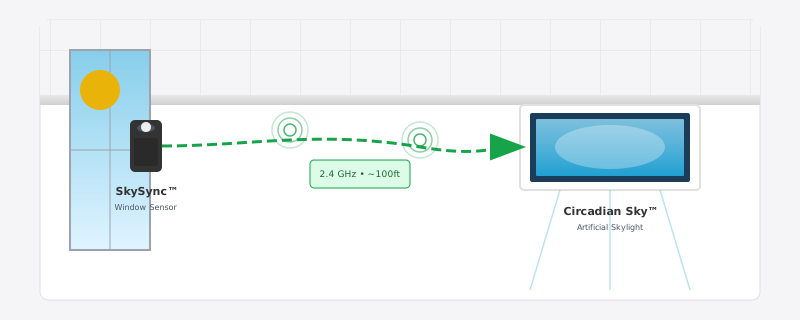
Três destas quatro vias passam pelo Innerscene Mini Hub, o gateway incluído em cada caixa de SkySync.
Duas formas de assumir o controle.
Assim que os dados do céu chegam, as suas luminárias funcionam num de dois modos e alternam entre eles por conta própria, de modo que a sala está sempre seguindo o céu ou a pessoa nela.
Modo programado
As luminárias seguem os dados do SkySync em tempo real, replicando a luz exterior à medida que o sol se move e as nuvens passam.
Veja o que o SkySync controlaPrioridade do dimmer
Um dimmer externo tem prioridade sobre a programação sempre que alguém quer o controle manual de um espaço.
Veja a prioridade do SkySync na programaçãoAlternância automática. As luminárias detectam por conta própria a regulagem externa e voltam ao modo programado quando o dimmer fica inativo, após um ciclo de energia ou pelo app, de modo que ninguém precisa lembrar de devolver o controle ao céu.
Sensor pequeno, engenharia séria.
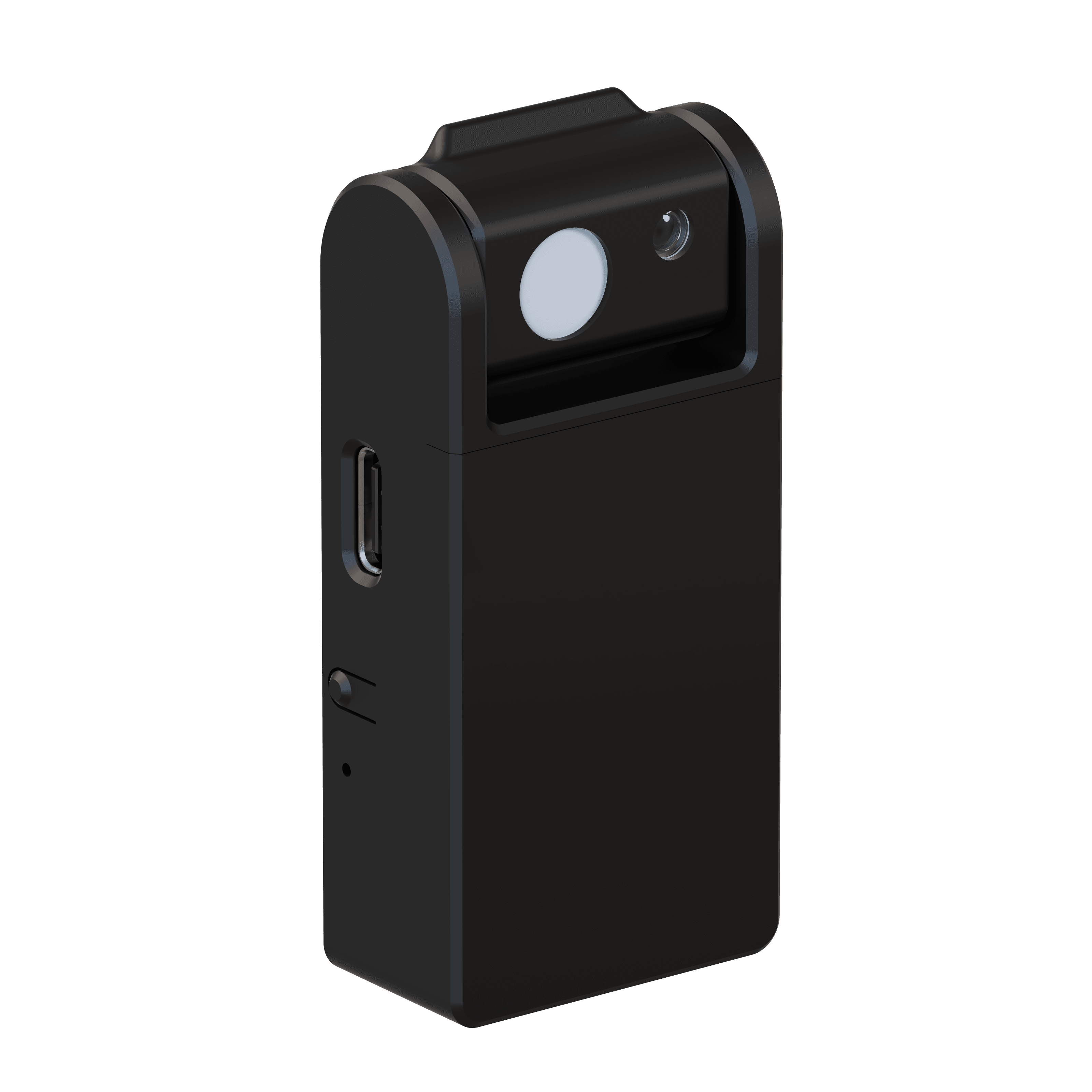
- Sensor do céu
- 10° narrow field of view
- Sensor ambiente
- 180° diffuse light collector
- Alcance sem fios
- 30 ft direct · 100 ft+ with included Mini Hub
- Configuração
- Bluetooth Low Energy (BLE)
- Comunicação
- 2.4 GHz ISM band · no router required
- Alimentação
- 10+ year replaceable battery (CR2477)
- Grau IP
- IP20 · indoor use only
- Segurança
- UL 916 · UL 1642 listed battery
- Compatível com
- Circadian Sky, Virtual Sun
- Instalação
- Removable tape mount to interior windows
Funcionando em minutos.
Sem fiação, sem eletricista. O SkySync se monta dentro da janela com fita removível, de modo que lê a mesma luz que o seu espaço vê.
Escolha uma janela
Selecione qualquer janela com vista livre do céu para uma detecção ideal.
Monte o sensor
Retire a proteção adesiva e pressione-o no vidro interno no ângulo recomendado.
Configure
Estabeleça a conexão sem fios pelo app da Innerscene por Bluetooth.
Emparelhe com as luminárias
Conecte o SkySync às suas luminárias Circadian Sky ou Virtual Sun e você está no ar.
Monta-se dentro da janela de modo que lê a mesma luz que o seu espaço vê, captando as mudanças de cor de vidros insulfilmados ou de baixo teor de ferro sem manutenção alguma. Um reforço opcional de CCT pode deslocar o resultado para tons mais quentes ou frios para combinar com a sala.
Amplie o seu alcance
com o Mini Hub.
Cada SkySync inclui o Innerscene Mini Hub, um gateway compacto que leva dados do céu em tempo real a luminárias além do alcance sem fios direto. Quando paredes, distância ou várias salas atrapalham, o Mini Hub mantém todo o seu espaço sincronizado.
- Repetidor sem fios
Retransmite num rádio 2,4 GHz mais forte. Sem rede ou configuração.
- Rede local
Transmite dados do céu às luminárias pela sua LAN via UDP.
- Serviços na nuvem
Retransmite pelo Innerscene Cloud (TCP) para alcançar luminárias remotas.
- Alimentação flexível
Power over Ethernet (PoE) ou USB-C.
- Conectividade dupla
WiFi ou Ethernet (DHCP).
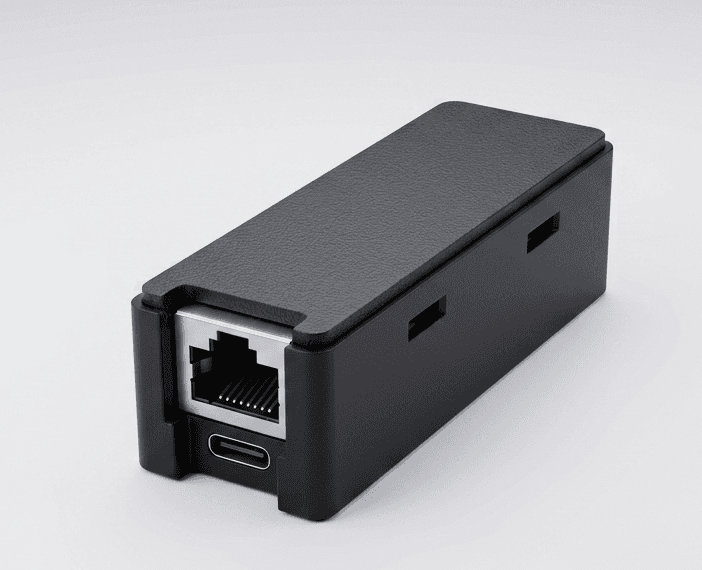
- Recepção
- BLE · 50 ft range
- Alimentação
- PoE (802.3af) or USB-C · 0.5 W
- Rede
- 10/100 Ethernet (DHCP) · 2.4 GHz WiFi
- Saídas
- Wireless rebroadcast · UDP · Cloud (TCP, SSL)
- Compatível
- Virtual Sun · Circadian Sky
- Montagem
- 2 screws, any surface · 0–40°C
Feito para todo o ecossistema.
O Circadian Sky e o Virtual Sun são as únicas luminárias de amplo espectro capazes de reproduzir a cor dinâmica do céu azul, o par perfeito para a detecção revolucionária do SkySync.
Circadian Sky
A tecnologia de amplo espectro reproduz toda a gama de cores do céu, dos tons quentes de entardecer a 2.200 K ao vibrante céu azul de mais de 200.000 K.
- Reprodução de cor de espectro completo até mais de 200.000 K
- Sincronização em tempo real com as condições do céu exterior
- Transições dinâmicas conforme as nuvens e o tempo mudam
Virtual Sun
A tecnologia de amplo espectro reproduz toda a gama de cores do sol ao longo do dia, movendo-se e mudando em harmonia com o sol real lá fora.
- Amplo espectro, do amanhecer quente ao vibrante céu azul
- Posição, intensidade e cor do sol sincronizadas
- Cobertura de nuvens e efeitos atmosféricos em tempo real
Seu céu, na palma da mão.
O Innerscene Studio é o app oficial para cada luminária Circadian Sky e Virtual Sun que você tem. Conecte-se por Bluetooth, defina sua programação circadiana e sincronize com o céu real, tudo pelo seu celular ou tablet.
- Conexão Bluetooth segura
Abra o app perto de qualquer luminária e ela aparece na hora, sem códigos QR, sem portais de configuração. O controle fica bloqueado pela senha que você define no comissionamento.
- Controle direto
Temperatura de cor, brilho e a programação automática, tudo em uma única tela inicial.
- Editor de programação
Desenhe sua própria curva circadiana com quantos pontos quiser e depois exporte ou importe como arquivo.
- Integração com SkySync
Emparelhe um sensor SkySync instalado na janela e veja suas Janelas e Claraboias Virtuais acompanharem as condições reais do céu (CCT, lux e tudo) em tempo real.
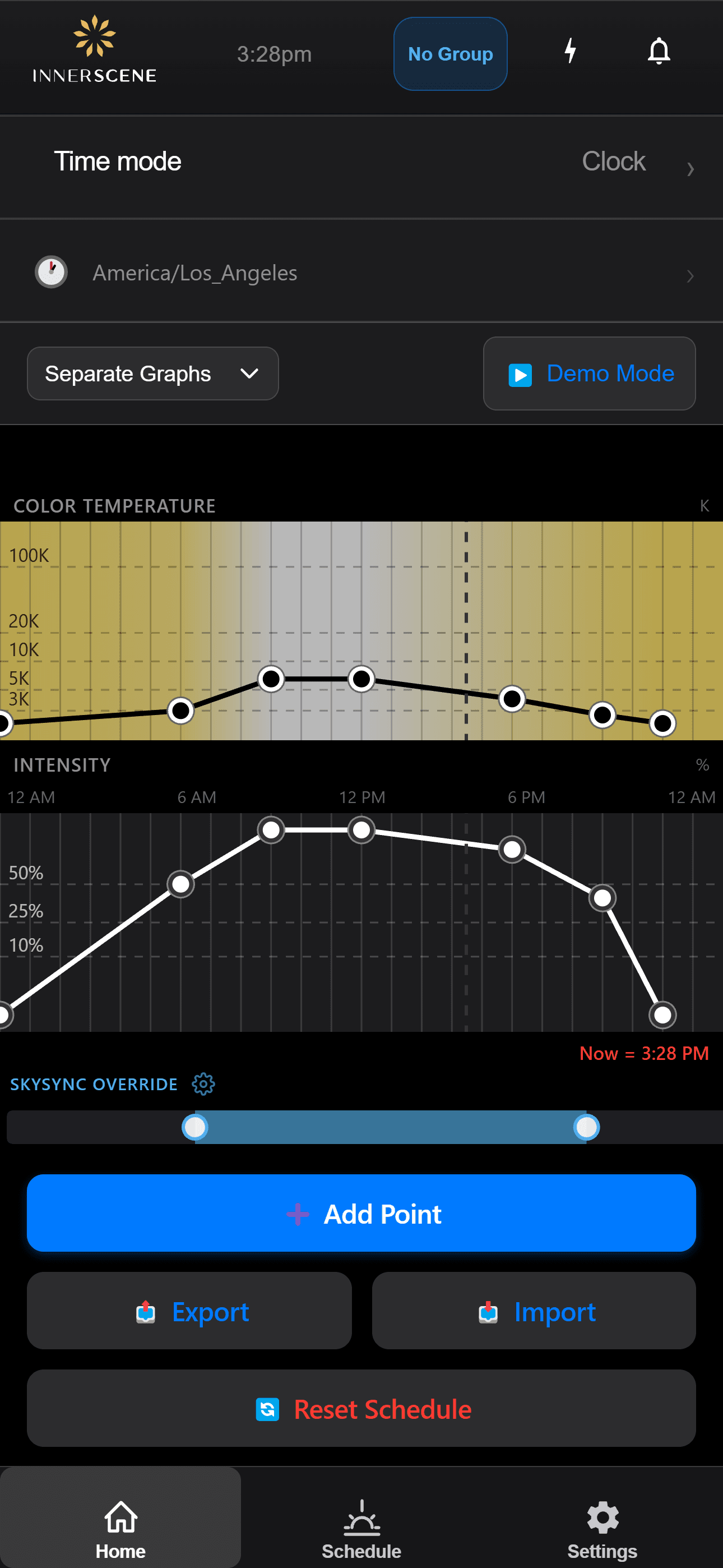
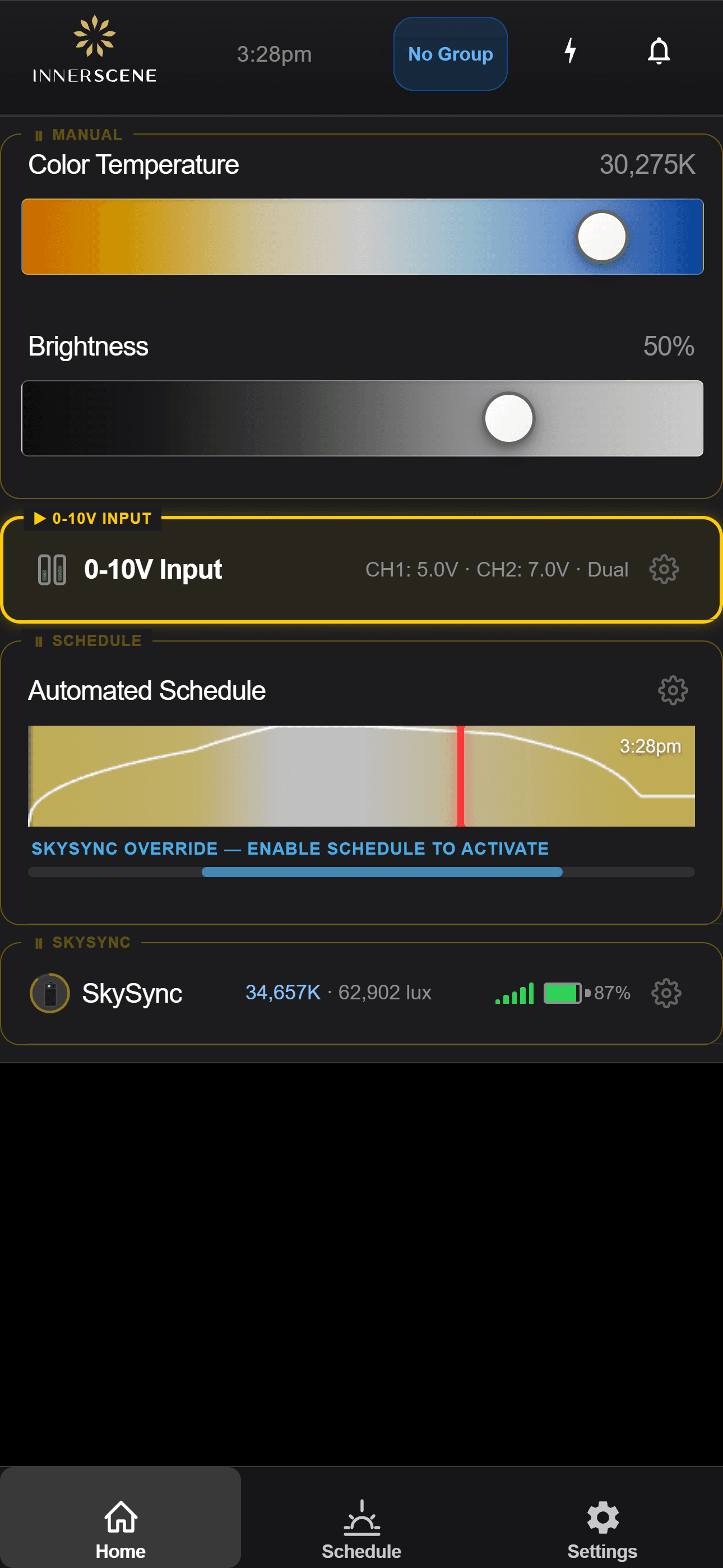
Configurado e observado do seu celular.
O SkySync é configurado e monitorado dentro do app da Innerscene nas suas luminárias Circadian Sky e Virtual Sun. Percorra as telas para ver como funciona.
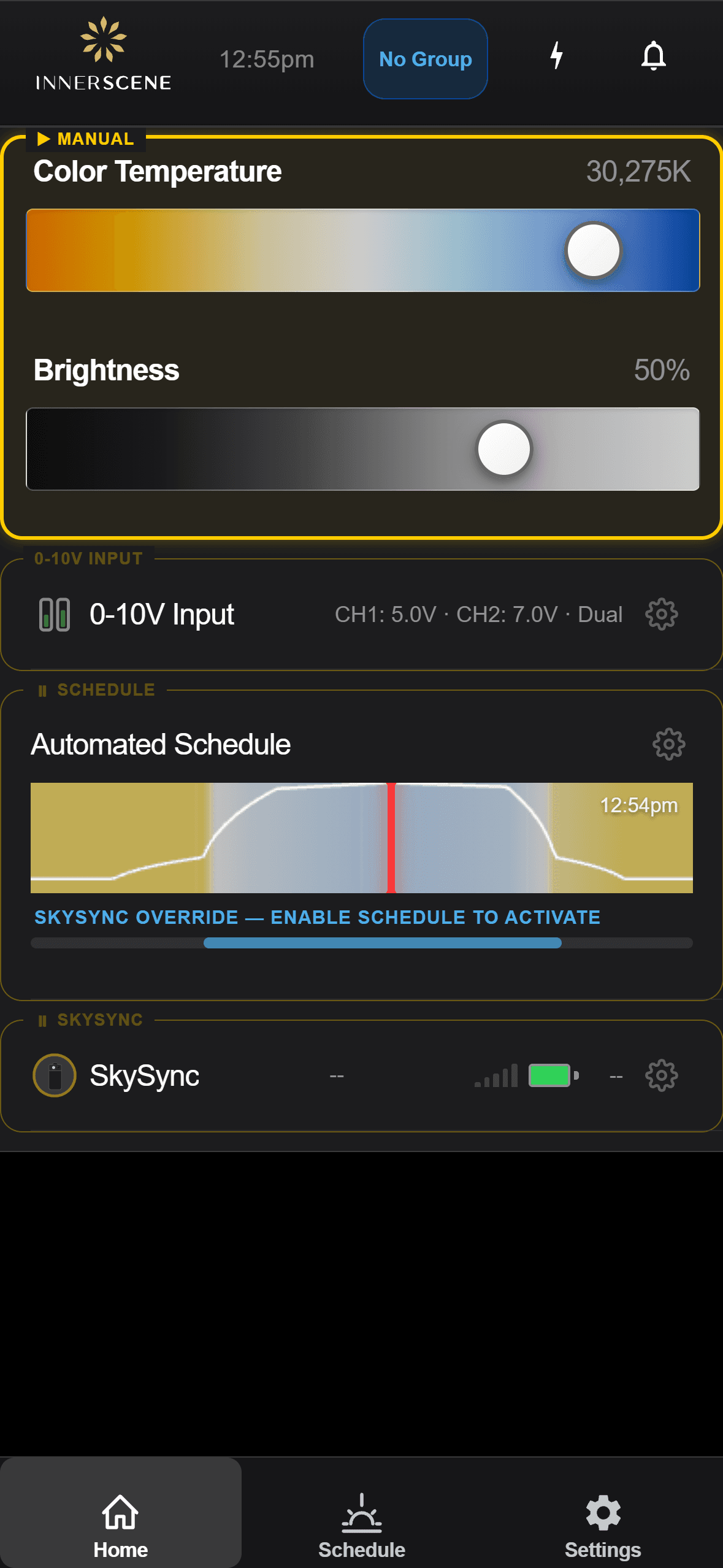
Sensor detectado
Uma luminária descobre um SkySync próximo e oferece emparelhar-se com ele.
Abrir no guia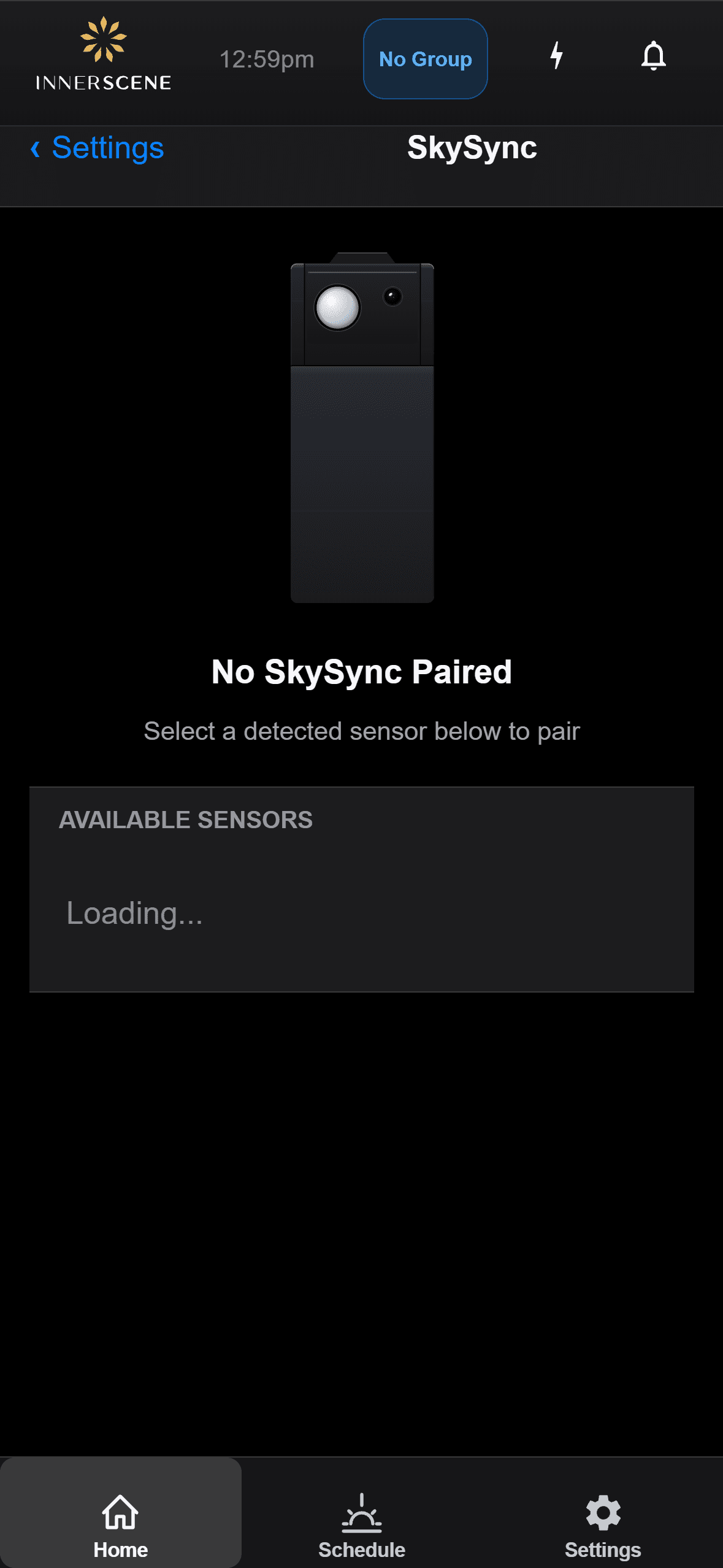
Emparelhamento
Emparelhe um SkySync a uma luminária, ou desemparelhe-o para trocar de sensor.
Abrir no guia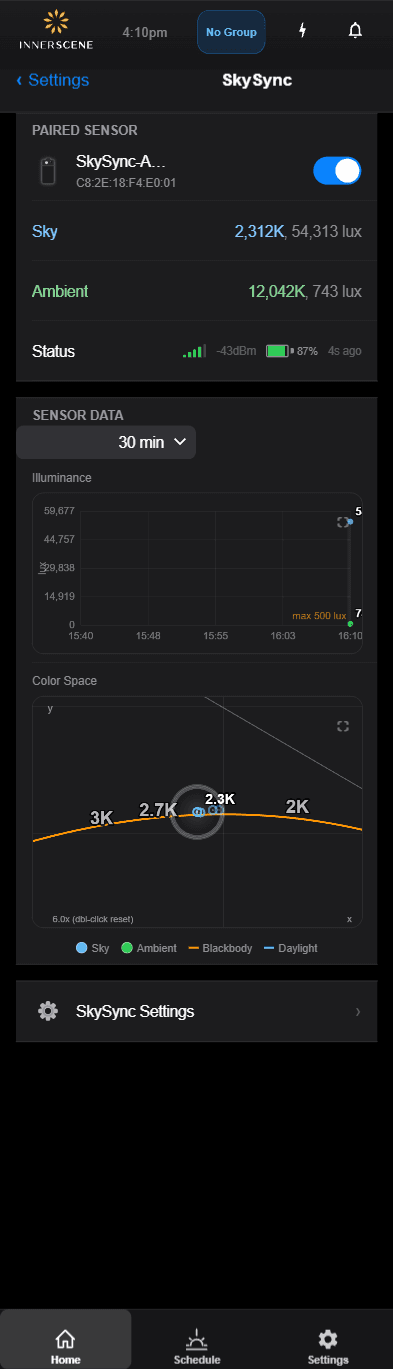
Leituras ao vivo
Acompanhe a cor e o brilho do céu do sensor em tempo real.
Abrir no guia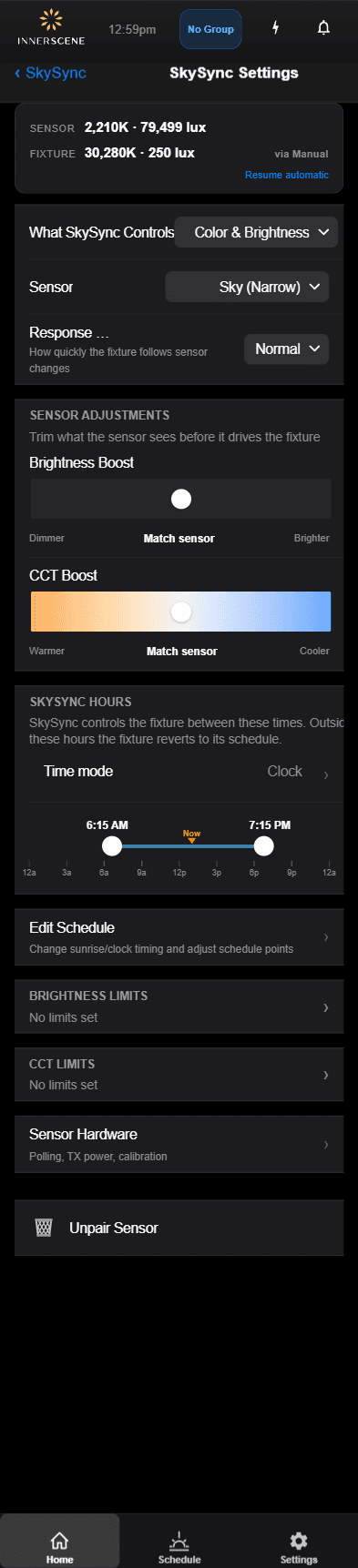
Ajustes
Ajuste como o sensor comanda a temperatura de cor e o brilho.
Abrir no guia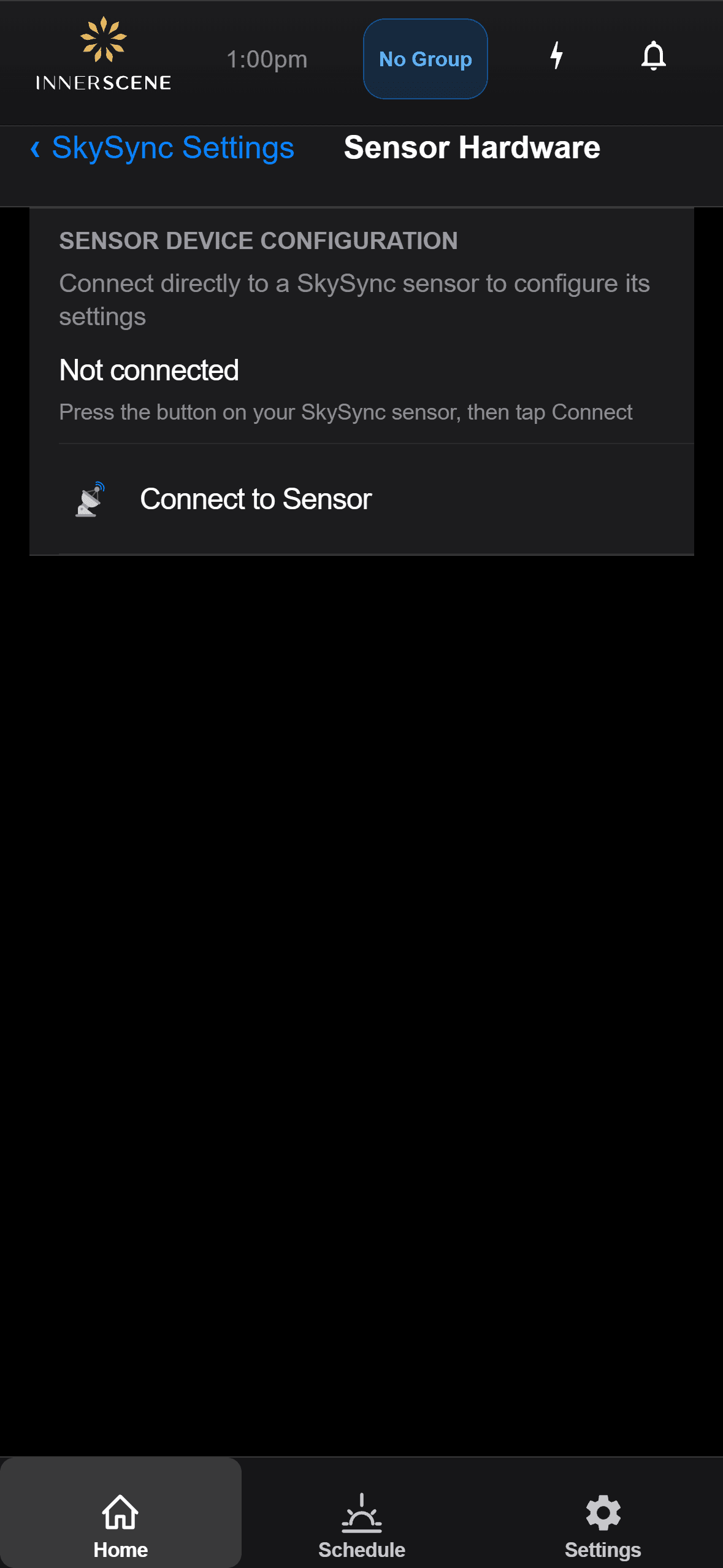
Hardware
Verifique o nível da bateria, a força do sinal e o estado do sensor.
Abrir no guia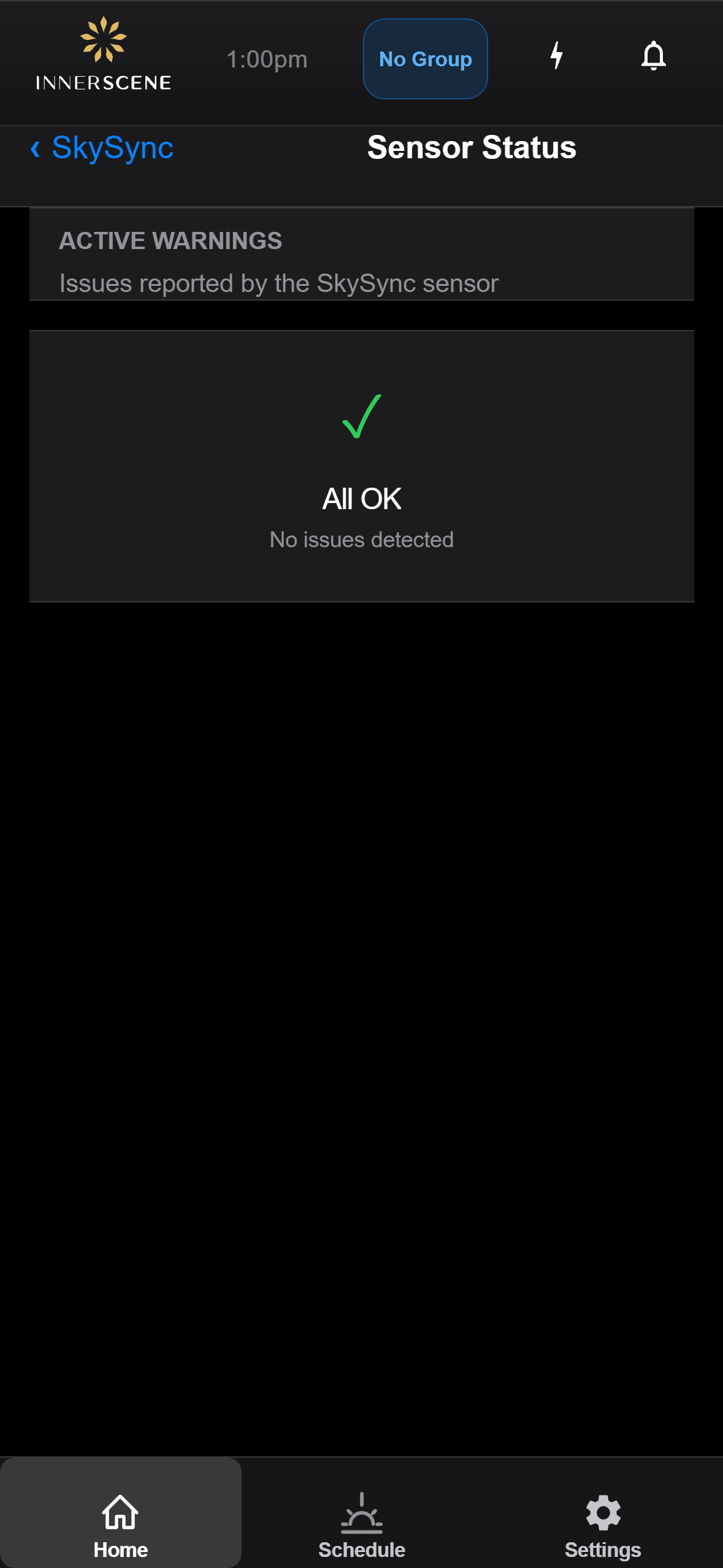
Solução de problemas
Leia as mensagens de estado do sensor e resolva problemas comuns.
Abrir no guiaPerguntas, respondidas.
De quantos sensores SkySync eu preciso?
Na maioria dos casos, um único SkySync basta, mesmo para um edifício grande. Um sensor principal alimenta a rede, e as luminárias secundárias retransmitem, de modo que uma única leitura pode alcançar uma instalação inteira pelos modos de rede.
O SkySync pode ser usado ao ar livre?
O SkySync foi projetado apenas para uso interno. A montagem atrás do vidro oferece uma medição precisa da cor da luz que o seu espaço realmente vê, protege o sensor do clima e dos UV, não precisa de limpeza e dá melhor alcance sem fios às suas luminárias.
E se minhas janelas forem insulfilmadas, ou eu quiser menos luz?
Pelo app ou pela interface web da luminária, você pode aumentar o brilho do SkySync para compensar um vidro insulfilmado escuro, ou reduzi-lo para salas de mídia e outras necessidades específicas. Um reforço opcional de CCT também pode deslocar o resultado para tons mais quentes ou frios.
Que comissionamento no local é necessário?
Para pedidos novos, o SkySync é enviado pré-emparelhado e configurado, então nenhum comissionamento no local é necessário. Para instalações existentes, bastam uma rápida atualização de firmware, o emparelhamento pelo app ou interface web e a definição do estado de ligação como Programado.
Com quais sistemas de controle externos ele funciona?
O SkySync é compatível com todas as variantes de controle do Circadian Sky, incluindo 0-10V, DMX, DALI e Casambi. Controles externos podem sobrepor o SkySync, e a Retomada por inatividade devolve as luminárias à programação automaticamente quando a regulagem fica inativa ou após um ciclo de energia.
Quais modos conectam o SkySync às luminárias?
Quatro: Sem fios direto, Repetidor sem fios pelo Mini Hub incluído, Rede local por UDP e Repetidor na nuvem pelo Innerscene Cloud Services, cobrindo tudo, de uma única sala a um campus de vários edifícios.
Documentos e guias.
Este produto é protegido por uma ou mais patentes, com patentes adicionais pendentes. Ver todas as patentes
À medida que as nuvens passam e o sol atravessa o céu, a sua luz muda e responde, fazendo os espaços parecerem vivos e respirarem em sintonia com o mundo lá fora.
Traga o céu vivo para dentro.
© 2026 Innerscene. Todos os direitos reservados.