SkySync™
The first sensor that captures the true color of a clear blue sky, and streams it to your fixtures indoors in real time.
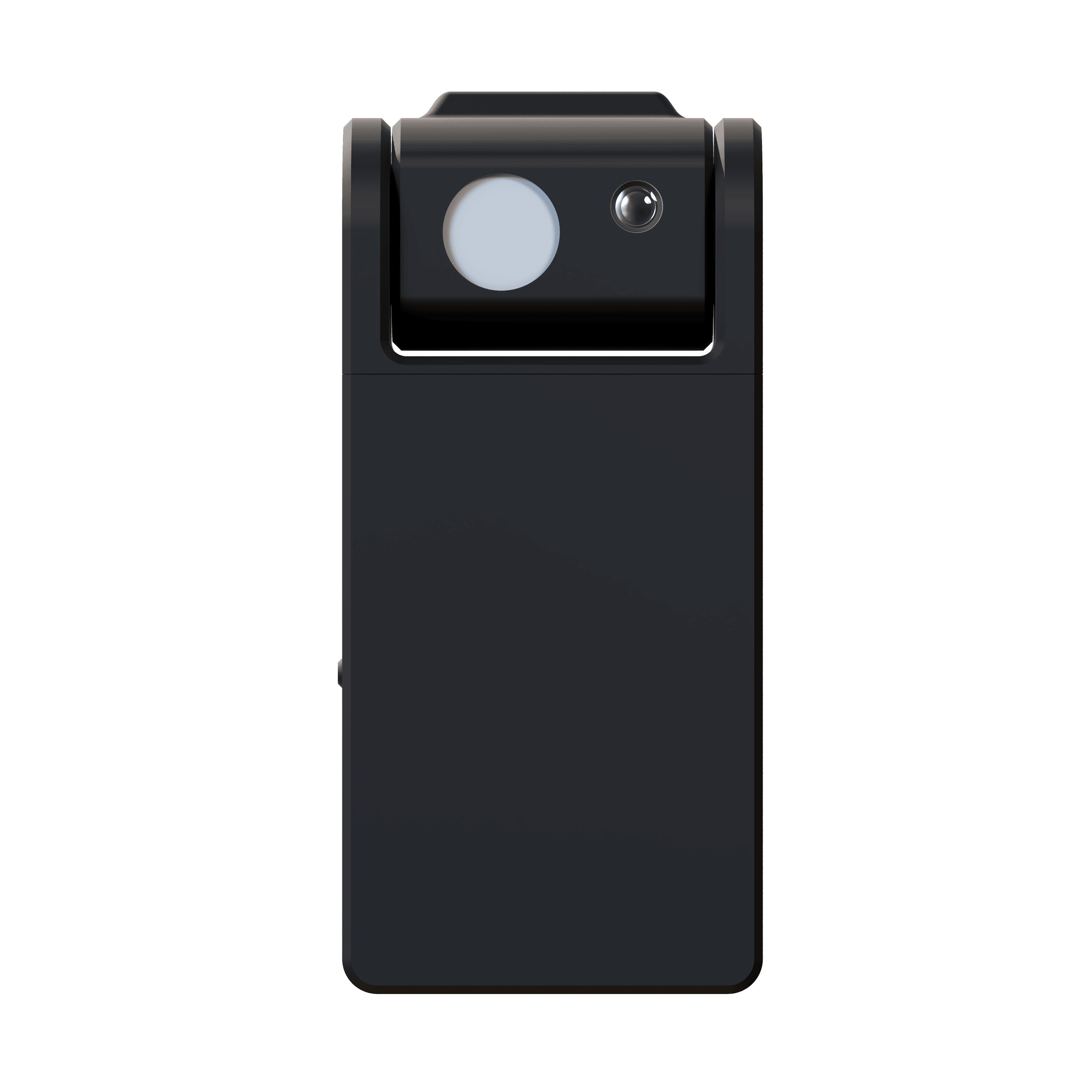
The real sky,
brought indoors.
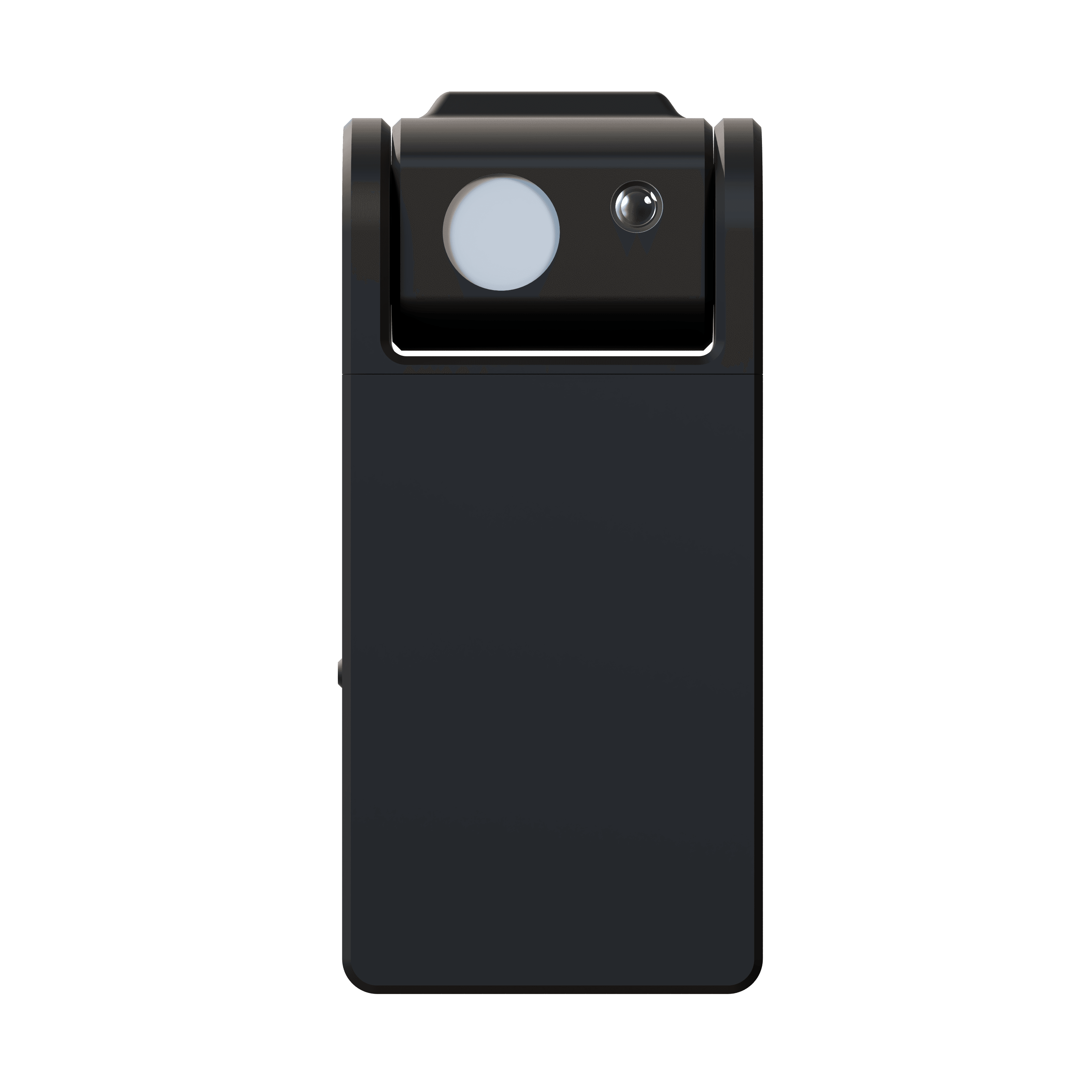
SkySync is the first sensor capable of capturing the true color of a blue sky. Its breakthrough dual-sensor technology measures the sky independently from ambient light, streaming real-time color data to your Circadian Sky and Virtual Sun fixtures.
As clouds drift by and the sun moves across the sky, your indoor lighting shifts and responds, making spaces feel alive and breathing in sync with the world outside. A 10+ year battery and indoor window mounting mean no wiring is required.
- Sky Sensor
- 10° FOV
- Ambient Sensor
- 180°
- Range
- 30 ft · 100 ft+ hub
- Battery
- 10+ years
The same sky,
inside and out.
Three Circadian Sky window panels sit above the cabinets of a San Francisco kitchen, running on live SkySync data instead of a fixed white.
The camera pans from the panels to the balcony and lands on the same daylight. The blue indoors is the blue outside, measured through the glass and updated as the sky shifts.
Residential kitchen, San Francisco. Circadian Sky window panels running on SkySync.
The sky isn't 6,500 K.
Traditional sensors measure a mix of sunlight, reflections, and sky together, averaging to a flat, overcast-looking white. The real sky on a clear day is a vibrant blue that is impossible to replicate without measuring it on its own.
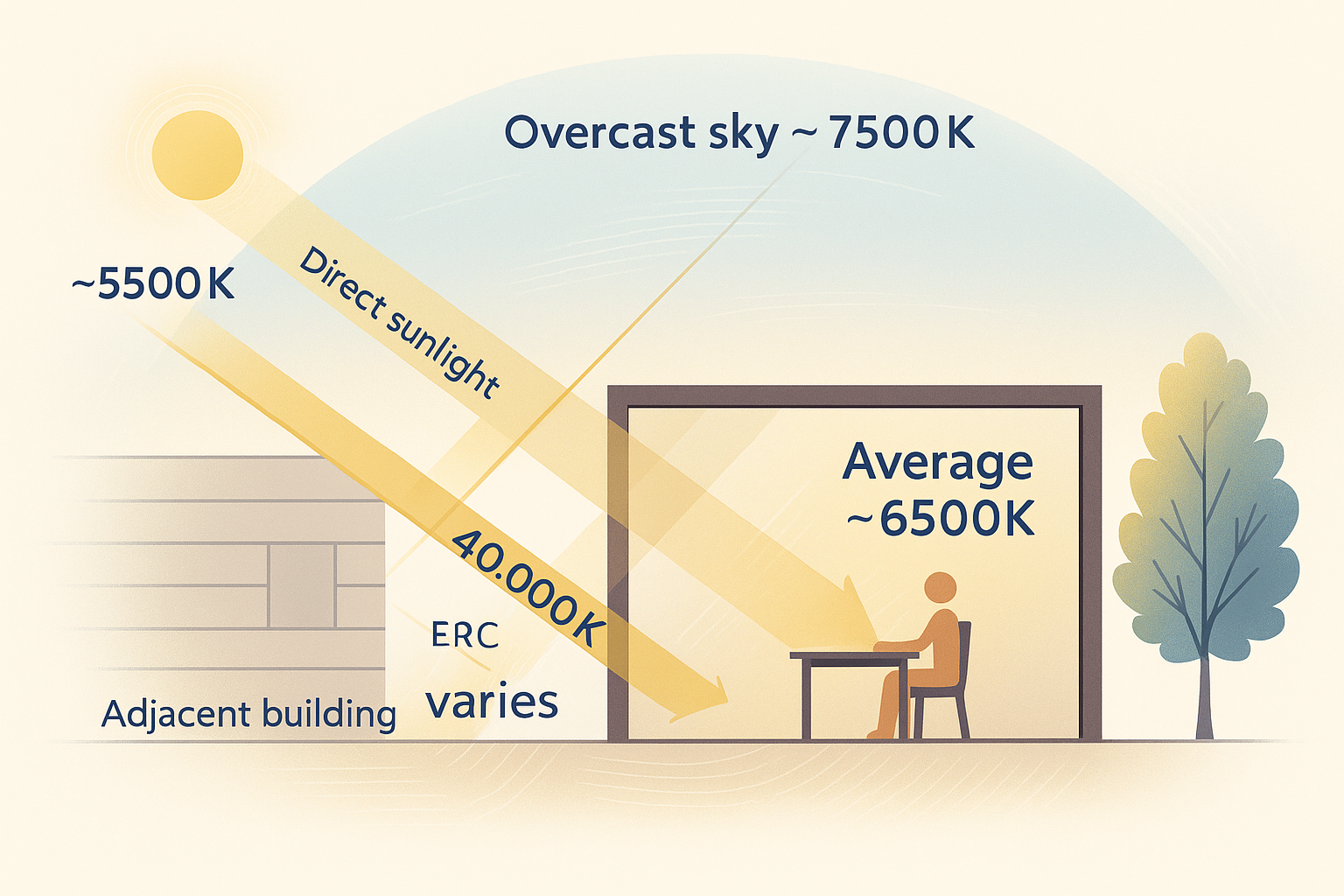
Sees everything at once, direct sun, overcast sky, and light bouncing off nearby buildings, and averages it into one flat, washed-out reading.
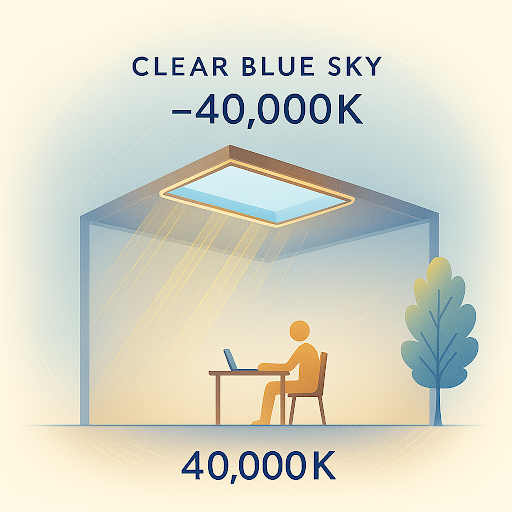
Looks only at the sky, capturing the deep blue of a clear day that a mixed reading can never see.
Sunlight, overcast and blue skies, and reflected light, all mixed into one flat reading.
The clear sky on its own, vibrant blue and constantly shifting as the day moves.

Each dot is a real sky measurement. The sky shifts dramatically every few minutes as clouds pass and the sun moves, a living range that a single static average can never capture.
10° Sky Sensor
A narrow directional sensor measures true sky color independently, capturing the full range from 6,500 K overcast to 200,000 K+ blue sky.
180° Ambient Sensor
A diffuse collector reads environmental light from all directions for accurate ambient replication, alongside the sky reading.
Four ways to deliver the sky.
From simple direct wireless to cloud-based remote deployments, SkySync adapts to any installation, from a single room to a multi-site campus.
The simplest configuration. SkySync broadcasts directly to nearby fixtures over 2.4 GHz, within roughly 30 ft, with no network infrastructure required.
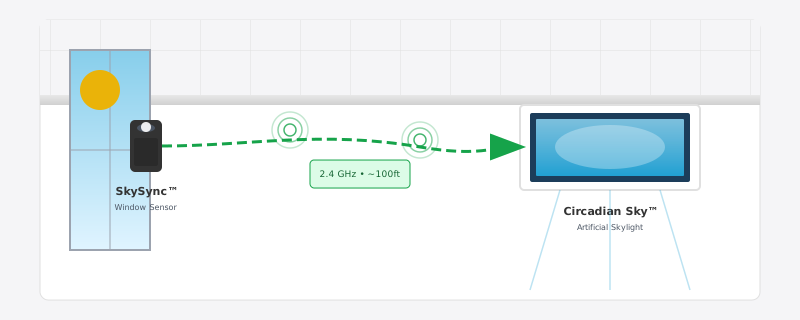
Three of these four paths run through the Innerscene Mini Hub, the gateway included in every SkySync box.
Two ways to take control.
Once the sky data arrives, your fixtures run in one of two modes and move between them on their own, so the room is always either tracking the sky or following the person in it.
Schedule Mode
Fixtures follow real-time SkySync data, replicating the exterior light as the sun moves and clouds pass.
See what SkySync controlsDimmer Override
An external dimmer takes priority over the schedule whenever someone wants manual control of a space.
See the SkySync override on the scheduleAutomatic switching. Fixtures detect external dimming on their own and return to schedule mode when the dimmer goes idle, on a power cycle, or from the app, so no one has to remember to hand control back to the sky.
Small sensor, serious engineering.
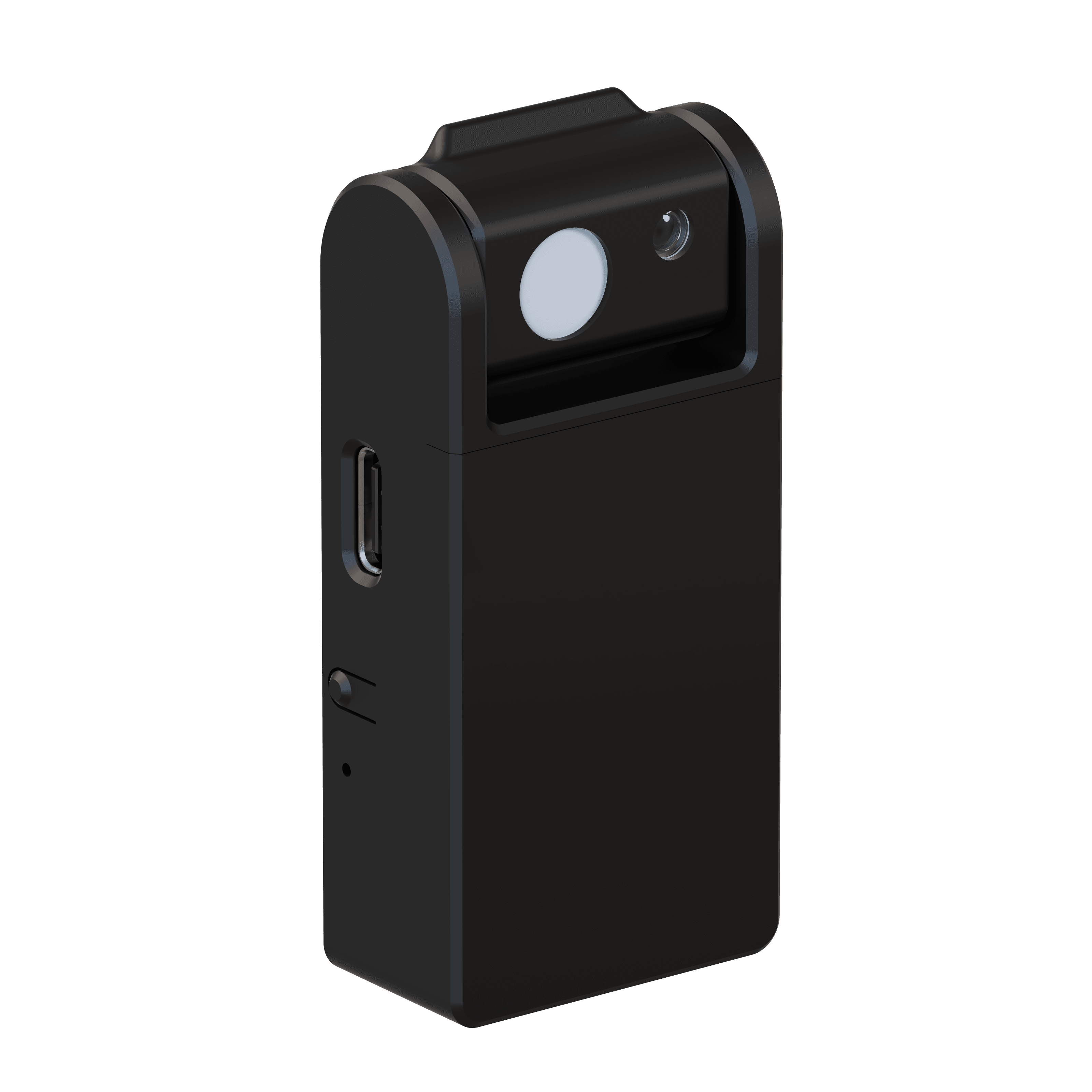
- Sky Sensor
- 10° narrow field of view
- Ambient Sensor
- 180° diffuse light collector
- Wireless Range
- 30 ft direct · 100 ft+ with included Mini Hub
- Setup
- Bluetooth Low Energy (BLE)
- Communication
- 2.4 GHz ISM band · no router required
- Power
- 10+ year replaceable battery (CR2477)
- IP Rating
- IP20 · indoor use only
- Safety
- UL 916 · UL 1642 listed battery
- Compatible With
- Circadian Sky, Virtual Sun
- Installation
- Removable tape mount to interior windows
Up and running in minutes.
No wiring, no electrician. SkySync mounts inside the window with removable tape, so it reads the same light your space sees.
Choose a window
Select any window with a clear view of the sky for optimal sensing.
Mount the sensor
Peel the adhesive backing and press it onto the interior glass at the recommended angle.
Configure
Set up the wireless connection from the Innerscene app over Bluetooth.
Pair with fixtures
Connect SkySync to your Circadian Sky or Virtual Sun fixtures, and you are live.
Mounts inside the window so it reads the same light your space sees, capturing color shifts from tinted or low-iron glass with zero maintenance. An optional CCT boost can nudge the result warmer or cooler to match the room.
Extend your range
with the Mini Hub.
Every SkySync ships with the Innerscene Mini Hub, a compact gateway that carries real-time sky data to fixtures beyond direct wireless range. When walls, distance, or multiple rooms get in the way, the Mini Hub keeps your whole space in sync.
- Wireless Relay
Rebroadcasts on a stronger 2.4 GHz radio. No network or setup.
- Local Network
Broadcasts sky data to fixtures over your LAN via UDP.
- Cloud Services
Relays via Innerscene Cloud (TCP) to reach remote fixtures.
- Flexible Power
Power over Ethernet (PoE) or USB-C.
- Dual Connectivity
WiFi or Ethernet (DHCP).
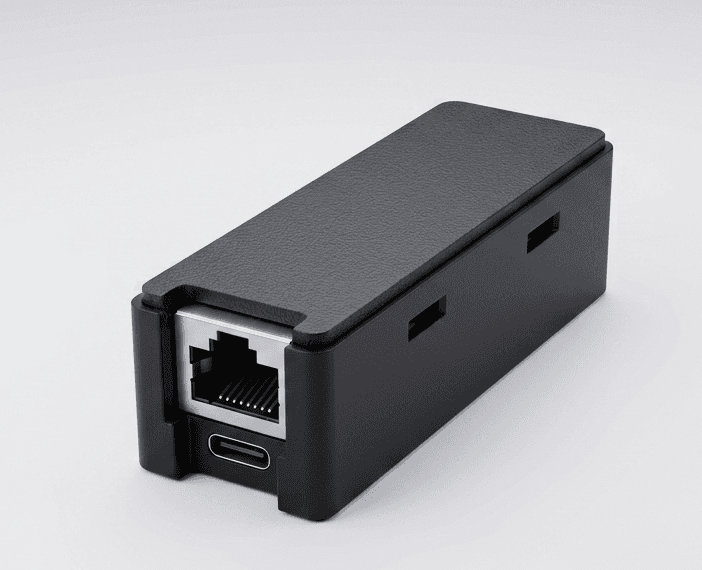
- Reception
- BLE · 50 ft range
- Power
- PoE (802.3af) or USB-C · 0.5 W
- Network
- 10/100 Ethernet (DHCP) · 2.4 GHz WiFi
- Outputs
- Wireless rebroadcast · UDP · Cloud (TCP, SSL)
- Compatible
- Virtual Sun · Circadian Sky
- Mounting
- 2 screws, any surface · 0–40°C
Made for the whole ecosystem.
Circadian Sky and Virtual Sun are the only wide-spectrum fixtures capable of replicating dynamic blue-sky color, the perfect match for SkySync's breakthrough sensing.
Circadian Sky
Wide-spectrum technology replicates the full range of sky colors, from warm 2,200 K sunset tones to vibrant 200,000 K+ blue sky.
- Full-spectrum color replication up to 200,000 K+
- Real-time synchronization with outdoor sky conditions
- Dynamic transitions as clouds and weather change
Virtual Sun
Wide-spectrum technology replicates the sun's full color range through the day, moving and shifting in harmony with the real sun outside.
- Wide-spectrum from warm sunrise to vibrant blue sky
- Synchronized sun position, intensity, and color
- Real-time cloud coverage and atmospheric effects
Your sky, in your hand.
Innerscene Studio is the official app for every Circadian Sky and Virtual Sun fixture you own. Connect over Bluetooth, shape your circadian schedule, and sync with the real sky — all from your phone or tablet.
- Secure Bluetooth connection
Open the app in range of any fixture and it appears instantly, no QR codes or provisioning portals. Control stays locked behind the password you set at commissioning.
- Direct control
Color temperature, brightness, and the automatic schedule — all from a single home screen.
- Schedule editor
Draw your own circadian curve with as many keypoints as you like, then export or import it as a file.
- SkySync integration
Pair a window-mounted SkySync sensor and watch your Virtual Windows and Skylights track real sky conditions (CCT, lux, and all) in real time.
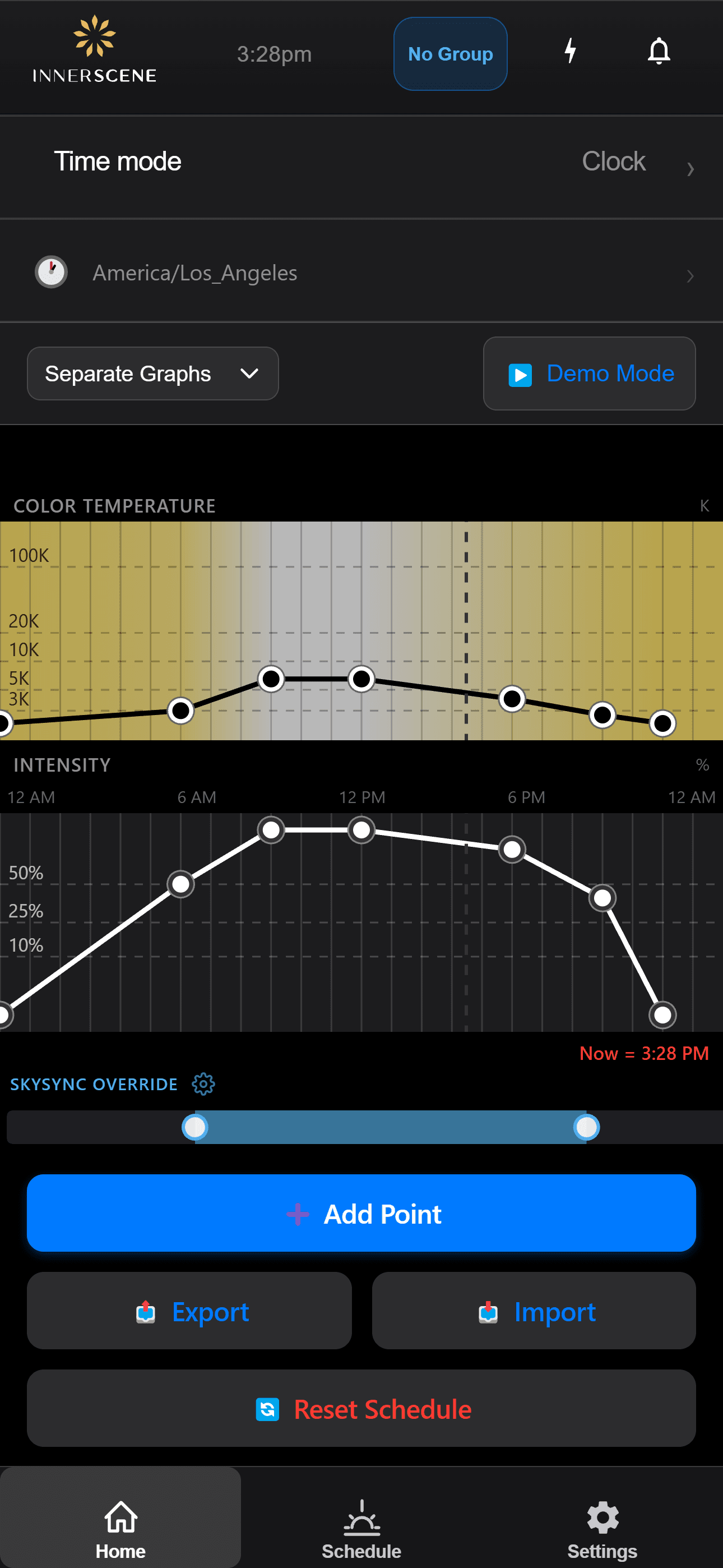
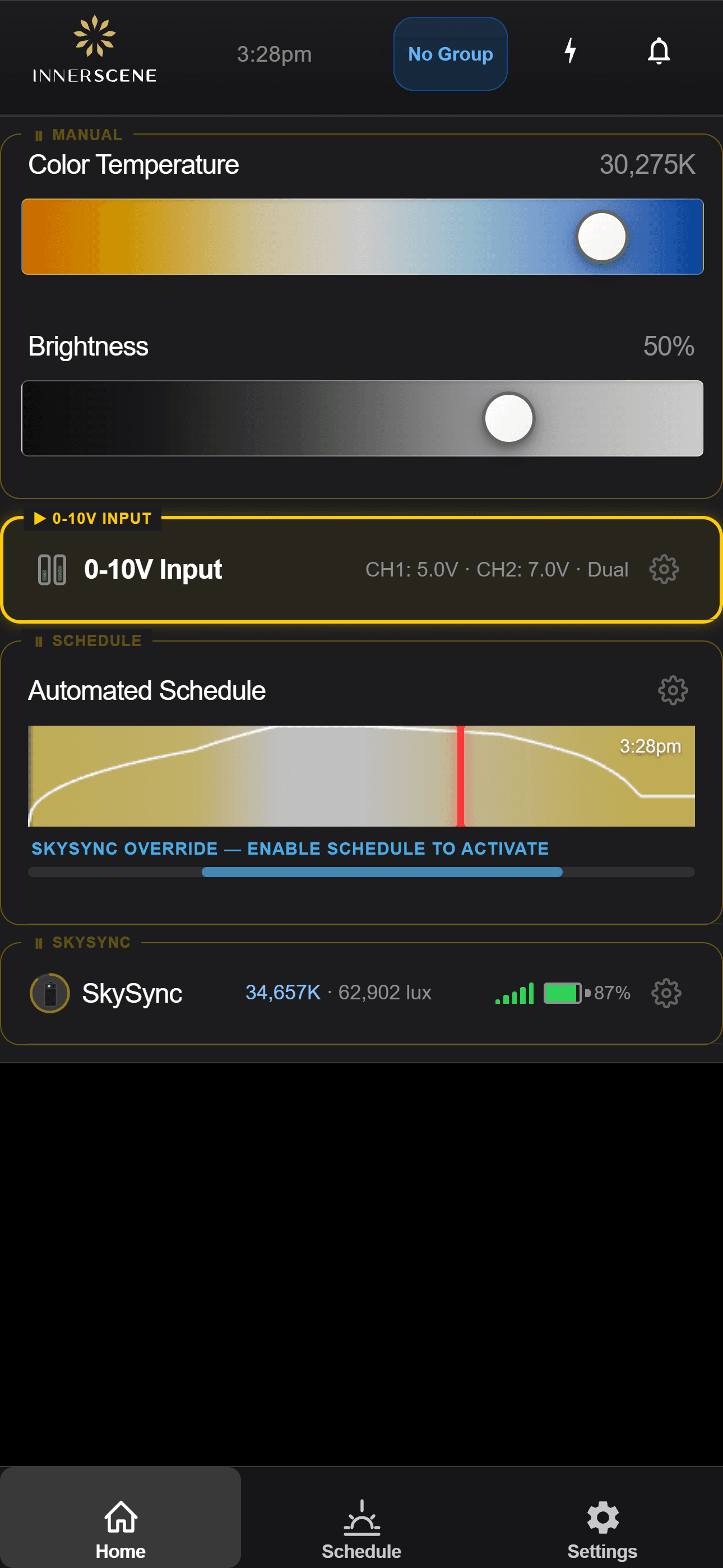
Set up and watched from your phone.
SkySync is configured and monitored right inside the Innerscene app on your Circadian Sky and Virtual Sun fixtures. Step through the screens to see how it works.
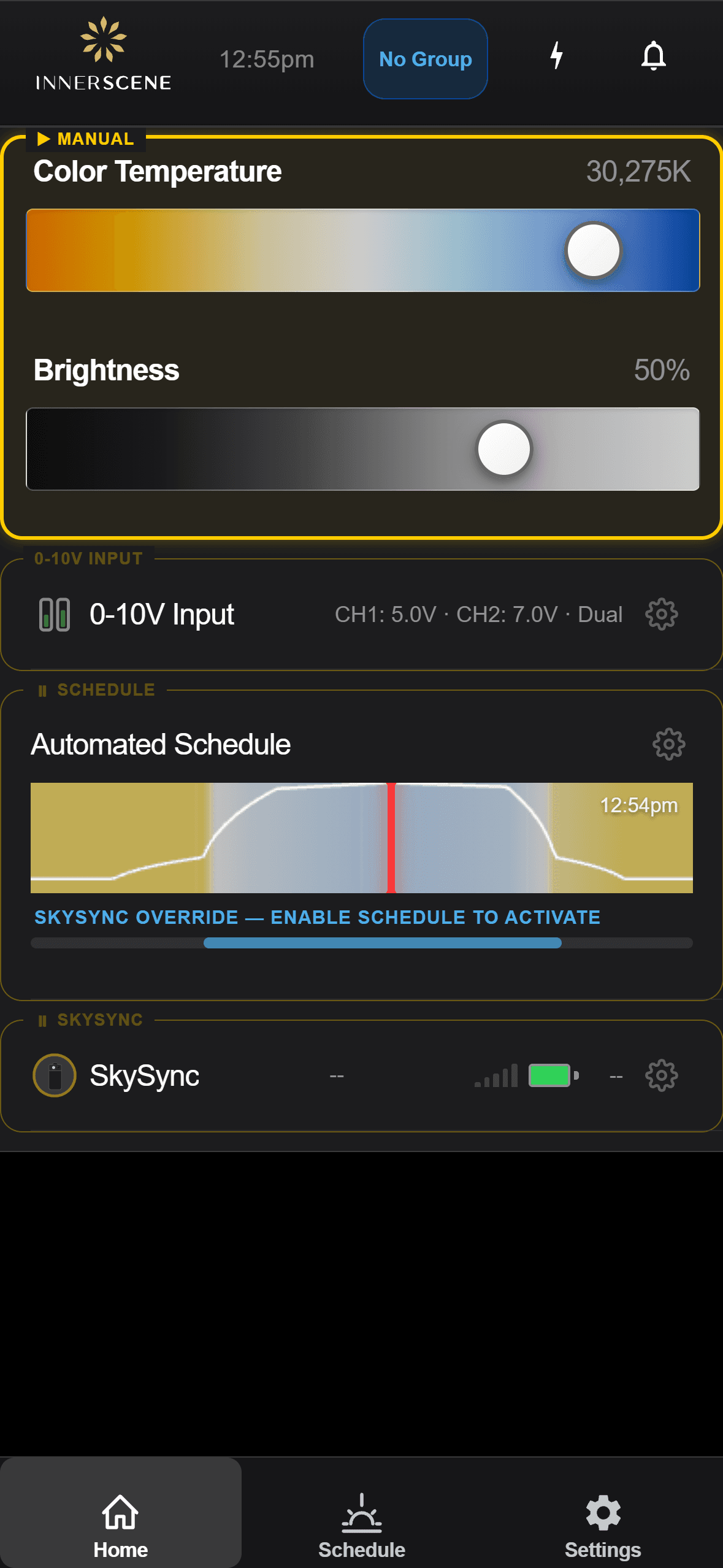
Sensor Detected
A fixture discovers a nearby SkySync and offers to pair with it.
Open in the guide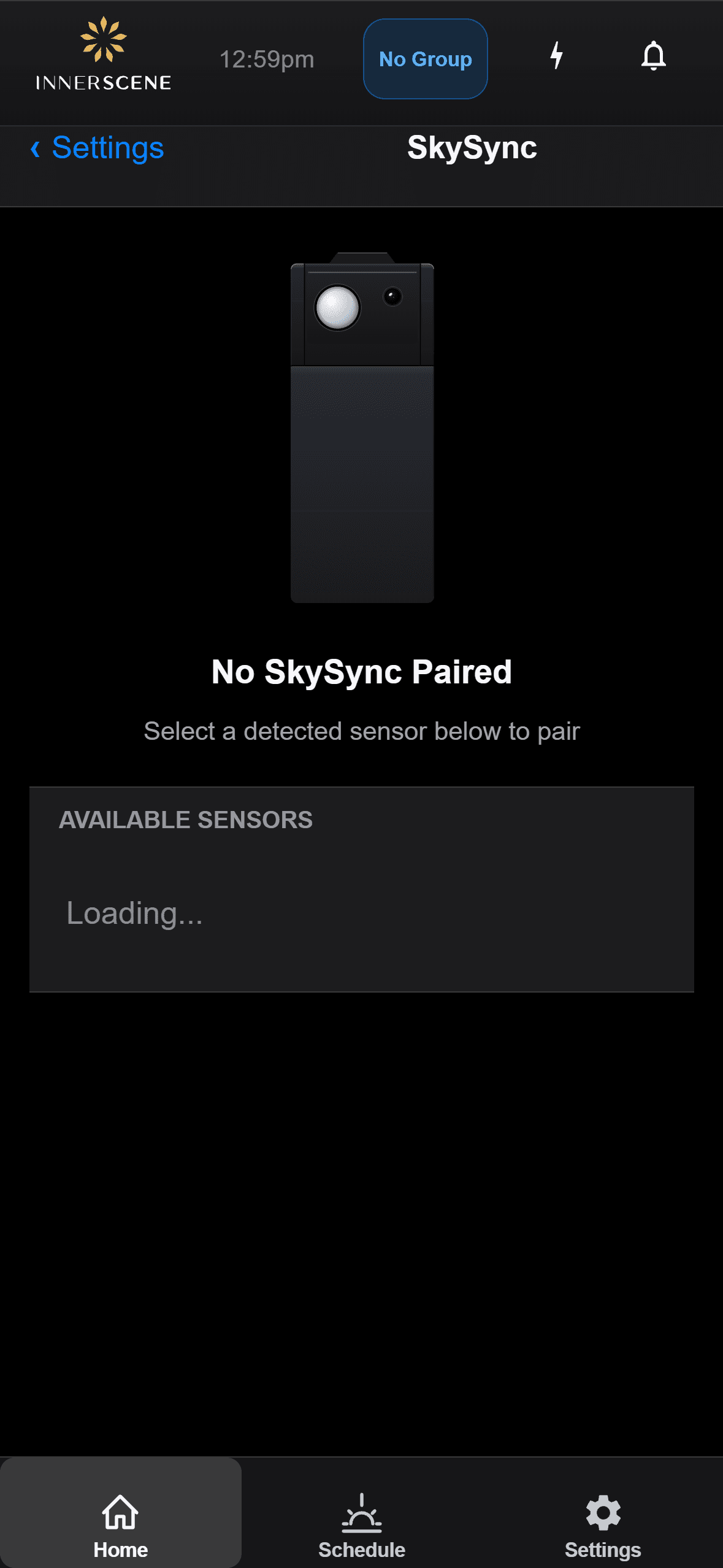
Pairing
Pair a SkySync to a fixture, or unpair it to switch sensors.
Open in the guide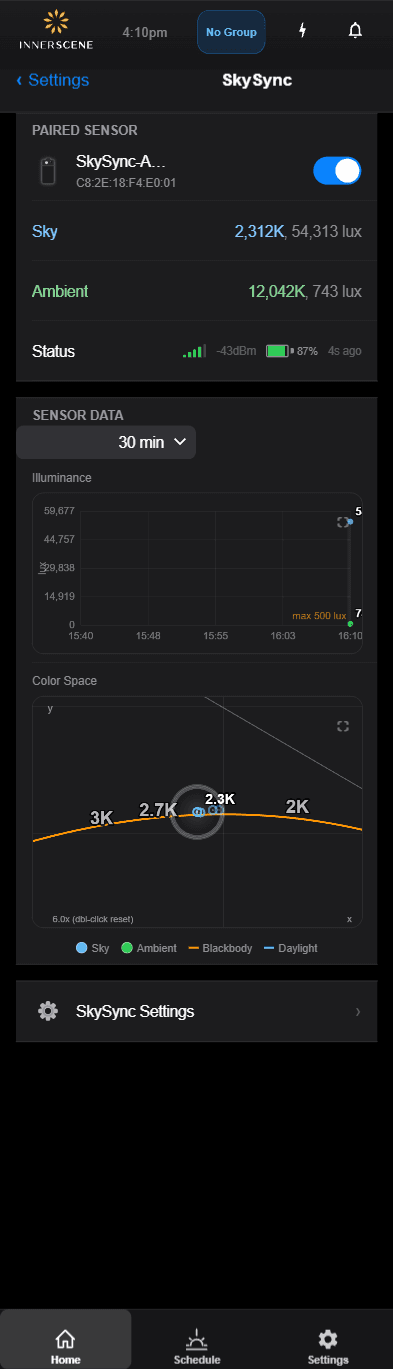
Live Readings
Watch the real-time sky color and brightness from the sensor.
Open in the guide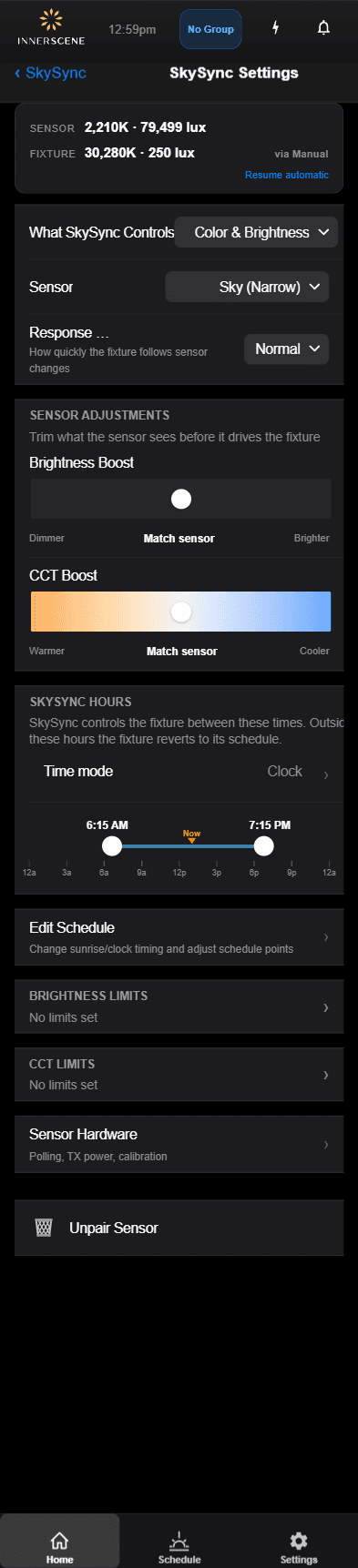
Settings
Tune how the sensor drives color temperature and brightness.
Open in the guide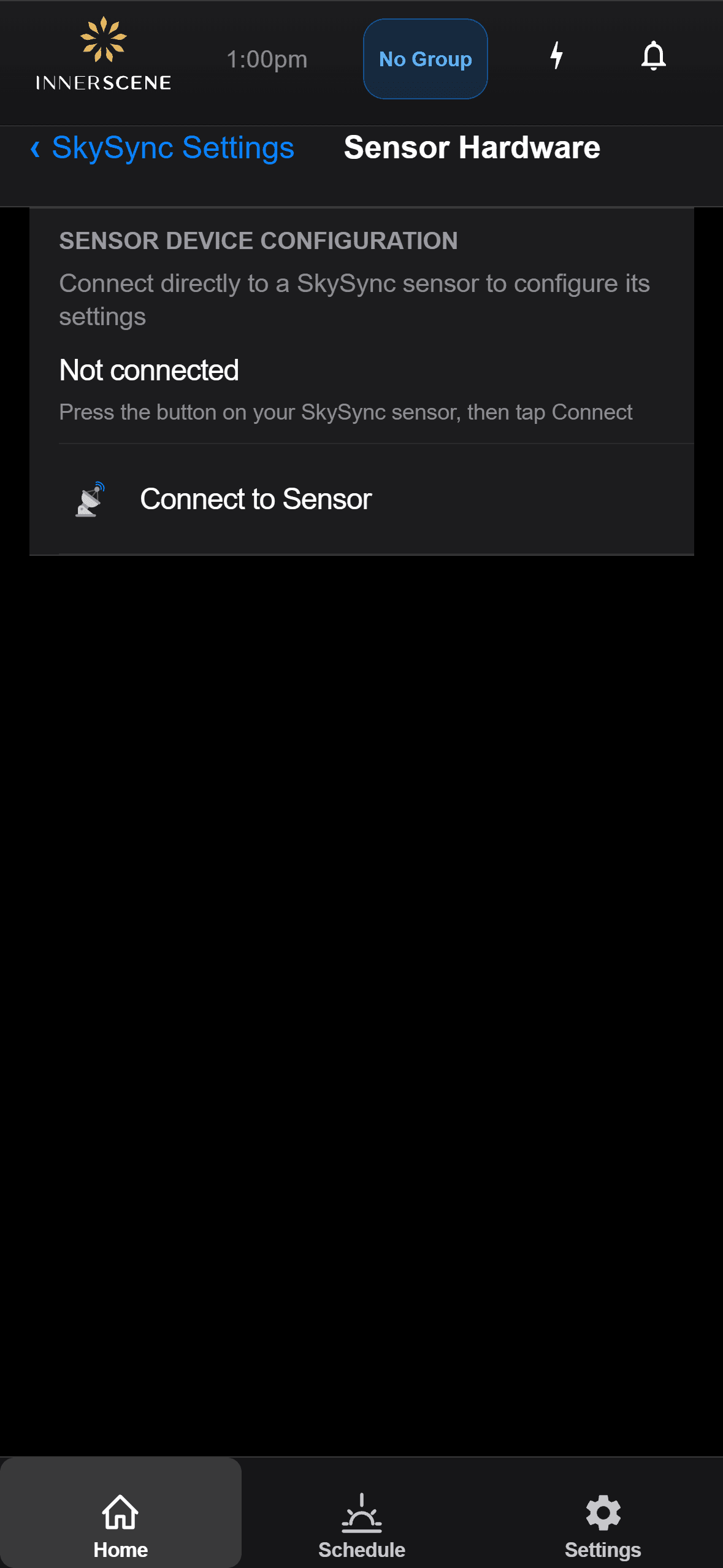
Hardware
Check battery level, signal strength, and sensor status.
Open in the guide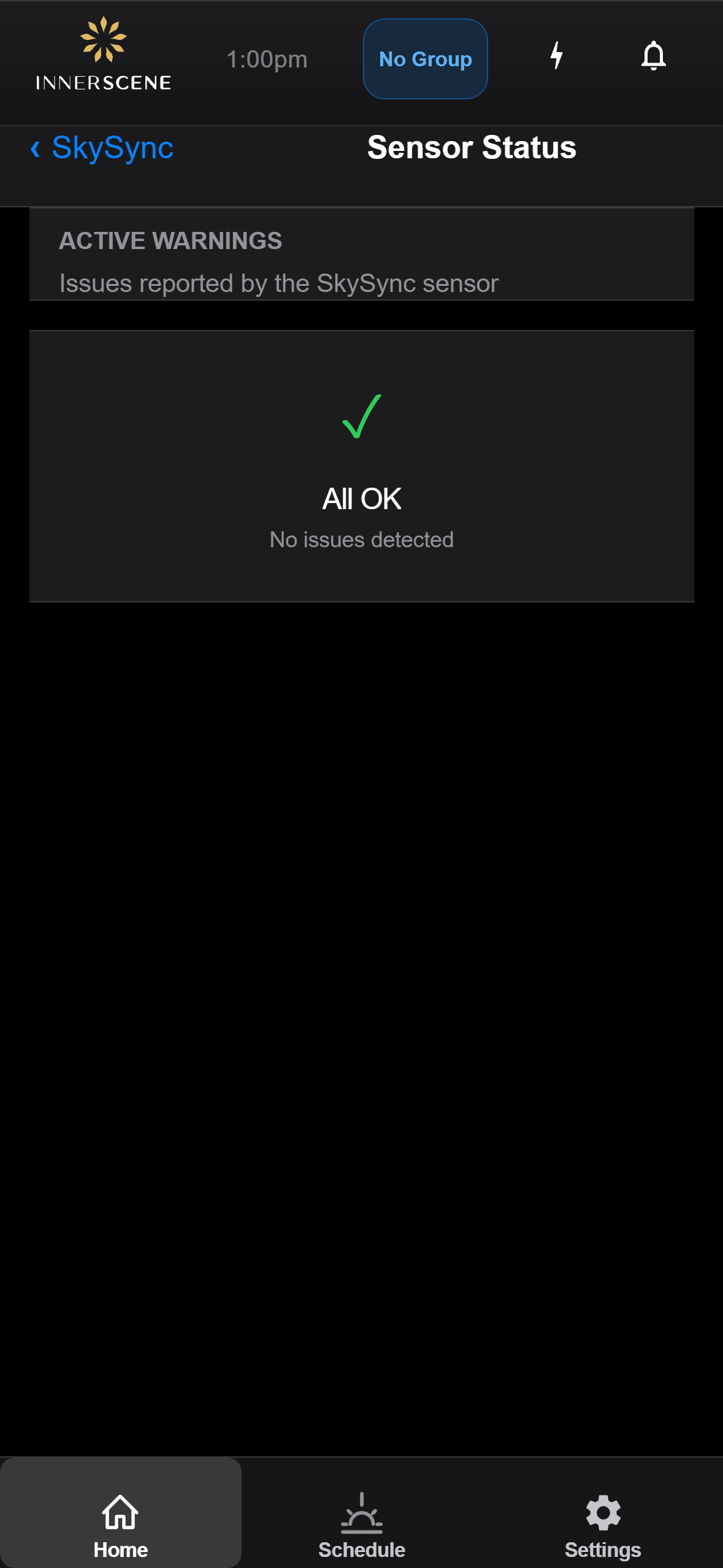
Troubleshooting
Read sensor status messages and resolve common issues.
Open in the guideQuestions, answered.
How many SkySync sensors do I need?
In most cases a single SkySync is enough, even for a large building. One Primary sensor feeds the network, and Secondary fixtures relay onward, so a single reading can reach an entire installation through the network modes.
Can SkySync be used outdoors?
SkySync is designed for indoor use only. Mounting inside the glass gives accurate color measurement of the light your space actually sees, protects the sensor from weather and UV, needs no cleaning, and gives better wireless range to your fixtures.
What if my windows are tinted, or I want less light?
From the fixture's app or web interface you can scale SkySync's brightness up to compensate for dark tinted glass, or down for media rooms and other specific needs. An optional CCT boost can also nudge the result warmer or cooler.
What onsite commissioning is required?
For new orders, SkySync ships pre-paired and configured, so no onsite commissioning is required. For existing installations, a quick firmware upgrade, pairing via the app or web UI, and setting the Power On State to Schedule is all that is needed.
What external control systems does it work with?
SkySync is compatible with all Circadian Sky control variants, including 0-10V, DMX, DALI, and Casambi. External controls can override SkySync, and Idle Resume returns fixtures to schedule automatically when dimming is idle or after a power cycle.
What modes connect SkySync to fixtures?
Four: Direct Wireless, Wireless Relay through the included Mini Hub, Local Network over UDP, and Cloud Relay through Innerscene Cloud Services, covering everything from a single room to a multi-building campus.
Documents and guides.
This product is protected by one or more patents with additional patents pending. View all patents
As clouds drift by and the sun moves across the sky, your light shifts and responds, making spaces feel alive and breathing in sync with the world outside.
Bring the living sky indoors.
© 2026 Innerscene. All rights reserved.