SkySync™
Der erste Sensor, der die echte Farbe eines klaren blauen Himmels erfasst und sie in Echtzeit an Ihre Leuchten im Innenraum überträgt.
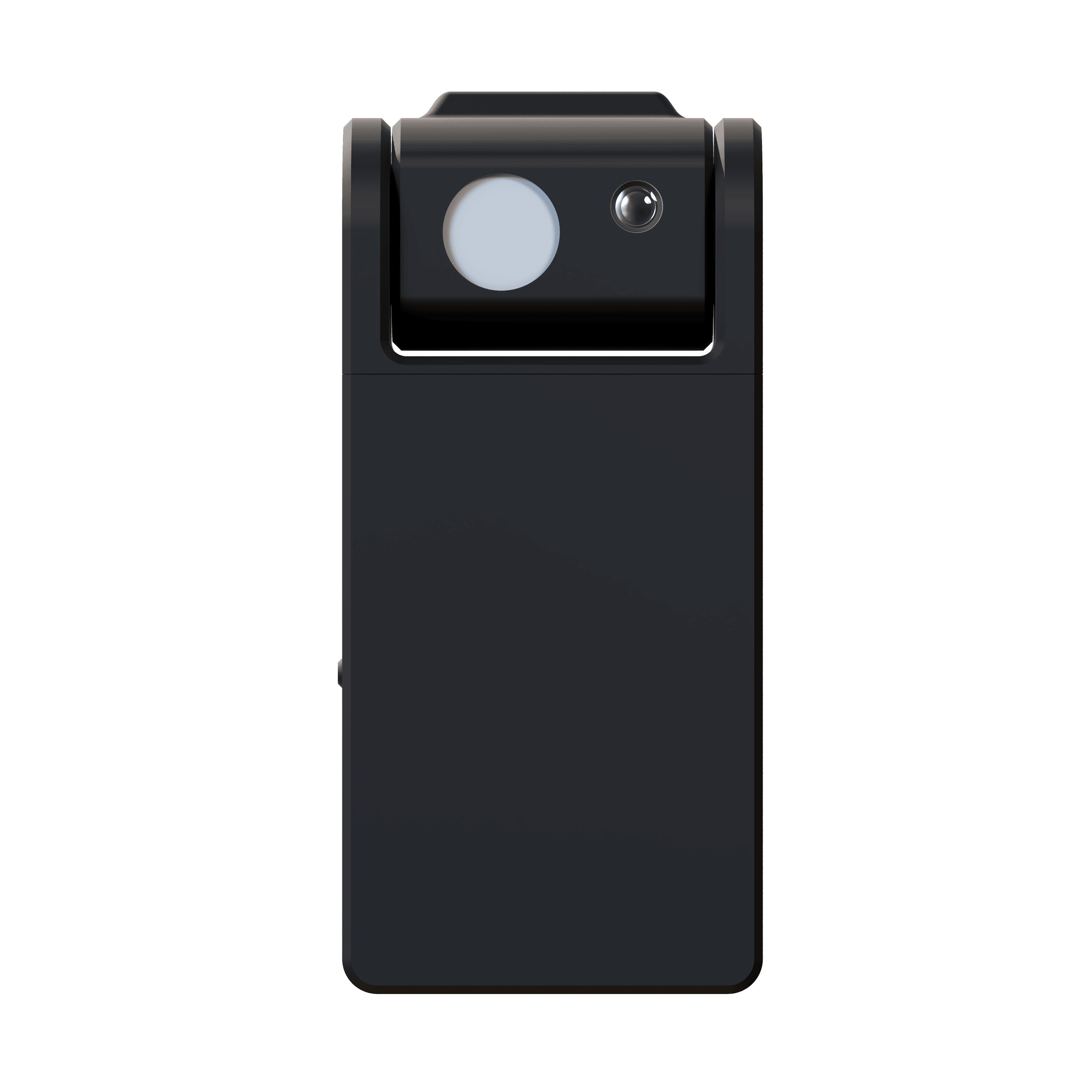
Der echte Himmel,
nach innen geholt.
SkySync ist der erste Sensor, der die echte Farbe eines blauen Himmels erfassen kann. Seine bahnbrechende Dual-Sensor-Technologie misst den Himmel unabhängig vom Umgebungslicht und überträgt Echtzeit-Farbdaten an Ihre Circadian-Sky- und Virtual-Sun-Leuchten.
Während Wolken vorbeiziehen und die Sonne über den Himmel wandert, verändert sich Ihre Innenbeleuchtung und reagiert, sodass Räume lebendig wirken und im Takt mit der Welt draußen atmen. Eine Batterie mit über 10 Jahren Laufzeit und die Montage am Innenfenster bedeuten, dass keine Verkabelung nötig ist.
- Himmelssensor
- 10° FOV
- Umgebungssensor
- 180°
- Reichweite
- 30 ft · 100 ft+ hub
- Batterie
- 10+ years
Derselbe Himmel,
drinnen wie draußen.
Drei Circadian-Sky-Fensterpaneele über den Schränken einer Küche in San Francisco, gespeist von SkySync-Daten in Echtzeit statt von einem festen Weiß.
Die Kamera schwenkt von den Paneelen zum Balkon und landet im selben Tageslicht. Das Blau drinnen ist das Blau draußen, durch das Glas gemessen und aktualisiert, sobald sich der Himmel ändert.
Wohnküche, San Francisco. Circadian-Sky-Fensterpaneele mit SkySync.
Der Himmel hat nicht 6.500 K.
Herkömmliche Sensoren messen eine Mischung aus Sonnenlicht, Reflexionen und Himmel zusammen und mitteln sie zu einem flachen, bedeckt wirkenden Weiß. Der echte Himmel an einem klaren Tag ist ein lebendiges Blau, das sich ohne separate Messung unmöglich nachbilden lässt.
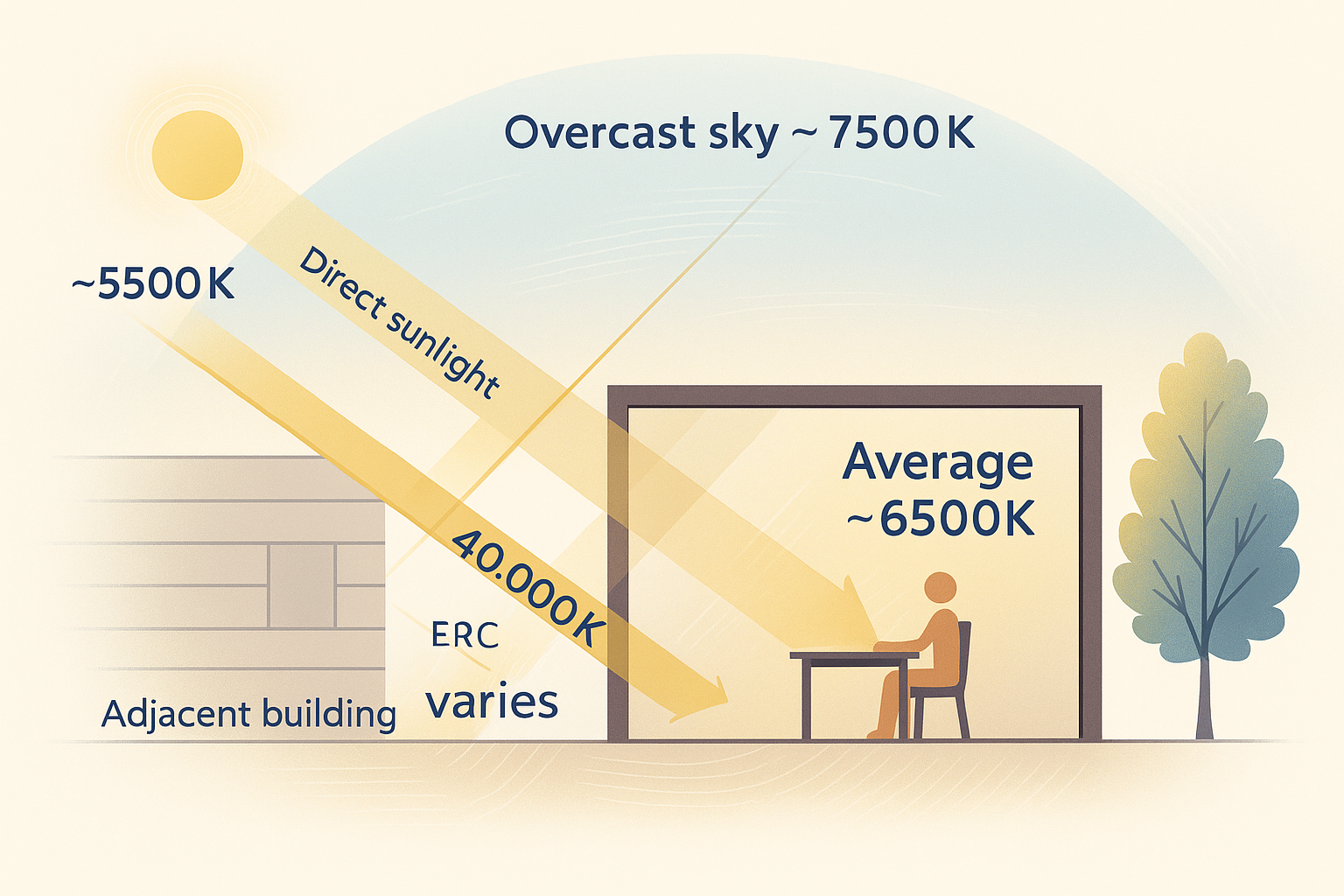
Sieht alles auf einmal, direkte Sonne, bedeckten Himmel und Licht, das von nahen Gebäuden abprallt, und mittelt es zu einer flachen, ausgewaschenen Messung.
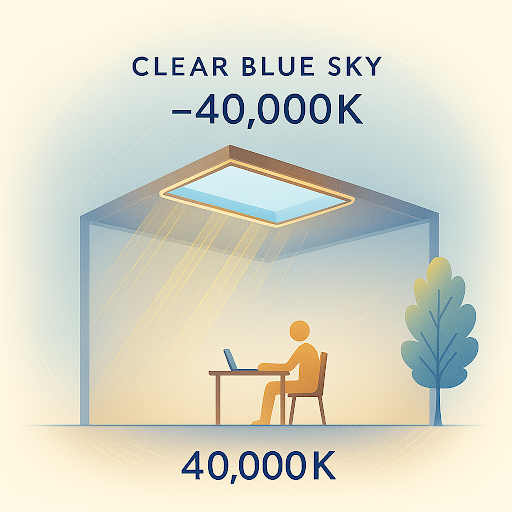
Blickt nur auf den Himmel und erfasst das tiefe Blau eines klaren Tages, das eine gemischte Messung nie sehen kann.
Sonnenlicht, bedeckte und blaue Himmel und reflektiertes Licht, alles zu einer flachen Messung vermischt.
Der klare Himmel für sich, lebendig blau und im Tagesverlauf ständig wechselnd.
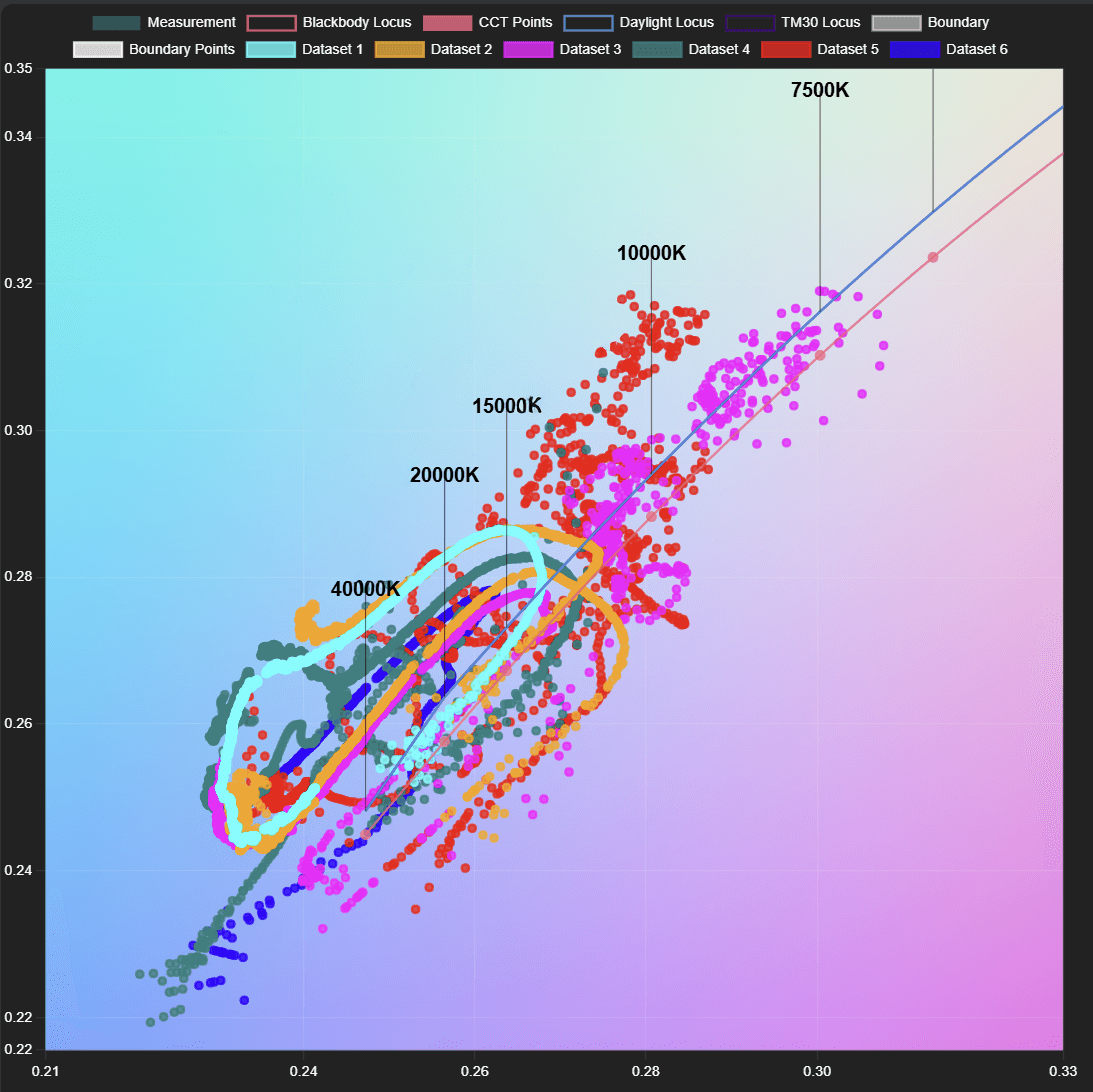
Jeder Punkt ist eine echte Himmelsmessung. Der Himmel wechselt alle paar Minuten dramatisch, während Wolken vorbeiziehen und die Sonne wandert, ein lebendiger Bereich, den ein einzelner statischer Durchschnitt nie erfassen kann.
10°-Himmelssensor
Ein schmaler Richtsensor misst die echte Himmelsfarbe unabhängig und erfasst den gesamten Bereich von 6.500 K bei Bewölkung bis zu über 200.000 K blauem Himmel.
180°-Umgebungssensor
Ein diffuser Kollektor liest das Umgebungslicht aus allen Richtungen für eine genaue Umgebungsnachbildung, zusätzlich zur Himmelsmessung.
Vier Wege, den Himmel zu liefern.
Von der einfachen direkten Funkverbindung bis zu cloudbasierten Remote-Deployments passt sich SkySync an jede Installation an, vom einzelnen Raum bis zum Campus mit mehreren Standorten.
Die einfachste Konfiguration. SkySync sendet über 2,4 GHz direkt an nahe Leuchten, in etwa 9 m Reichweite, ganz ohne Netzwerkinfrastruktur.
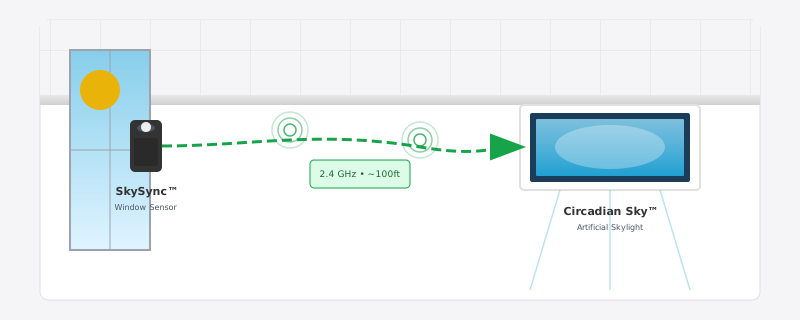
Drei dieser vier Wege laufen über den Innerscene Mini Hub, das in jeder SkySync-Box enthaltene Gateway.
Zwei Wege, die Kontrolle zu übernehmen.
Sobald die Himmelsdaten eintreffen, laufen Ihre Leuchten in einem von zwei Modi und wechseln von selbst zwischen ihnen, sodass der Raum immer entweder dem Himmel folgt oder der Person darin.
Zeitplan-Modus
Die Leuchten folgen den Echtzeit-SkySync-Daten und bilden das Außenlicht nach, während die Sonne wandert und Wolken vorbeiziehen.
Sehen, was SkySync steuertDimmer-Vorrang
Ein externer Dimmer hat Vorrang vor dem Zeitplan, wann immer jemand einen Raum manuell steuern möchte.
Den SkySync-Vorrang im Zeitplan ansehenAutomatischer Wechsel. Die Leuchten erkennen externes Dimmen von selbst und kehren in den Zeitplan-Modus zurück, wenn der Dimmer inaktiv wird, nach einem Neustart oder über die App, sodass niemand daran denken muss, die Kontrolle an den Himmel zurückzugeben.
Kleiner Sensor, ernsthafte Technik.
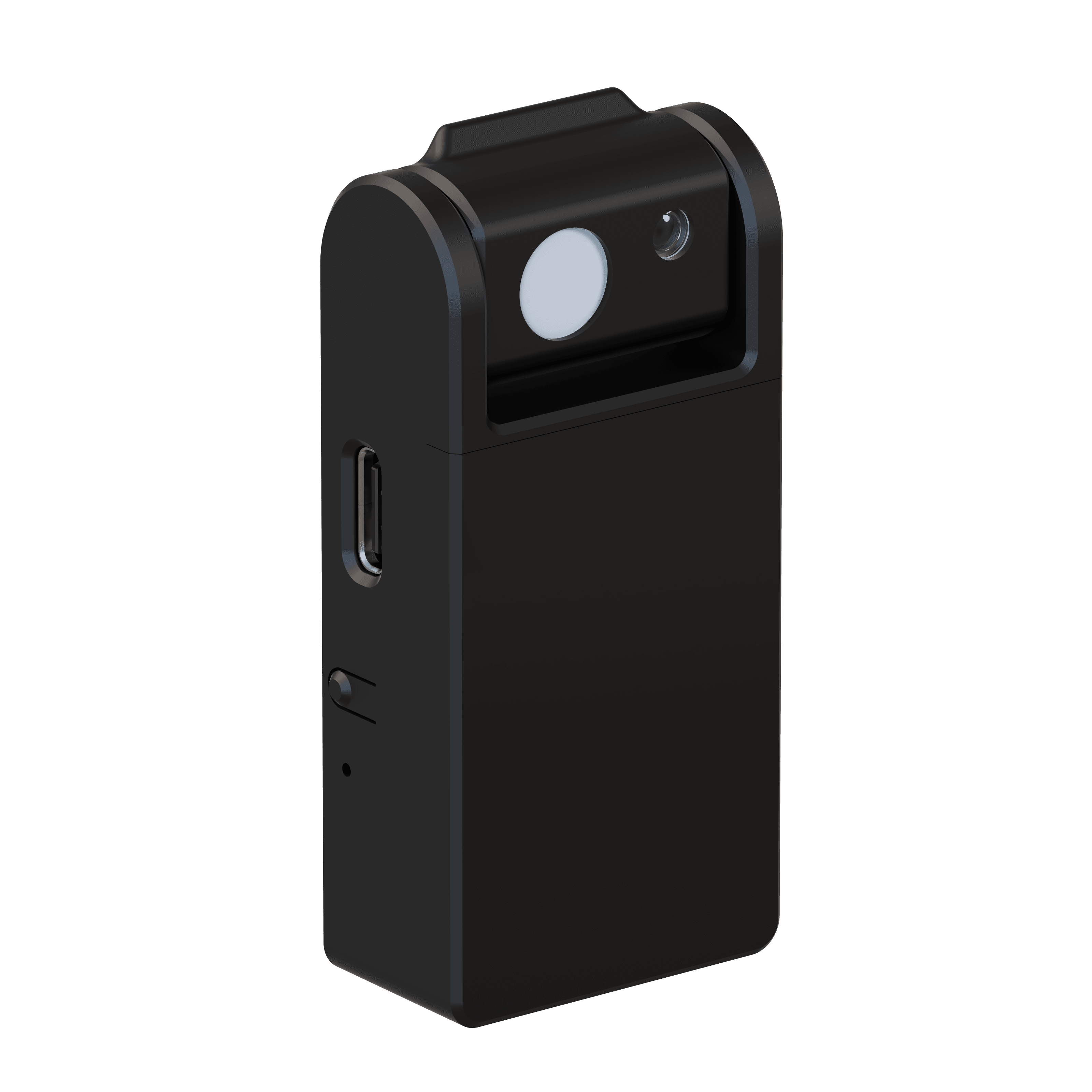
- Himmelssensor
- 10° narrow field of view
- Umgebungssensor
- 180° diffuse light collector
- Funkreichweite
- 30 ft direct · 100 ft+ with included Mini Hub
- Einrichtung
- Bluetooth Low Energy (BLE)
- Kommunikation
- 2.4 GHz ISM band · no router required
- Stromversorgung
- 10+ year replaceable battery (CR2477)
- IP-Schutzart
- IP20 · indoor use only
- Sicherheit
- UL 916 · UL 1642 listed battery
- Kompatibel mit
- Circadian Sky, Virtual Sun
- Installation
- Removable tape mount to interior windows
In Minuten einsatzbereit.
Keine Verkabelung, kein Elektriker. SkySync wird mit ablösbarem Klebeband am Fenster montiert und liest so das gleiche Licht, das Ihr Raum sieht.
Fenster wählen
Wählen Sie ein Fenster mit freier Sicht auf den Himmel für optimale Erfassung.
Sensor anbringen
Ziehen Sie die Klebefolie ab und drücken Sie ihn im empfohlenen Winkel an das Innenglas.
Konfigurieren
Richten Sie die Funkverbindung aus der Innerscene-App über Bluetooth ein.
Mit Leuchten koppeln
Verbinden Sie SkySync mit Ihren Circadian-Sky- oder Virtual-Sun-Leuchten, und schon ist es aktiv.
Wird am Innenfenster montiert , sodass es das gleiche Licht liest, das Ihr Raum sieht, und Farbverschiebungen von getöntem oder eisenarmem Glas ohne jede Wartung erfasst. Ein optionaler CCT-Boost kann das Ergebnis wärmer oder kühler an den Raum anpassen.
Erweitern Sie Ihre Reichweite
mit dem Mini Hub.
Jeder SkySync wird mit dem Innerscene Mini Hub geliefert, einem kompakten Gateway, das Echtzeit-Himmelsdaten an Leuchten außerhalb der direkten Funkreichweite trägt. Wenn Wände, Distanz oder mehrere Räume im Weg sind, hält der Mini Hub Ihren ganzen Raum synchron.
- Funk-Relay
Sendet erneut auf einer stärkeren 2,4-GHz-Funkverbindung. Kein Netzwerk, keine Einrichtung.
- Lokales Netzwerk
Sendet Himmelsdaten über Ihr LAN via UDP an Leuchten.
- Cloud-Dienste
Leitet über Innerscene Cloud (TCP) weiter, um entfernte Leuchten zu erreichen.
- Flexible Stromversorgung
Power over Ethernet (PoE) oder USB-C.
- Doppelte Konnektivität
WLAN oder Ethernet (DHCP).
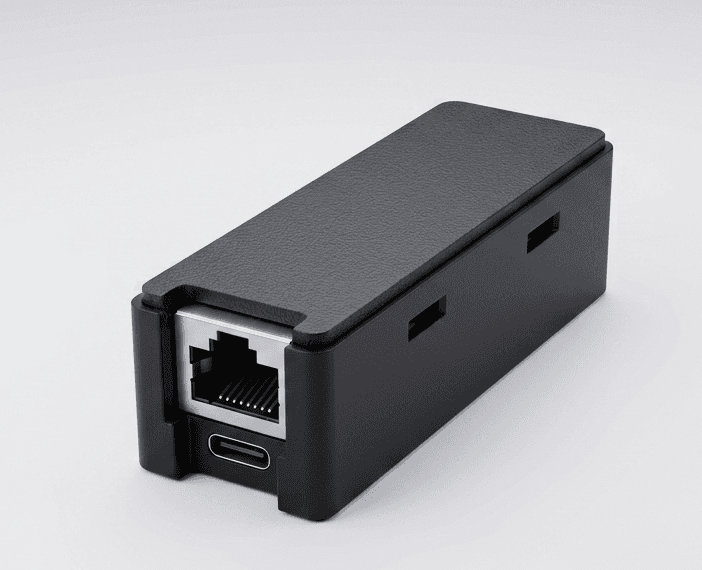
- Empfang
- BLE · 50 ft range
- Stromversorgung
- PoE (802.3af) or USB-C · 0.5 W
- Netzwerk
- 10/100 Ethernet (DHCP) · 2.4 GHz WiFi
- Ausgänge
- Wireless rebroadcast · UDP · Cloud (TCP, SSL)
- Kompatibel
- Virtual Sun · Circadian Sky
- Montage
- 2 screws, any surface · 0–40°C
Gemacht für das ganze Ökosystem.
Circadian Sky und Virtual Sun sind die einzigen Breitspektrum-Leuchten, die dynamische Blauhimmelfarben nachbilden können, der perfekte Partner für die bahnbrechende Erfassung von SkySync.
Circadian Sky
Breitspektrum-Technologie bildet die gesamte Palette der Himmelsfarben nach, von warmen 2.200-K-Sonnenuntergangstönen bis zum lebendigen blauen Himmel mit über 200.000 K.
- Vollspektrum-Farbnachbildung bis über 200.000 K
- Echtzeit-Synchronisation mit den Bedingungen des Außenhimmels
- Dynamische Übergänge, während Wolken und Wetter wechseln
Virtual Sun
Breitspektrum-Technologie bildet den gesamten Farbbereich der Sonne über den Tag nach und bewegt und verändert sich im Einklang mit der echten Sonne draußen.
- Breitspektrum vom warmen Sonnenaufgang bis zum lebendigen blauen Himmel
- Synchronisierte Sonnenposition, -intensität und -farbe
- Echtzeit-Wolkendecke und atmosphärische Effekte
Ihr Himmel, in Ihrer Hand.
Innerscene Studio ist die offizielle App für jede Ihrer Circadian-Sky- und Virtual-Sun-Leuchten. Verbinden Sie sich per Bluetooth, gestalten Sie Ihren circadianen Zeitplan und synchronisieren Sie mit dem echten Himmel, alles von Ihrem Smartphone oder Tablet aus.
- Sichere Bluetooth-Verbindung
Öffnen Sie die App in Reichweite einer Leuchte und sie erscheint sofort, keine QR-Codes, keine Einrichtungsportale. Die Steuerung bleibt durch das Passwort geschützt, das Sie bei der Inbetriebnahme festlegen.
- Direkte Steuerung
Farbtemperatur, Helligkeit und der automatische Zeitplan, alles auf einem einzigen Startbildschirm.
- Zeitplan-Editor
Zeichnen Sie Ihre eigene circadiane Kurve mit beliebig vielen Punkten und exportieren oder importieren Sie sie als Datei.
- SkySync-Integration
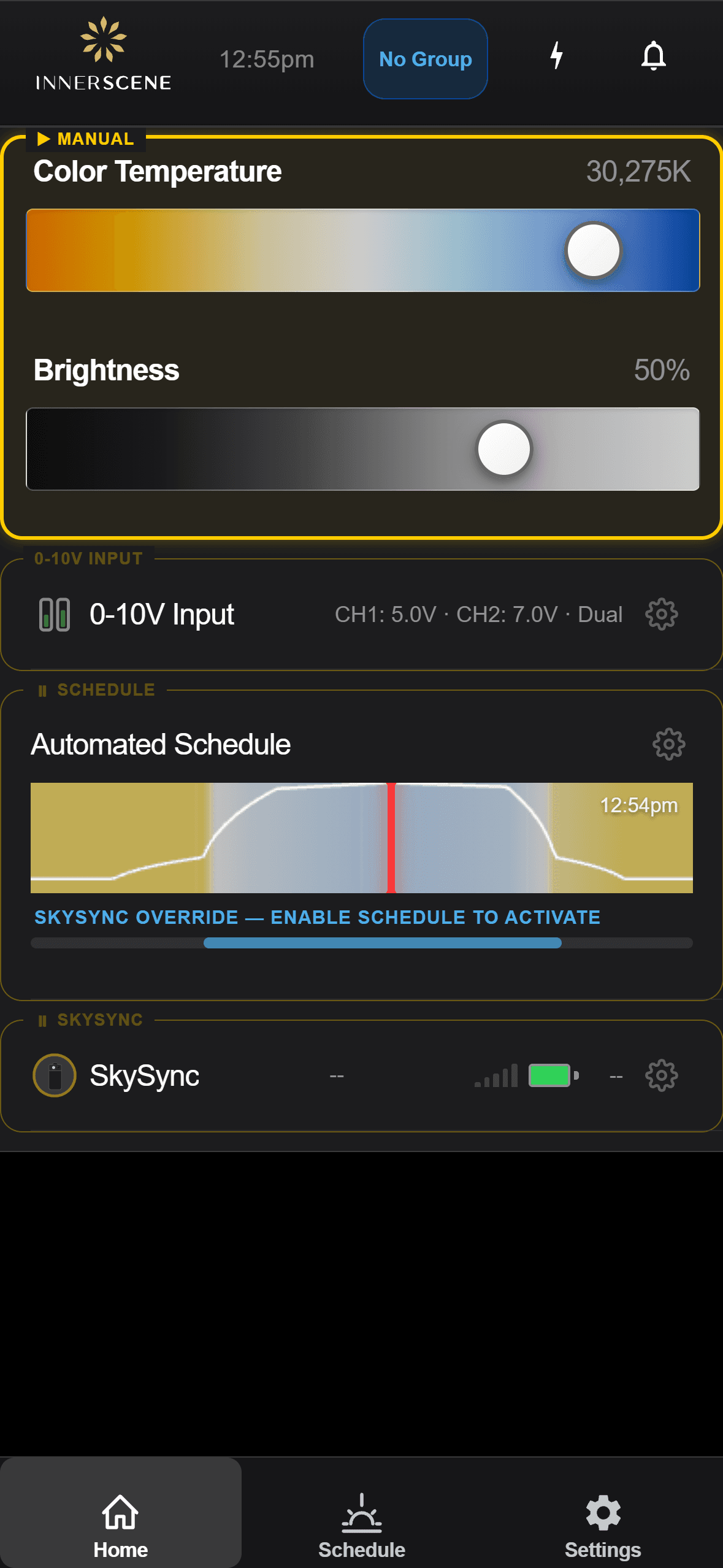
Koppeln Sie einen fenstermontierten SkySync-Sensor und sehen Sie, wie Ihre virtuellen Fenster und Oberlichter die echten Himmelsbedingungen (CCT, Lux und alles) in Echtzeit nachverfolgen.
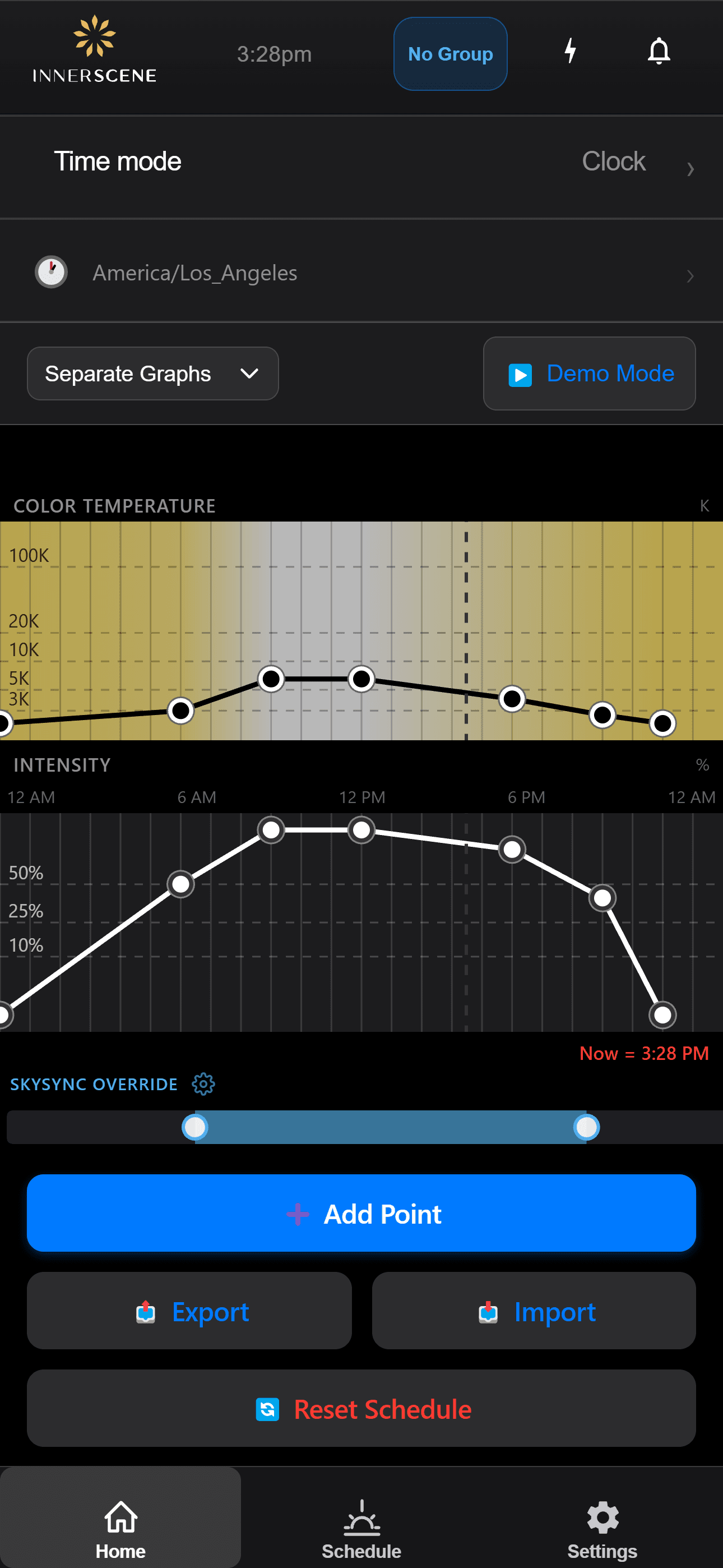
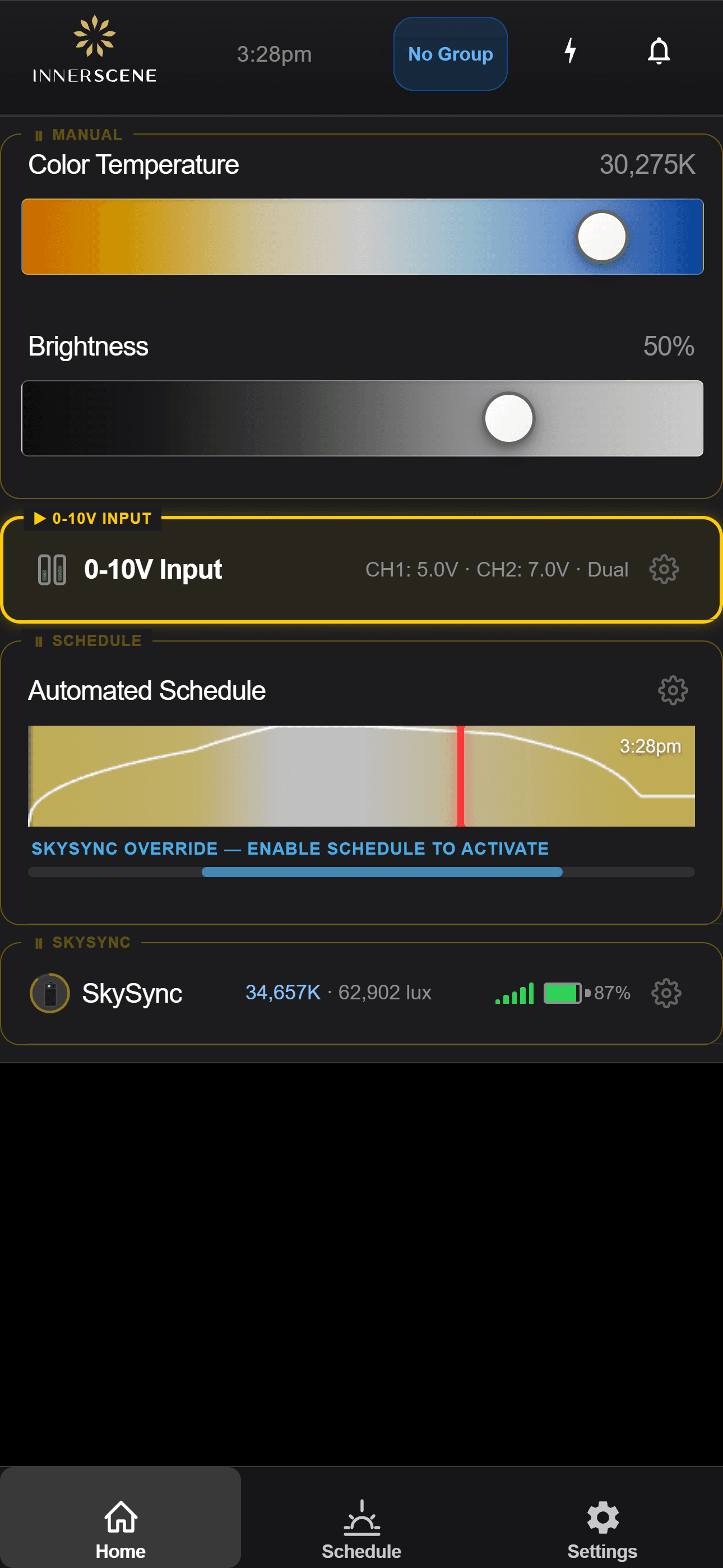
Vom Smartphone aus einrichten und beobachten.
SkySync wird direkt in der Innerscene-App auf Ihren Circadian-Sky- und Virtual-Sun-Leuchten konfiguriert und überwacht. Gehen Sie die Bildschirme durch, um zu sehen, wie es funktioniert.
Sensor erkannt
Eine Leuchte entdeckt einen nahen SkySync und bietet die Kopplung an.
In der Anleitung öffnen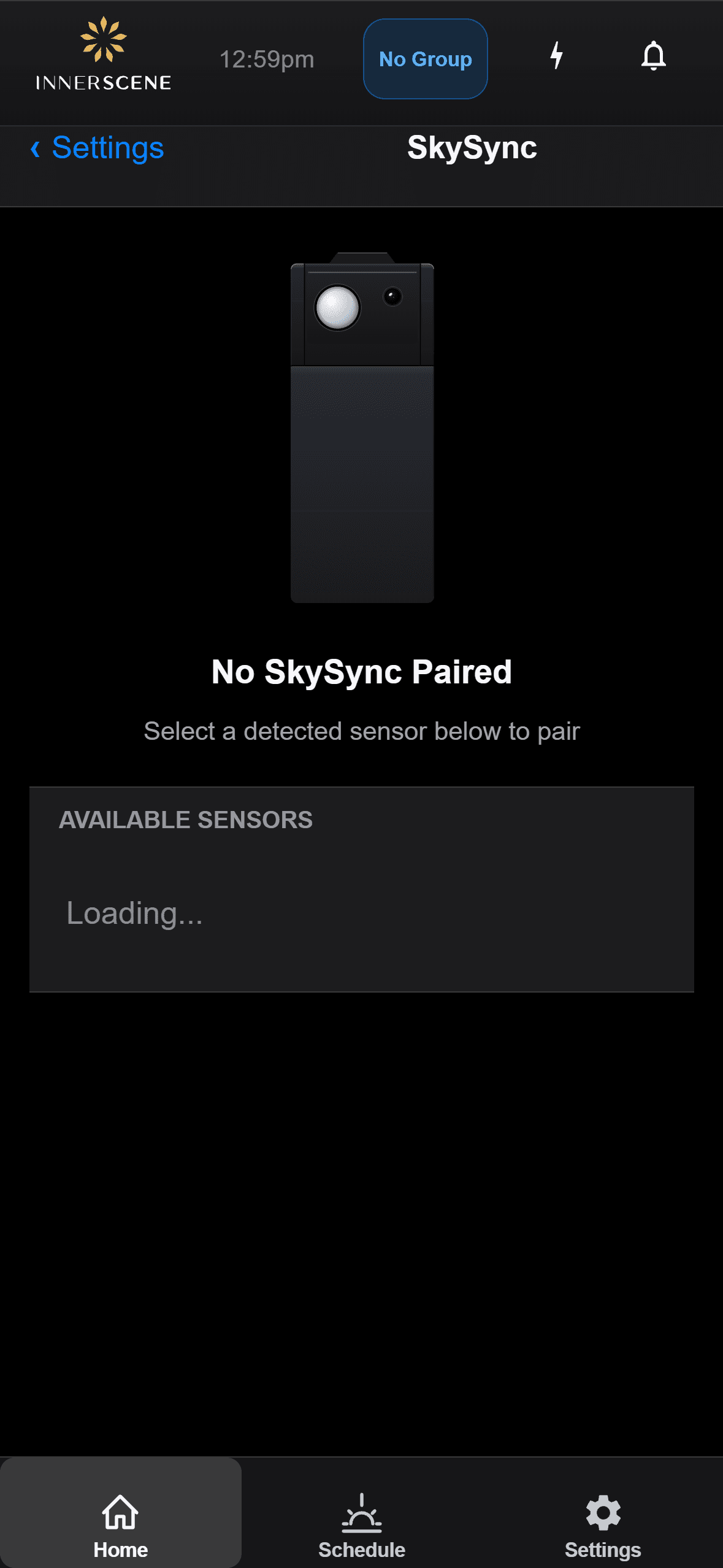
Kopplung
Koppeln Sie einen SkySync mit einer Leuchte oder trennen Sie ihn, um Sensoren zu wechseln.
In der Anleitung öffnen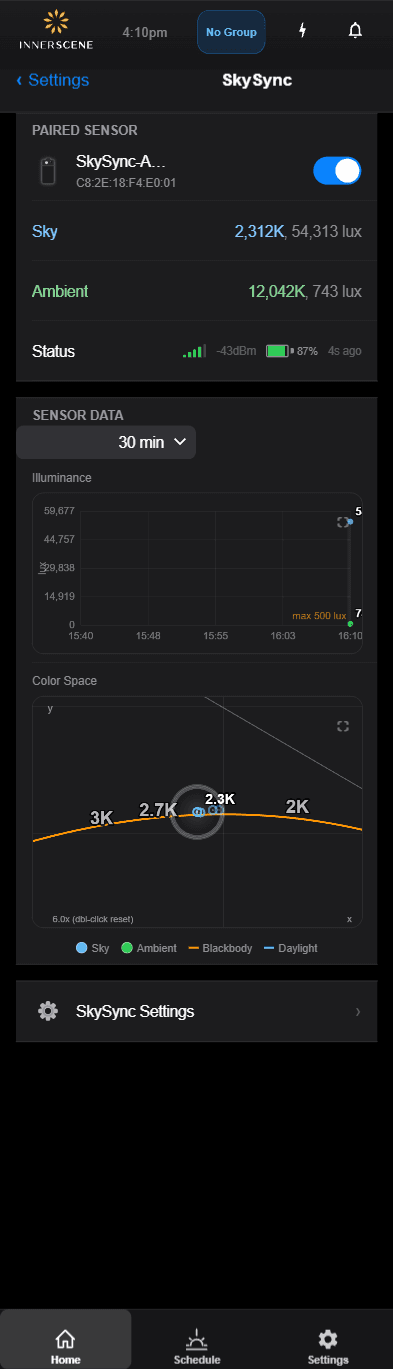
Live-Werte
Beobachten Sie Farbe und Helligkeit des Himmels vom Sensor in Echtzeit.
In der Anleitung öffnen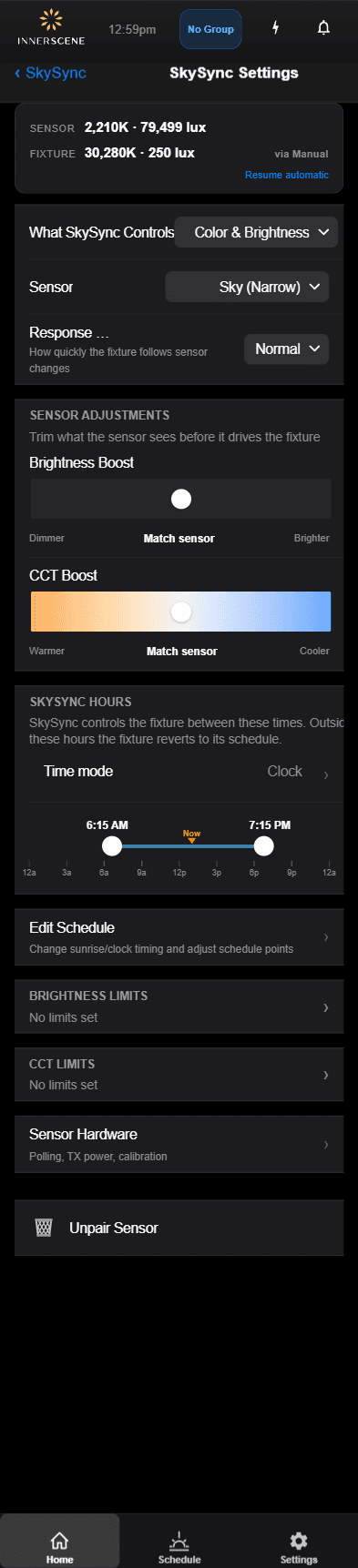
Einstellungen
Stellen Sie ein, wie der Sensor Farbtemperatur und Helligkeit steuert.
In der Anleitung öffnen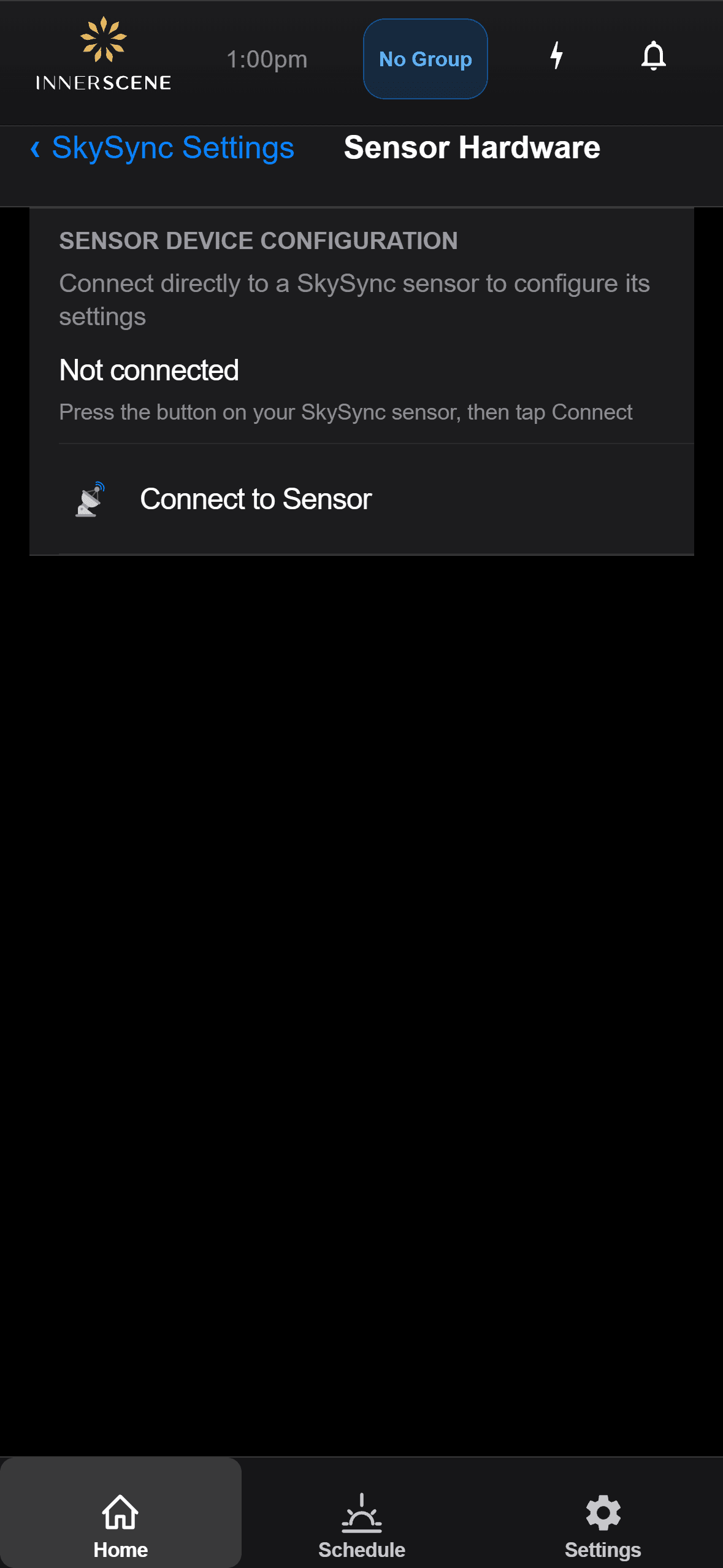
Hardware
Prüfen Sie Batteriestand, Signalstärke und Sensorstatus.
In der Anleitung öffnen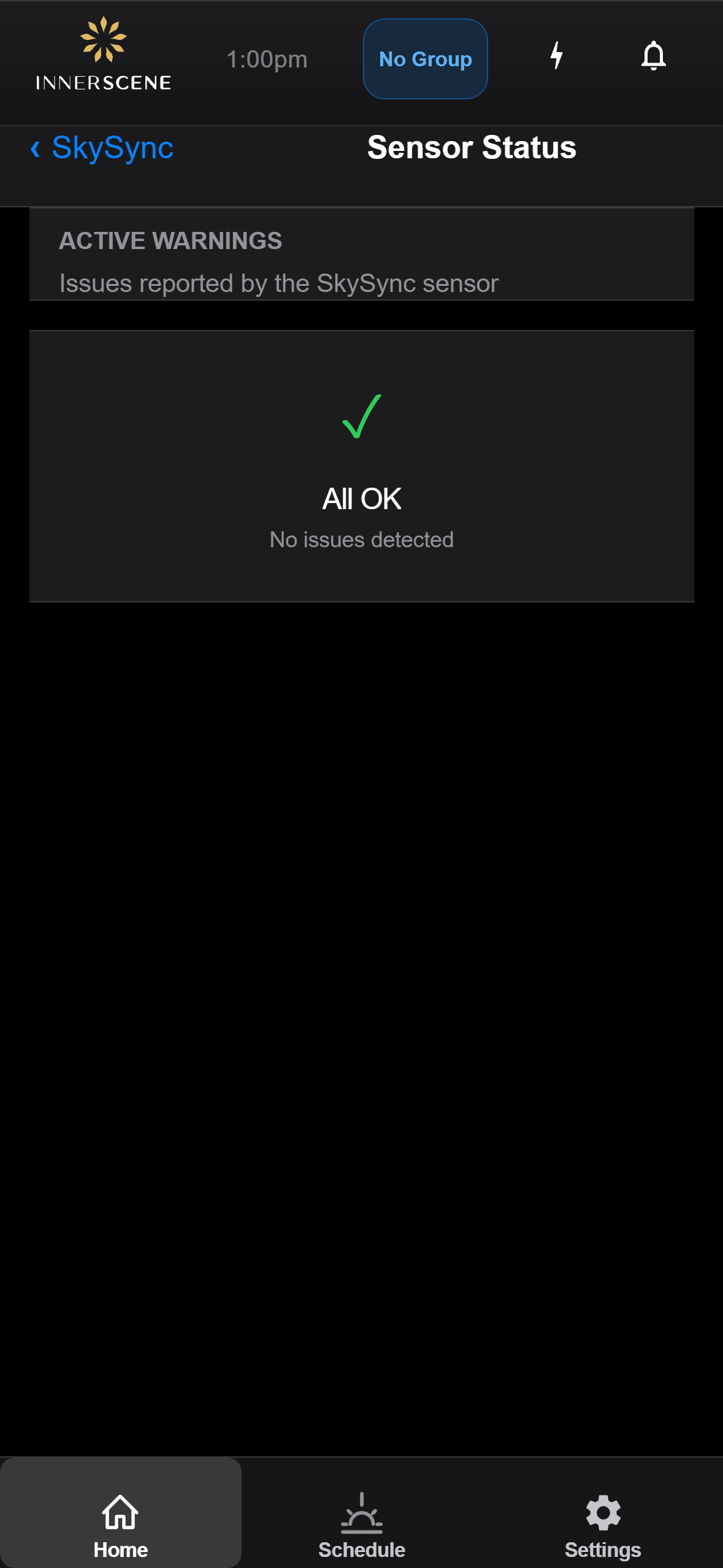
Fehlerbehebung
Lesen Sie Statusmeldungen des Sensors und lösen Sie häufige Probleme.
In der Anleitung öffnenFragen, beantwortet.
Wie viele SkySync-Sensoren brauche ich?
In den meisten Fällen genügt ein einziger SkySync, selbst für ein großes Gebäude. Ein Primärsensor speist das Netzwerk, und Sekundärleuchten leiten weiter, sodass eine einzige Messung über die Netzwerkmodi eine ganze Installation erreichen kann.
Kann SkySync im Freien verwendet werden?
SkySync ist ausschließlich für den Innenbereich ausgelegt. Die Montage hinter dem Glas liefert eine genaue Farbmessung des Lichts, das Ihr Raum tatsächlich sieht, schützt den Sensor vor Witterung und UV, benötigt keine Reinigung und bietet Ihren Leuchten eine bessere Funkreichweite.
Was, wenn meine Fenster getönt sind oder ich weniger Licht möchte?
Über die App oder Weboberfläche der Leuchte können Sie die Helligkeit von SkySync erhöhen, um dunkel getöntes Glas auszugleichen, oder senken für Medienräume und andere spezielle Bedürfnisse. Ein optionaler CCT-Boost kann das Ergebnis zudem wärmer oder kühler abstimmen.
Welche Inbetriebnahme vor Ort ist erforderlich?
Bei Neubestellungen wird SkySync vorgekoppelt und konfiguriert geliefert, sodass keine Inbetriebnahme vor Ort nötig ist. Für bestehende Installationen genügen ein schnelles Firmware-Update, die Kopplung über App oder Web-UI und das Setzen des Einschaltzustands auf Zeitplan.
Mit welchen externen Steuersystemen funktioniert es?
SkySync ist mit allen Circadian-Sky-Steuervarianten kompatibel, darunter 0-10V, DMX, DALI und Casambi. Externe Steuerungen können SkySync außer Kraft setzen, und die Leerlauf-Wiederaufnahme bringt die Leuchten automatisch in den Zeitplan zurück, wenn das Dimmen inaktiv ist oder nach einem Neustart.
Welche Modi verbinden SkySync mit den Leuchten?
Vier: Direktfunk, Funk-Relay über den mitgelieferten Mini Hub, lokales Netzwerk über UDP und Cloud-Relay über Innerscene Cloud Services, alles vom einzelnen Raum bis zum Campus mit mehreren Gebäuden.
Dokumente und Anleitungen.
Dieses Produkt ist durch ein oder mehrere Patente geschützt, weitere Patente sind angemeldet. Alle Patente ansehen
Während Wolken vorbeiziehen und die Sonne über den Himmel wandert, verändert sich Ihr Licht und reagiert, sodass Räume lebendig wirken und im Takt mit der Welt draußen atmen.
Holen Sie den lebendigen Himmel nach innen.
© 2026 Innerscene. Alle Rechte vorbehalten.