Introducing Innerscene Studio for iOS and Android
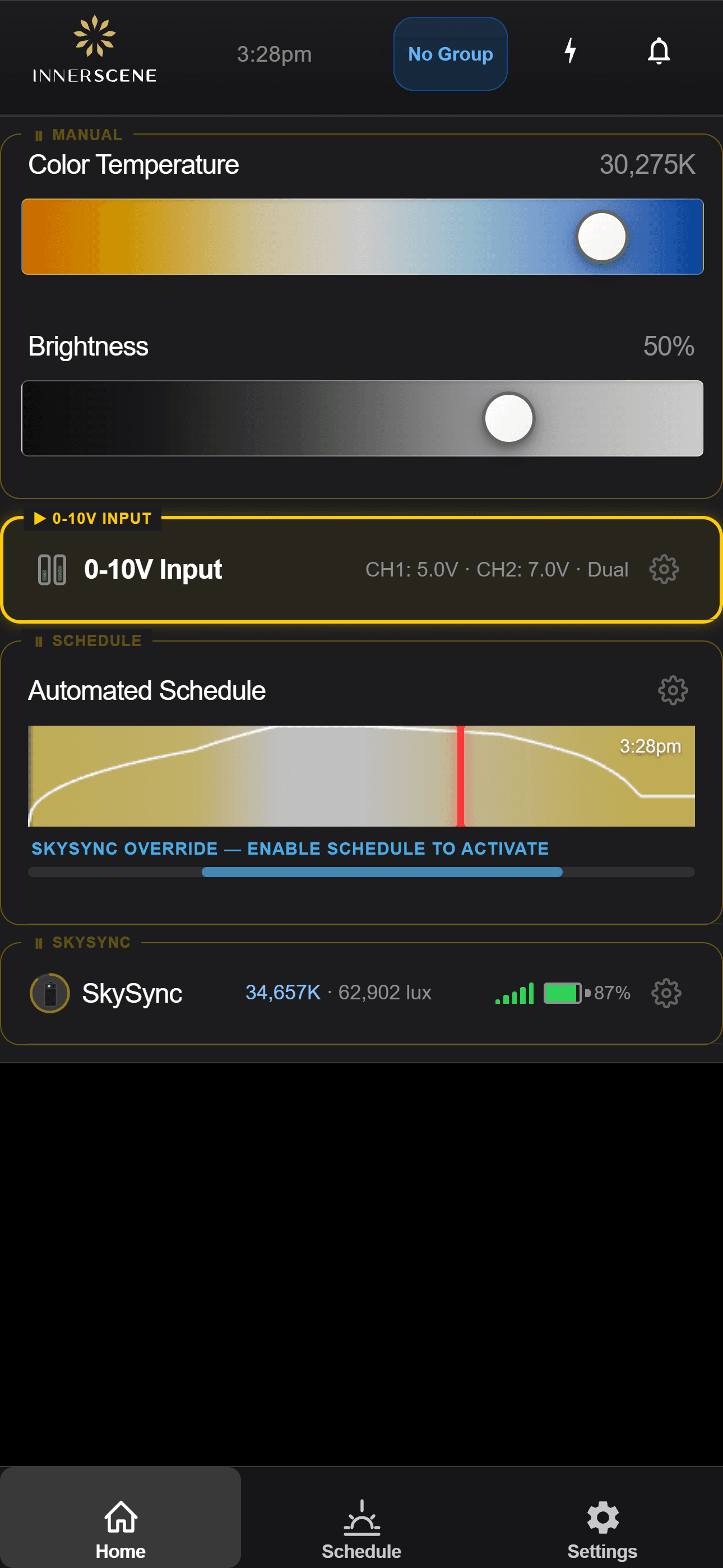
Today we are launching Innerscene Studio on the iOS App Store and Google Play - the official mobile app for controlling every Innerscene fixture you own. It pairs over Bluetooth, edits the circadian schedule, drives SkySync, configures daughterboards, and pushes firmware updates - all from your phone or tablet.
Studio replaces the on-device captive-portal web UI as the recommended way to interact with a fixture. The fixture still serves the same web UI at http://<fixture-ip>/ for desktop browsers and external integrations - Studio is a tighter, native experience for the day-to-day.
What Studio does
- Secure Bluetooth connection. Open the app within range of any Innerscene fixture and it appears in the device list - no QR codes, no provisioning portals. Appearing in the list is not the same as control: every fixture holds its own password, and Studio has to complete a challenge-response handshake against it before any setting can be read or written. Set your own password at commissioning and passers-by see a name and nothing else.
- Direct control. Adjust color temperature from warm sunset to clear-blue daylight, set brightness in percent or absolute lux, and toggle the automatic schedule from a single home screen.
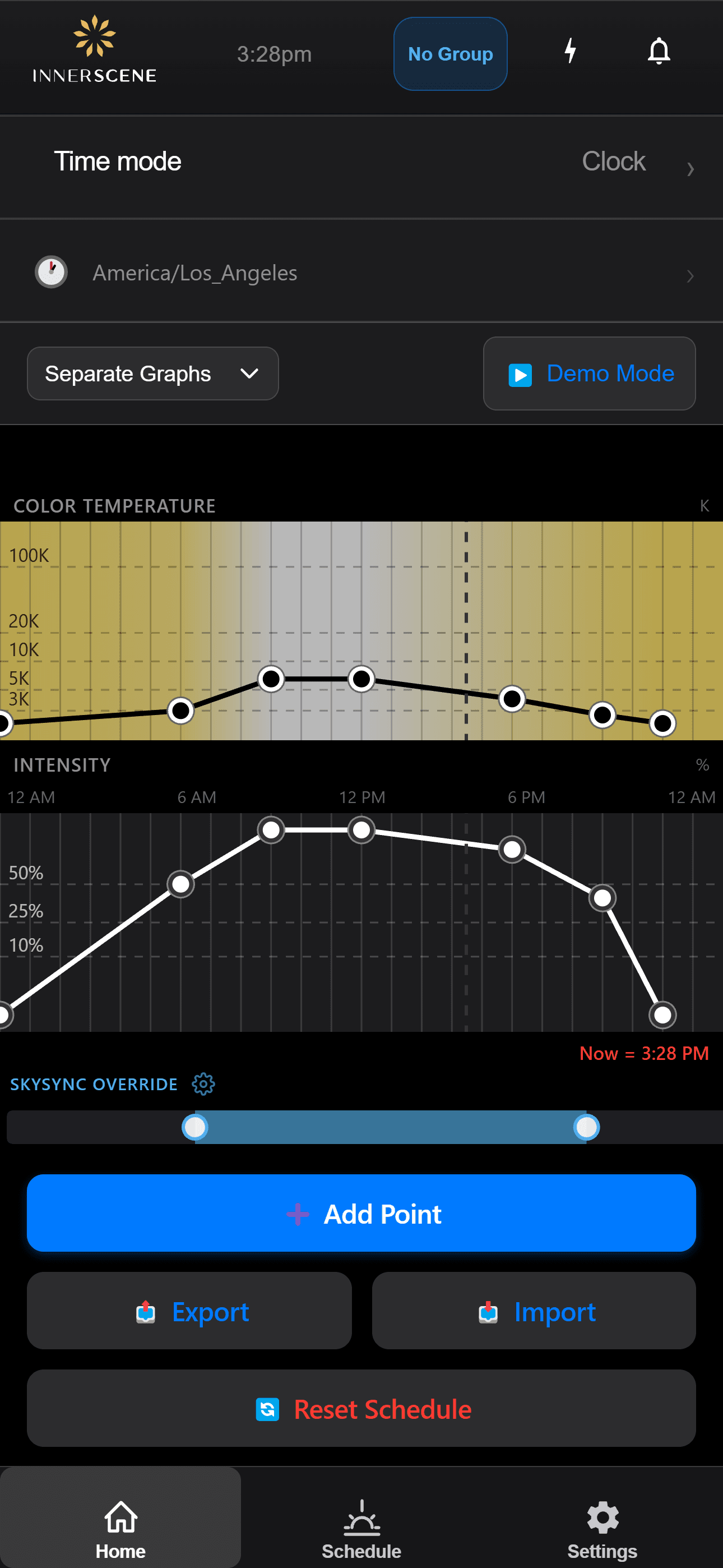
- Schedule editor. Define your own circadian curve with as many keypoints as you want, preview the day's output as a graph, and export or import schedules as files for backup or sharing.
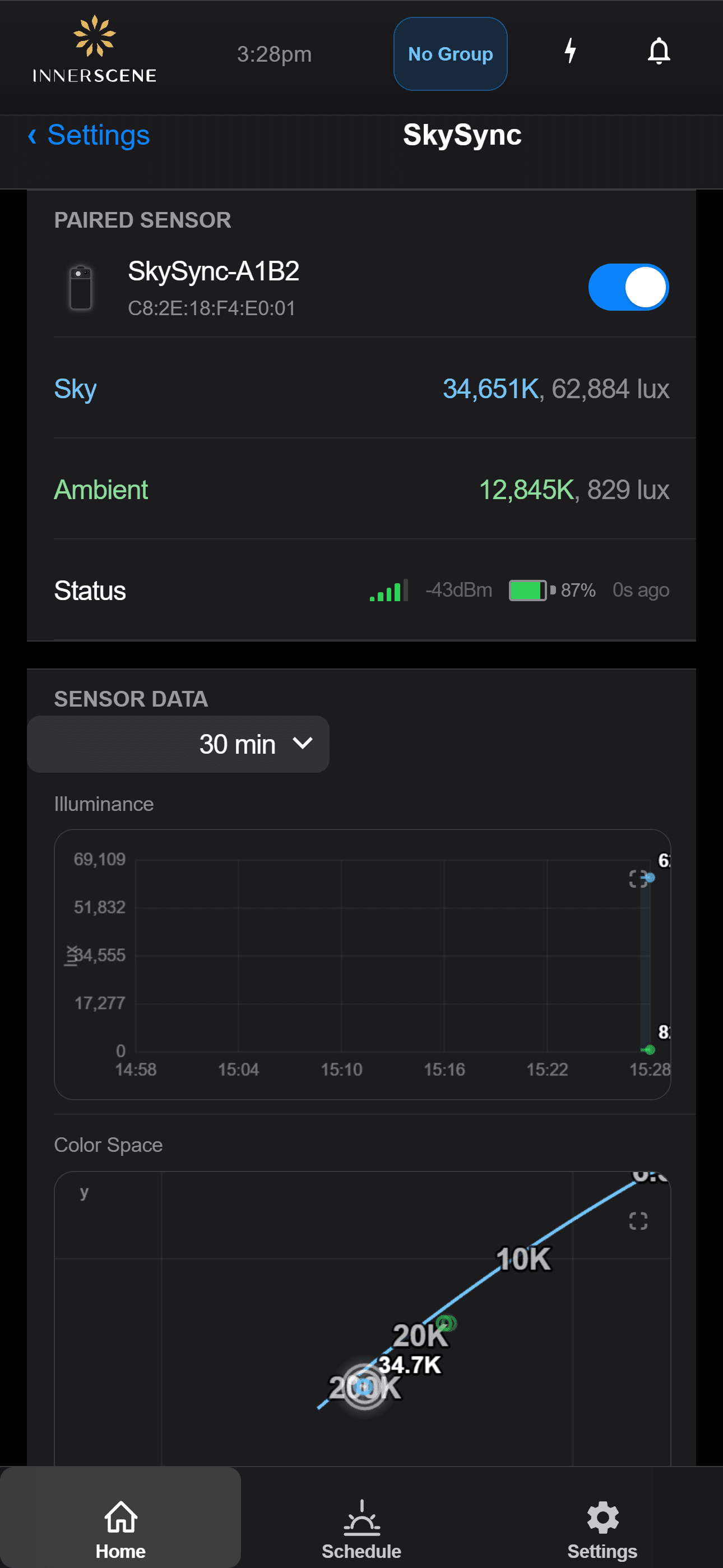
- SkySync integration. Pair a window-mounted SkySync sensor and watch the fixtures track real sky conditions in real time, including sky CCT, ambient CCT, surface lux, an illuminance timeline, and a CIE chart of recent samples.
- Daughterboard configuration. Calibrate 0–10 V, DALI, DMX, and Casambi inputs from the same app, including channel mapping, voltage trim, and DMX base addressing.
- Identify. Tap a button to flash a fixture in place - useful for quickly locating which physical unit you are about to adjust.
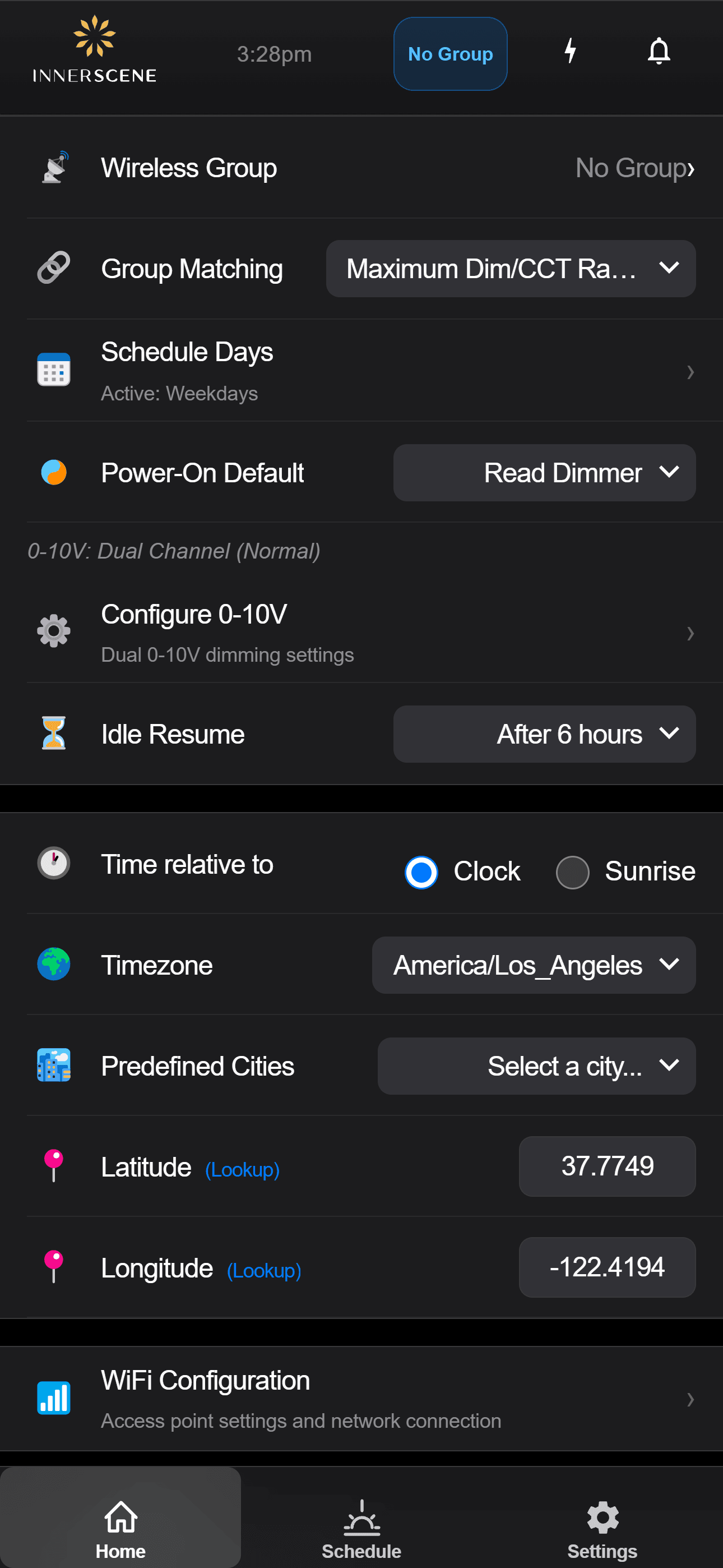
- Power-on behaviour and idle resume. Choose what the fixture does after a power cut, and how long it waits before returning to the schedule after a manual change - so a guest tweaking the lights does not permanently break your routine.
- Messages and diagnostics. View an event log of mode transitions and warnings, plus live readings for driver temperature, peer status, and signal quality - useful for troubleshooting from across the house or the country.
- Firmware updates. Studio pushes new firmware to the fixture over Wi-Fi, including a guided upgrade flow for older fixtures that predate Bluetooth provisioning.
A quick tour
Three more screens that show what living with Studio looks like: the full schedule editor, the settings screen where deeper behaviour is configured, and the SkySync detail view with live sensor data.
Try it without owning a fixture
The fixture's controller UI is open and live in your browser. Open the interactive demo to drive a simulated fixture - the same screens you would see inside Studio, with three peer fixtures, a 0–10 V daughterboard, and a SkySync sensor all simulated locally. No installation, no account.
On iOS and Android
Same app, both platforms.
Studio runs on iPhone and iPad through the App Store, and on Android phones and tablets through Google Play. Every fixture also serves a complete browser-based control UI at http://<fixture-ip>/ that works from any laptop on the same Wi-Fi network.
Get Innerscene Studio
Innerscene Studio is free on the App Store and Google Play. It works with every Circadian Sky and Virtual Sun fixture, and its features grow with the firmware your fixture is running.
Have feedback on Innerscene Studio? Email [email protected] - we read everything.