Table of Contents

North American Variants

Product Codes: CS22NA, CS24NA, CS12NA, CS14NA, CS154NA

What is in the box

1x Circadian Sky light fixture

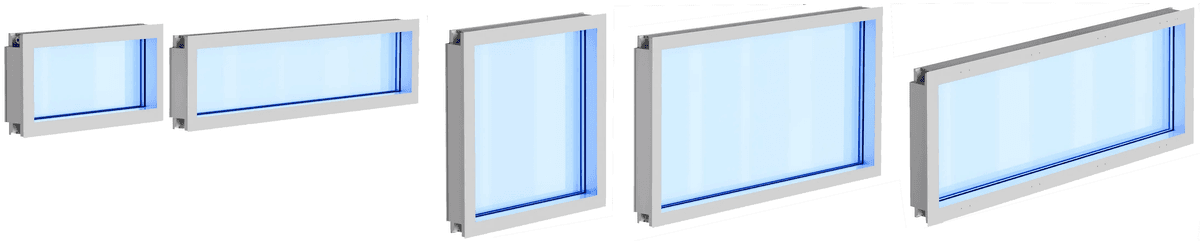
Circadian Sky Fixture Sizes

Optional accessories

(Available from Innerscene)

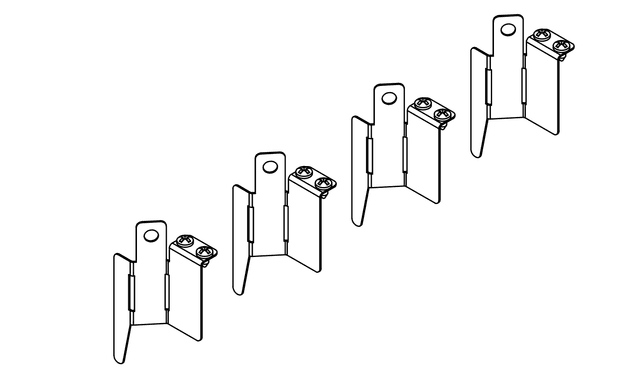
Spec code "GC" (Grid Clips)

Brackets

Grid Mounting Kit

CS22NA, CS24NA, CS12NA, CS14NA

  • 4x tee grid clips (9/16" or 15/16")
  • 8x self-tapping screws

Spec code "JB" for 2x2 or 2x4 fixtures

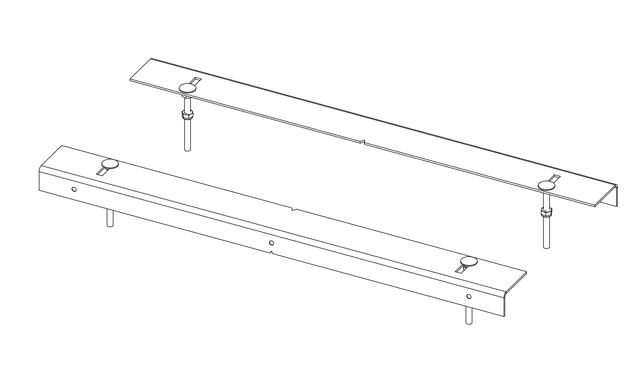
Two Foot Joist

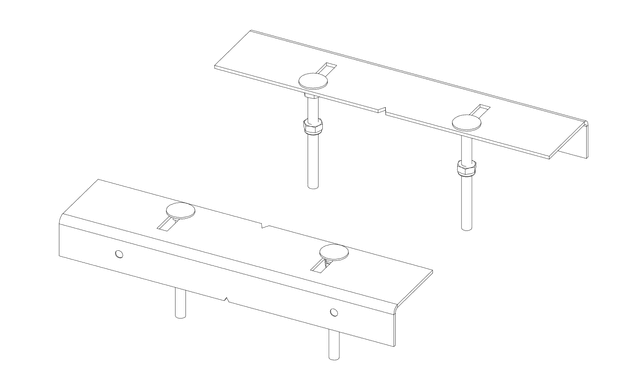
2-Foot Joist Mounting Kit

CS22NA, CS24NA

  • 2x 2' joist brackets
  • 4x M6 bolts, nuts, lock nuts

Spec code "JB" for 1x2, 1x4, or 1.5x4 fixtures

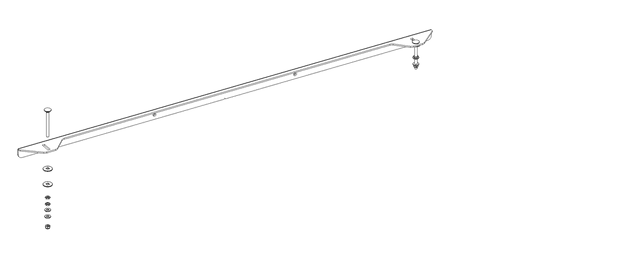
One Foot Joist

1-Foot Joist Mounting Kit

CS12NA, CS14NA, CS154NA

  • 2x 1' joist brackets
  • 4x M6 bolts, nuts, lock nuts

Spec code "SM" (Surface Mount)

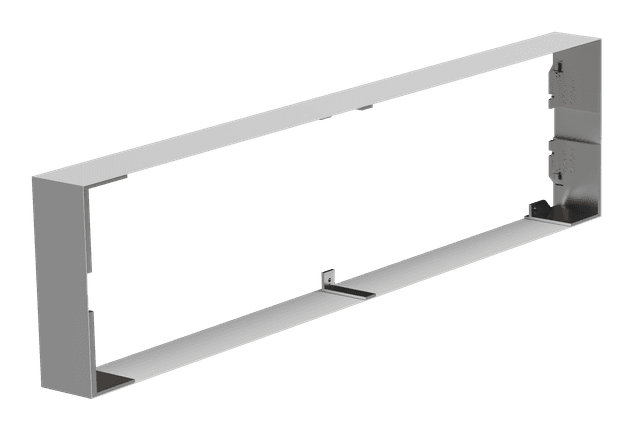
Surface Mount Kit

Surface Mount Kit

CS22NA, CS24NA, CS12NA, CS14NA, CS154NA

  • 1x surface mount frame (ships pre-attached to fixture)
  • Mounting hardware included

Recommended tools and materials for ACT/Grid/Suspended ceiling installs

(Supplied by others)

  • Large flat head screwdriver (to open K.O.)
  • Pozidriv screwdriver or Pozidriv screwdriver bit (for Grid clips screws)
  • 12-Gauge (1.5mm) hanger wire
  • 12-2 or 14-2 WG NM-B Romex and 1/2 in. Romex Electrical Wire Clamp. Suitable for use with Flexible Metal Conduit (FMC) and Squeeze Connector. 1/2 in. Knockout 90-Degree Connectors are required for tight two dimensional arrays.
2x4 Grid
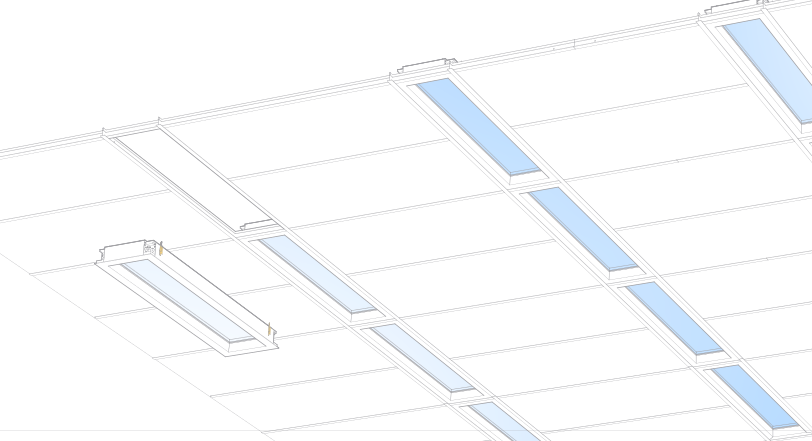
Circadian Sky 1x4 Armstrong Techzone installation

Recommended tools and materials for drywall/plasterboard installs

(Supplied by others)

  • M6 hexagonal nut driver (nut spinner) with 10mm (13/32 in.) hex size
  • Drywall saw
  • Laser level (to align cut-out or when installing multiple fixtures)
  • Tape measure
  • Large flat head screwdriver (to open K.O.)
  • Pozidriv screwdriver or Pozidriv screwdriver bit (for wood screws)
  • 6x #10 (5mm) countersunk wood screws for wood joists, or self-tapping/self-drilling screws (e.g. MF20 wafertek screws) for metal channels.
  • 12-2 or 14-2 WG NM-B Romex and 1/2 in. Romex Electrical Wire Clamp. Suitable for use with Flexible Metal Conduit (FMC) and Squeeze Connector. 1/2 in. Knockout 90-Degree Connectors are required for tight two dimensional arrays.
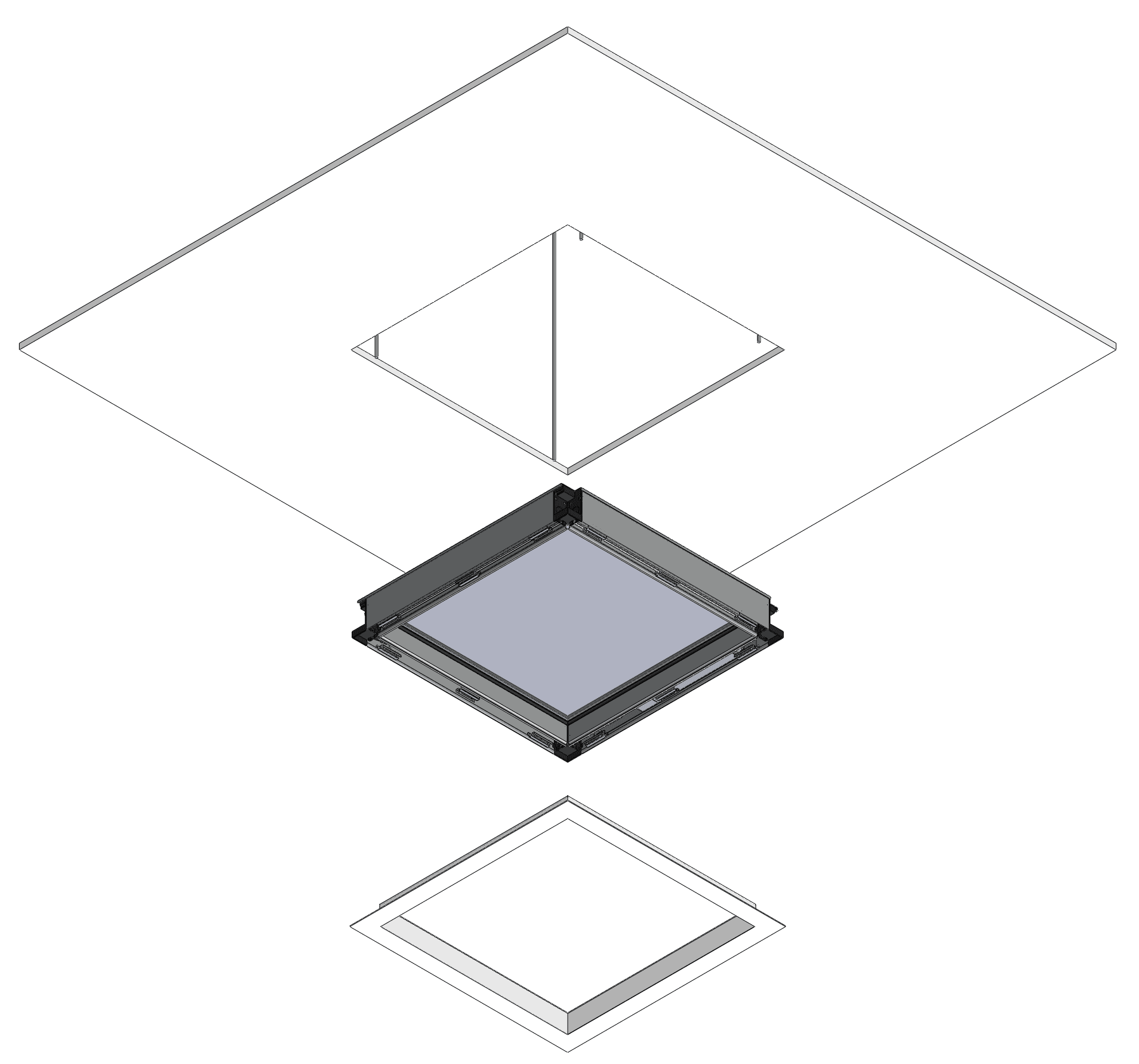
Circadian Sky Wall Installation

Individual drywall/plasterboard installations with joists

Joist Mounting Kit supplied when spec code "JB" is used for mounting option.

Individual Drywall Joists

Steps:

  1. Make cut-out in drywall.
  2. For remodelling, existing joists may need to be modified with extra joist headers. Secure Joist mounting brackets to joist or channel.
  3. Pull power or dimming wires to Primary fixture.
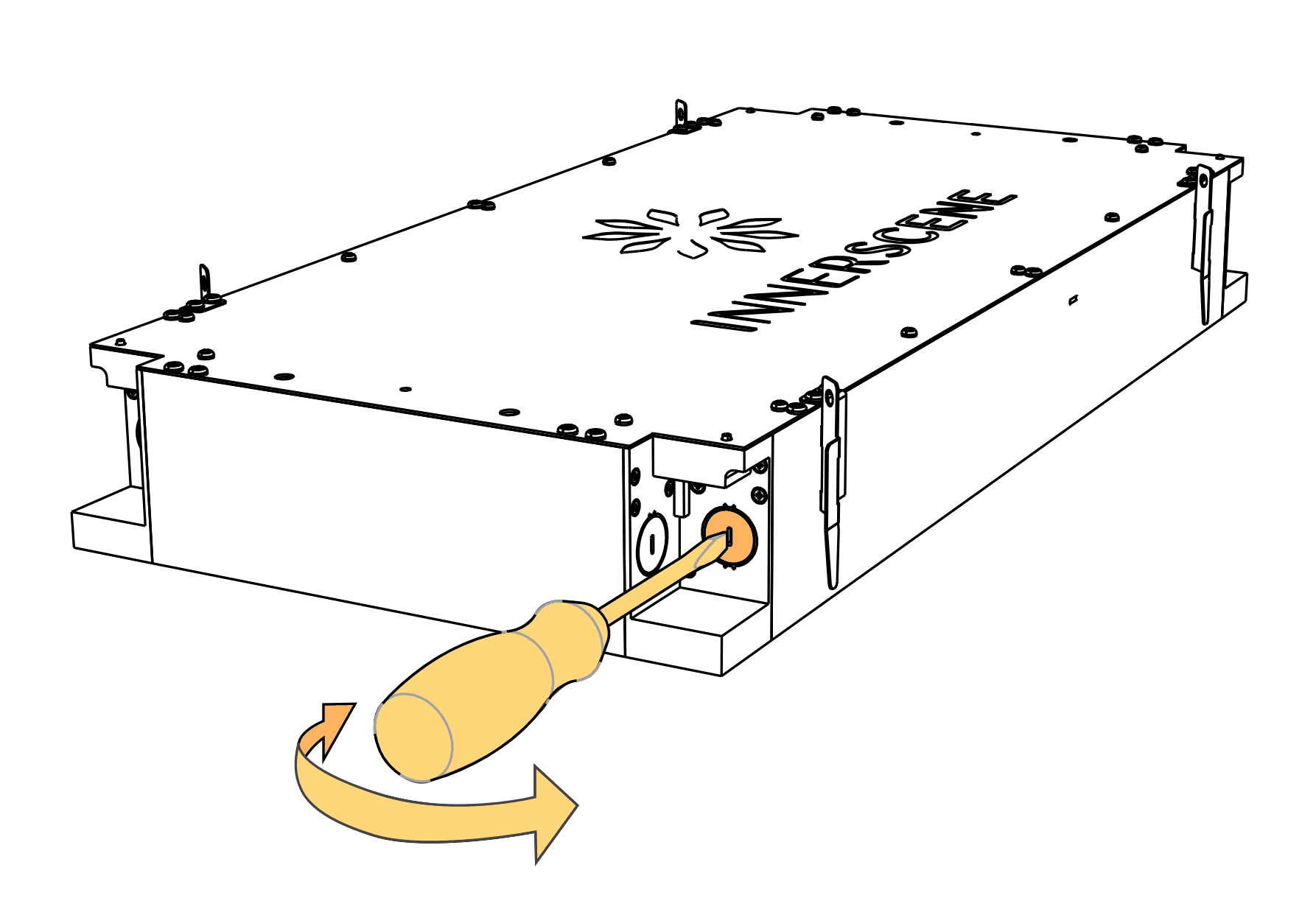
  4. Break 3/8” K.O. (Knock-Outs) using a flat head screw driver and connect wires.
  5. Raise fixture until bottom of fixture is level with finished ceiling.
  6. Secure fixture to threaded bolts using hex nuts (M6 hex nut with 10mm or 13/32” AF width)
  7. Clip safety harness of Drywall trim to fixture. Snap-fit Drywall trim to fixture.

Individual drywall/plasterboard installs without wood joists

Individual Drywall Install

Steps:

  1. Make cut-out in drywall.
  2. Install fixing points to structure (concrete ceiling / beams / structural channels etc.)
  3. Connect threaded rods to fixing points. Either 1/4" or M6 threaded rods are suitable.
  4. Pull power or dimming wires to Primary fixture.
  5. Break 3/8" K.O. (Knock-Outs) using a flat head screw driver.
  6. Raise fixture until bottom of fixture is level with finished ceiling.
  7. Secure fixture to threaded rods using hex nuts. Locking nuts are optional.
  8. Clip safety harness of Drywall trim to fixture. Snap-fit Drywall trim to fixture.

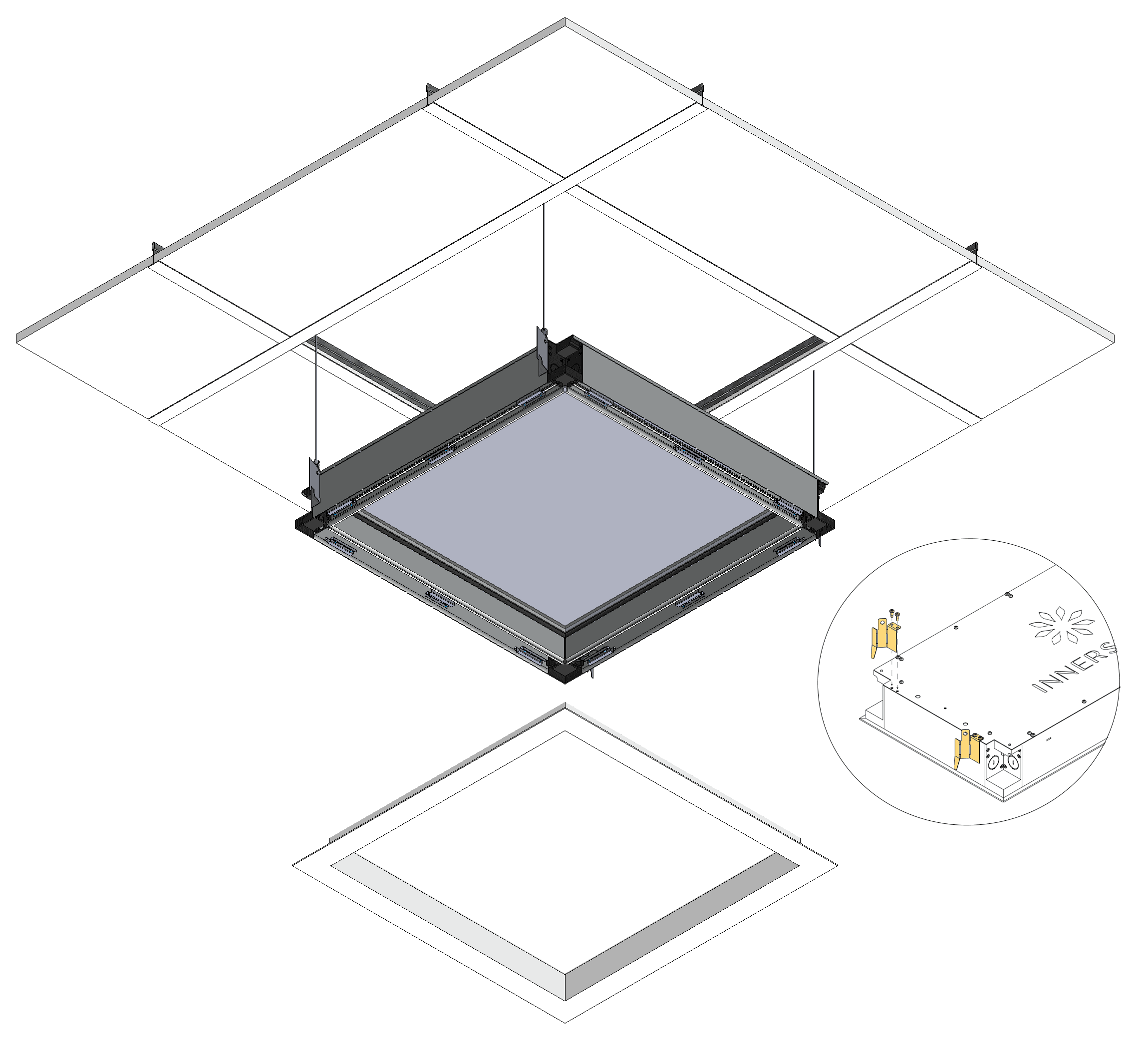
ACT/Grid/suspended ceilings installations

Grid Clip Mounting Kit supplied when spec code "GC" is used for mounting option.

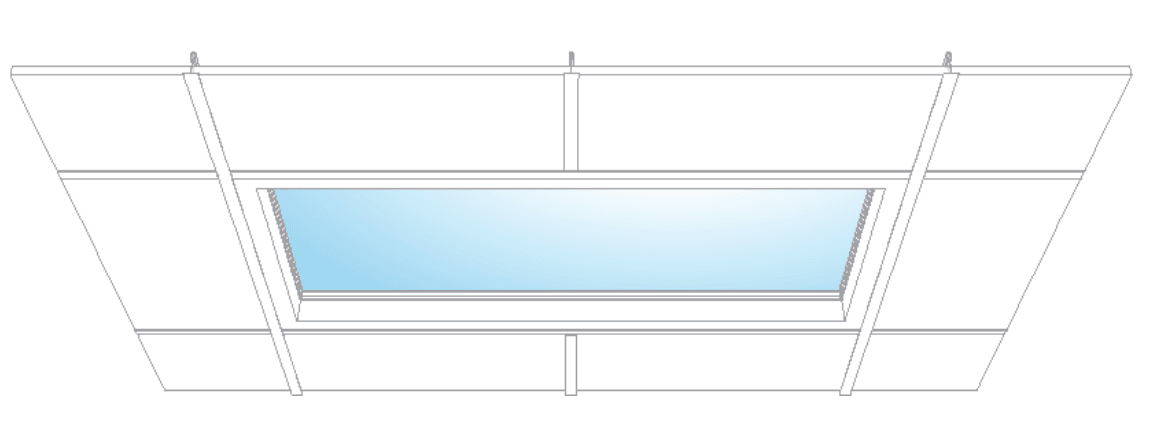
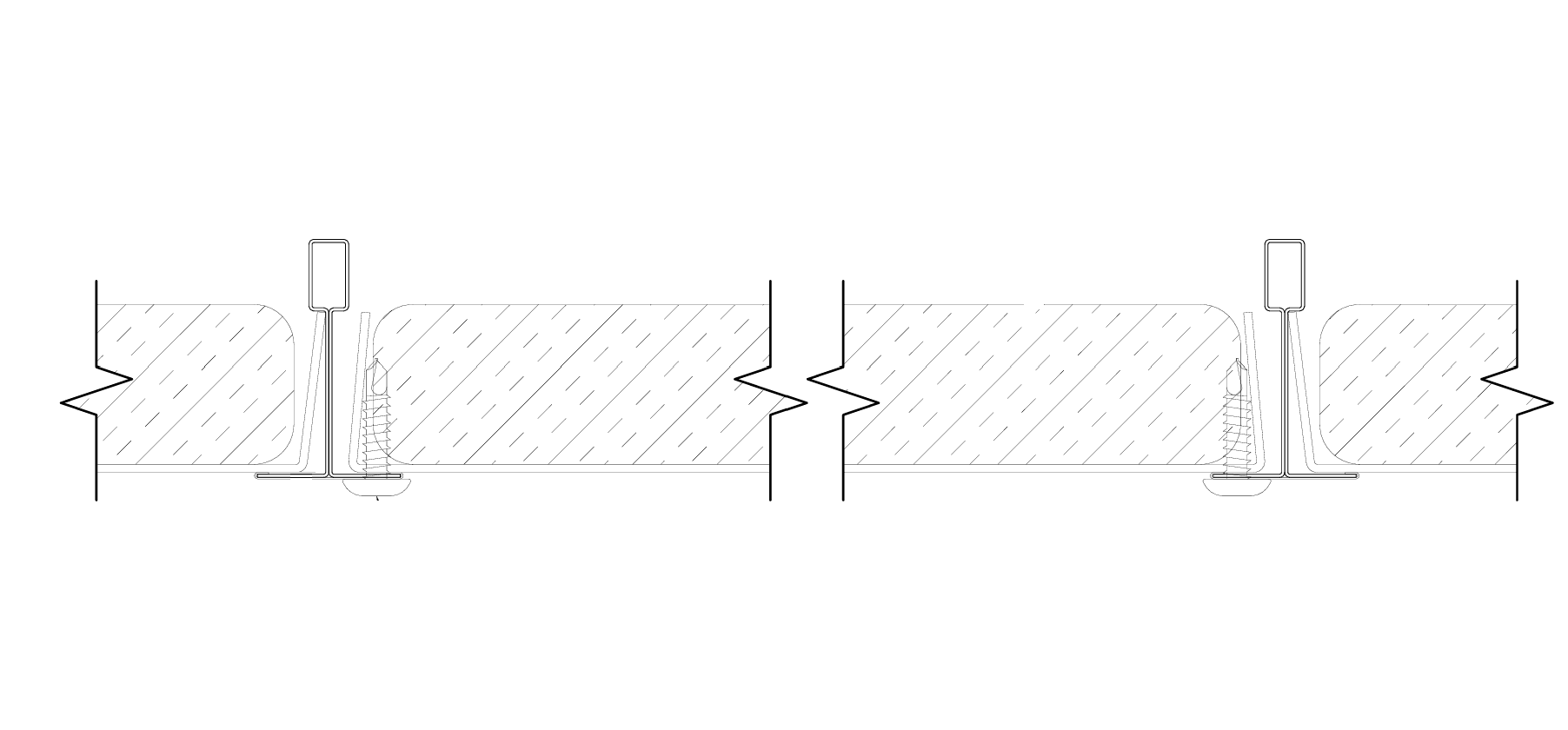
Grid ACT Drawing

Steps:

  1. Remove existing mineral tiles (if applicable)
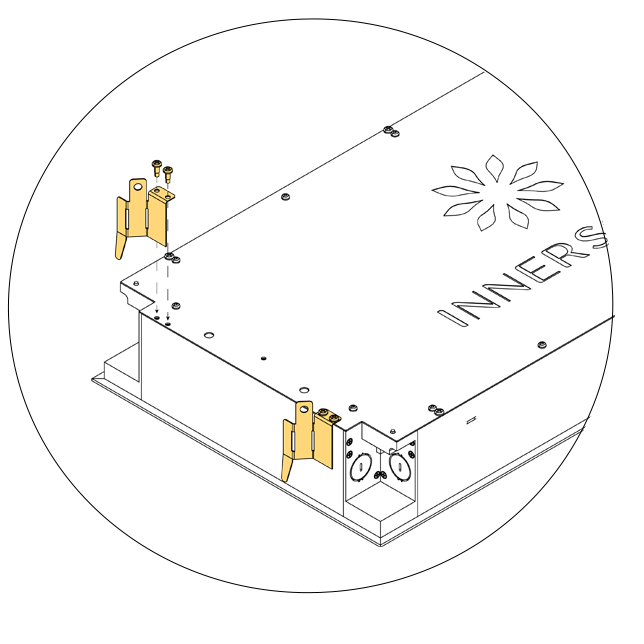
  2. Screw Grid clips to back of fixture using self-tapping screws (provided)
  3. Snap-out fixture trim and open K.O. (Knock-Outs)
  4. Connect building power and dimming wires (primary fixture only) to fixture
  5. Snap-in fixture trim
  6. Lay-in fixture above ceiling grid, align Grid clips to bulb of main runners/beams
  7. Attach #12 hanger wires (if deemed necessary, fixture weighs 26 lbs per 2’x2’ size)

Individual vertical (In-wall) installations

Inwall Installation

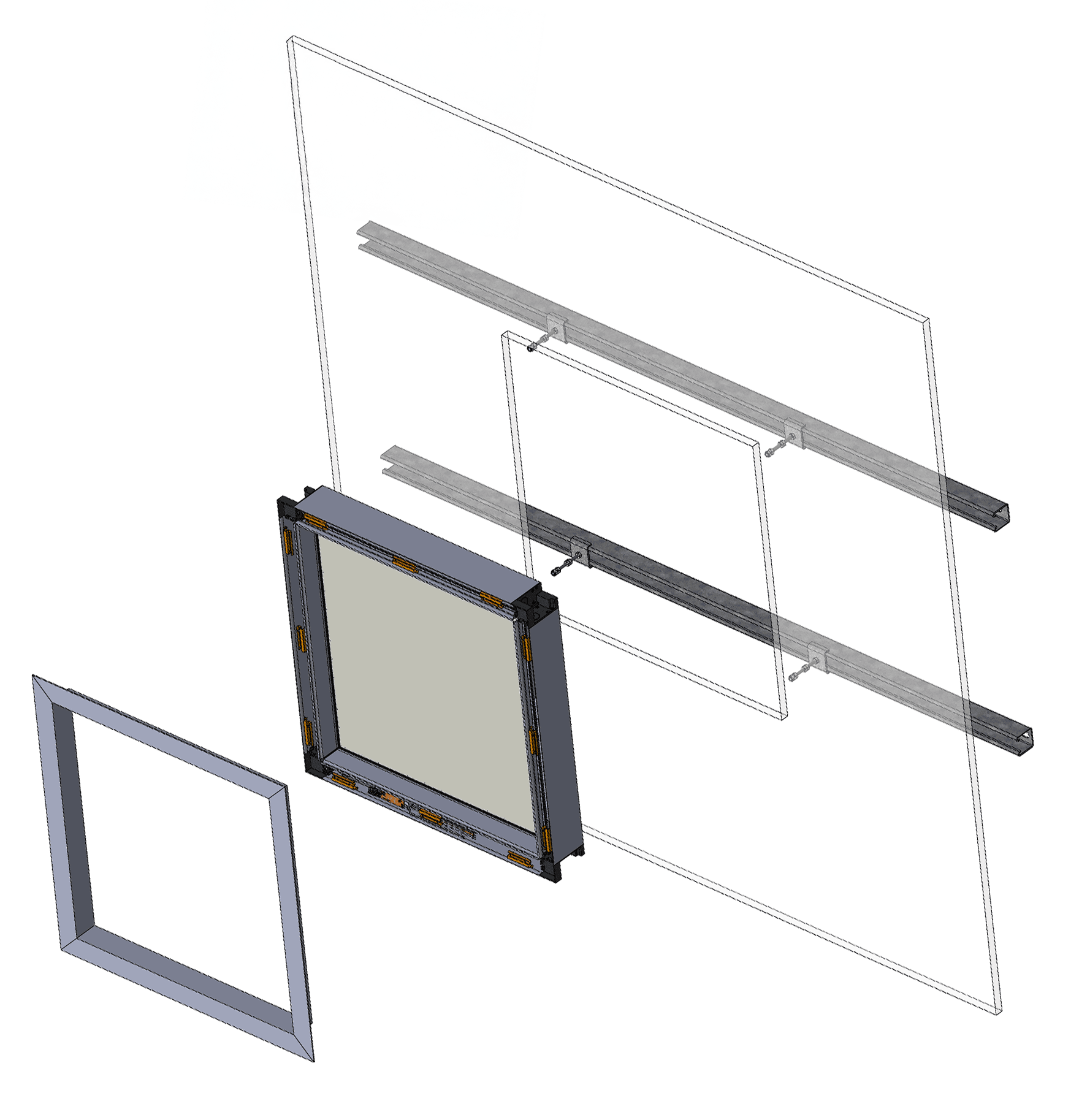
Steps:

  1. Make cut-out in drywall.
  2. Install Unistrut channels (horizontally for wall applications)
  3. Install 1/4” or M6 threaded rod to align with mounting holes in fixure
  4. Install 2x backing nuts per threaded rod to set install depth
  5. Pull power or dimming wires to Primary fixture
  6. Break 3/8” K.O. (Knock-Outs) using a flat head screw driver
  7. Ease fixture into position until front is flush with finished drywall. Adjust backing nuts if needed
  8. Secure fixture to threaded rods using hex nuts. Locking nuts are optional
  9. Clip safety harness of Drywall trim to fixture. Snap-fit Drywall trim to fixture

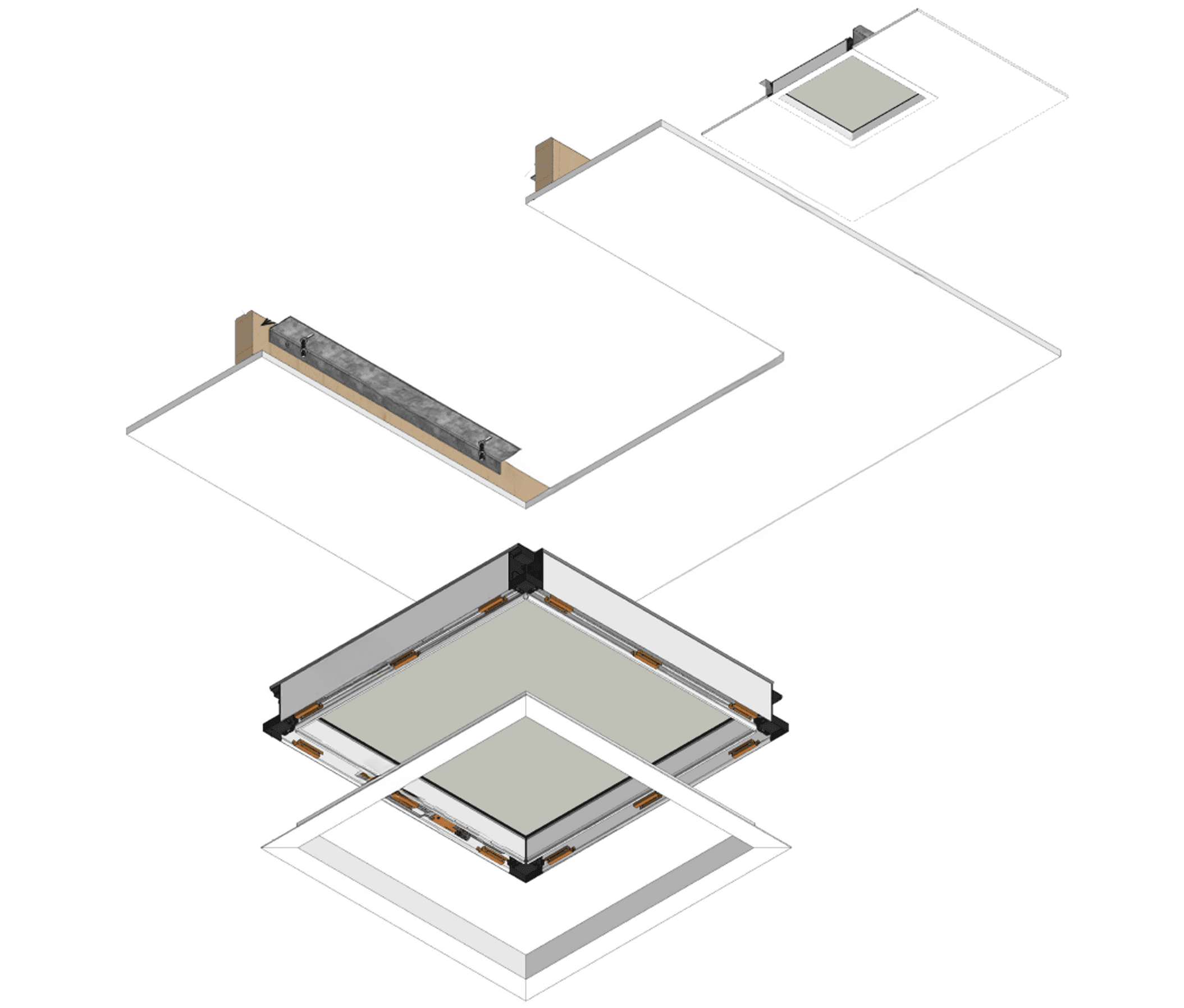
Tight array with drywall/plasterboard ceilings or walls installations

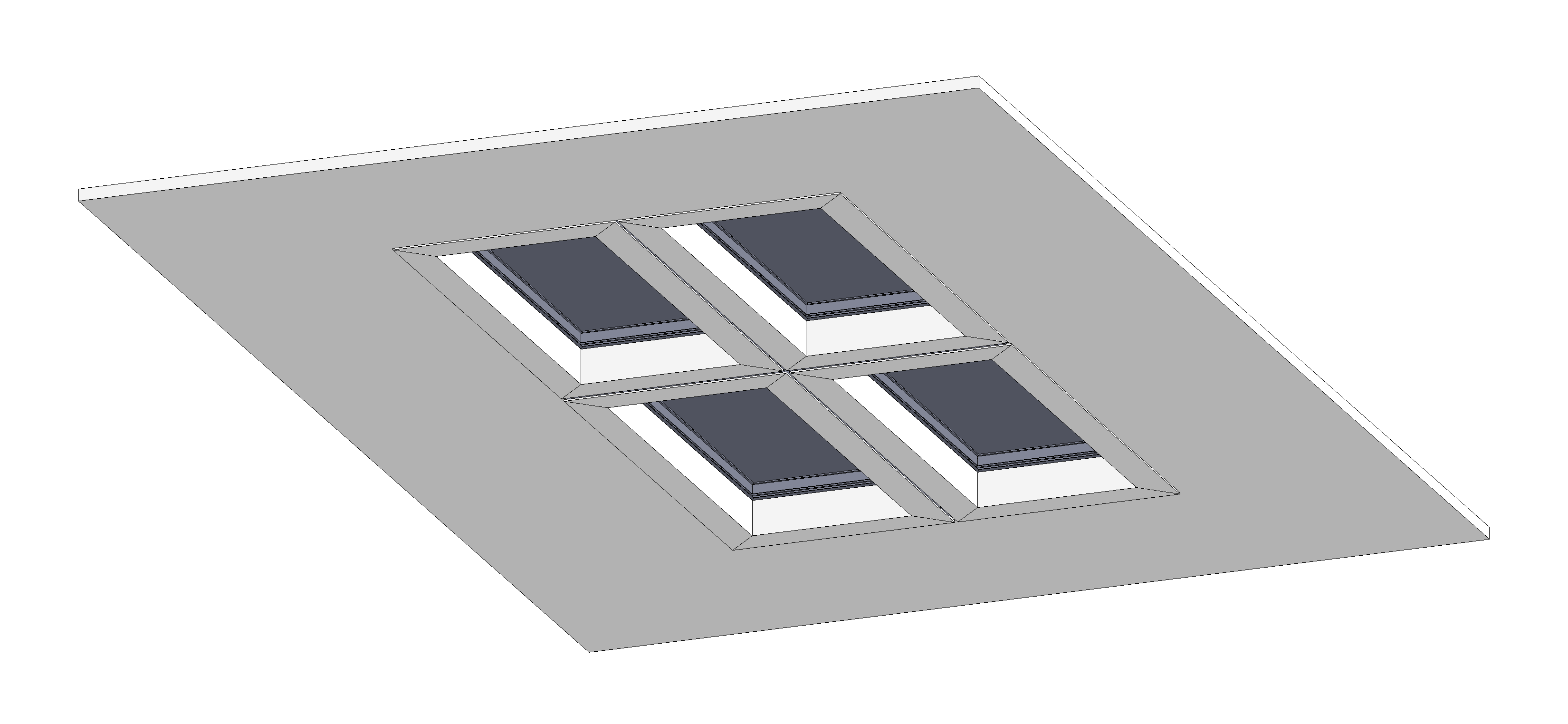
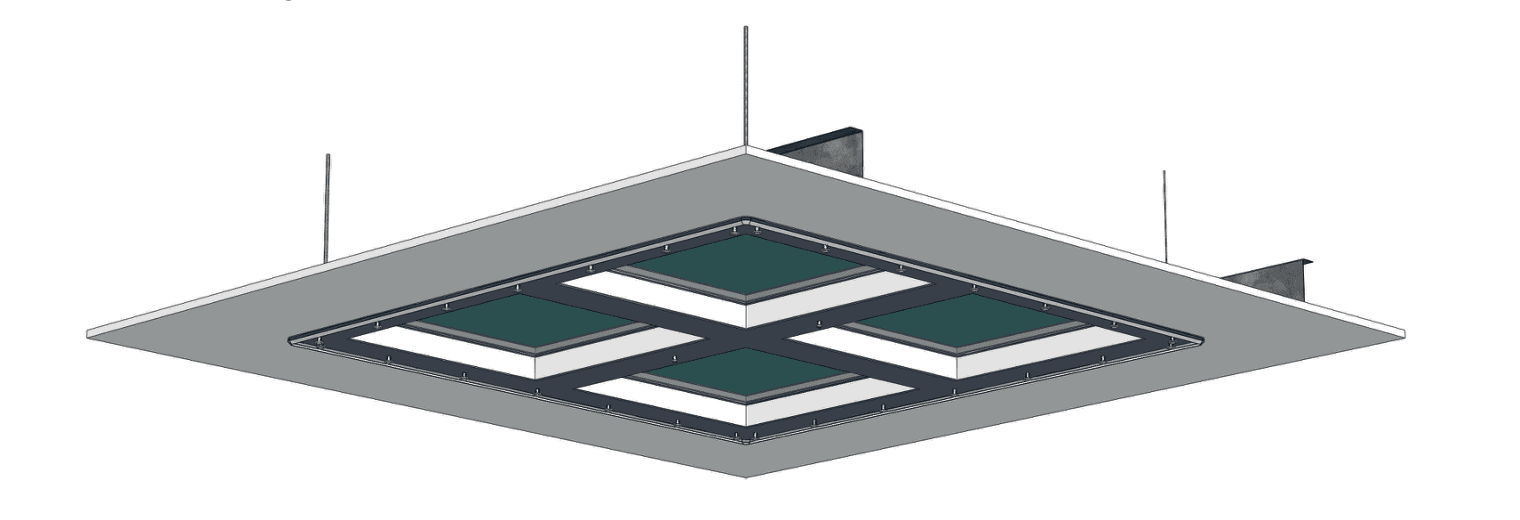
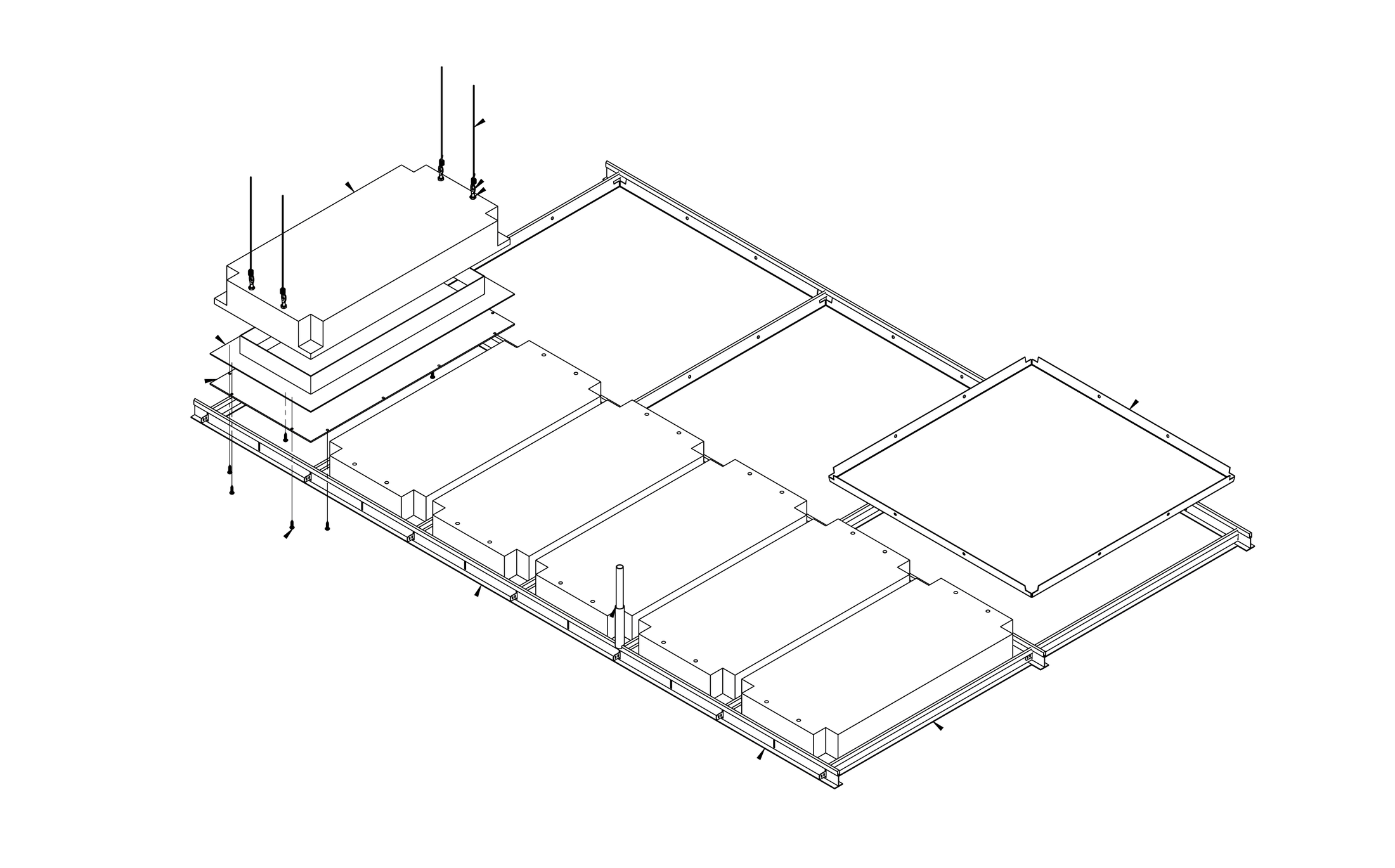
2x2 Array View
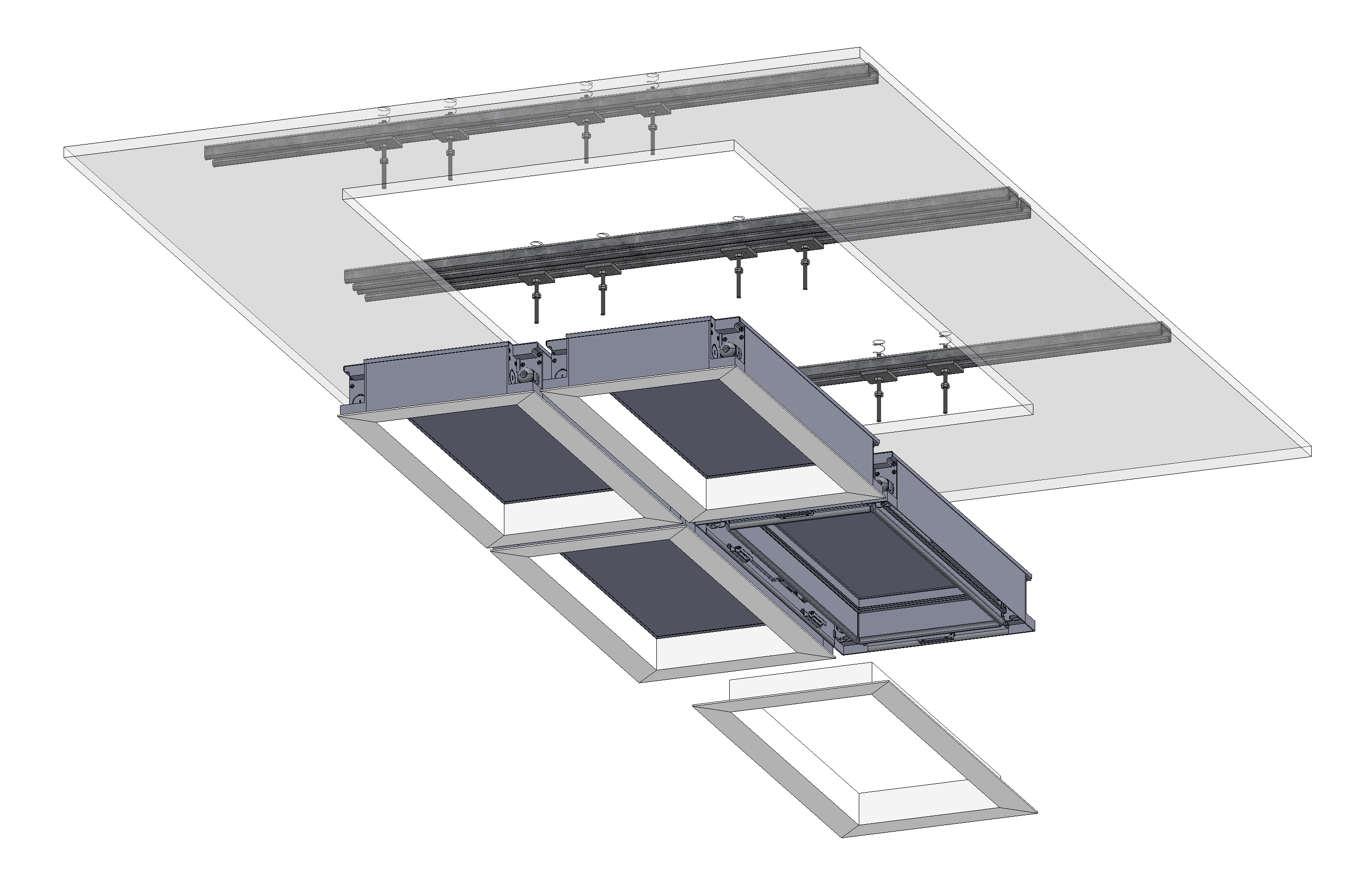
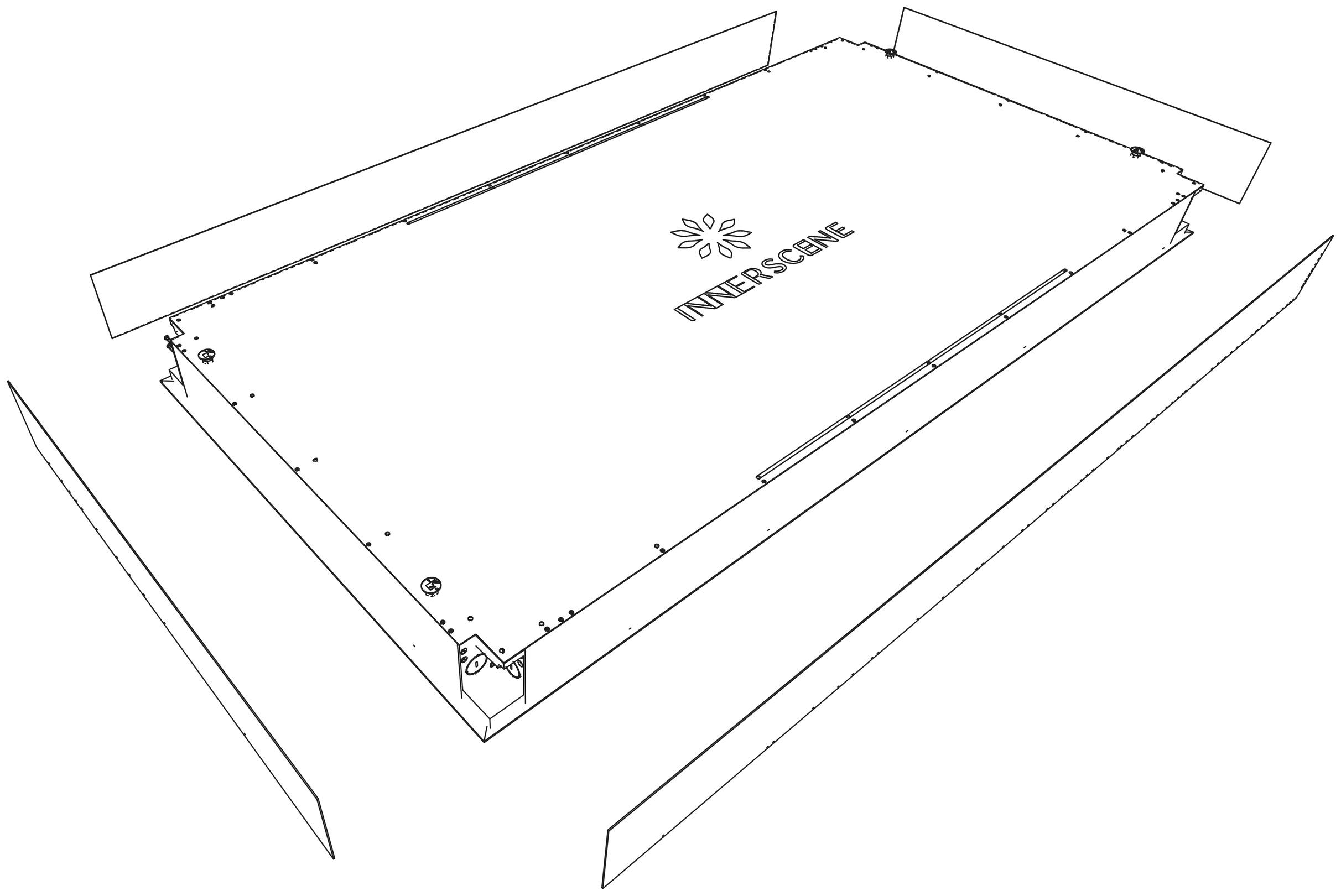
2x2 Exploded View

Steps:

  1. Make cut-out in drywall.
  2. Install Unistrut channels (horizontally for wall applications)
  3. Install 1/4” or M6 threaded rod to align with mounting holes in fixure
  4. Pull power or dimming wires to Primary fixture
  5. Break 3/8” K.O. (Knock-Outs) using a flat head screw driver
  6. Raise fixture until bottom of fixture is level with finished ceiling.
  7. Secure fixture to threaded rods using hex nuts. Locking nuts are optional
  8. Clip safety harness of Drywall trim to fixture. Snap-fit Drywall trim to fixture

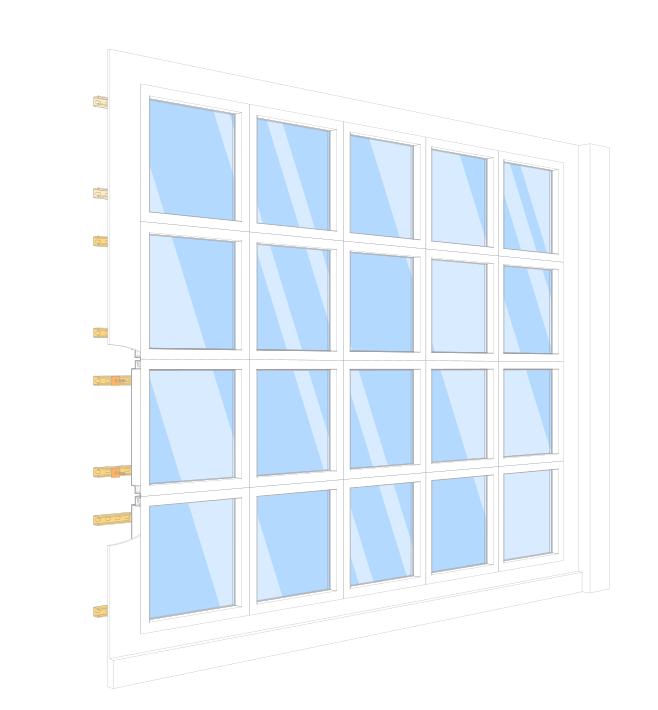
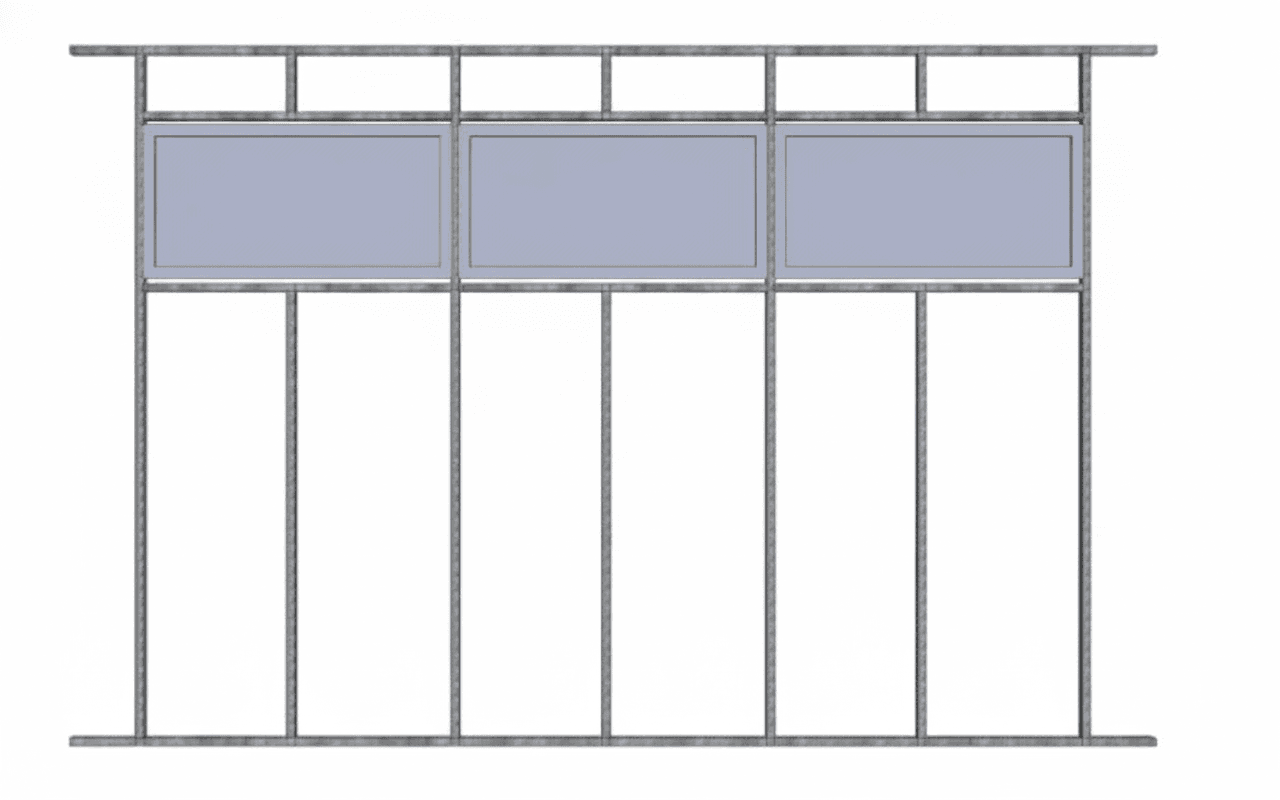
Wall tight array with metal studs (1×4, 2×4, 1.5×4 fixtures)

For landscape orientation 4ft fixtures (CS14, CS24, CS154) in a tight wall array using metal stud framing.

Front View (Without Drywall)

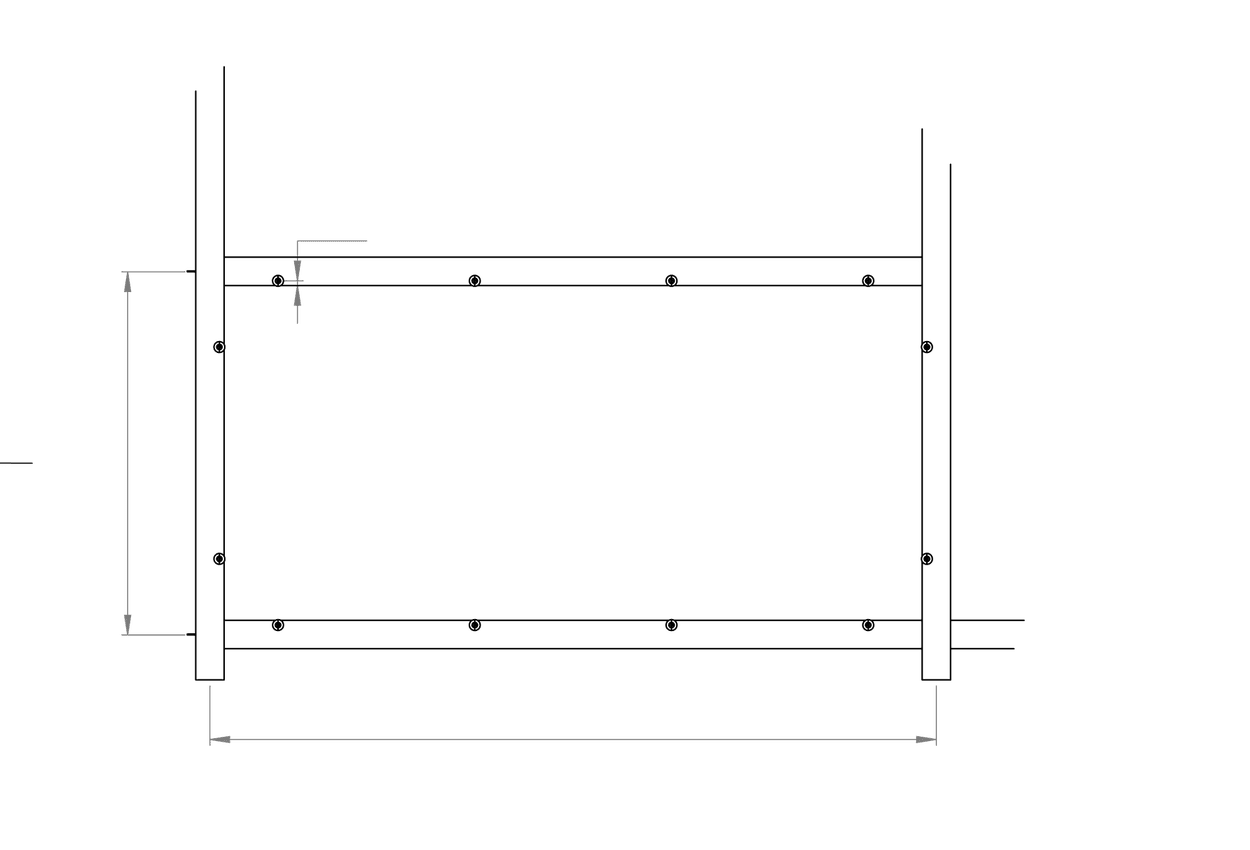
Wall Tight Array - Front View Framing

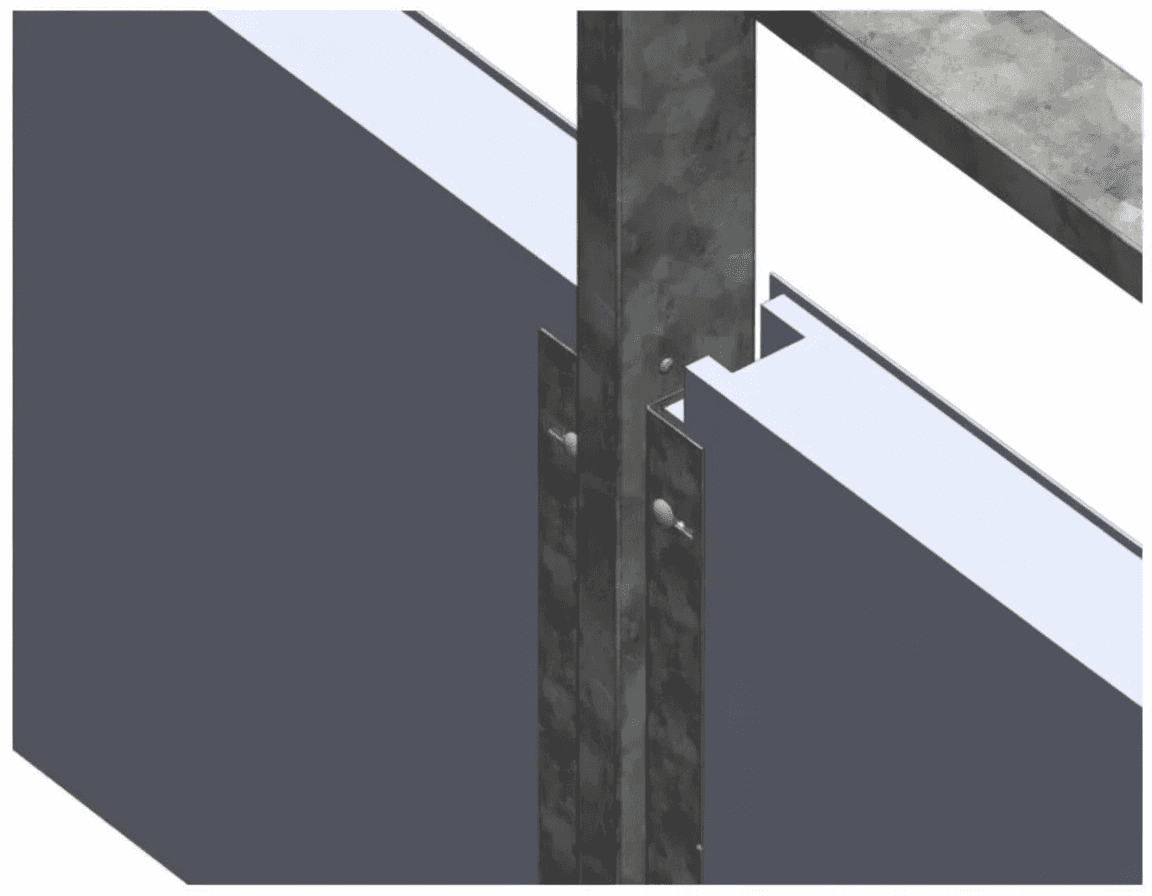
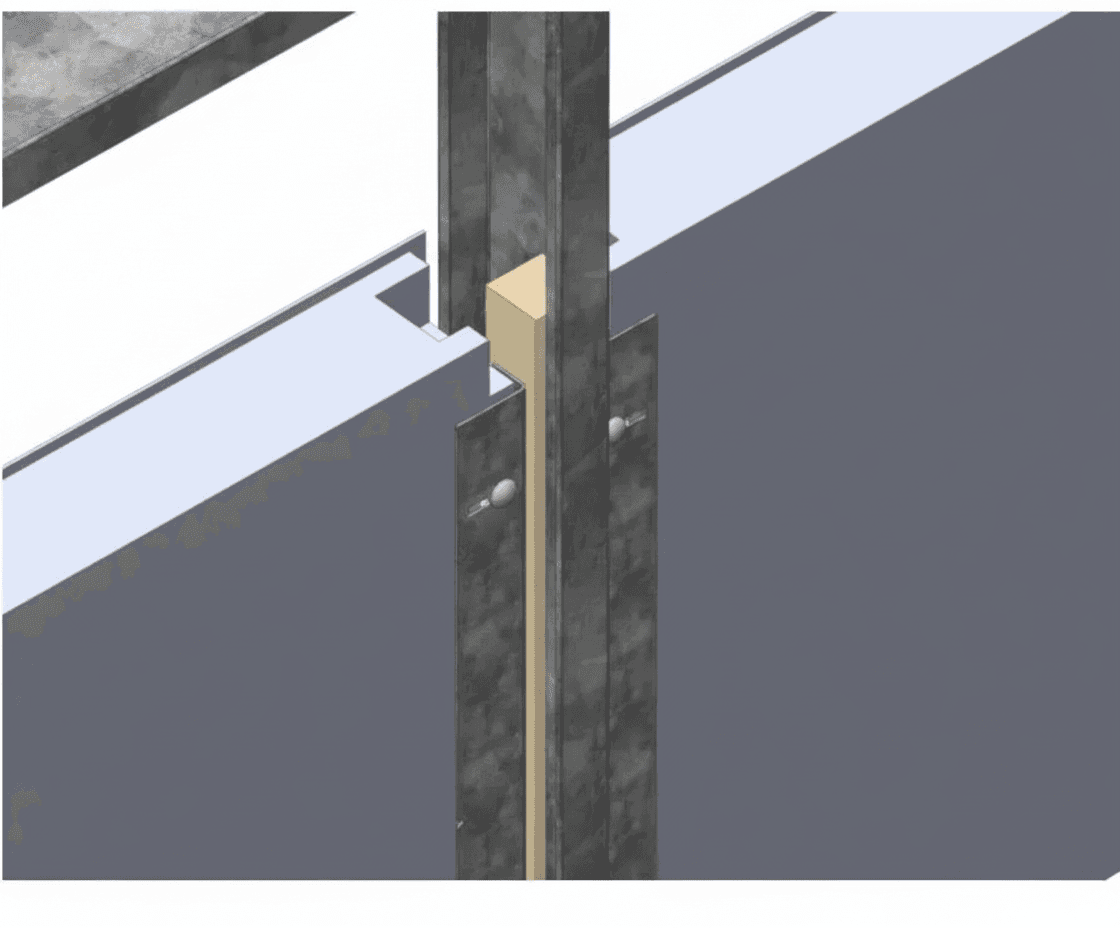
Mounting Close-ups

Wall Tight Array - Close-up without furring strip
Wall Tight Array - Close-up with furring strip

Drywall Requirements

ThicknessMinimum ½"
Cut-out per fixture23"-1/4 (W) × 46"-7/8 (L)

Materials (by others)

Structural Stud3"-5/8 (ClarkDietrich 362S137-43-P)
Structural Track3"-5/8 (ClarkDietrich 362T125-33)
Furring Strip2" lumber (2×2×8ft)
Wood ScrewsRound head (McMaster 98685A840)
Bracket Screws3× No. 6 screws (countersunk)

Surface mount installations

Surface Mount Kit supplied when spec code "SM" is used for mounting option.

⚠ Safety Note: Gloves are recommended when handling the surface mount kit as edges may be sharp.

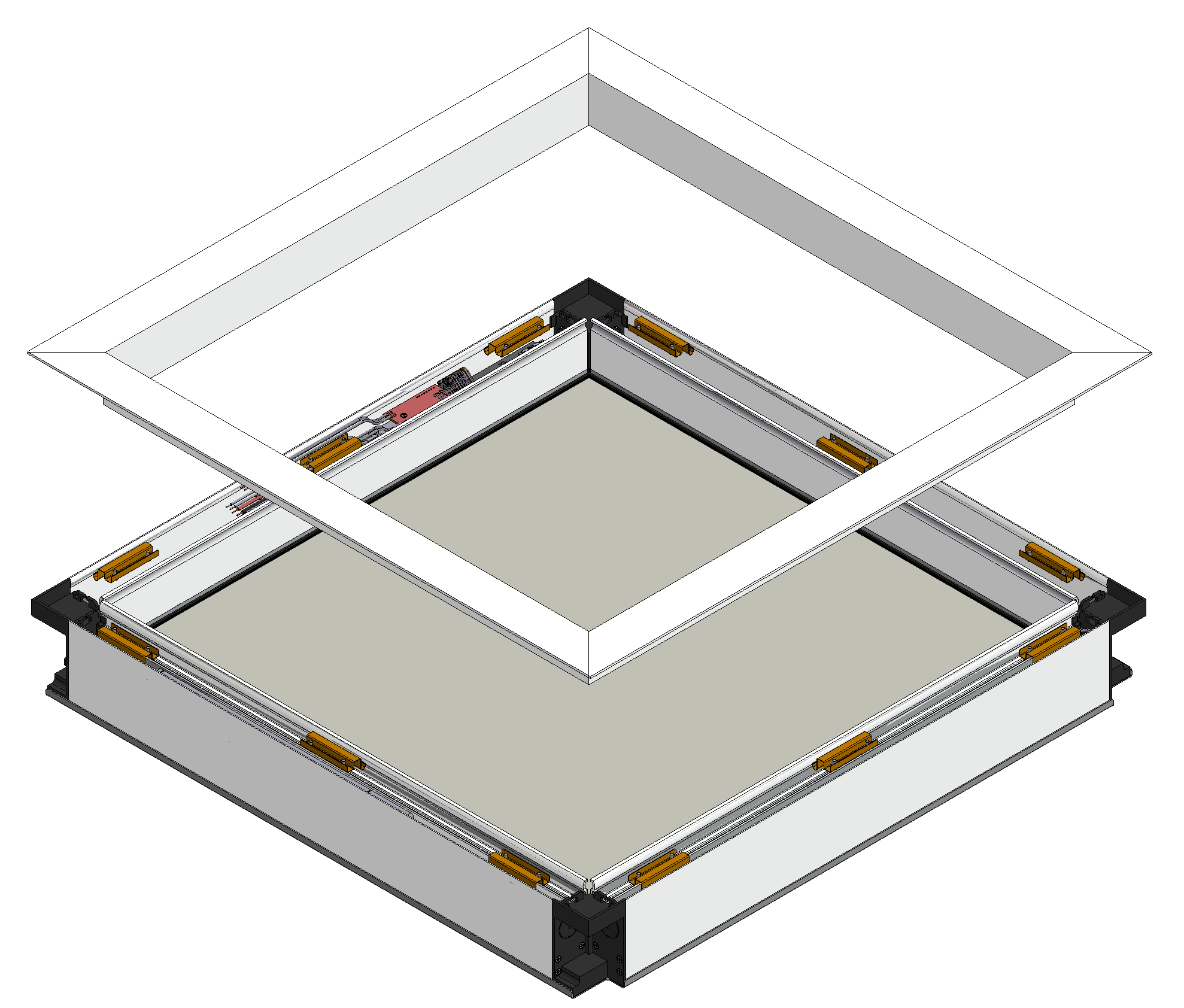
Surface Mount - Preview

Step 1: Locate and Mark Studs

For remodeling/retrofit, use a stud finder to locate and mark studs. Mark and measure actual on-center stud spacings (OC). Typical spacing is 16" O.C.

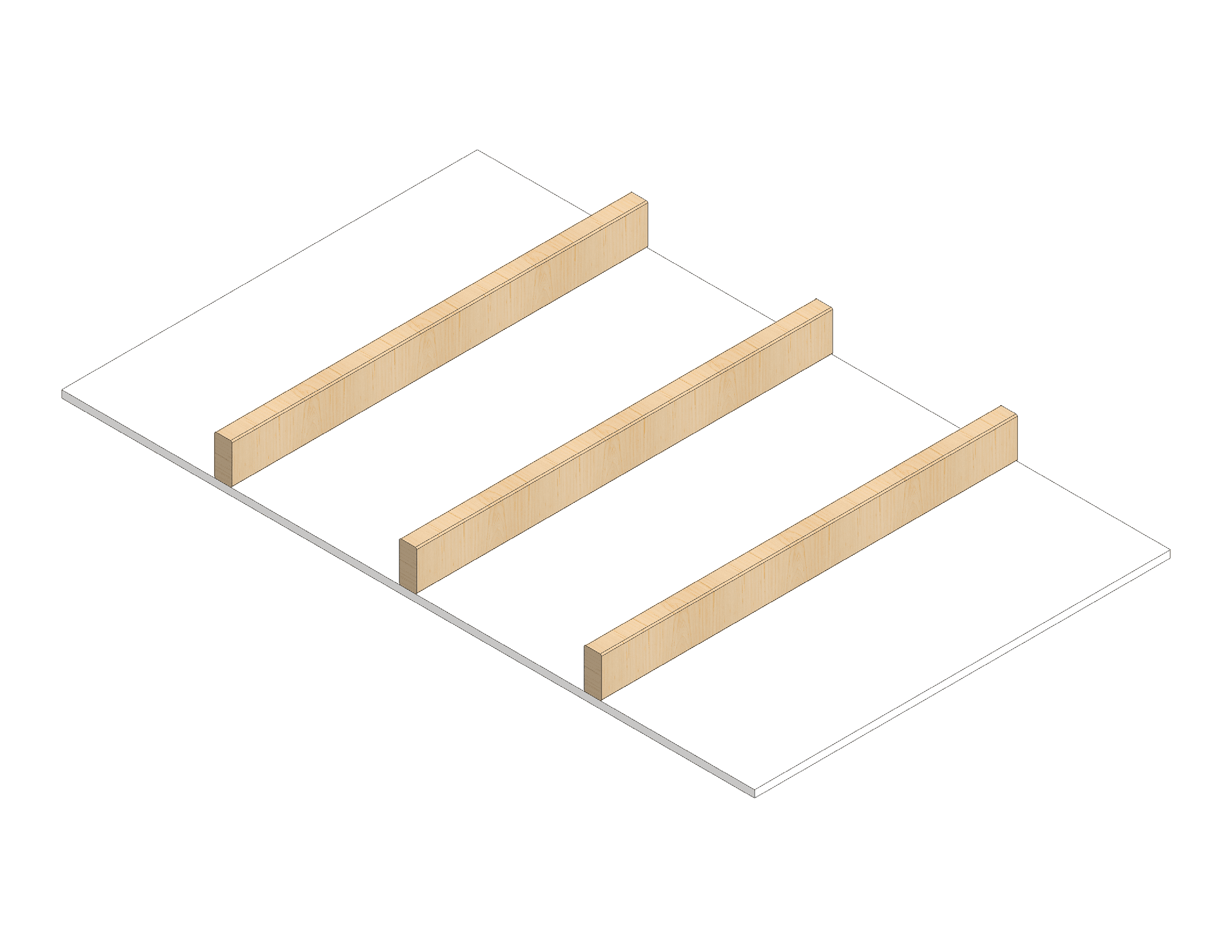
Surface Mount - Joists Framing
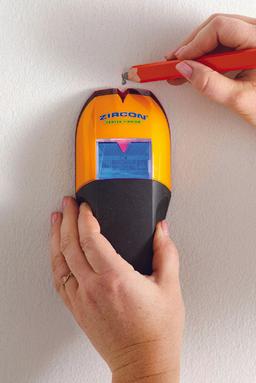
Surface Mount - Stud Finder

Stud Finder: Use a quality stud finder to locate wood joists behind drywall. Mark both edges of each stud to ensure accurate centering of screws.

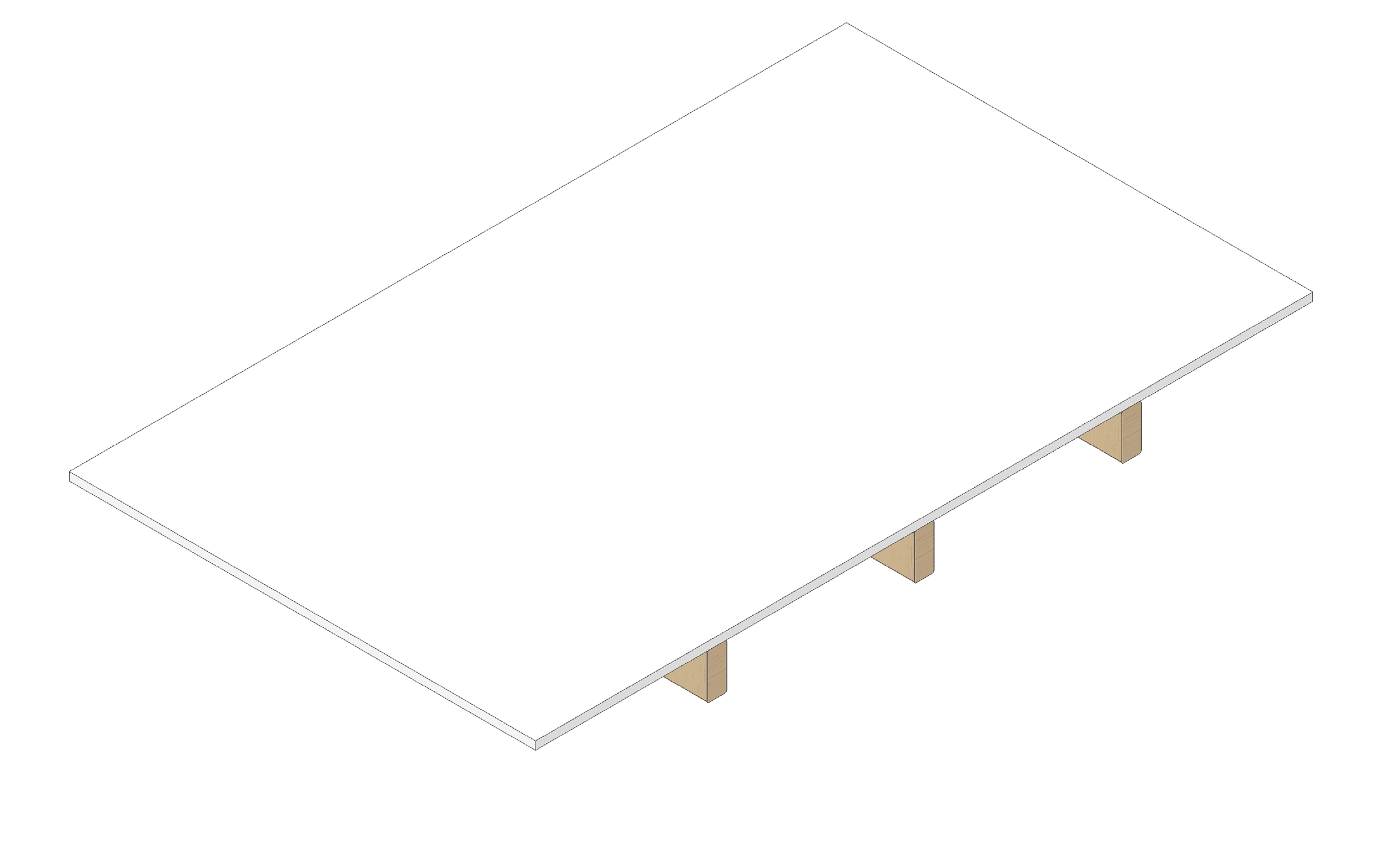
Surface Mount - Drywall with Marked Studs

Surface mount installations (continued)

Step 2: Cut and Mount Plywood Backing Plate

Note: Plywood backing plate and mounting hardware supplied by others.

Equipment and Parts:
• ≥4x Wood screws (#12 x 2" Phillips Pan Head Wood Screws, e.g., Homedepot #802572 or Lowes #57385)
• 4x 1/4-in 1-in Self-Drilling wood screws (e.g., Strong-Tie, Homedepot, Lowes #SDS25112-R25)

Steps:
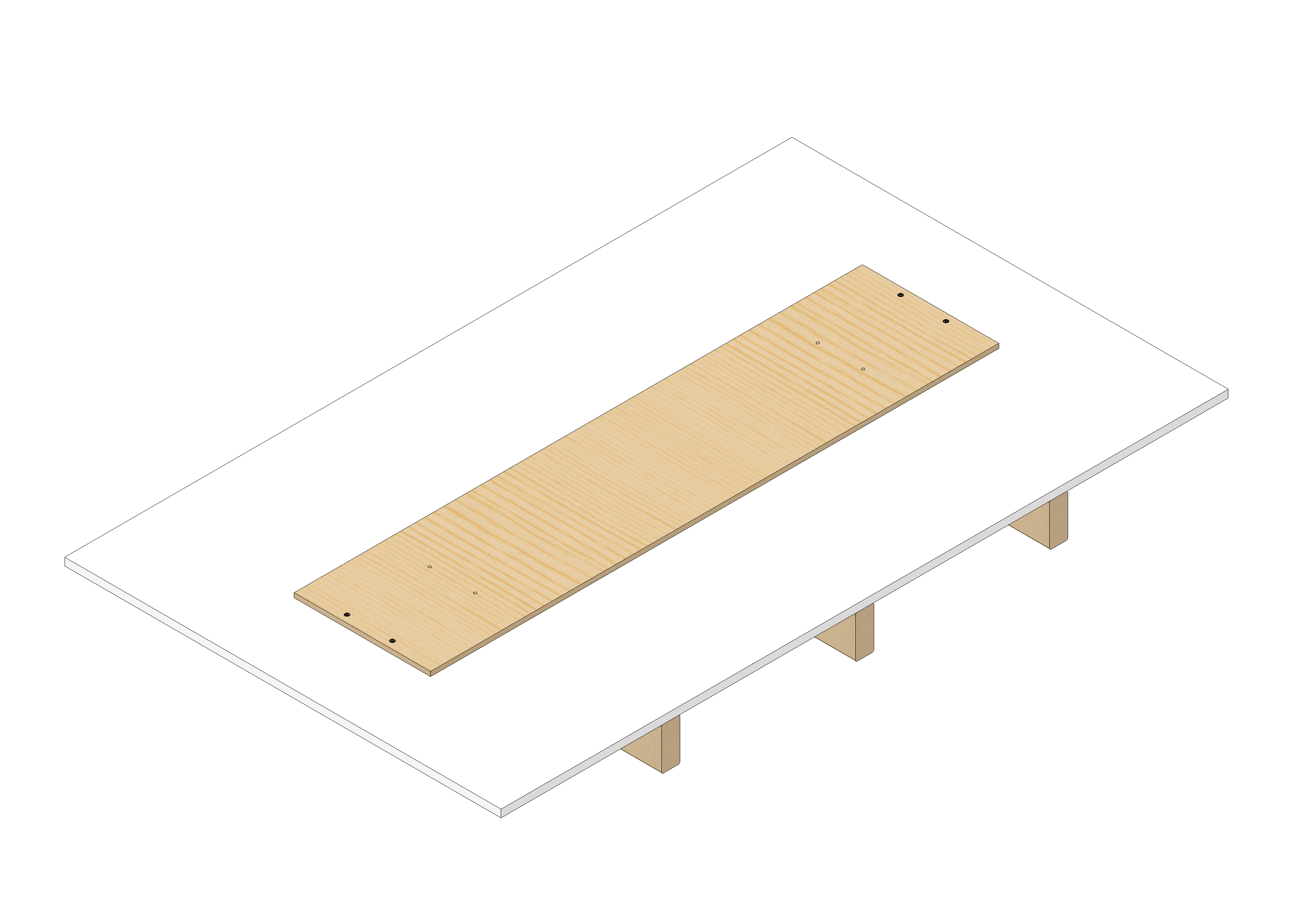
1) Cut a 3/8" thick plywood back plate to suit the fixture size (see table below).
2) Mounting holes can be with 1/4" screws or bolts. 1/4"-20 Machine screws and wood insert nuts can be used if junction box requires frequent inspections as wood screw holes can be damaged over time. Self-drilling wood screws are faster.
3) Pilot holes into wood are not required for mounting holes if using self-drilling wood screws. However, drilling through drywall with a 1/4" is recommended to avoid lifting.

Fixture
size
Backing plate minimum sizeMounting holes
Length(L)Width(W)ThicknessXYDrill bit
1x223"-1/25"3/8"3.74" (95mm)22.05" (560mm)23/64"
1x447"5"3/8"3.74" (95mm)45.67" (1160mm)23/64"
2x223"-1/417"3/8"15"-3/4 (400mm)22.05" (560mm)23/64"
1.5x447"5"3/8"3.74" (95mm)45.67" (1160mm)23/64"
2x447"17"3/8"15"-3/4 (400mm)45.67" (1160mm)23/64"

Note: Only 3/8" plywood is recommended for the backing plate. 1/4", 1/2", and 3/4" thicknesses are NOT suitable.

Surface Mount - Plywood Backing Plate

Surface mount installations (continued)

Step 3: Mount Fixture and Close Trim

Mount the fixture to the plywood backing plate using the 4 mounting holes at the corners. Once secured, close the front trim to complete the installation.

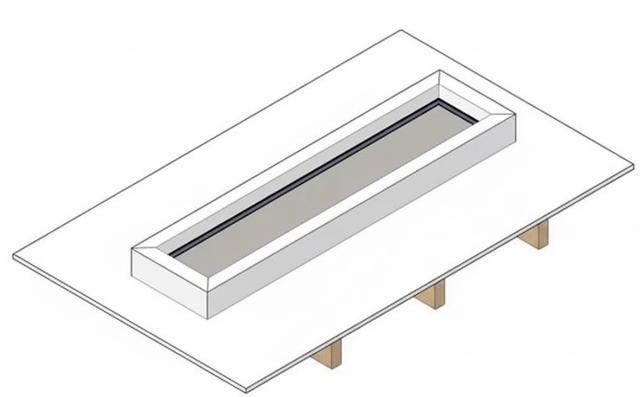
Screw locations

Circadian Sky - Overhead View with Mounting Holes

Complete installation by securing trim.

Note: Use 4 screws at the corner mounting holes. Select appropriate fasteners for your backing plate (wood screws, machine screws with nuts, etc.).

WIRING

Exclamation

IMPORTANT: READ ALL INSTRUCTIONS THOROUGHLY PRIOR TO INSTALLATION, USE QUALIFIED INSTALLERS/ELECTRICIANS, COMPLY WITH LOCAL ELECTRICAL CODES, RETAIN INSTALL MANUAL FOR REFERENCE.

Open Trim

Pull open the snap-fit trim

Snap-fit Trim

Break 1/2" K.O. (Knock-Outs)

Knockouts

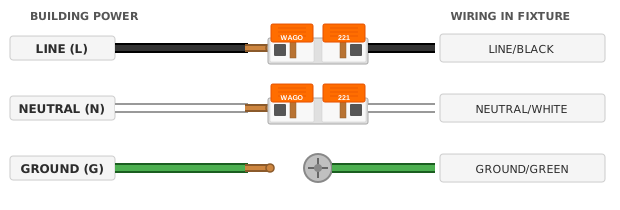
Normal Power (All fixtures inc. Casambi)

Wiring 2

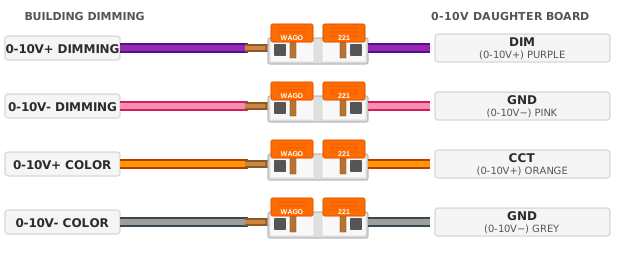
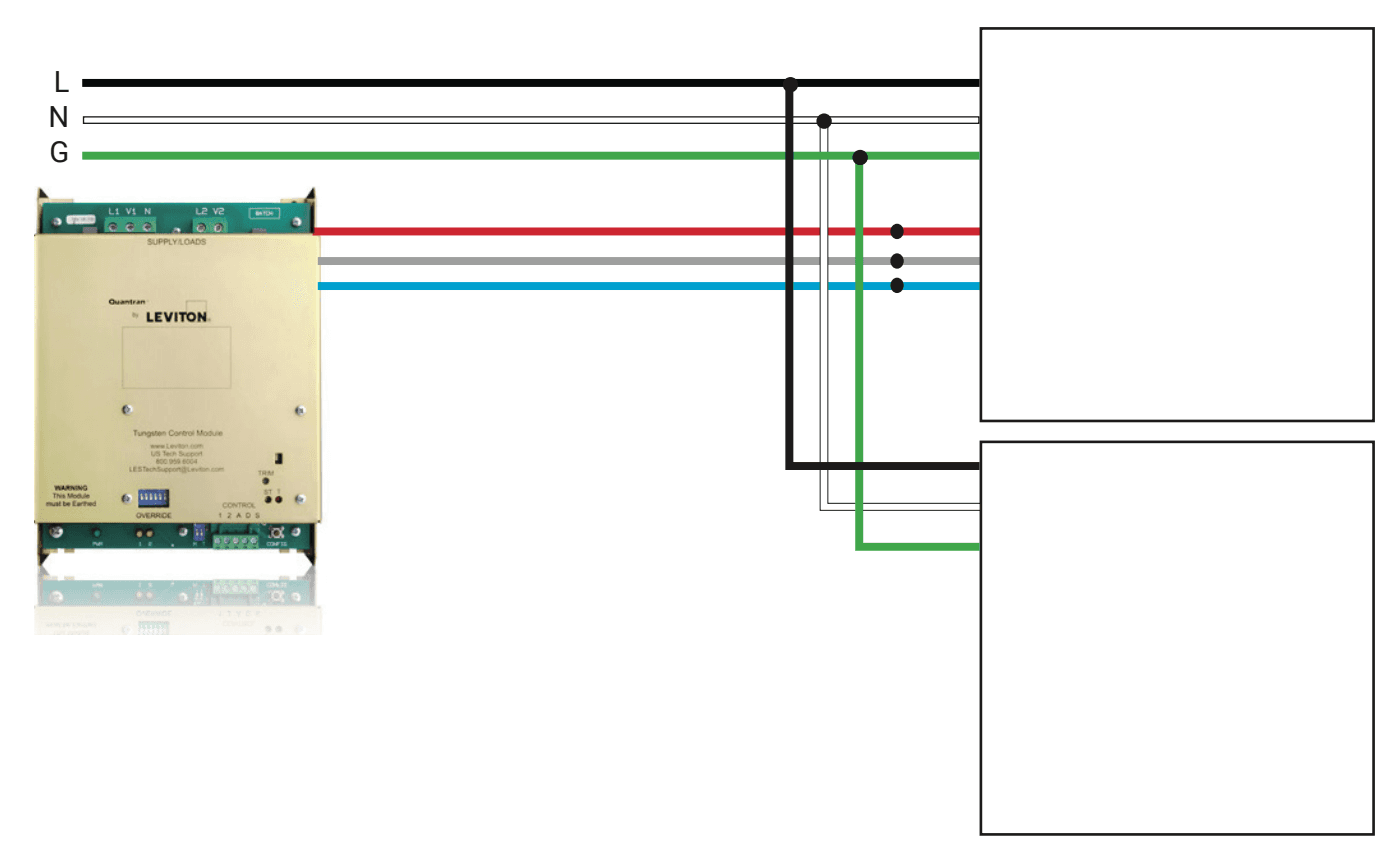
Dual Channel 0-10V (Primary fixture-only)

Dual Channel 0-10V Wiring

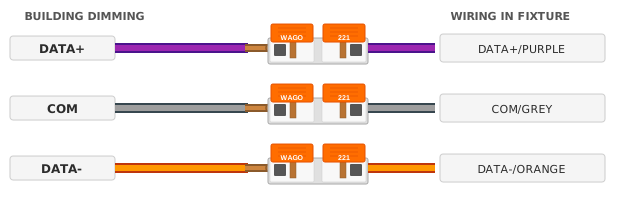
DMX Tunable Sky (Primary fixture-only)

Wiring 4

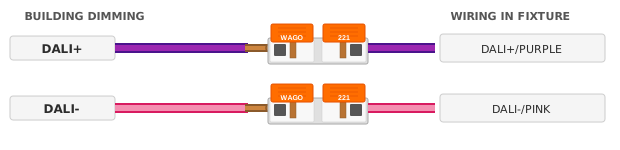
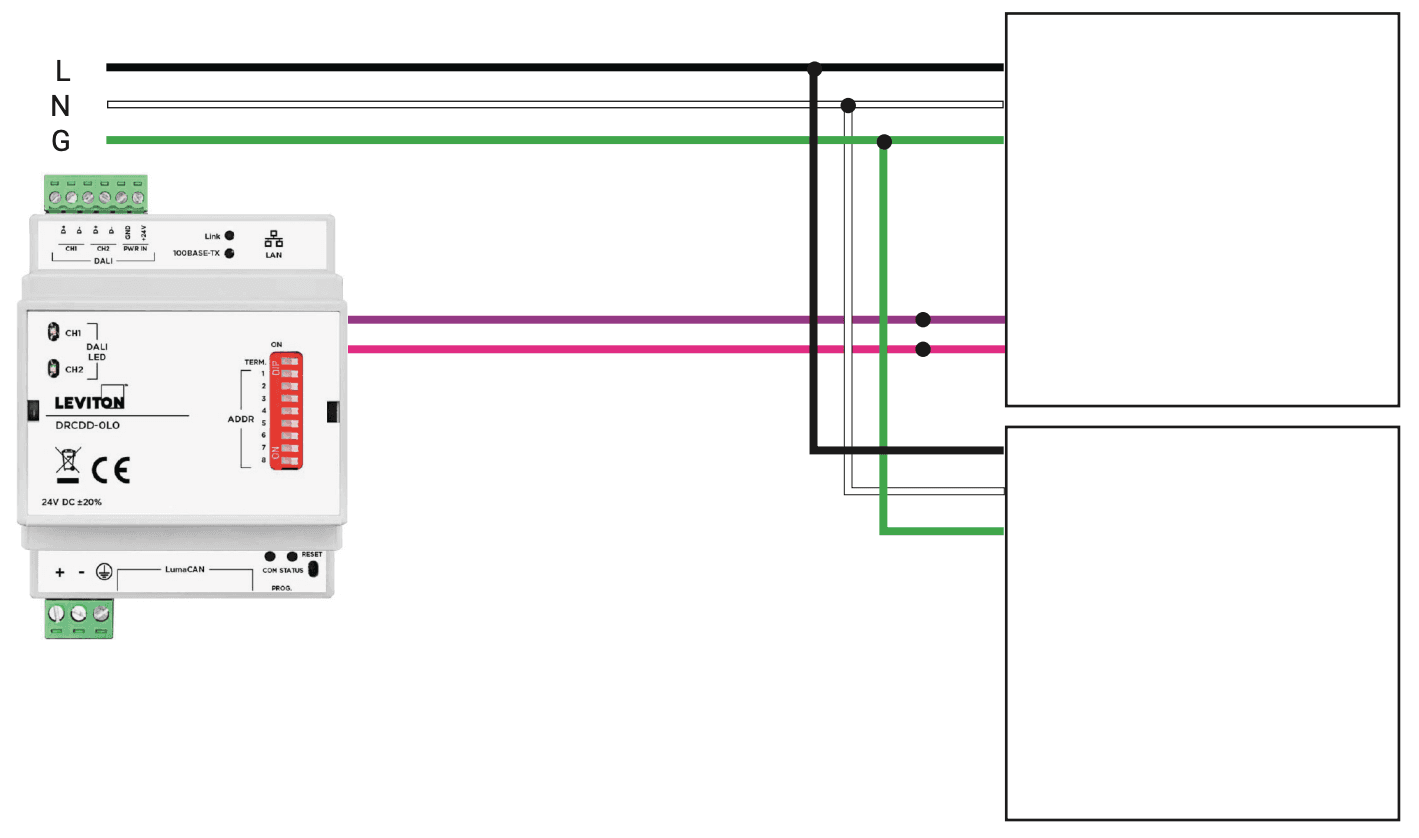
DALI-2 DT8 Tc Tunable Sky (Primary fixture-only)

Wiring 5
  1. Only Primary fixture have lighting control/dimming pigtails.
  2. Only 1no. Primary is sold per group/zone
  3. Casambi Primary fixture are wireless and does not require additional dimming wiring.
  4. Building wires to be 18-12 AWG when using the supplied Wago connectors.

Mounting Holes & Wiring Connections

⚠ IMPORTANT: Only use the existing mounting holes to secure the fixture. DO NOT drill additional holes — LEDs and circuit boards are located along the edges and drilling may cause permanent damage to the fixture.

Circadian Sky - Overhead View with Mounting Holes

Mounting Points

  • Use the 4 pre-drilled mounting holes at the corners to secure the fixture
  • Use appropriate fasteners for your ceiling type (wood screws, toggle bolts, etc.)

Wiring Connections

  • Power input: Connect line voltage (120V/277V) to the AC/DC power supply
  • Ground: Connect building ground wire to the green ground screw
  • Control signals: Connect dimming wires (0-10V, DMX, or DALI) as applicable
  • Use the supplied Wago connectors for secure connections

⚠ Wireless Group Installation

Unlike typical fixtures that each require individual control wiring, Innerscene uses wireless groups to reduce installation cost and ensure perfect synchronization. Each group has one Primary fixture (with control wiring) that wirelessly coordinates all Secondary fixtures in the group—eliminating voltage drop issues and ensuring all fixtures match brightness and color exactly.

Each wireless group is typically controlled by one wall dimmer. The dimmer connects to the Primary fixture, which wirelessly controls all Secondary fixtures in that group:

Group 1 (Example)ONOFFWall DimmerPRIMARY(1 of 4)SECONDARY×3Group 2 (Example)ONOFFWall DimmerPRIMARY(1 of 2)SECONDARY×1
━━ Wired connection┄┄┄ Wireless (~50ft range)

Installation Steps

1
Sort by Group:Group all boxes with the same Wireless Group number
2
Install Together:All fixtures in a group go in the same room/area
3
Stay in Range:Keep Secondary fixtures within ~50ft of Primary
4
Wire Primary Only:Connect control wiring to Primary; Secondary needs power only
5
Test:Verify all fixtures in a group dim and change color together

Wireless Star Network

Wireless Star Network - Primary fixture in center

Primary (blue) in center, Secondary fixtures within ~50ft

Primary Fixture

  • Connect control wiring (0-10V, DMX, DALI, or Casambi)
  • Install centrally for best wireless range

Secondary Fixtures

  • Power wiring only - no control connections
  • Follows Primary wirelessly (within ~50ft)

⚠ Avoid These Mistakes

  • Installing different groups in same area
  • Missing Primary fixture in a group
  • Fixtures beyond 50ft from Primary

Commissioning

Factory Pre-Commissioning

When ordering Circadian Sky fixtures from Innerscene with factory pre-commissioning, the local time and geolocation will be saved into the Primary fixture. The Primary fixture contains a non-rechargeable battery that will maintain the clock for around 10 years (or indefinitely if power to the fixture is maintained and dimming is used to turn off the fixture).

Primary vs Secondary Fixtures: The Primary fixture is the only fixture to require hard-wired control signals (unless using Casambi Controls). It will automatically send out dimming and colour control signals wirelessly to nearby Secondary fixtures within the same zone.

Programming Codes

The programming code in your spec determines the default behavior:

CodeDefault Behavior
P0000External Control Only — Fixture will only respond to external dimming signals (0-10V, DMX, DALI, or Casambi). No built-in schedule.
P0001Wall-Clock Schedule (8am-6pm) — Fixture uses built-in wall-clock schedule when powered on. Time zone is based on delivery address. Daylight savings adjustments applied automatically. Exits schedule mode when external control signal changes.
P0002Sunrise/Sunset Schedule — Fixture uses built-in sunrise/sunset schedule when powered on. Longitude and latitude for calculations based on delivery address.
CustomCustom programming codes can be created using Innerscene's Programming Tool and will be pre-loaded before shipping.

Note: For P0001 and P0002, external dimmer signals are ignored for the first second after power on. If external control changes after this, the automated schedule will be overridden.

On-Site Schedule Configuration

To update the schedule on-site, connect to the fixture's WiFi network (e.g., Innerscene-0-10V-XXXX or Innerscene-cas-XXXX) using password "innerscene", then navigate to 172.30.0.1 in a web browser to access the configuration interface.

For detailed scheduling instructions, scan the QR code or visit our help page.

QR code for scheduling help

Scheduling Help

Casambi Controls

Compatible Casambi Controls

Tested by Innerscene. Most Casambi controls are expected to work.

BrandModelPart #
CasambiXpress™CBU-XPRESS
MagtechATOM™ In-wall Switch (battery)WS-NC04-N2-0A4
mwConnectLine Voltage Wireless SwitchMWS-CAS
Wireless Switch with PIR SensorMWS-CAS-PIR

™ trademarks are the property of their respective owners.

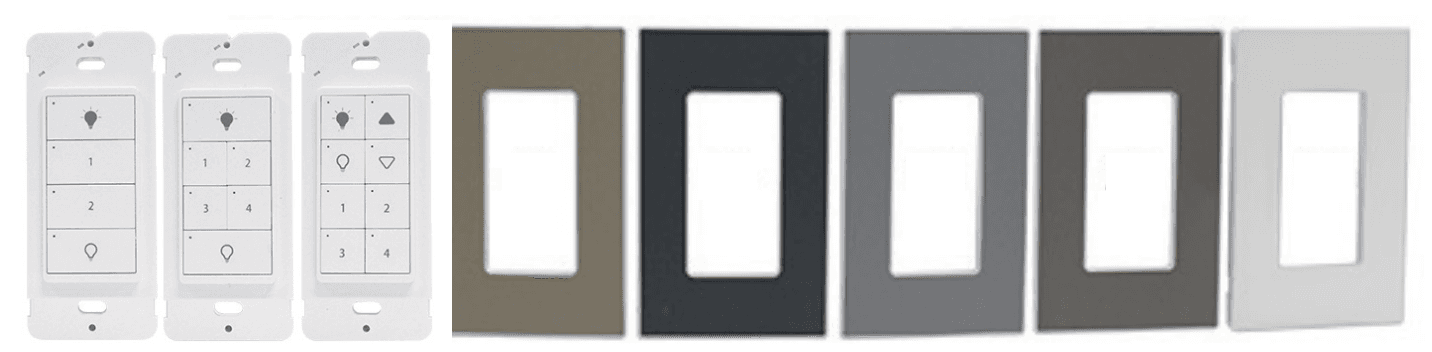
Casambi offer a comprehensive ecosystem of wired and wireless controls to work with Innerscene light fixtures. For North America, wall switches are available in either hard wired or battery powered versions with different face plates and button configurations as shown below, available from Magtech Industries Corp.

Casambi Controls

PRIMARY & SECONDARY FIXTURES

Each Innerscene Casambi fixture is designated as either Primary or Secondary. The Primary fixture contains an integrated Casambi controller and wirelessly communicates with all Secondary fixtures in the same zone.

Installation tip: Position the Primary fixture in a central location within the zone to ensure maximum wireless range to all Secondary fixtures (up to 100ft / 30m line-of-sight). No special wiring is required for Casambi — only standard power wiring is needed.

CASAMBI CONTROLS GUIDE

For detailed instructions on Casambi app setup, network configuration, scene programming, and circadian profile customization, scan the QR code or visit:

Dual channel 0-10/1-10V Controls

Compatible 0-10V Dimmers

Tested by Innerscene. Most 0-10V/1-10V dimmers are expected to work.

BrandModel
AmbientechZeroTone™
LevitonDecora™
LutronDiva™, Nova T™, GRAFIK Eye™, HomeWorks™, Quantum™
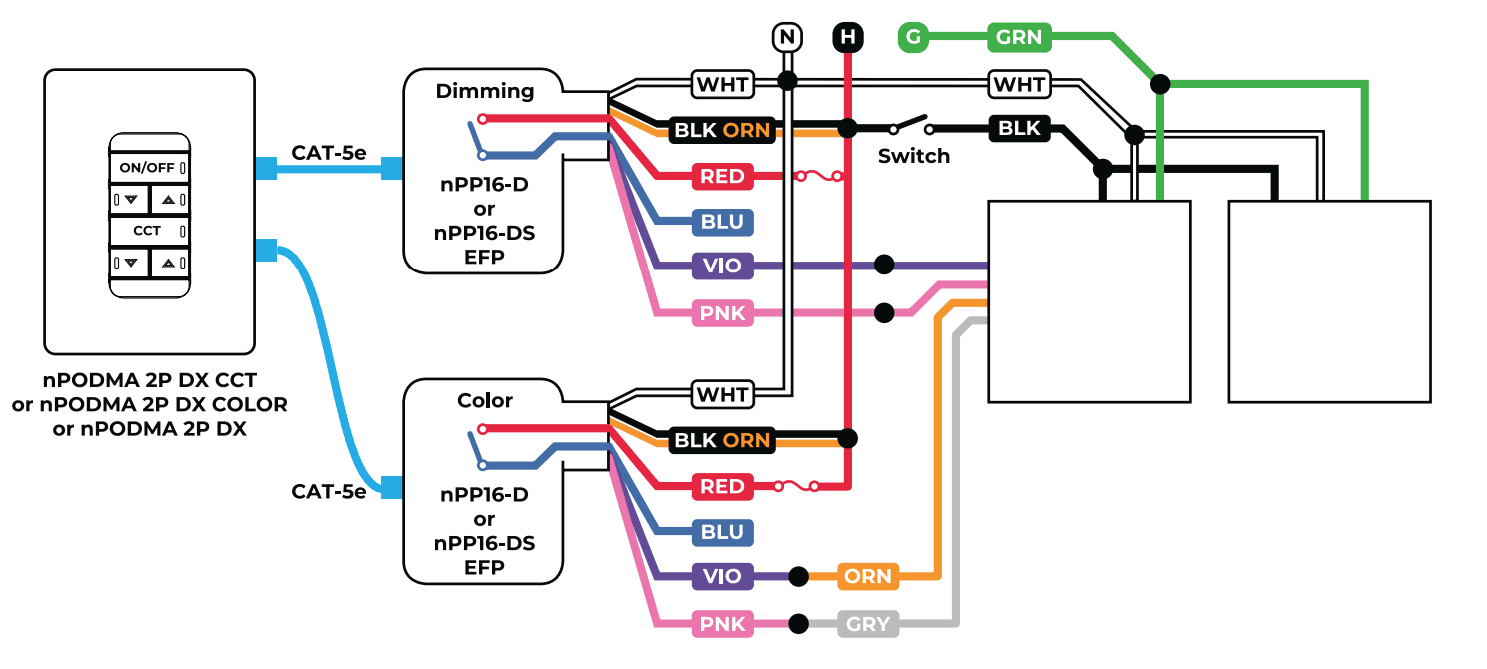
nLightnPODMA 2P™ & 2x nPP16™, nPODMA 2P™ + nPP16 & nIO™

™ trademarks are the property of their respective owners.

Innerscene fixtures support sink and source current with auto-detect. Innerscene also supports log/linear options and digital trim controls using its built-in WiFi interface.

Acuity Brands' nLight™ wired system

Dual Channel Wiring

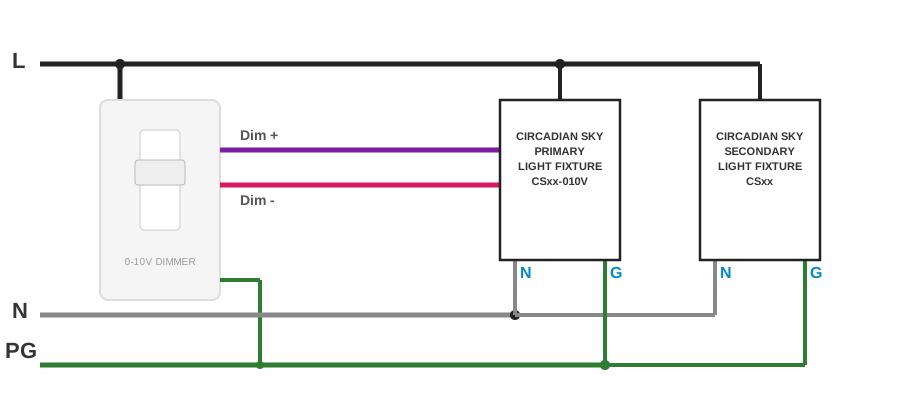
Two 0-10V dimmer switches (example: Lutron Diva™ or Nova T™)

Two 0-10V Wiring

Single channel 0-10/1-10V Controls

Innerscene fixtures support sink and source current with auto-detect. Innerscene also supports log/linear options and digital trim controls using its built-in WiFi interface.

Single channel 0-10V dimmer switch (example: Lutron DVSTV-WH, NTSTV-DV-WH, or Leviton IP710-DLZ)

Single Channel 0-10V Wiring

Diva and Nova T are trademarks of Lutron Electronics Company.

DMX Controls

Compatible DMX Controllers

Tested by Innerscene. Most DMX controllers are expected to work.

BrandModel
LevitonVarious
LutronHomeWorks™, Quantum™
PharosExpert Control™

™ trademarks are the property of their respective owners.

DMX Wiring and Setup

DMX Wiring

for Installers

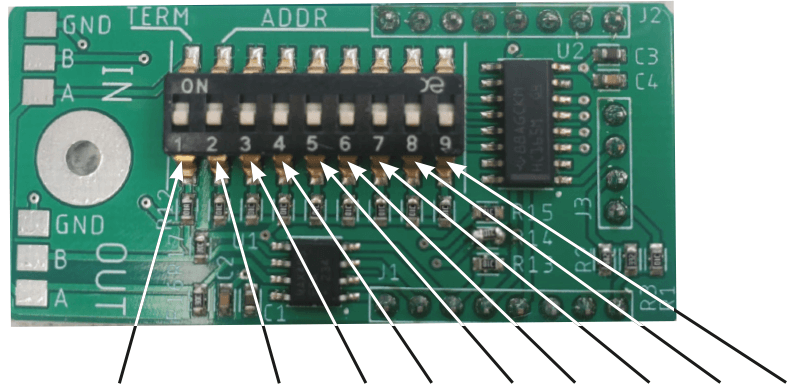
  1. If the fixture is at the end of the signal run then fixture to Termination. DIP switch on Daugterboard postition 1 to ON/UP.
  2. Set the same starting channel on the fixture as the DMX controller/console using the DIP switch. The DIP switch use Binary encoding, for example, channel 17 is 0000010000.
  3. By default the switches at all set to OFF and will not respond to DMX signals.
  4. First channel is Intensity/Dimming. Second channel is Color/Tuning. For example, if starting channel is set to 17, channel 17 is Dimming control (Intensity), channel 18 is Color control (CT).

CIRCADIAN SKY DMX DAUGHERBOARD

DMX Daugherboard

DALI Controls

Compatible DALI-2 Controllers

Tested by Innerscene. Most DALI-2 DT8 Tc controllers are expected to work.

BrandModel
Helvar950 Router
LutronAthena™, HomeWorks™
OsramDALI MCU TW
PharosExpert Control™

™ trademarks are the property of their respective owners.

Caution: only DALI-2 DT8 Tc tunable white profile is supported. For dual address DALI-1 please contact Innerscene support line.

DALI-2 DT8 Tc System Wiring

DALI Wiring